
Issue description
The device stops during processing, and the software prompts "Air pump exception" and the error code indicates "AIRPUMP.ELEMENT_ABNORMAL.STALLED".
Possible causes
- The connector of the air tube is blocked.
- The air tube is twisted or bent severely.
- The air pump is faulty.
Troubleshooting procedures
1. Check the connector of the air tube on the Z-axis
⚠️ Safety First: Power off your device before performing the step.
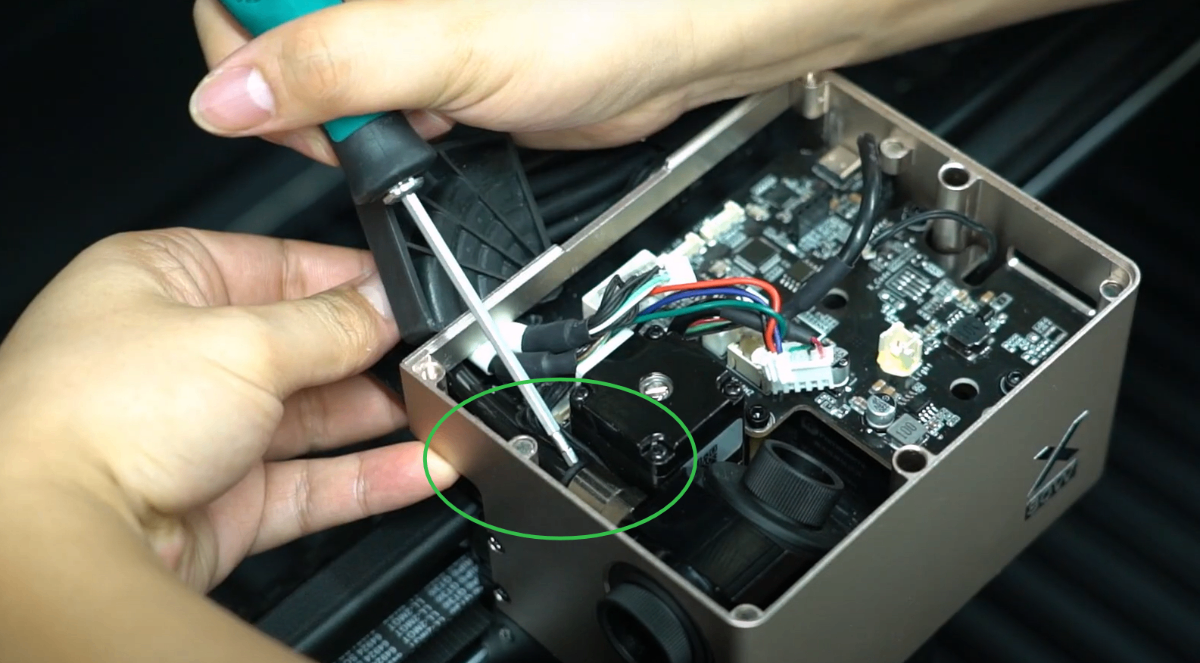
(1) Use a 2 mm hex key to remove the cable fixing block (as shown) and unplug the air tube. Removing the connector of the cable is not needed.
Refer to the video to operate: Replace the Z-Axis Adapter Board of xTool P3.
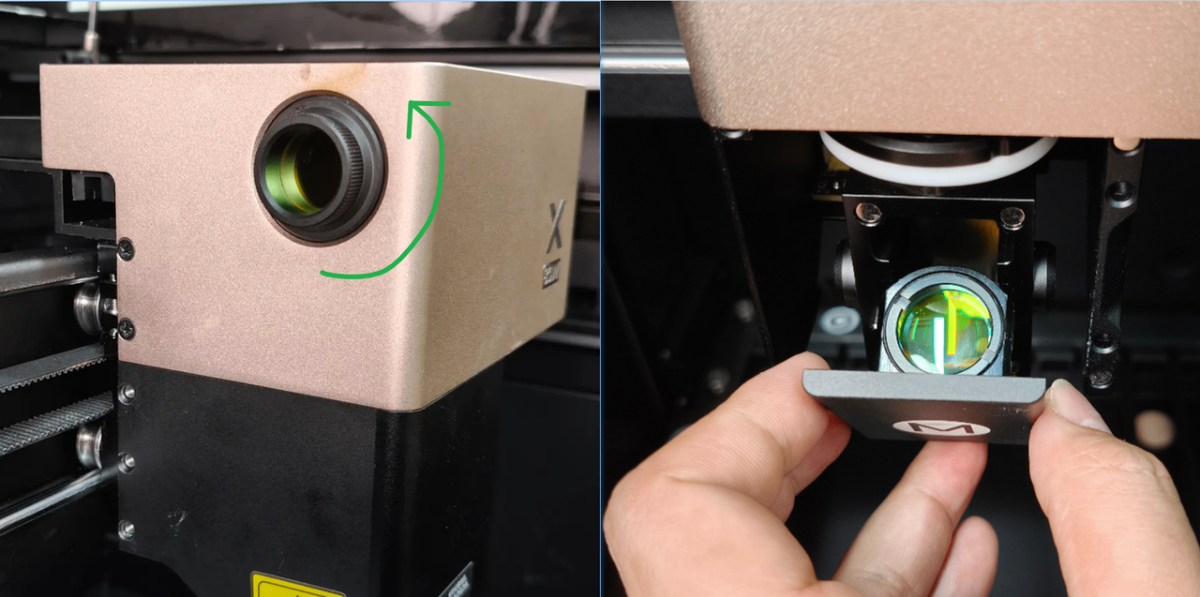
(2) Rotate anticlockwise to remove the window lens. And remove the focus lens from the front of the laser module.
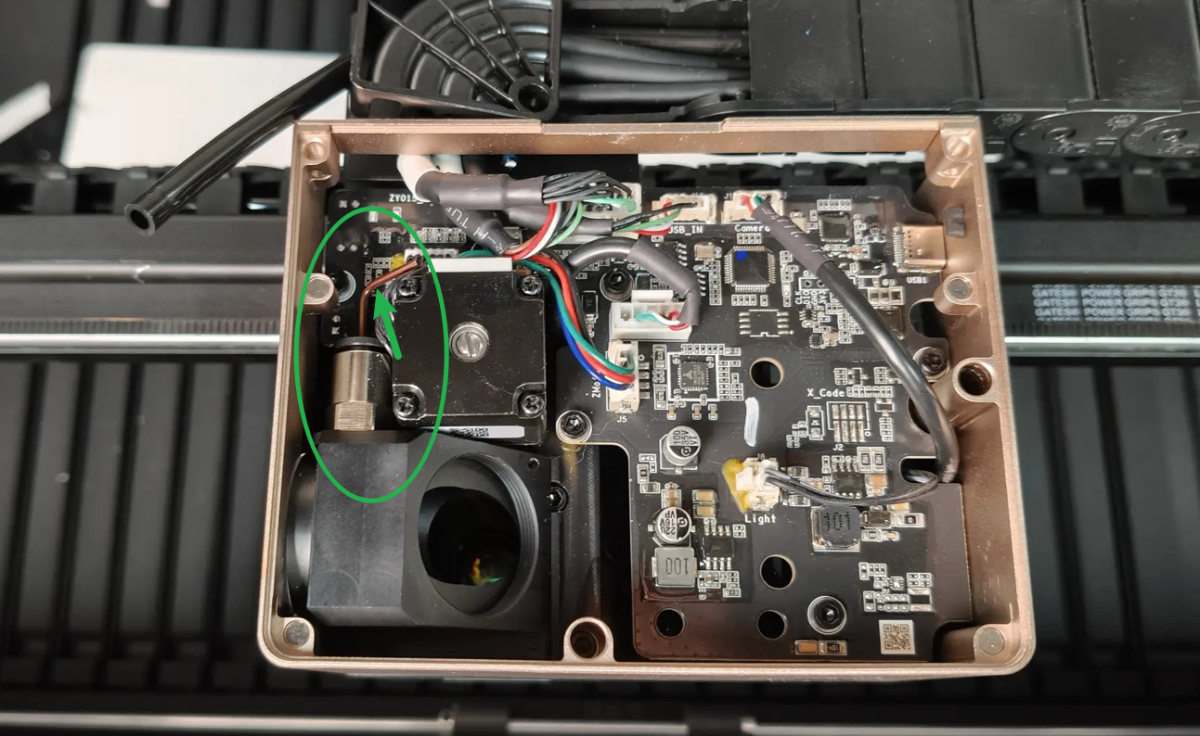
(3) Insert a toothpick or tiny screwdriver into the connector to check whether residues or foreign objects are accumulated. If yes, clean them up.
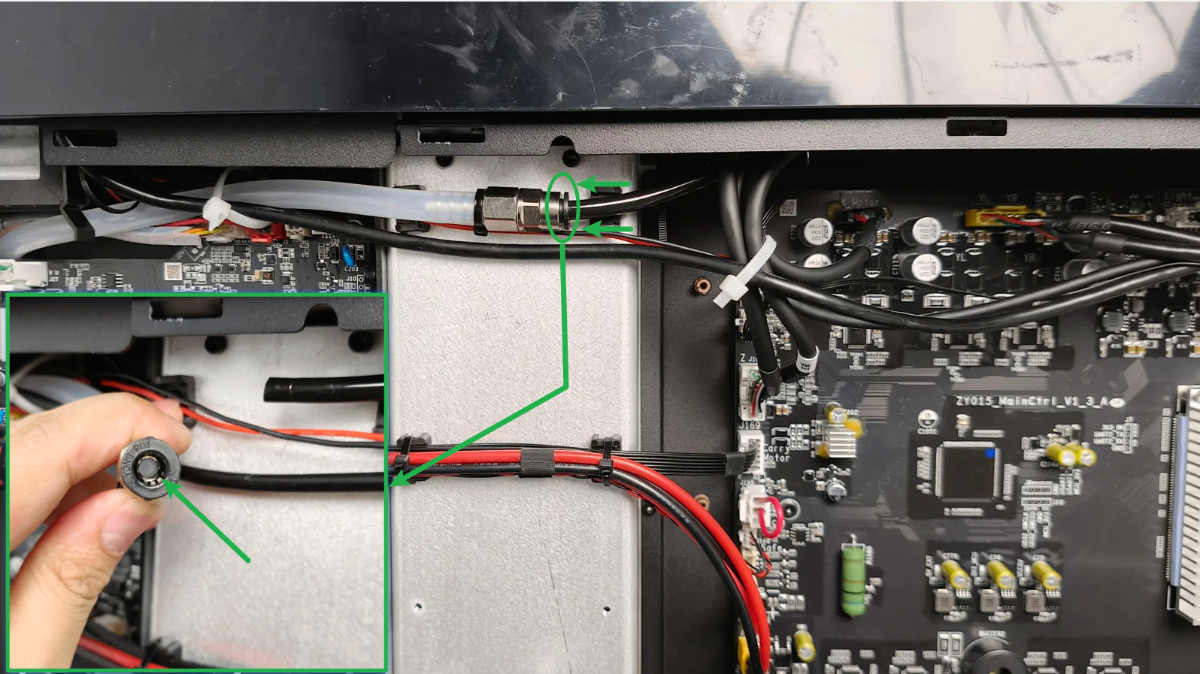
2. Check the connector of the air tube on the left side
(1) Disconnect xTool P3 from a power supply.
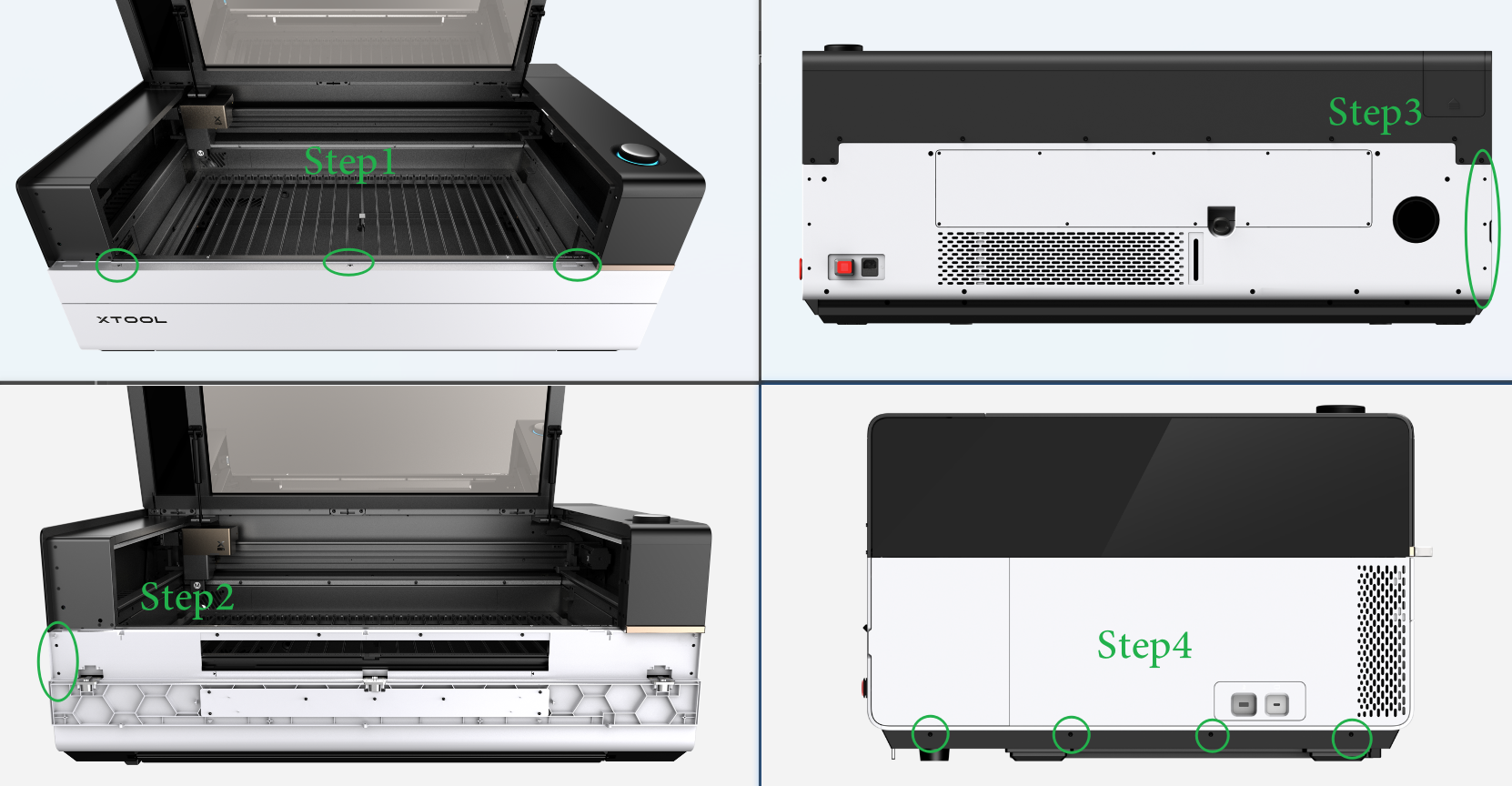
(2) Remove the left plate as shown. And you can see the video tutorial Assemble & Disassemble the Casing of xTool P3.
(3) Cut the cable ties at the air tube connector, press the black lock on the connector, and pull out the tube.
(4) Check whether residues or foreign objects are accumulated in the air tube connector. If yes, clean them up.
3. Check the installation of the air tube
Check the tube for any obvious kinks or severe bends. If you find any, straighten the tube before trying again.
4. Check the silencer of the air pump
Check the silencer by following the maintenance instructions.
- If the silencer is clean, check for other issues.
- If the silencer is dirty, clean it thoroughly before trying again.
Still experiencing issues?
Should the issue persist after completing the preceding steps, submit a ticket via the "Submit a Ticket" button in the "Help Ticket" section below. The standard response time for xTool Customer Service is one business day.
For a prompt resolution, please include the following details:
- Issue description: A detailed explanation of the observed problem.
- Video evidence: Attach a video demonstrating the issue, where applicable.
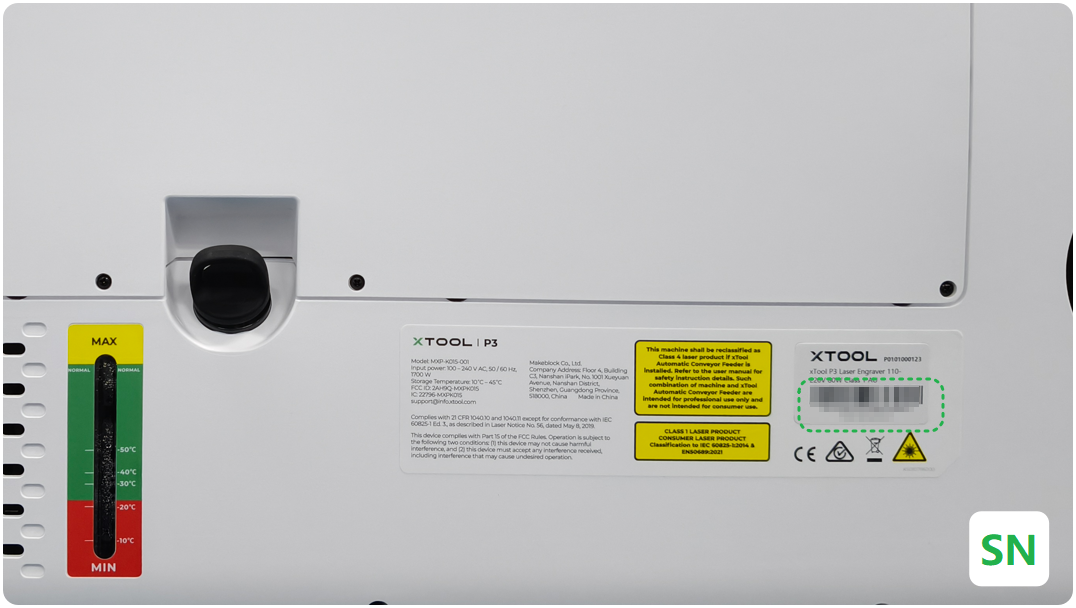
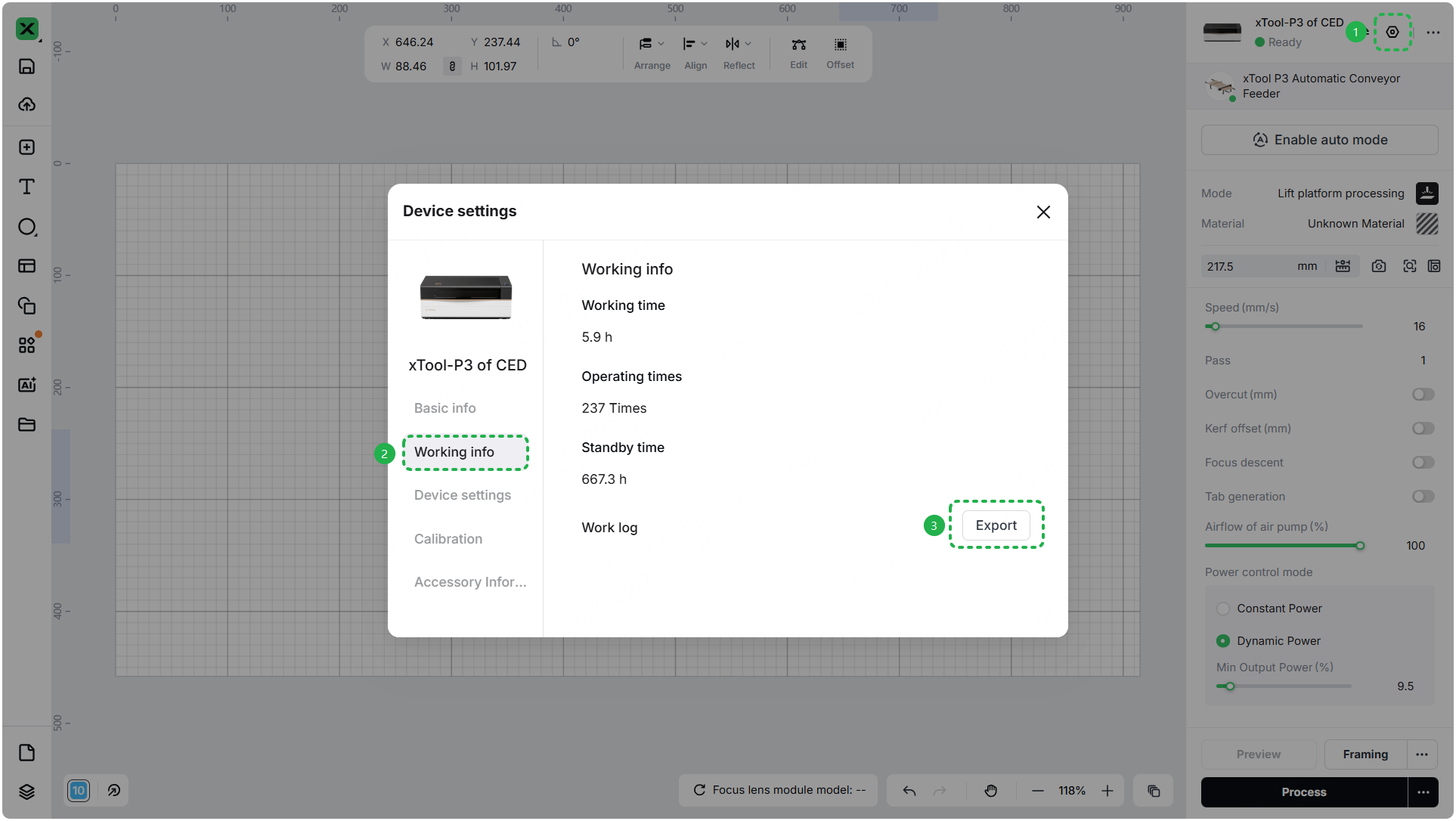
- Device information: Follow the steps to find the SN and export the work log.
- Troubleshooting performed: Any troubleshooting steps you have already attempted, along with their results.
This information is crucial for xTool technical support engineers to provide timely assistance.
Documentation feedback
Help improve this content by providing feedback. If this content did not meet your requirements, select "No" in the "Was this page helpful?" section below. Include specific details about what was unclear or missing in the pop-up suggestion box. Feedback submissions are reviewed by xTool technical writers to enhance future documentation.

