
Purpose
- This document is designed to assist users in efficiently resolving issues with xTool F2 Ultra UV by providing essential information for technical support. By following the instructions outlined in this guide, you will learn how to collect critical data and details, such as software versions, firmware versions, xTool Studio debug files, project files, etc.
- Supplying this information will enable our technical support team to diagnose and address problems more effectively, ensuring a smoother and faster resolution process.
What do we need?
Item 1: xTool Studio software version
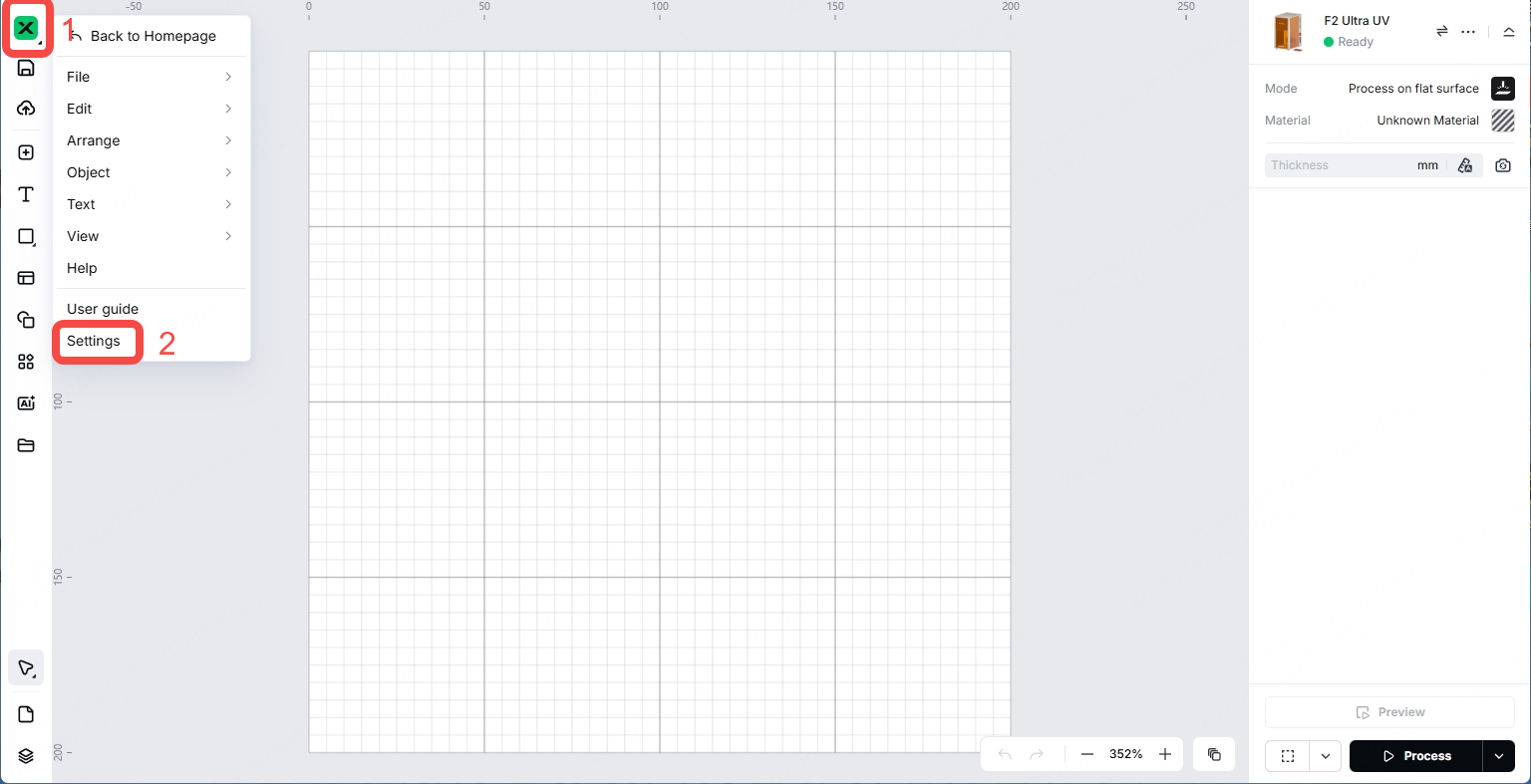
You can find the current xTool Studio software version information following the steps below.
1. In the the top-left corner, click the "X" icon, and then click Settings.
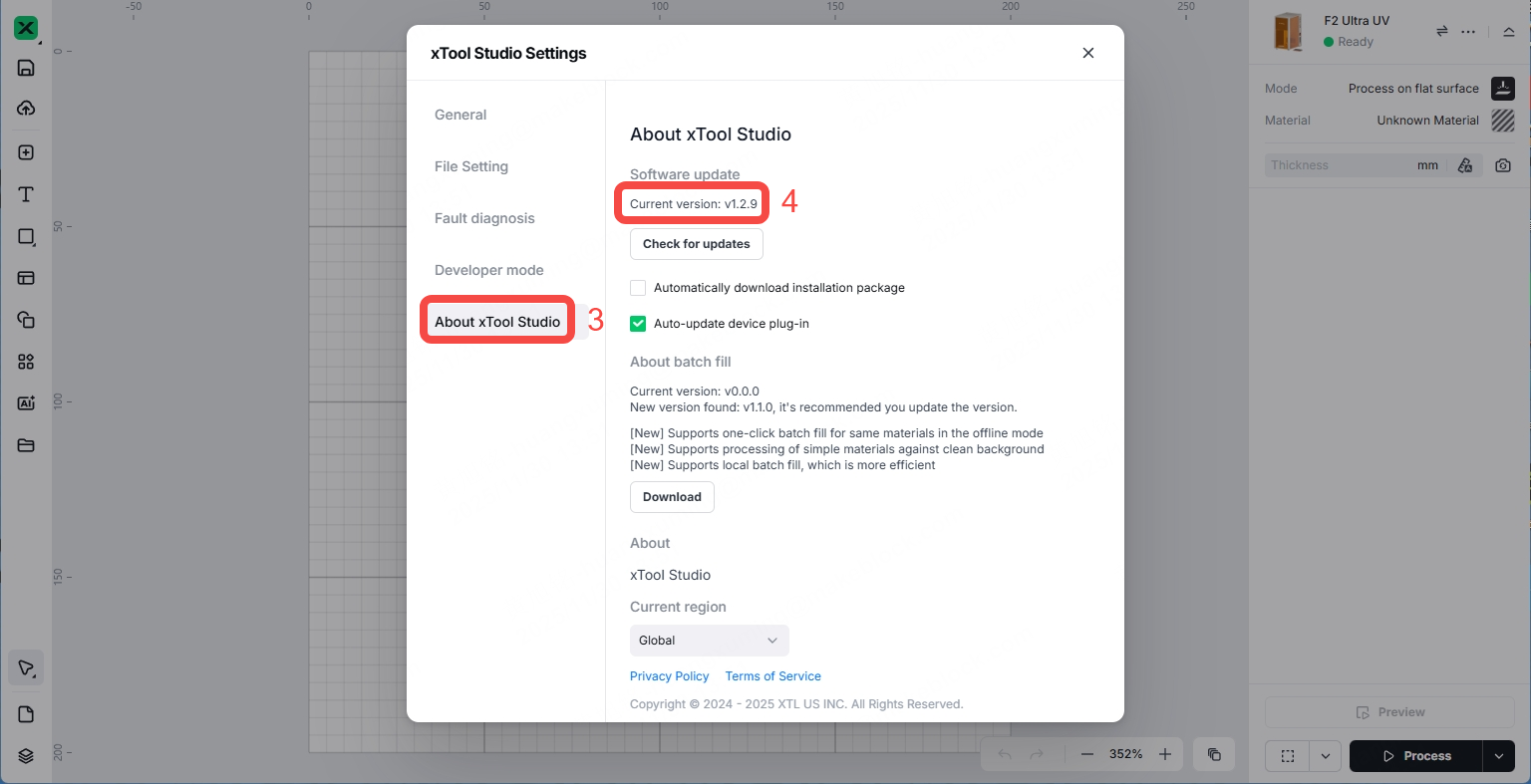
2. In xTool Studio Settings, click About xTool Studio, and you can find your current software version.
Item 2: xTool Studio debug file
To obtain the debug record, follow these steps:
1. In the the top-left corner, click the "X" icon, and then click Settings.
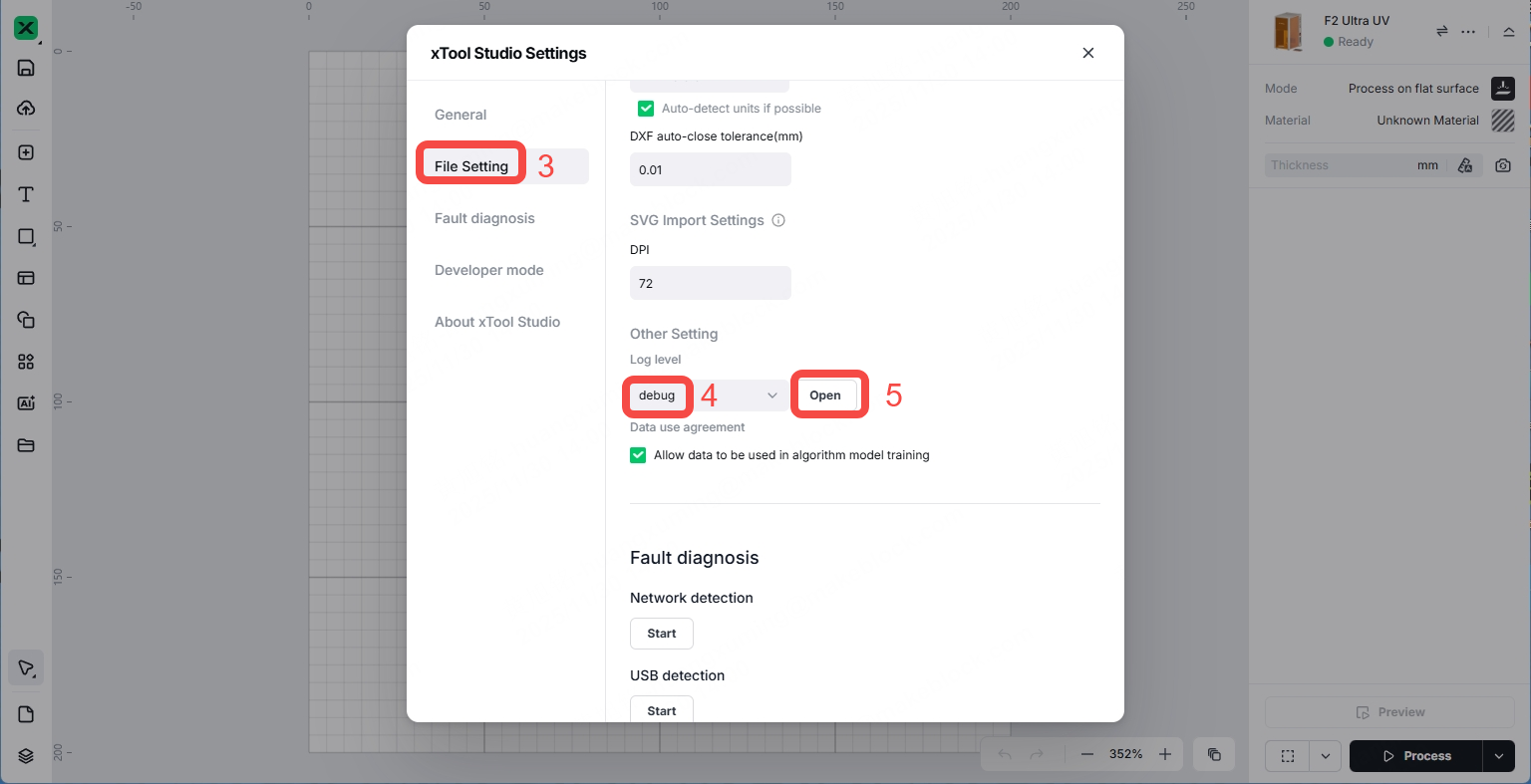
2. In xTool Studio Settings, click File Setting, select debug in Log level, and click Open.
3. You will find the debug files exported to your computer storage.
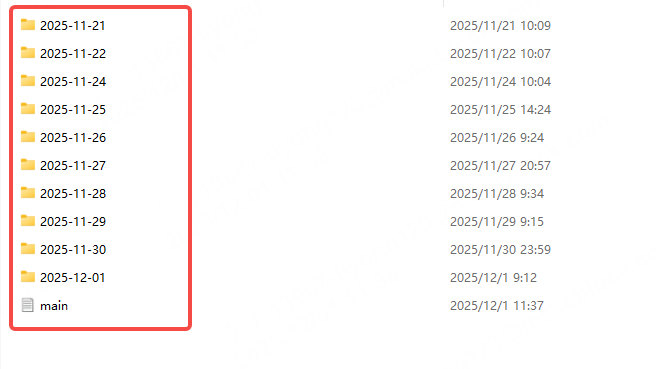
Note: Please provide us with the debug files from the day before the issue occurred to the day after.
Item 3: XCS project file
To export the XCS project file, follow these steps:
1. In the the top-left corner, click the "X" icon.
2. Navigate to the File section.
3. Click Save as to save the XCS project file.
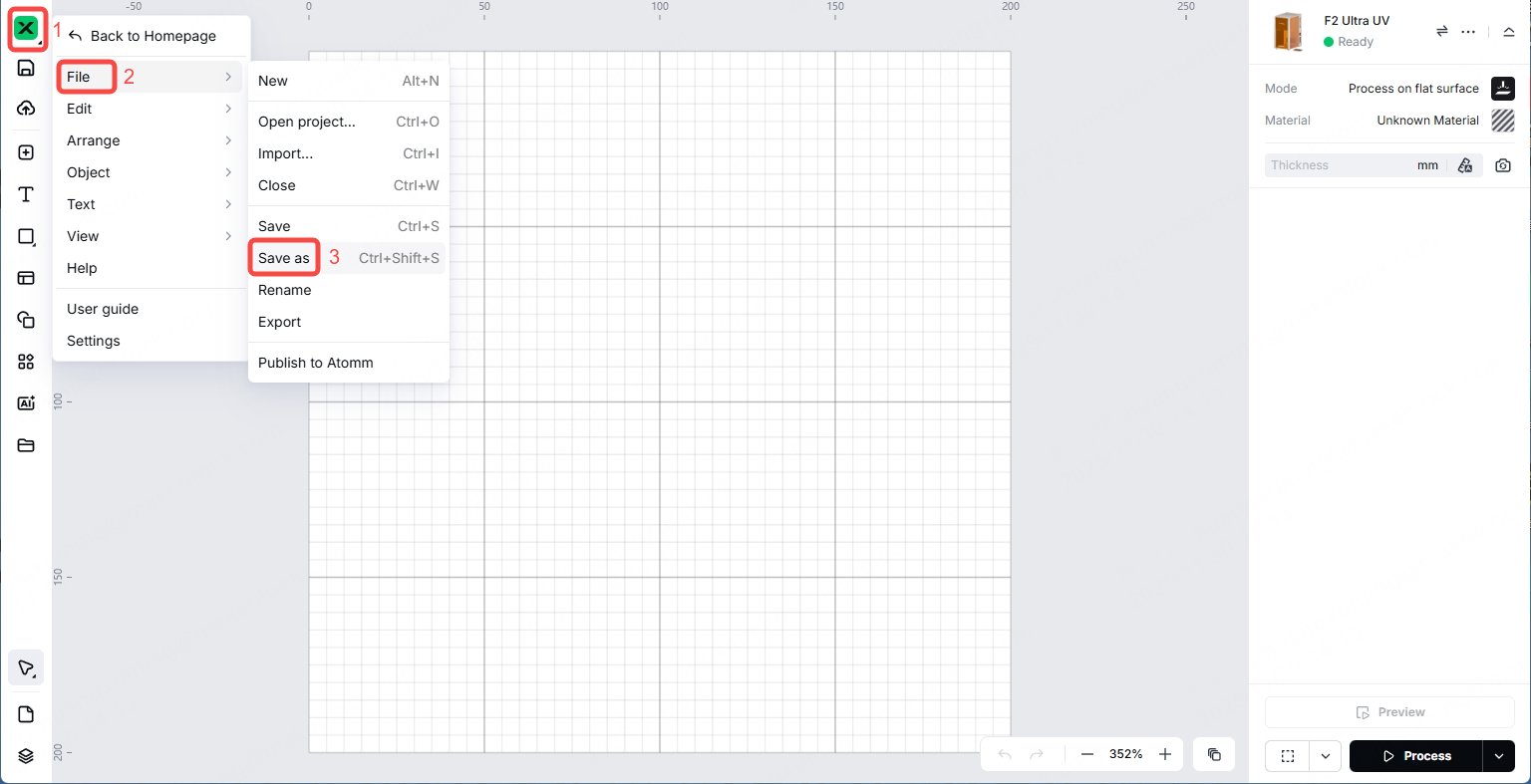
This file includes important information, such as the processing mode and parameters you are using, which will help us better identify the cause of the issue.
Item 4: Firmware version
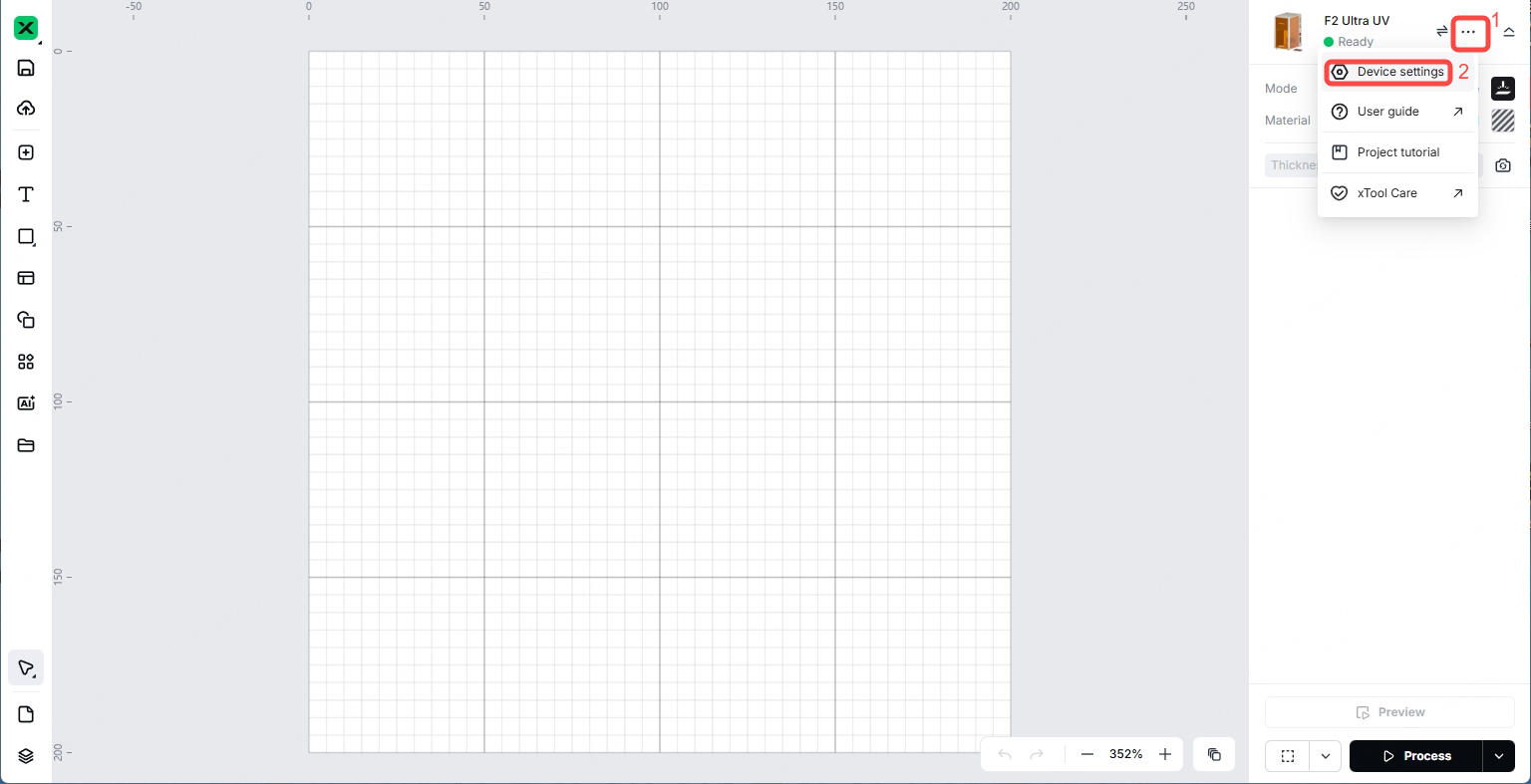
1. In the the top-right corner, click the  icon, and then click Device settings.
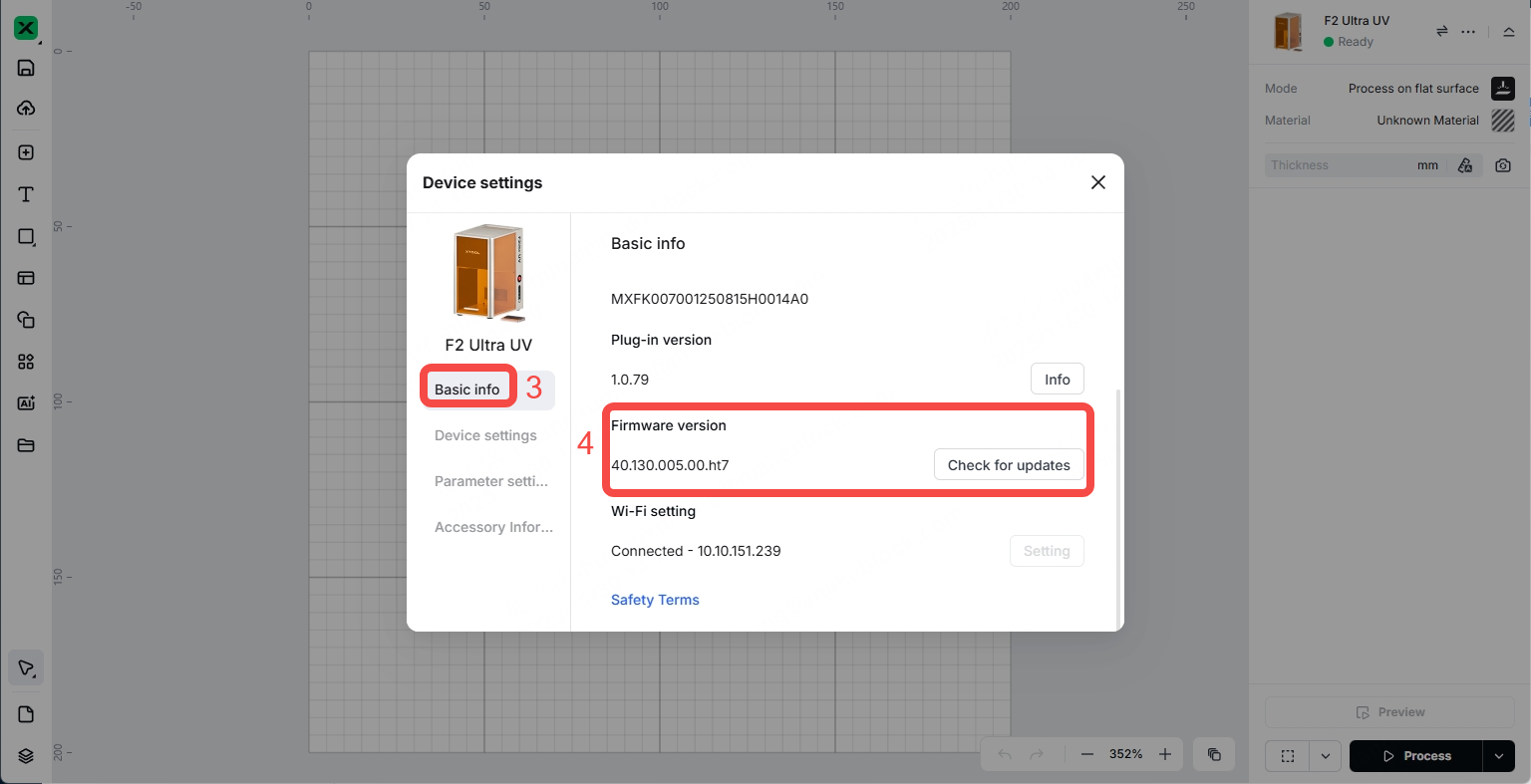
2. Navigate to the Basic info tab and scroll down to access your firmware version.
Item 5: Work log for xTool F2 Ultra UV
1. In the the top-right corner, click the icon, and then click Device settings.
2. Click Device settings, scroll down to access the work log of your device, and then click Export behind Work log.
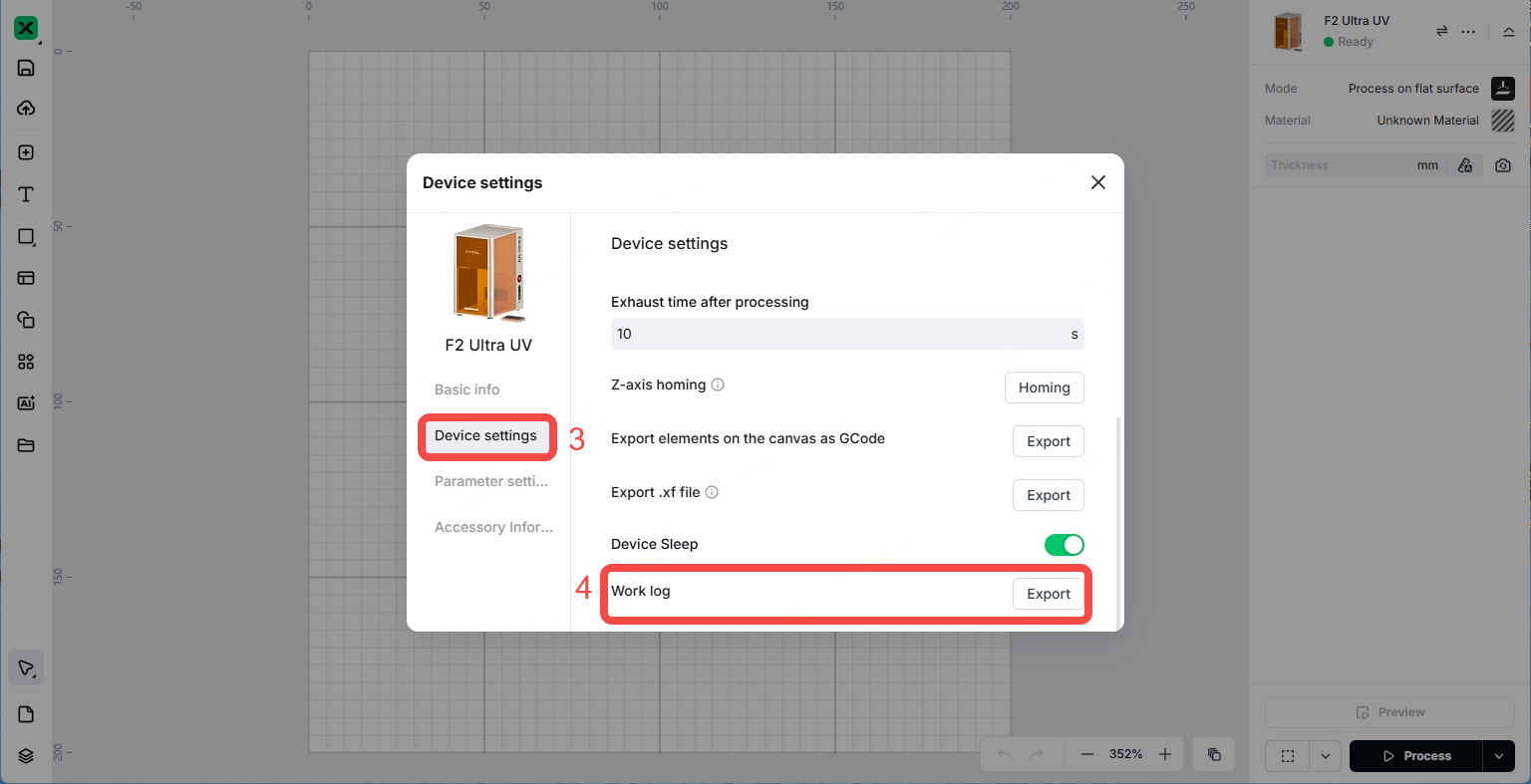
3. Save the work log and send it to us.

Item 6: Your PC specification
View your computer system information by following these instructions:
For Windows users
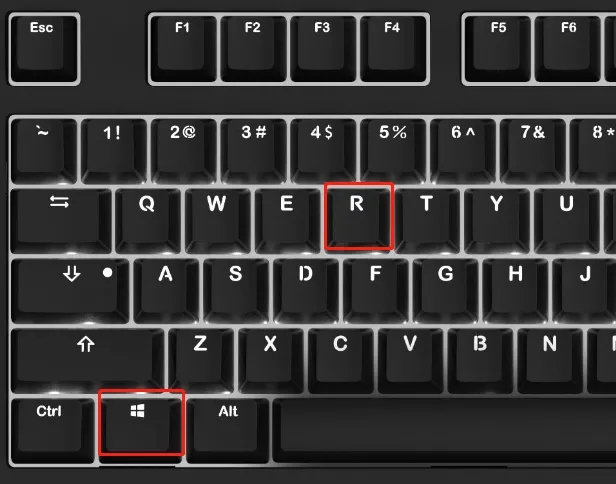
1. Press the "Windows + R" keys simultaneously to open the Run command window.
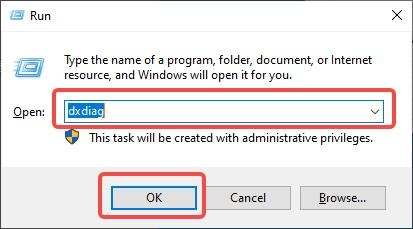
2. Type dxdiag in the search field and then click OK.
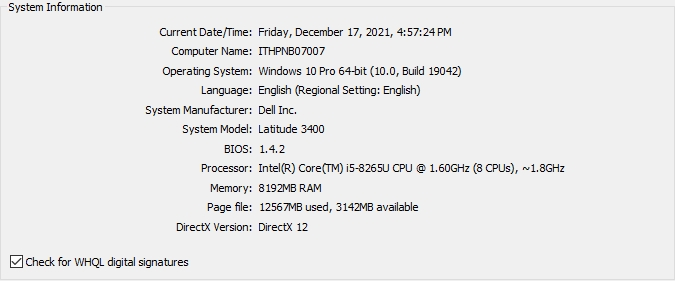
3. Your computer system information will appear in the pop-up window as below.
For Mac users
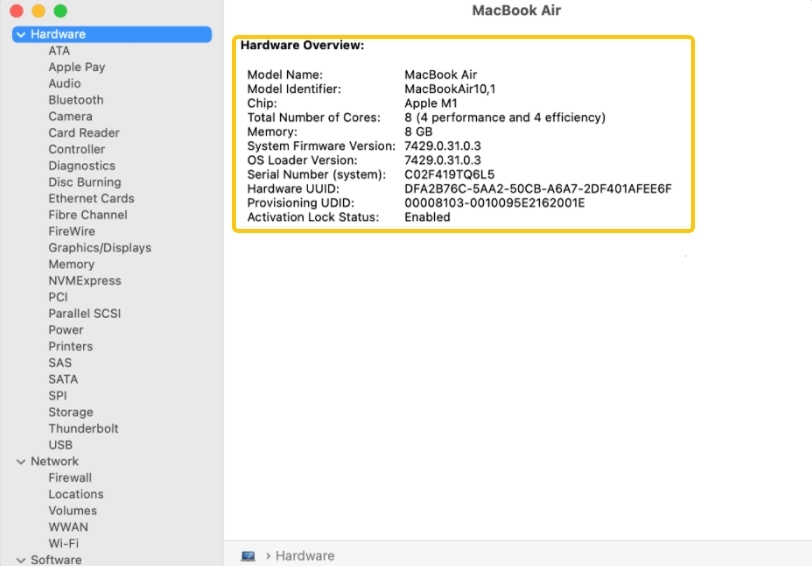
1. Open the Apple menu and select System Settings. Next, click General in the sidebar (scroll down if necessary).
2. Click About on the right, then select System Report.
Item 7: Your original processing image(s)
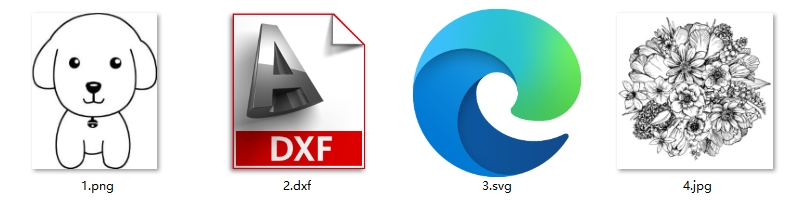
You may need to provide the image(s) you are using for processing. Supported image formats include:
- Vector formats: SVG or DXF
- Bitmap formats: JPG, PNG, or other supported types
Item 8: Your laser device's SN
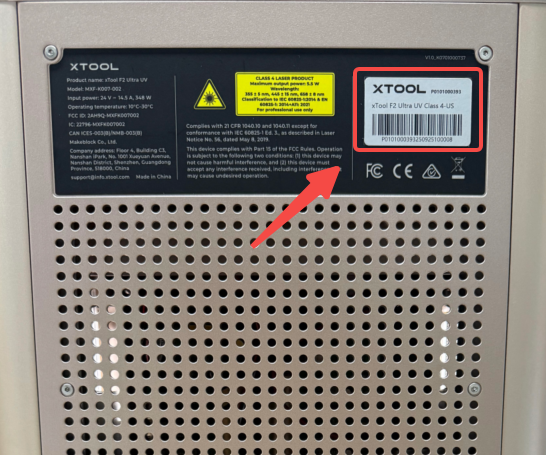
The serial number (SN) of your F2 Ultra UV can be found on the upper-right corner of the back.
Item 9: Video(s) of your issue
A video recording of the issue can help xTool technical experts better understand and resolve your problem. If possible, please record the following:
- Your operations step by step
- Any error messages or system behaviors
- Any unusual noises or irregularities
If the issue is difficult to capture on video, consider taking clear photos of the problem instead. For issues that are hard to reproduce or occur randomly, please provide as many operation details and descriptions as possible.

