
Auto mode for processing on a flat surface
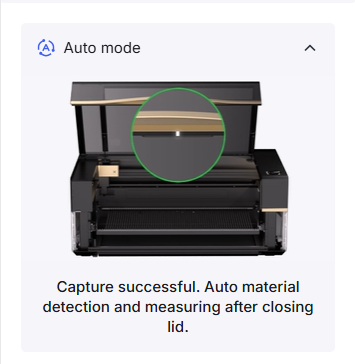
1. Why does the prompt "Concentric Circles are Not Detected" appear?
In auto mode, the camera of xTool P3 refreshes periodically, and your arms may be caught in the picture when you place the material and open/close the lid. In this case, ignore the prompt. However, if the prompt persists after the lid is open, refer to Concentric Circles are Not Detected for troubleshooting.
2. Why does the camera indicator not light up?
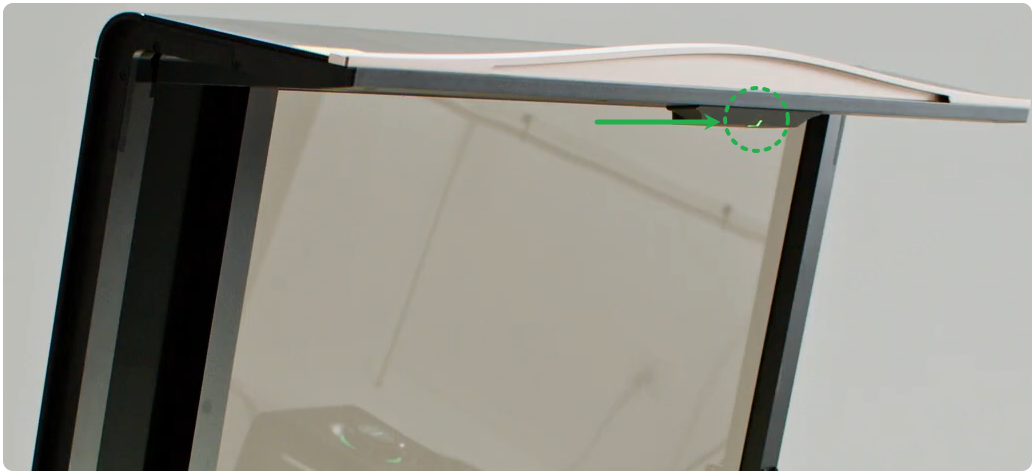
The camera indicator only lights up when the lid is opened in Auto mode. Make sure Auto mode is on.
If the camera indicator still does not light up when the lid is opened in Auto mode, click the link to check whether the camera module works properly.
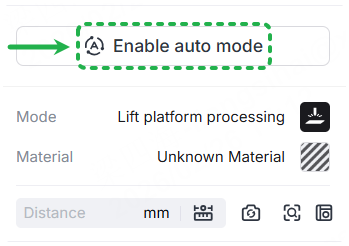
3. Why does the air nozzle collide with the material?
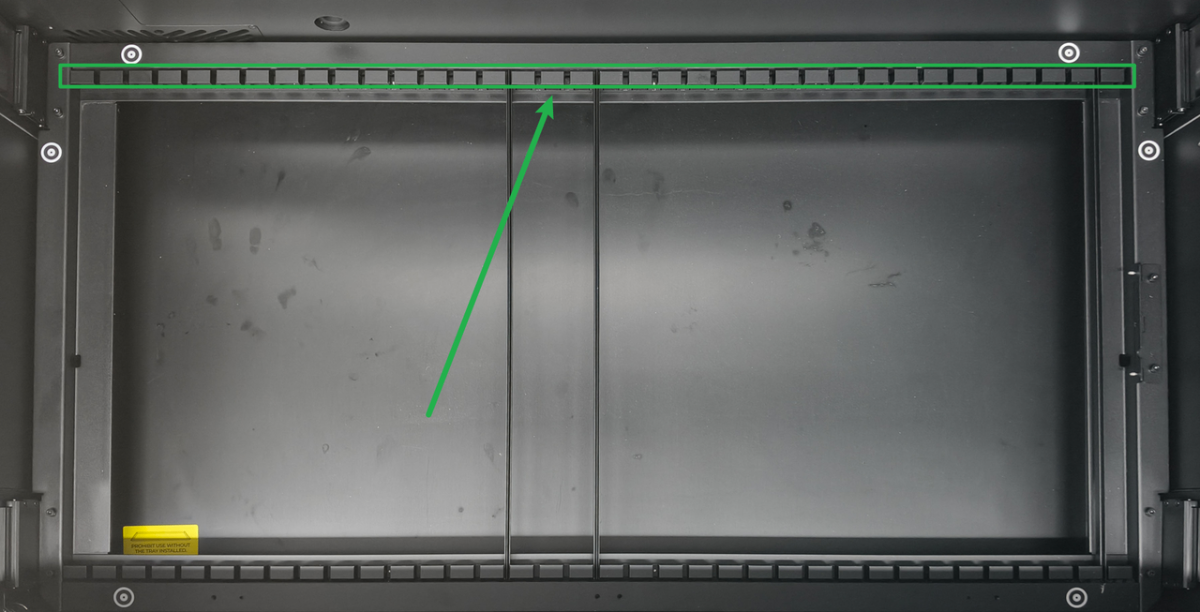
- Possible cause 1: Reference points are blocked
In auto mode, slat slots are used as reference points for distance measurement. If they are blocked, distance measurement errors will be caused, leading to incorrect focusing and collision.
- Possible cause 2: Material color
The distance measurement of transparent materials and mirror materials are not supported. If there is any material under transparent materials, the device will focus on the underlying material, causing the air nozzle to collide with the material.
- Possible cause 3: Material shape
Auto mode only supports the processing of flat materials at the same height. It does not support processing of uneven materials and simultaneous processing of materials of different heights.
4. Why does distance measurement fail?
Laser distance measuring relies on reflected light. Therefore, the distance measurement of transparent materials and mirror materials is not supported. For other distance measurement failures, see Solutions for Auto-Measure Failure.
5. Why is the default height of the lifting platform 30 mm?
In auto mode, the area below 30 mm is beyond the measurement range. If the material is too thick and you must lower the lifting platform for processing, please switch to the manual mode. The maximum processing thickness in manual mode is 220 mm.
6. Why can't the material be detected?
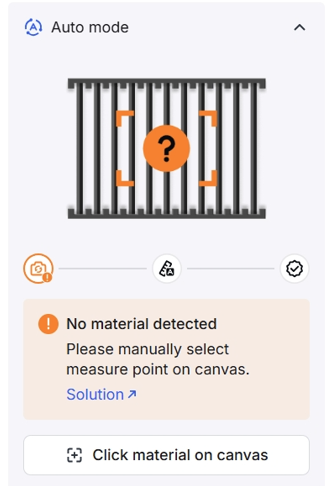
- Possible cause 1: Material is too small
Materials that are too small cannot be detected. To solve this, click the material on the canvas to complete distance measurement and automation.
- Possible cause 2: Material is too close to the edge
If the material is too close to the edge, detection may fail because the complete outline of the material is not detected. To solve this, move the material to the center of workplace and then perform detection again.
- Possible cause 3: Material is overly transparent
Transparent materials may not be detected. In this case, switch to manual mode or apply masking tape to the material, and then perform detection again.
7. How to exit auto mode?
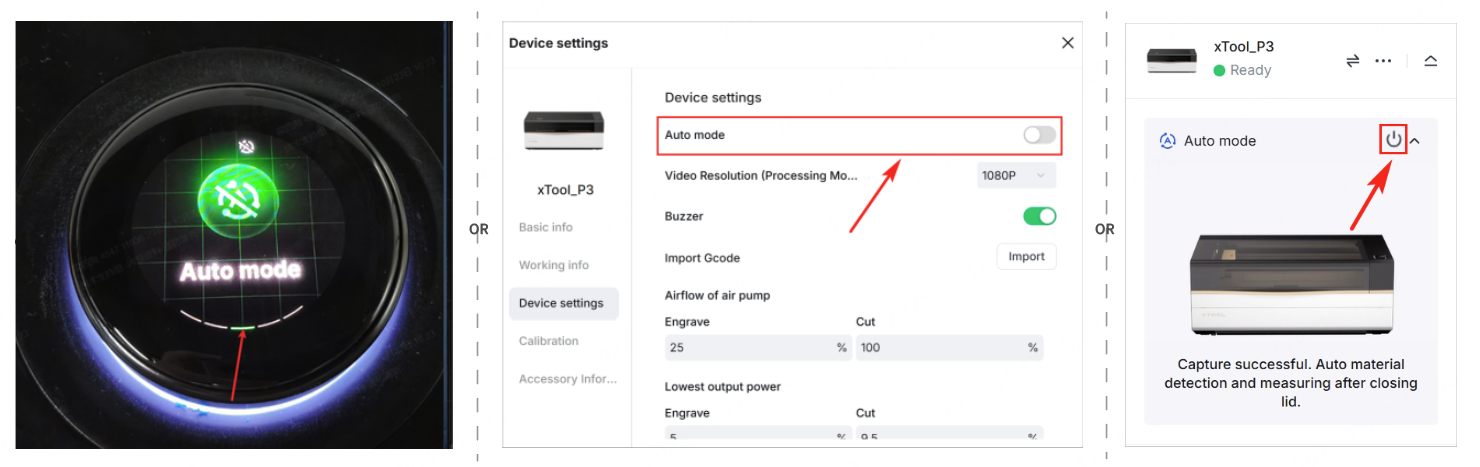
You can disable auto mode in one of following methods.
- Method 1: Tap the screen of xTool P3 to enter the Auto mode settings page. Then, tap Off and confirm the operation.
- Method 2: In the xTool software, disable Auto mode in the Device settings tab page.
- Method 3: In the xTool software, click
 on the right side of the canvas.
Auto mode for processing with RA3
For optimal processing results, ensure your xTool software and device firmware are updated to the latest version.
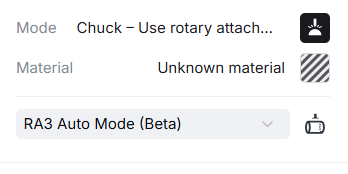
1. Why does modeling fail? Or why do modeling dimensions not match the actual ones?
Modeling relies on auto measuring to scan material surfaces, which cannot scan transparent and highly reflective materials. For example, a cup with highly reflective rims may cause modeling failure or inconsistent modeling dimensions. You can wrap these areas with masking tape before modeling or using manual mode.
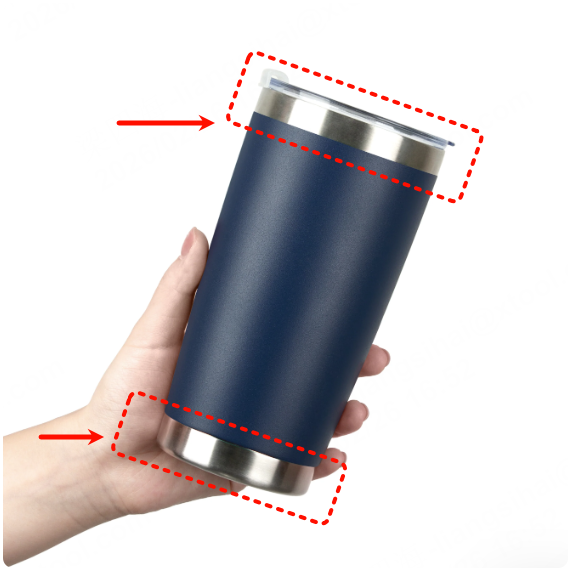
If modeling fails for materials other than those mentioned above, refer to Solutions for Auto-Measure Failure for troubleshooting.
2. What kind of materials support auto modeling?
- For shape: Auto modeling can only be used for materials with smooth and continuous curves. Materials with step-like features exceeding 4 mm in height difference or drastic height variations are not supported, as they may cause modeling failure or inaccuracies.
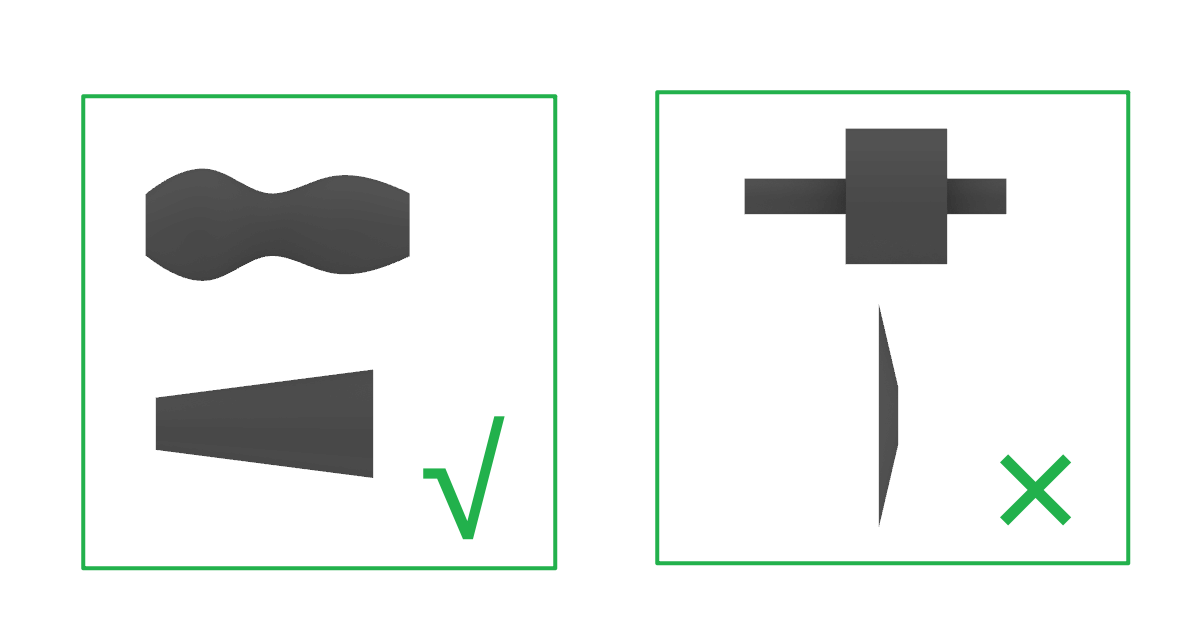
- For color: Transparent and mirror materials are not supported. Some highly reflective or black matte materials may also fail to model.
3. Why does the air nozzle collide with the material?
Cylinder processing only supports the engraving mode, which does not require the air nozzle. To prevent collisions, you can remove the air nozzle before processing. At the same time, verify whether the model aligns with the actual shape. If not, check whether the material meets the modeling requirements.
4. Why is the processing speed low?
When processing a curved or sloped surface, the laser module must constantly adjust its height to maintain focus. This limits the speed of the X-axis.
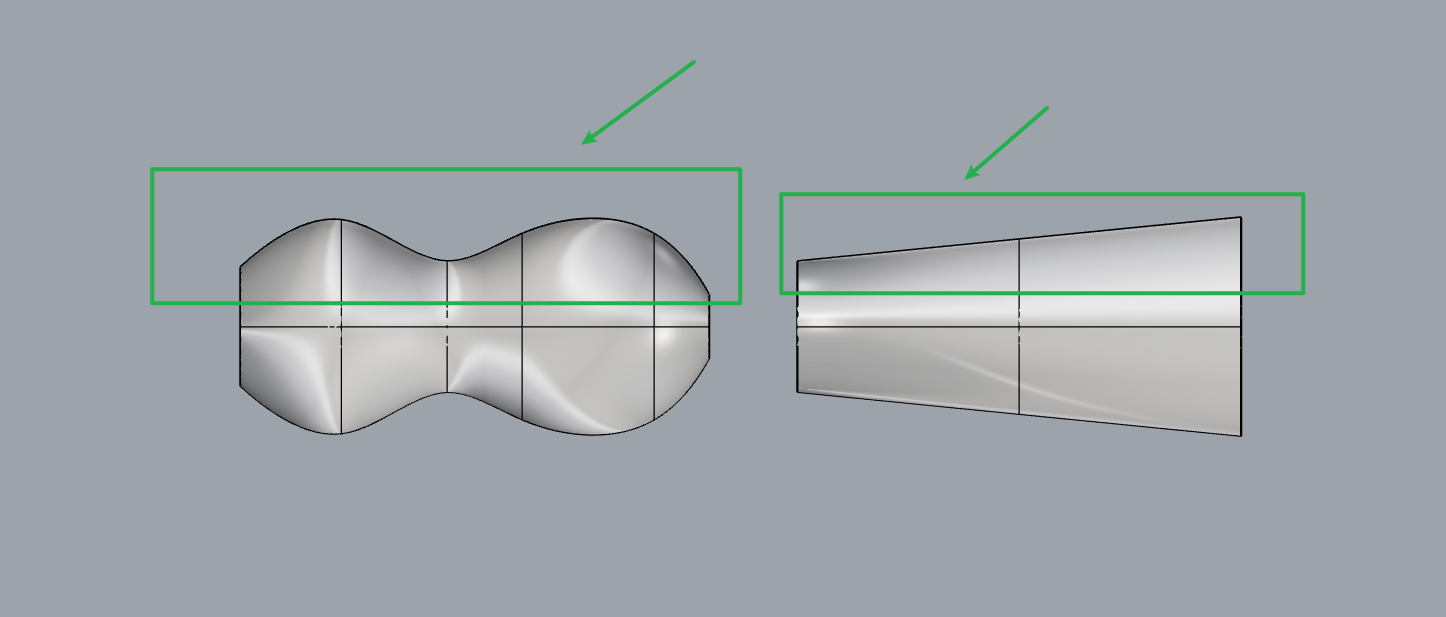
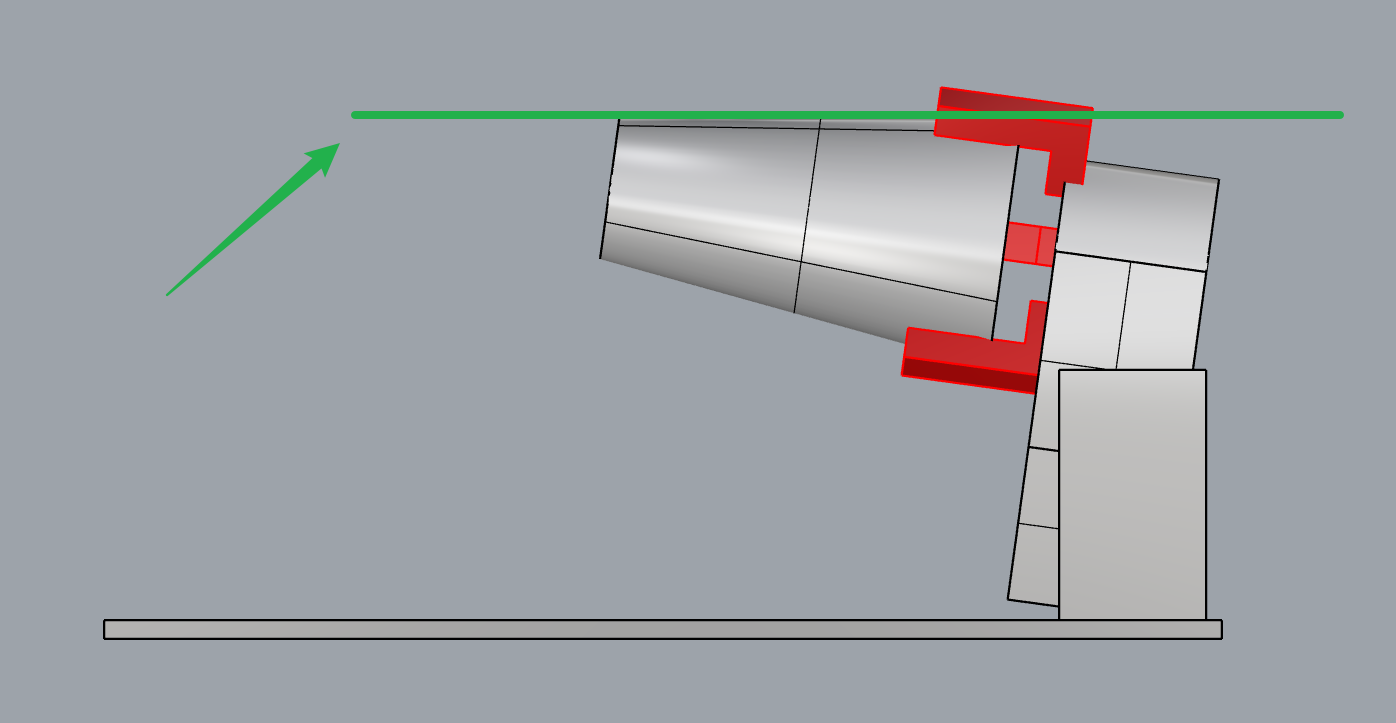
For materials with non-parallel projected curves, you can adjust its angle to align it parallel with the RA3 base, and then perform re-modeling or switch to manual mode. In this way, the speed of the X-axis will not be restricted.
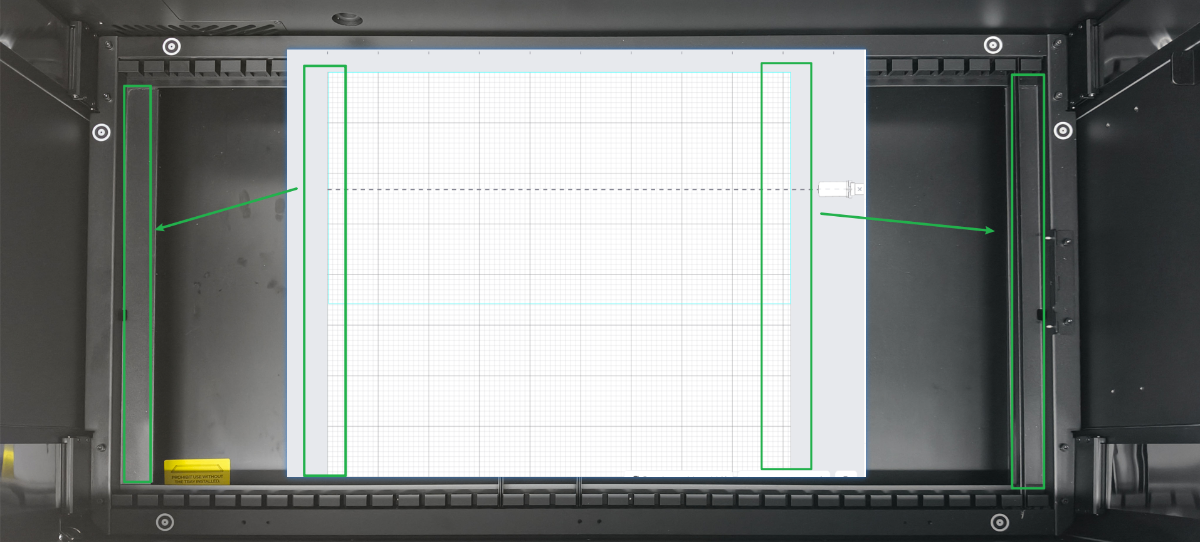
5. What do the grid edges in the xTool software represent?
The left and right edges of the grid on xTool software correspond to the left and right edges of the lifting platform of xTool P3, as shown in the following figure.
6. What is the difference between manual mode and auto mode?
Manual mode | Auto mode | |
|---|---|---|
Position | RA3 can be installed anywhere within the processing area. | RA3 can only be installed in the RA3 locator on the right side of xTool P3’s baseplate. |
Red spot height |
|
|
Processing speed | The maximum processing speed is 1200 mm/s. |
|
Measurement method | The distance, and diameter or circumference of the workpiece are measured manually. | The distance and diameter of the workpiece are measured automatically. |

