
Applicable scenarios
- The air pump silencer needs to be removed for cleaning.
- The air pump silencer is severely clogged and can no longer be used.
- The air pump silencer is damaged.
Specifications
Air pump silencers are available in metal (①) and plastic (②) versions (as shown below). While they serve the same function, and are washable and recycled, they are not interchangeable and are installed differently. Please follow the steps below to distinguish between them.
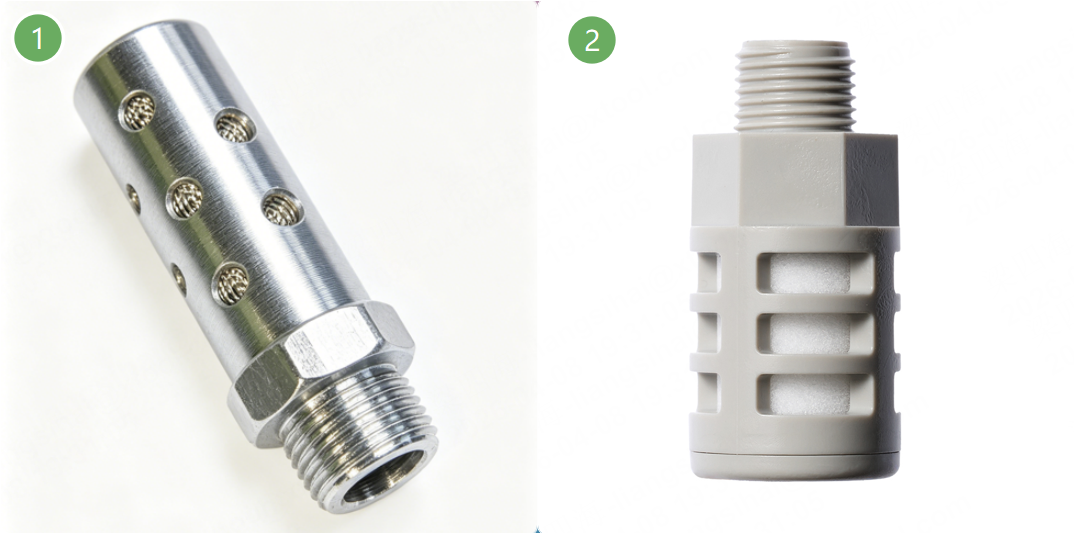
If you are a high-frequency processing user and would like to replace the air pump silencer with an external metal silencer, please contact the xTool service team to obtain a set of replacement parts.
The differences between the silencers are as follows:
Types | Material | Location | Maintenance level | Price | Denoise performance | Applicable scenarios | Lifetime (theoretical) |
Metal silencer | Metal | Near the gas cylinder | Easy | Expensive | Worse |
| About 360 hours |
Plastic silencer | Plastic | On the gas cylinder | Difficult | Cheap | Better |
| About 550 hours |
Precautions
- Regardless of the model, air pump silencers can be reused after being washed with water until washing no longer restores their airflow performance, at which point they should be replaced.
- For more information on silencer maintenance, refer to the maintenance guide.
Replacement procedures
1. Distinguish the types of air pump silencers
(1) Open the left small panel of xTool P3.
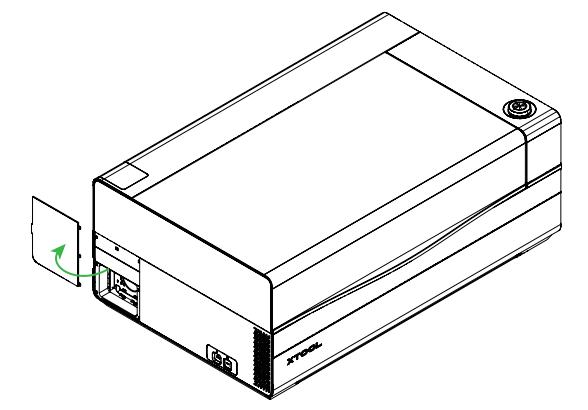
(2) Observe the structure on the left side.
- The one on the left with a silencer is a metal silencer:
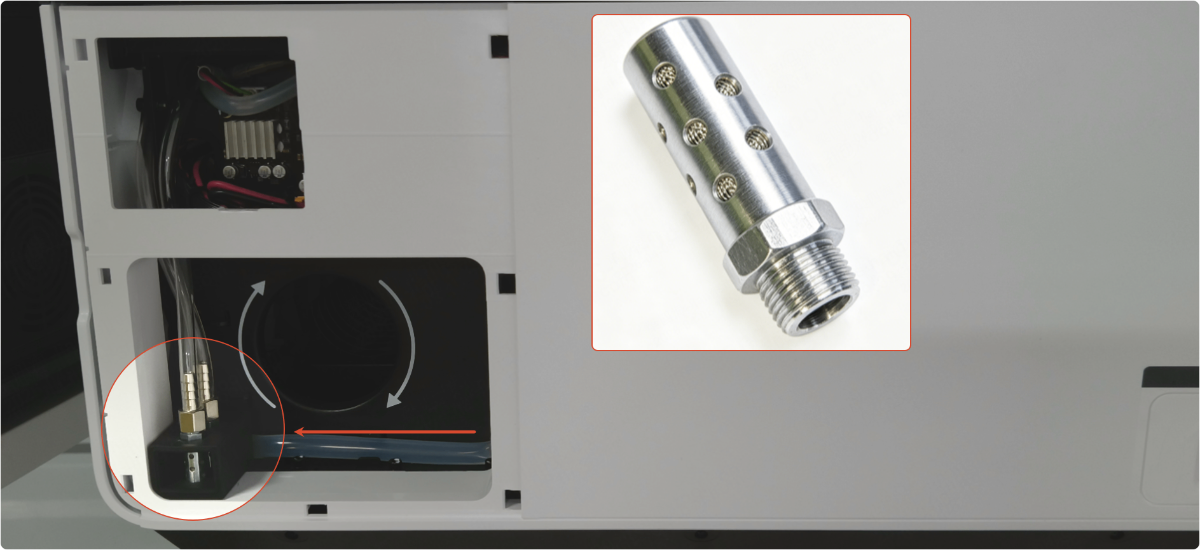
The one on the left without a silencer is a plastic silencer:
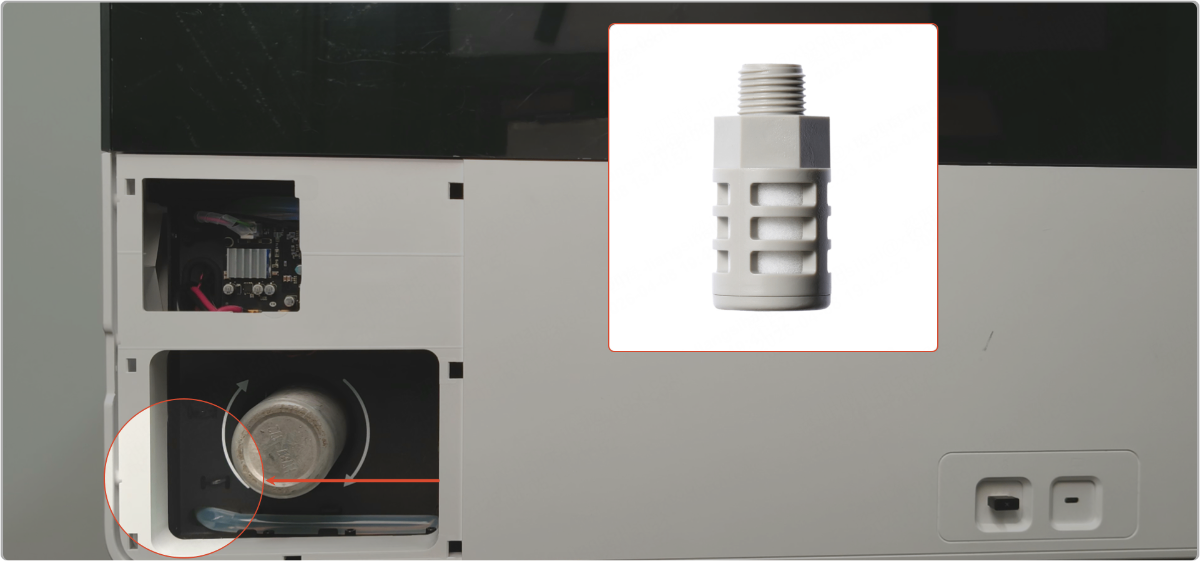
2. Replace the metal air pump silencer
Tools required:
- A cutting plier
Replacement procedures
(1) Open the left small panel of xTool P3.
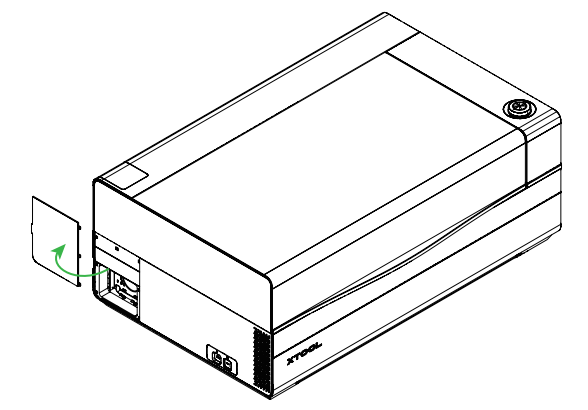
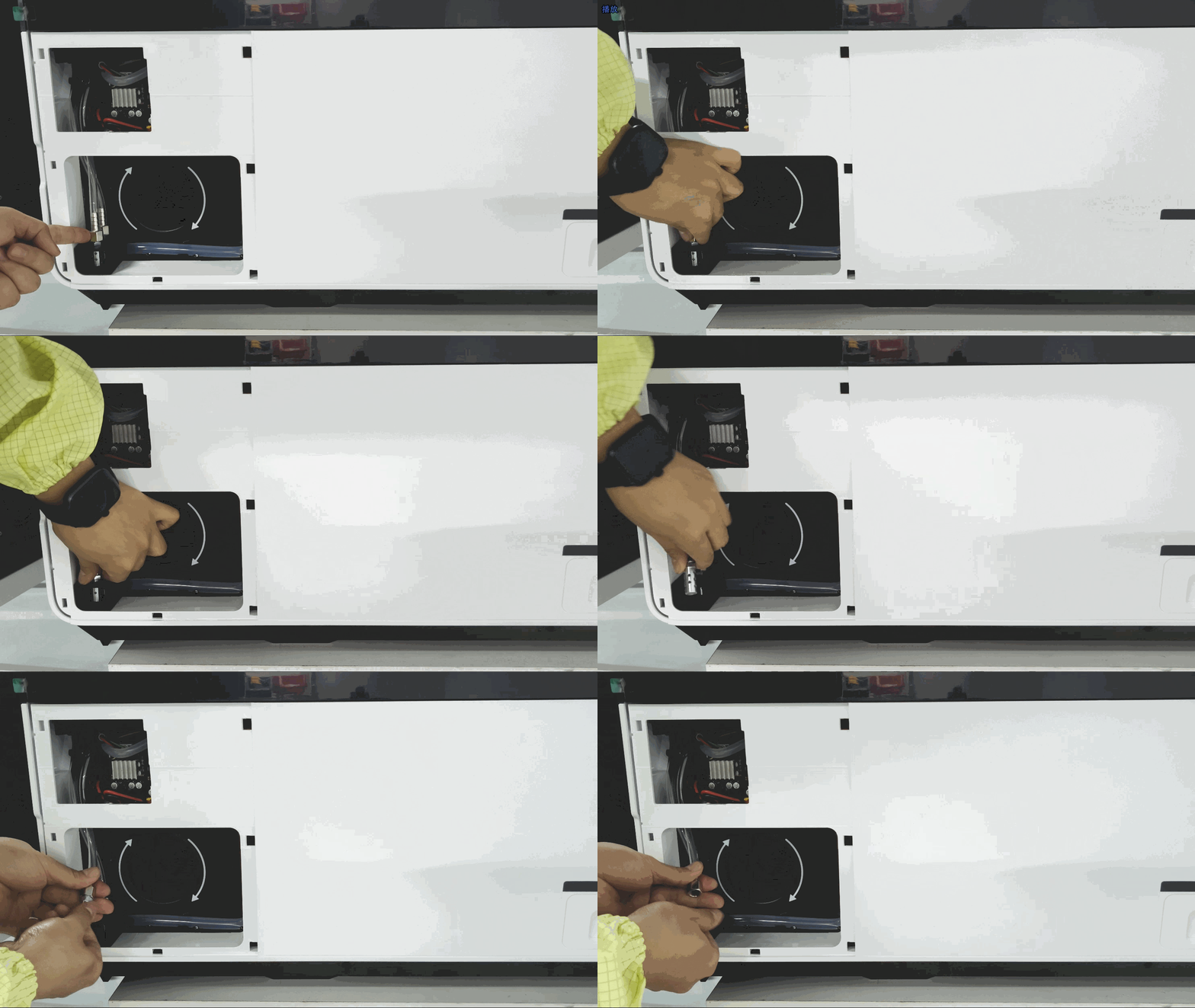
(2) Remove the air pump silencer: Turn it counterclockwise to unscrew it, and remove the other one in the same way.
If the silencer is too tight, you can use a pair of pliers to loosen it.
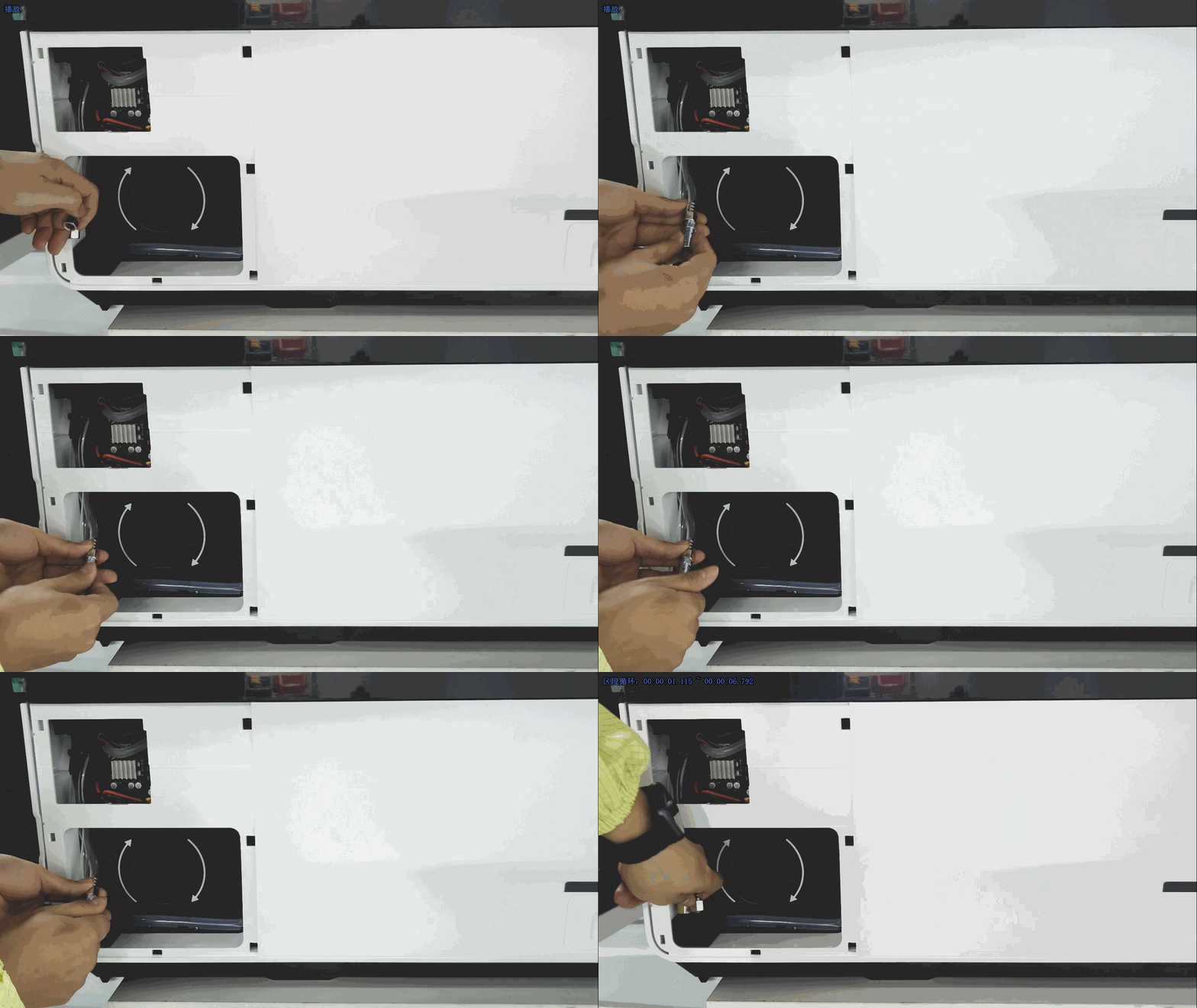
(3) To install the air pump silencer: Screw it onto the intake pipe by turning it clockwise, and install the other one in the same way.
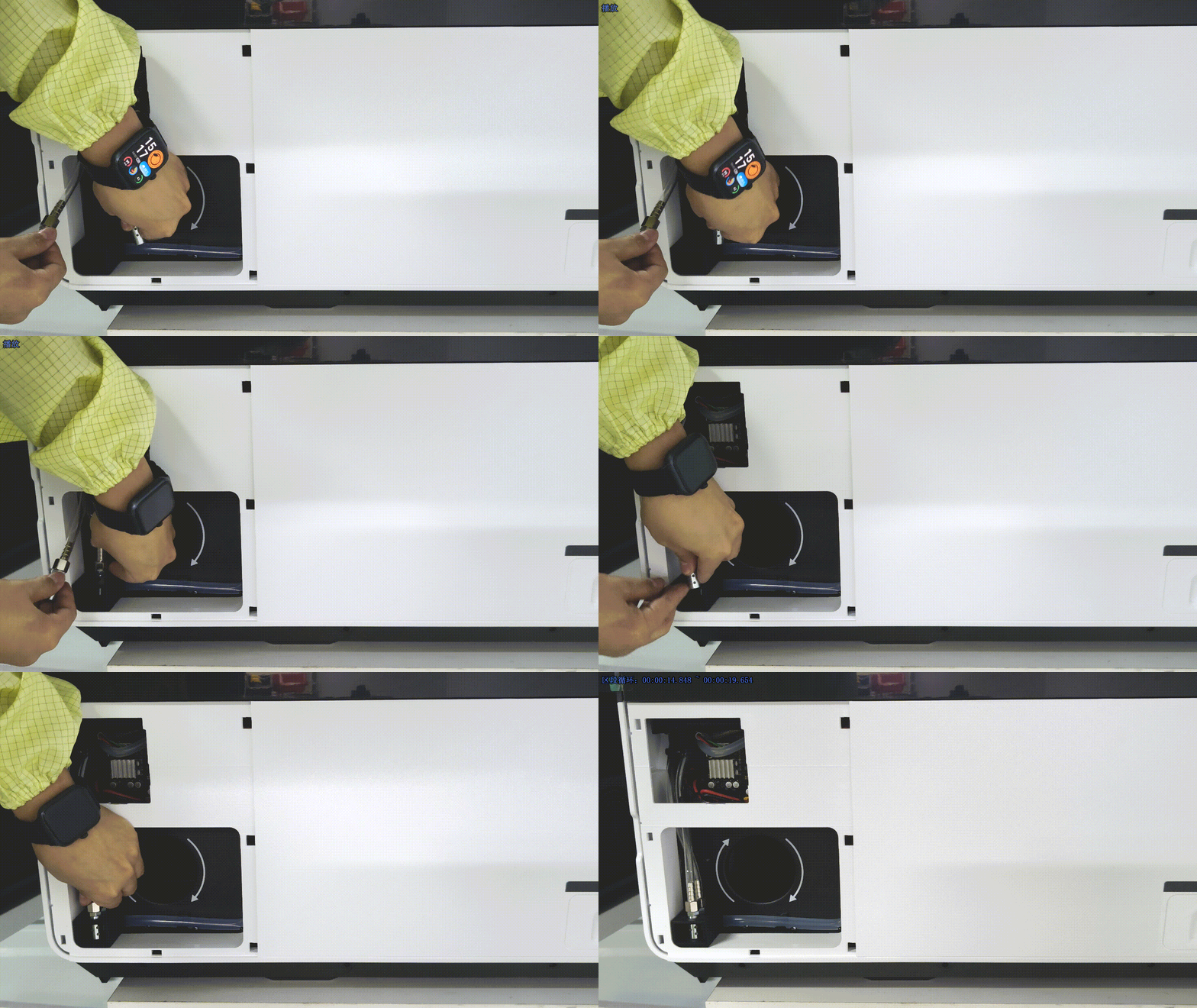
(4) Secure the silencer: Reinsert the silencer into the silicone mount.
Avoid kinking or excessively bending the intake hose, as this may restrict airflow.
(5) Reinstall the left small panel.
3. Replace the plastic air pump silencer
Tools required:
- A Philips screwdriver
- A 2.5 mm hex key
- A 3 mm hex key
- A cutting plier
Replacement procedures
Still experiencing issues?
Should the issue persist after completing the preceding steps, submit a ticket via the "Submit a Ticket" button in the "Help Ticket" section below. The standard response time for xTool Customer Service is one business day.
For a prompt resolution, please include the following details:
- Issue description: A detailed explanation of the observed problem.
- Video evidence: Attach a video demonstrating the issue, where applicable.
- Device information: Follow the steps to find the SN and export the work log.
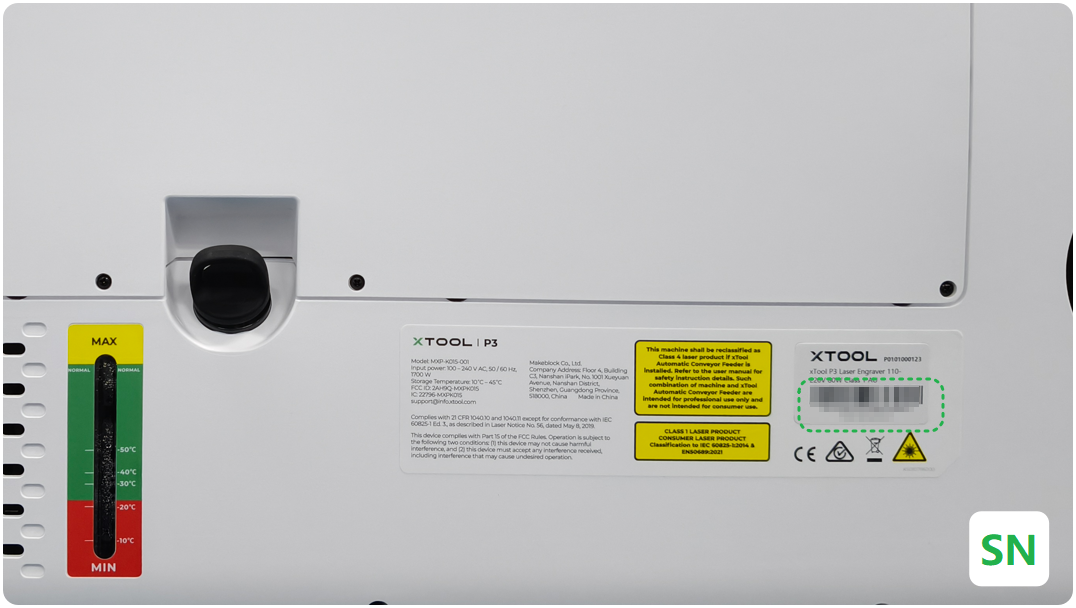
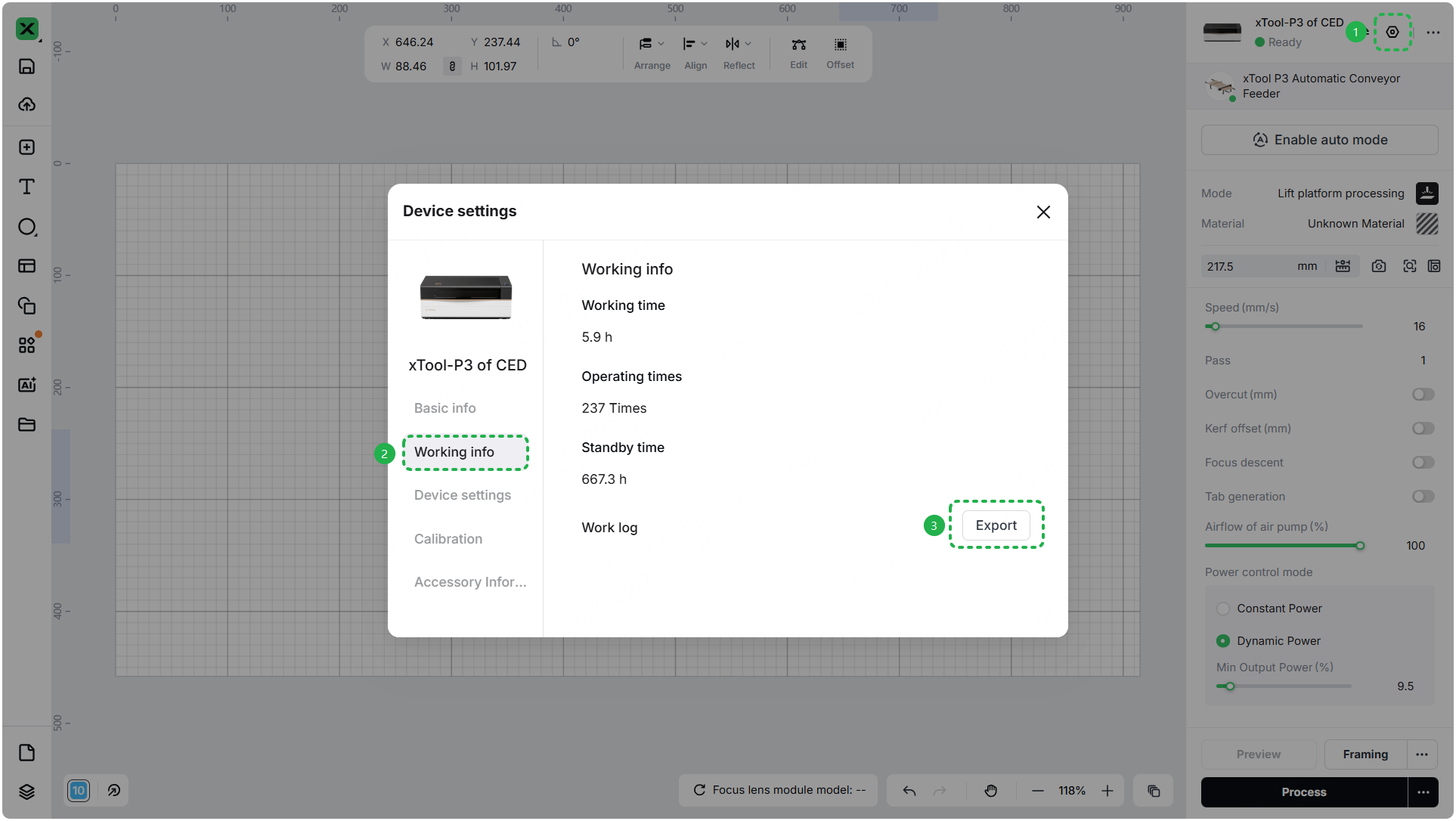
- Troubleshooting performed: Any troubleshooting steps you have already attempted, along with their results.
This information is crucial for xTool technical support engineers to provide timely assistance.
Documentation feedback
Help improve this content by providing feedback. If this content did not meet your requirements, select "No" in the "Was this page helpful?" section below. Include specific details about what was unclear or missing in the pop-up suggestion box. Feedback submissions are reviewed by xTool technical writers to enhance future documentation.

