Replace the Air Pump of xTool P3
Updated Apr 14,2026
Updated Apr 14,2026
Applicable scenarios
- The air pump needs to be replaced due to a malfunction or damage.
- The air pump needs to be disassembled for inspection.
Precautions
- Air pumps vary from external suction (①) and internal suction (②) (as shown below). While they serve the same function and provide the same performance. However, the replacement methods differ slightly. You can follow the steps below to distinguish between them.

- The only difference between the two air pumps is the intake pipe and the silencer. Their air pump units are identical.
- Please turn off the power before processing.
Replacement procedures
1. Distinguish the types of air pumps
(1) Open the left small panel of xTool P3.

(2) Observe the structure on the left side.
- The one on the left with a silencer is the external suction air pump:

- The one on the left without a silencer is the internal suction air pump:

2. Replacement procedures
Still experiencing issues?
Should the issue persist after completing the preceding steps, submit a ticket via the "Submit a Ticket" button in the "Help Ticket" section below. The standard response time for xTool Customer Service is one business day.
For a prompt resolution, please include the following details:
- Issue description: A detailed explanation of the observed problem.
- Video evidence: Attach a video demonstrating the issue, where applicable.
- Device information: Follow the steps to find the SN and export the work log.
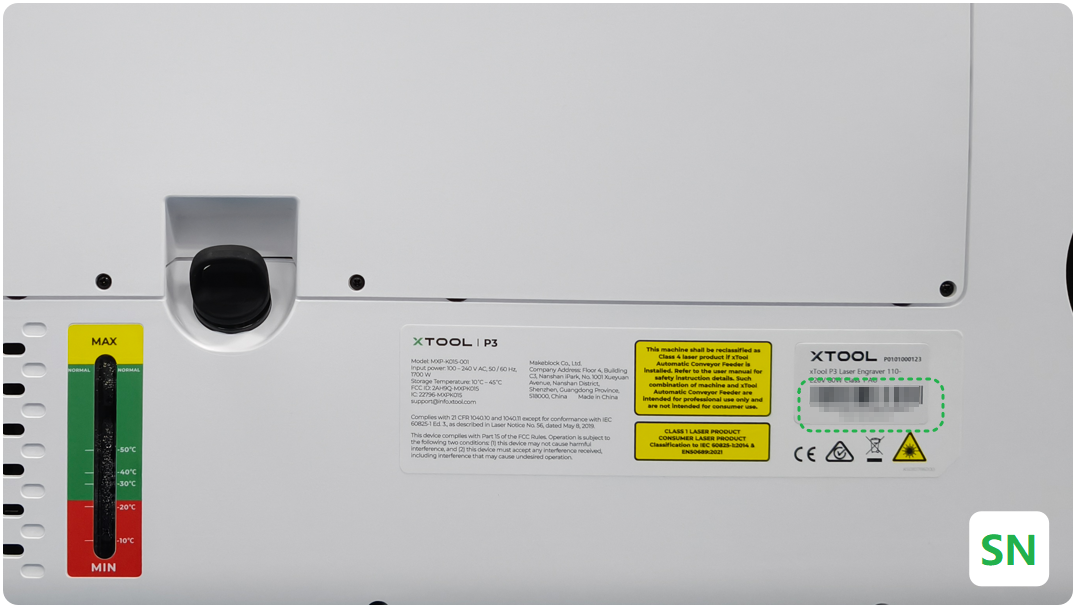
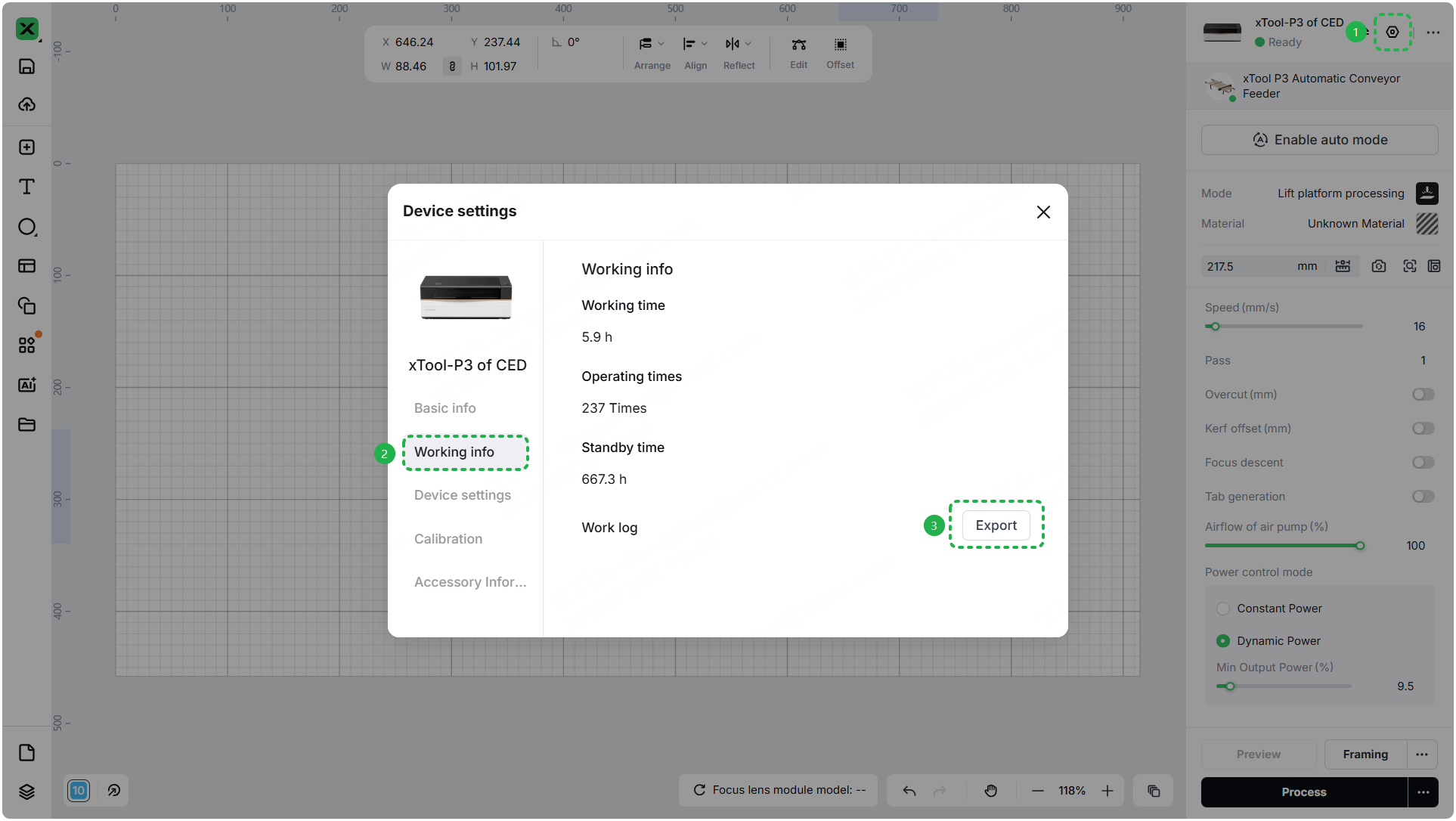
- Troubleshooting performed: Any troubleshooting steps you have already attempted, along with their results.
This information is crucial for xTool technical support engineers to provide timely assistance.
Documentation feedback
Help improve this content by providing feedback. If this content did not meet your requirements, select "No" in the "Was this page helpful?" section below. Include specific details about what was unclear or missing in the pop-up suggestion box. Feedback submissions are reviewed by xTool technical writers to enhance future documentation.
Preview
Was this page helpful?
4 out of 5 found this helpful
Help Ticket
Use this help ticket to submit your issue. We will respond within 1 business day
Submit a Ticket