
xTool Store
Dwell Time for xTool F2 Ultra UV
Updated Nov 27,2025
Updated Nov 27,2025
Dwell Time for xTool F2 Ultra UV
When Should We Use the Dwell Time Feature
- Problem Description When processing vector-filled objects on materials prone to heat buildup—such as acrylic or synthetic leather—certain parts of the path may be short, causing localized heat accumulation. This can lead to uneven coloring across the object.
- Dwell Time Dwell Time refers to the brief delay after completing each scan line during vector fill processing. This Dwellat the end of the line allows both the laser and the material to dissipate heat, helping to reduce heat buildup.
How to Set Dwell Time
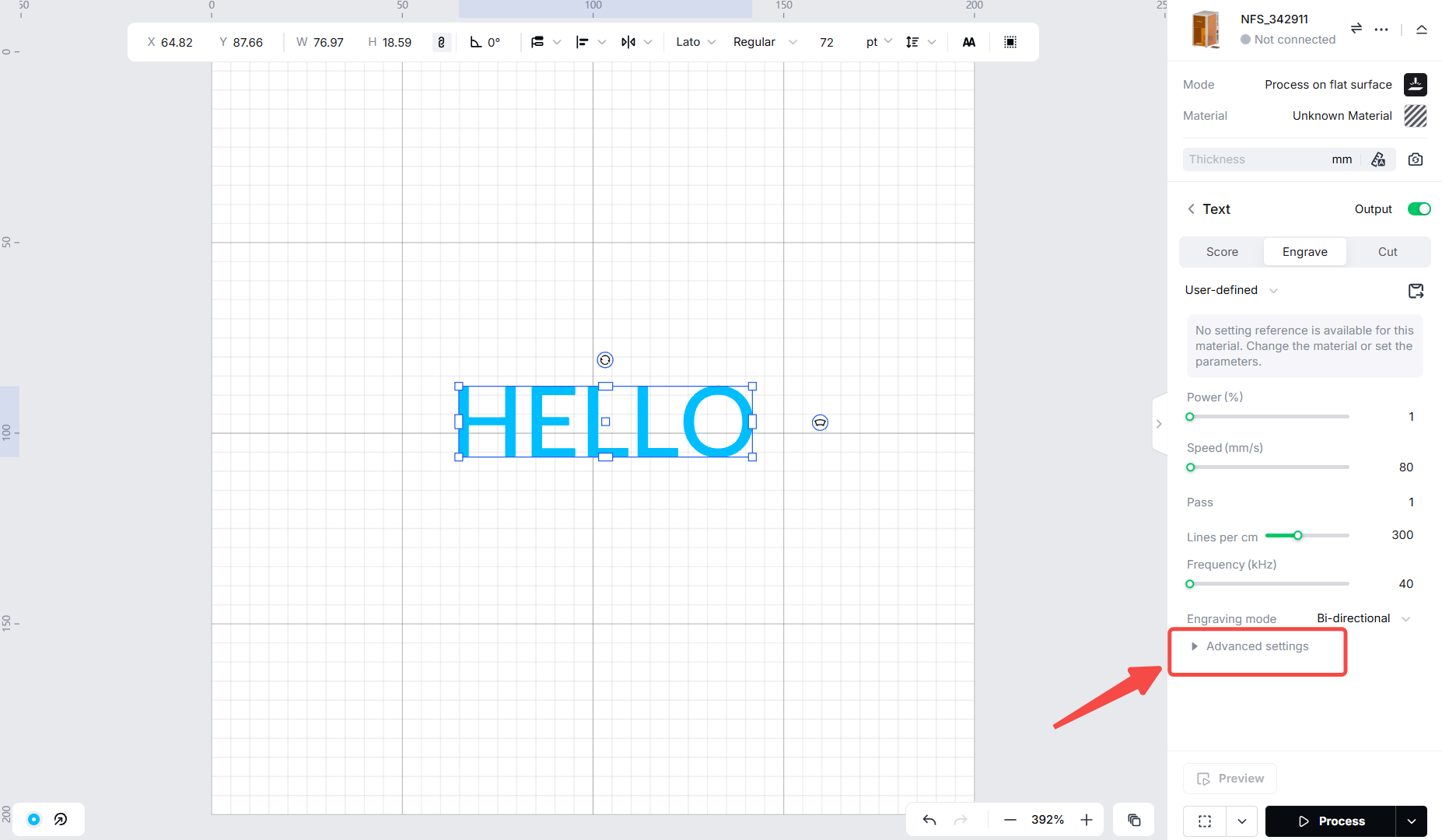
In the bottom right corner of the XTool Studio screen, click the "Advanced Settings" icon.
First, turn on the Dwell Time button, then enter a required Dwell Time value below.
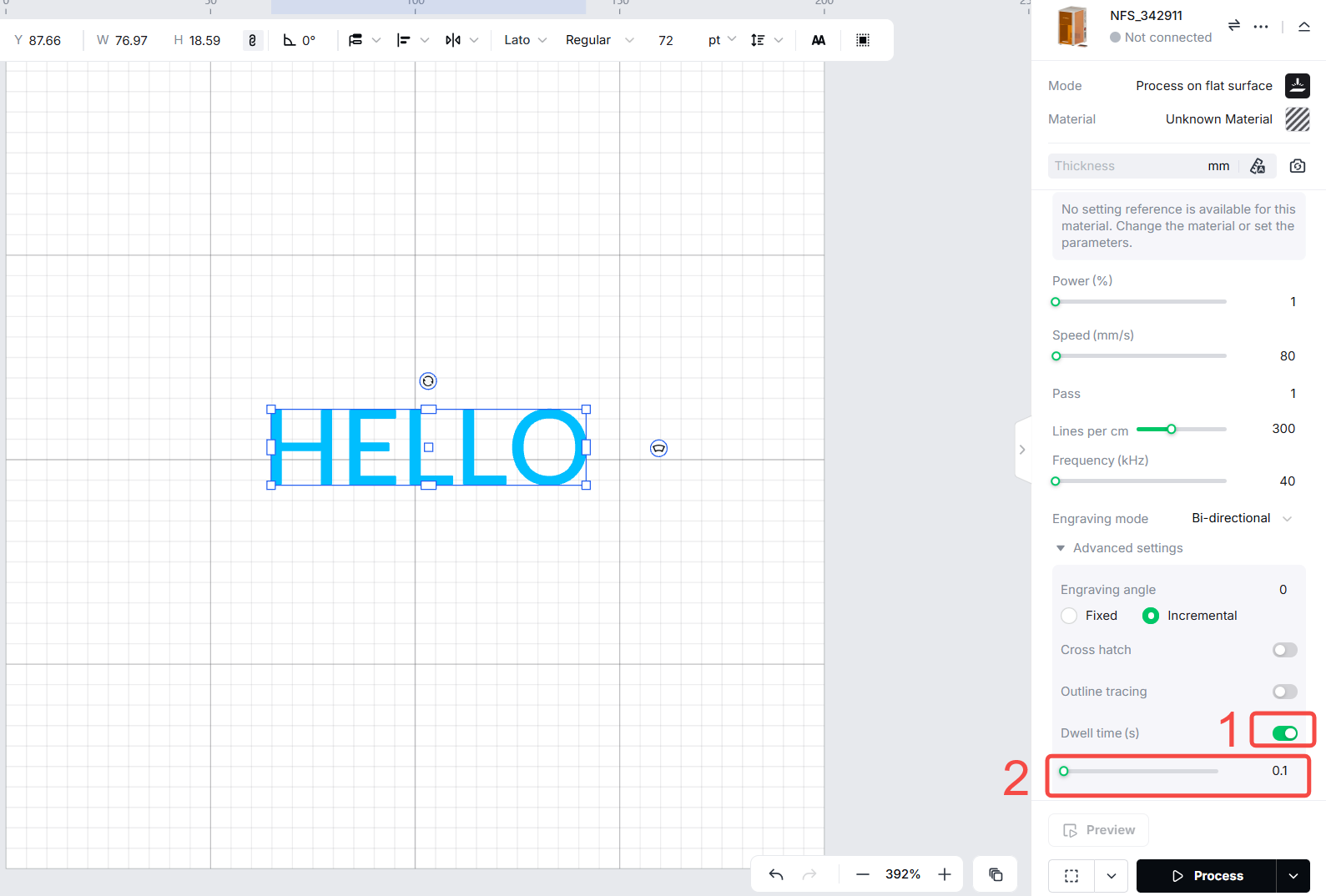
- The software allows Dwell Time settings in the range of 0.1 to 60 seconds.
- For commonly used heat-sensitive materials, the following recommended values can be used as a reference:
- Acrylic: 200–350 ms (high heat sensitivity)
- Synthetic leather: 150–250 ms (moderate heat sensitivity)
- Wood: 100–200 ms (lower heat sensitivity)
- Paper/Cardstock: 50–100 ms (lowest heat sensitivity)
- How to Determine the Optimal Dwell Time:
- Step 1: Use the actual material and vector element where heat buildup occurs.
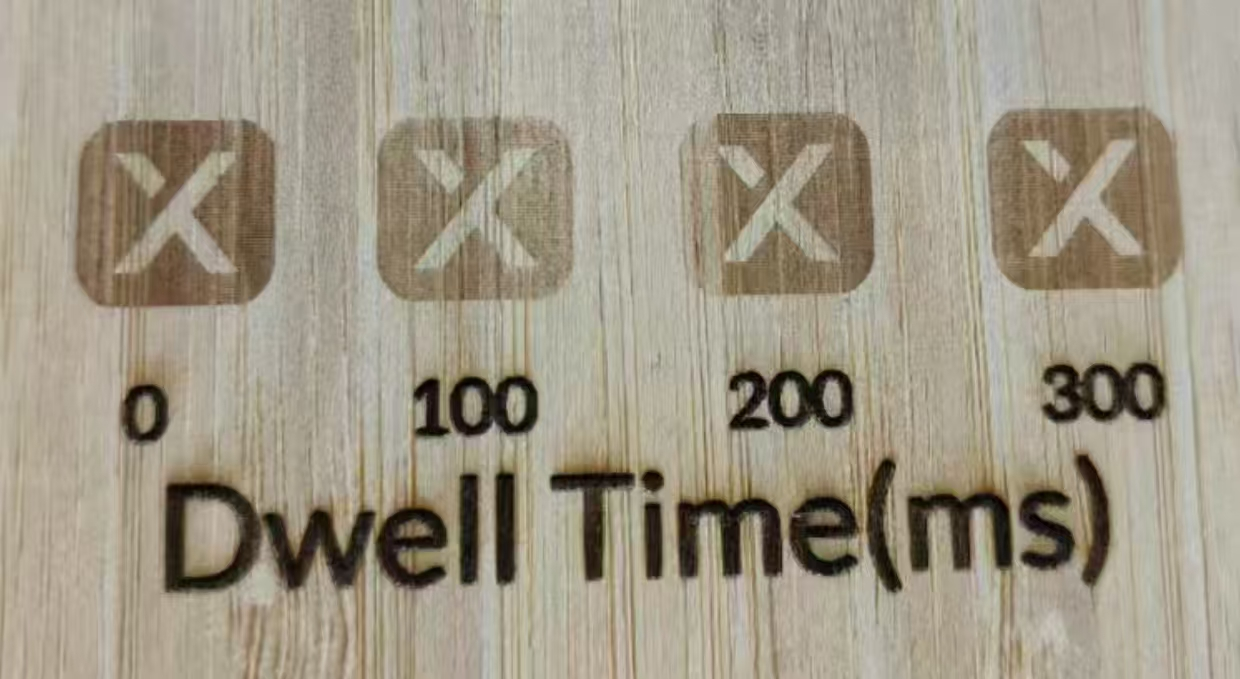
- Step 2: Start testing from a base Dwell Time (e.g., 100 ms), then gradually increase in 100 ms increments.
- Step 3: Record the shortest Dwell Time that yields a satisfactory and uniform result.
Here is a brief example :
Preview
Was this page helpful?
6 out of 6 found this helpful
Help Ticket
Use this help ticket to submit your issue. We will respond within 1 business day
Submit a Ticket Tags
Help Ticket
Use this help ticket to submit your issue. We will respond within 1 business day
Submit a Ticket 
Services & Help
Learn & Education

Copyright © 2025 xTool All Rights Reserved.