
This section describes how to upgrade the firmware for xTool F2 Ultra UV and provides troubleshooting steps for issues that may arise during the upgrade.
Important things to know beforehand
- It's recommended to connect your machine with the USB cable for the upgrade.
- Ensure that the power supply, the internet, and the USB connection are secured during the upgrade.
- Keep your computer in an active state during the upgrade. Do not let your computer go into sleep, hibernate, or shut down state.
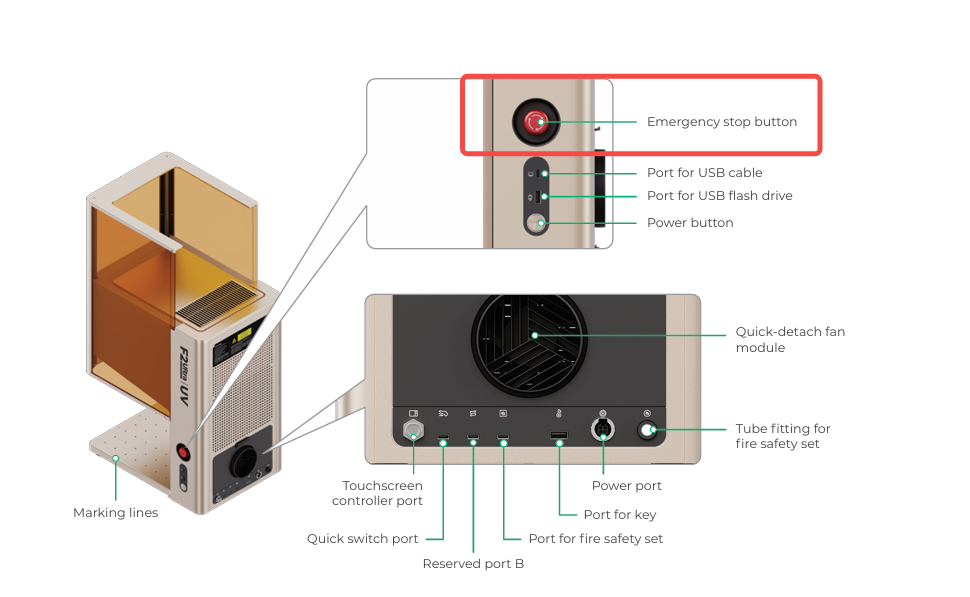
- Do not turn off xTool F2 Ultra UV or disconnect its touchscreen controller or other accessories during the upgrade.
Upgrade the firmware
(1) Ensure that your computer is connected to the internet. Open xTool Studio on your computer, and then Connect xTool F2 Ultra UV to xTool Studio on the Computer
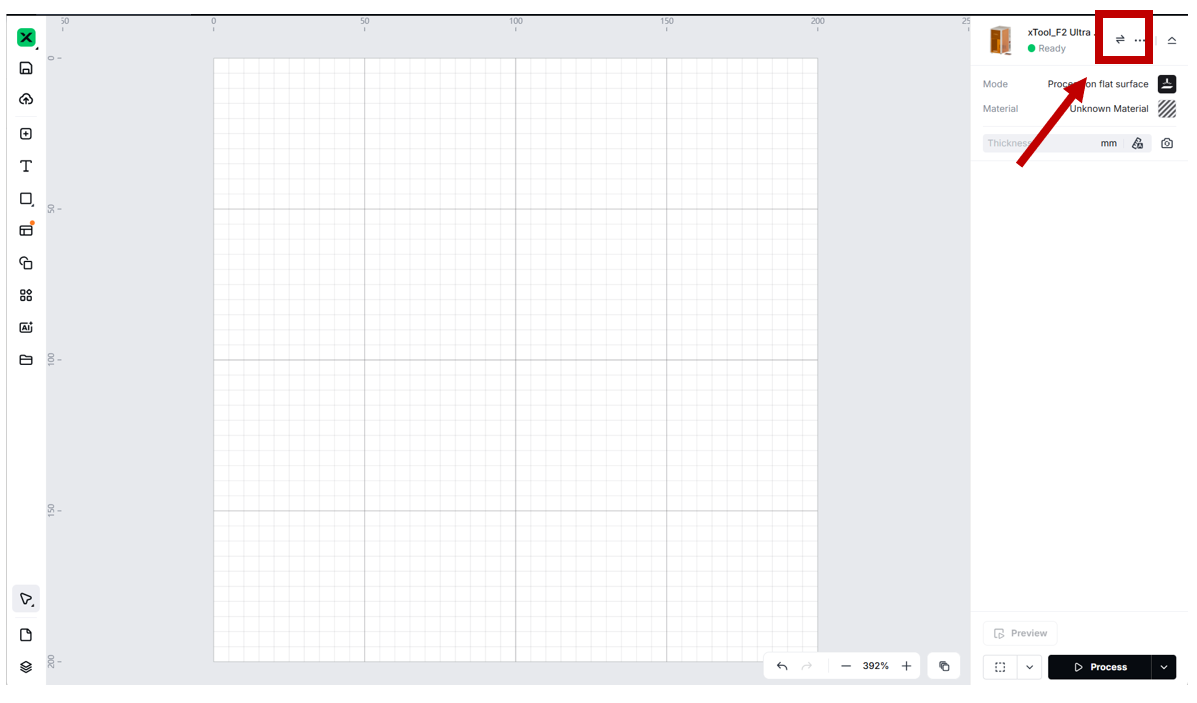
(2) In the top-right corner of xTool Studio, click the ellipsis icon next to the image of xTool F2 Ultra UV .
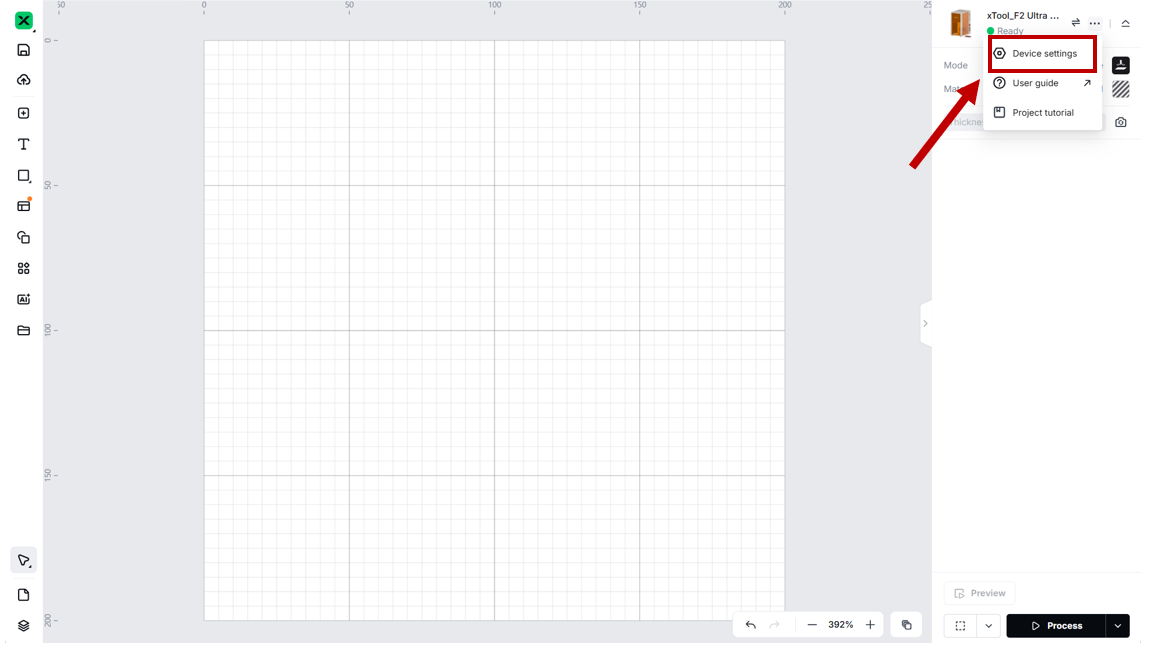
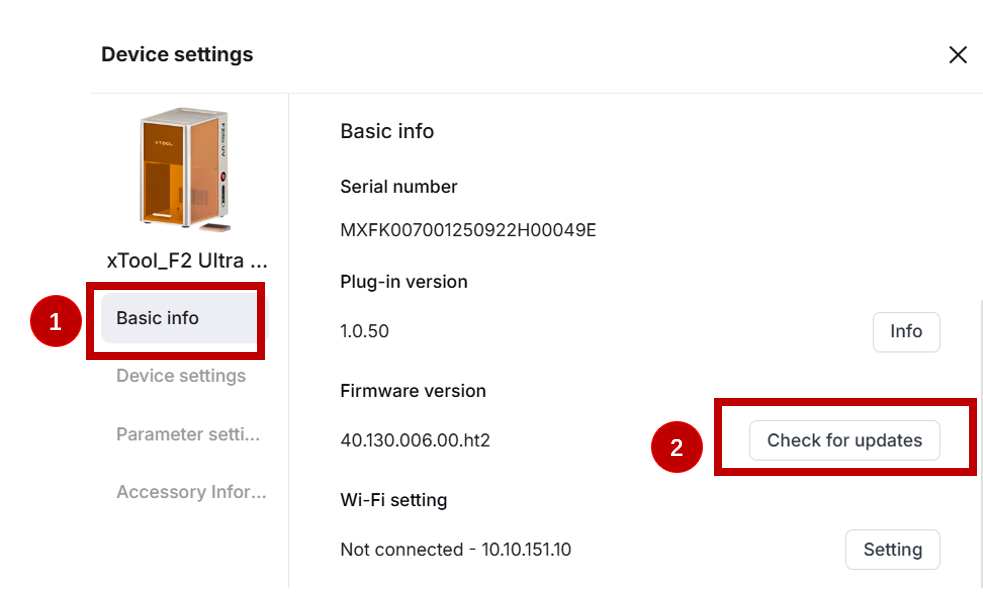
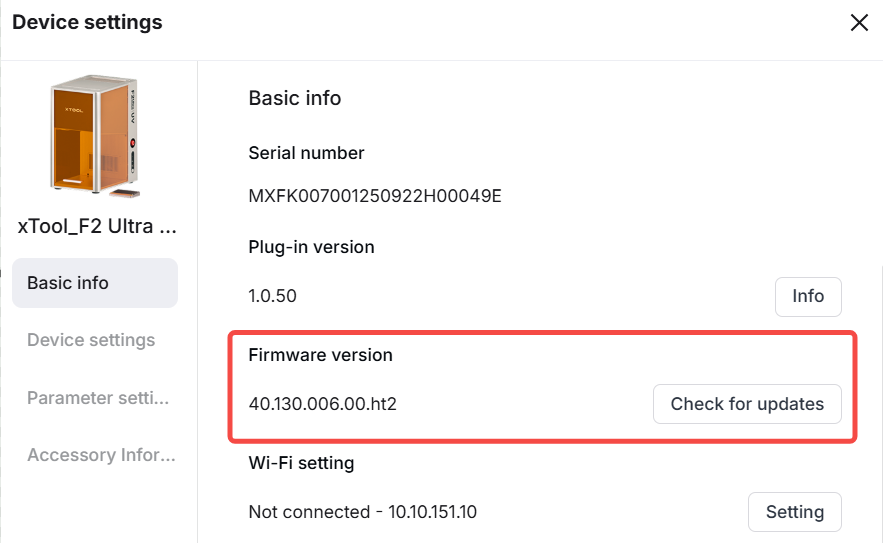
(3) On the pop-up Device settings window, click the Check for updates button under Firmware version. If a new firmware version is found, update the firmware.
Note:
1. xTool downloads the firmware installation package first, and then automatically installs it on xTool F2 Ultra UV.
2. During firmware installation, xTool F2 Ultra UV will be disconnected for a while and reconnected when the installation is complete.
(5) (Optional) After the firmware is updated, if you find that the z-axis movement position is incorrect,
- select Device settings on the left, and then click Homing to perform Z-axis homing.
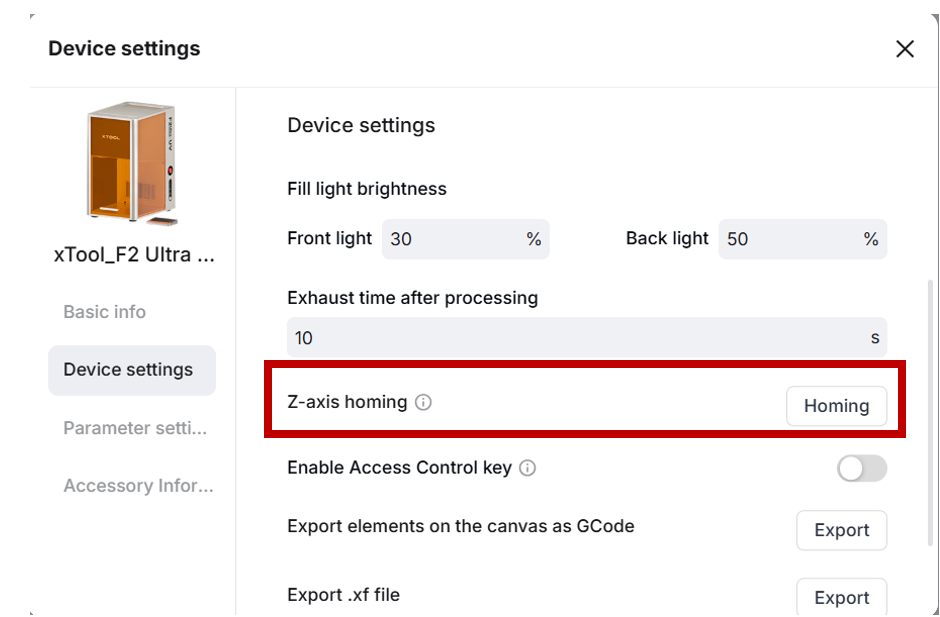
- When Z-axis homing is complete, press the power switch on xTool F2 Ultra UV to turn off the device. Then, press the power switch again to restart it.
How to deal with firmware upgrade failure
(1) Check the firmware version The software may have bugs and prompt you that the firmware update fails, even though the update actually succeeds. To check if an update succeeds, restart xTool Studio and view the firmware version in Device settings > Basic info > Firmware version.
(2) Check the network
If there is a network exception, repair the network and try updating the firmware again.
(3) Check the device connection
Ensure that the device is stably connected toxTool Studio by using the USB cable. If the device is disconnected from xTool Studio, reconnect the device by using the USB cable and try updating the firmware again.
Note: Using the USB cable to connect the device to xTool Studio provides a more stable connection. If you are using the Wi-Fi connection, the firmware update may be interrupted due to an unstable network.
(4) Check the computer status and the power supply for xTool F2 Ultra UV
The firmware update may fail if any of the following occurs during the process:
- The computer enters sleep or hibernation mode
- The computer is turned off
- xTool F2 Ultra UV is cut off from the power supply
Check your computer settings and the power supply. Ensure that the computer stays active and the power supply is stable. Then, try updating the firmware again.

Services & Help
Learn & Education

Copyright © 2025 xTool All Rights Reserved.