
Issue description
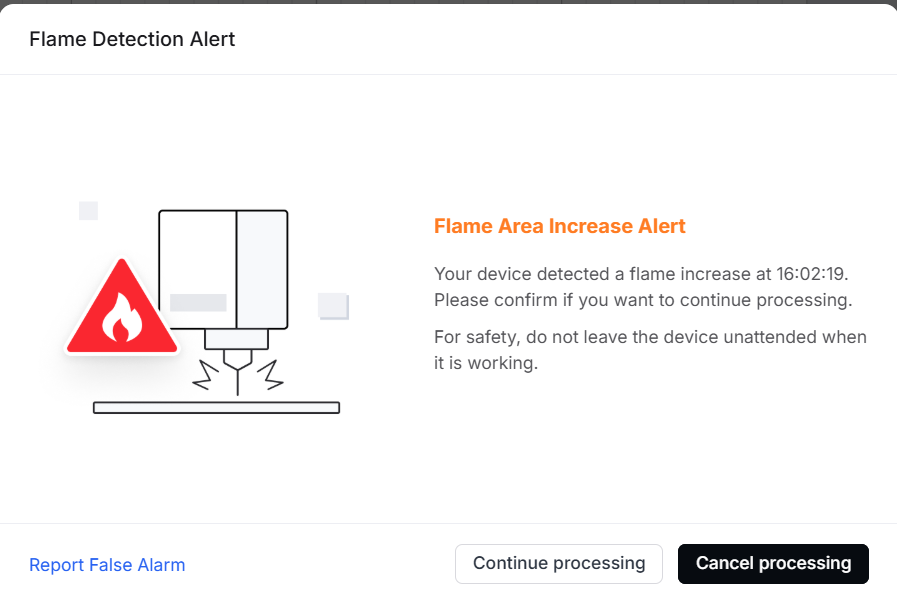
When processing materials using xTool F2 Ultra UV , you may see a pop-up error message on xTool Studio stating "Flame Detection Alter".
Troubleshooting
When a fire is detected
If the error message pops up, please promptly check the machine and extinguish the fire if necessary.
1. Some materials are flammable and may catch fire during processing.
2. The materials followed by the list have been tested for flammability from highest to lowest: Corrugated Paper > Balsa wood> Basswood plywood > Pine Plywood > Leather > Acrylic > Kraft paper
3. Please avoid leaving your laser unattended while it is running in case of fire.
When it's a false alarm
If no fire is found after inspecting the machine, it indicates a false alarm.
How to deal with it
Place non-reflective objects on the baseplate
When cutting materials, laser reflections on the baseplate can cause the camera to perceive a larger flame area than actual, potentially triggering a flame alarm.
In this case, it is recommended to place a non-reflective object (e.g., the slatted panel) on the baseplate before processing.
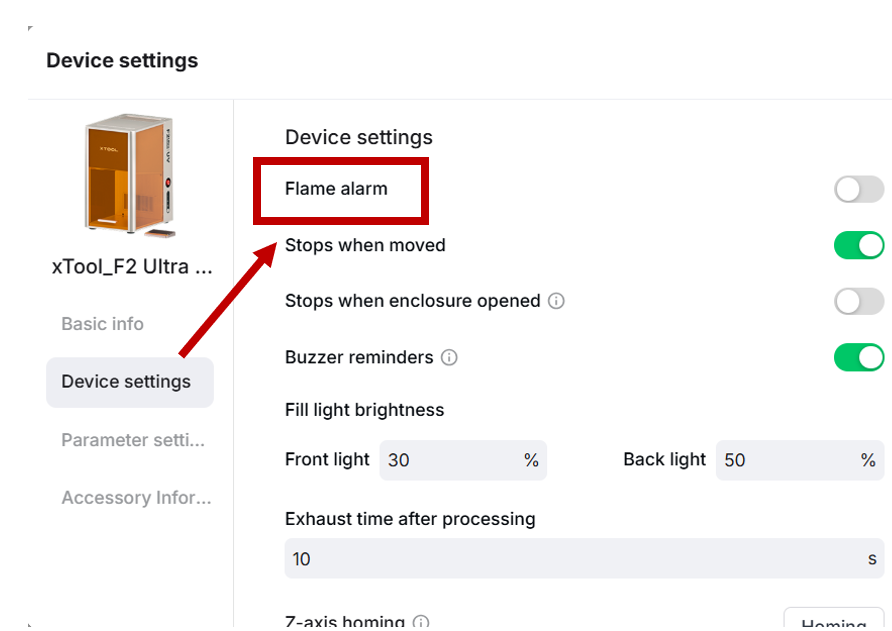
Adjust the flame alarm settings
- Repeating engraving at the same position multiple times at hign power may cause reflections. This can cause the camera to perceive a larger flame area than actual, potentially triggering the flame alarm.
- If you are processing materials like metals with no risk of ignition, you can opt to disable the flame alarm function.
Note: For safety, please enable the flame alarm before the next processing.

Services & Help
Learn & Education

Copyright © 2025 xTool All Rights Reserved.