
Issue description
A pop-up message indicating that the auto-focus failed appears at the top of the screen, or the measured thickness of the material to be processed deviates by more than 0.5 mm from the actual one.
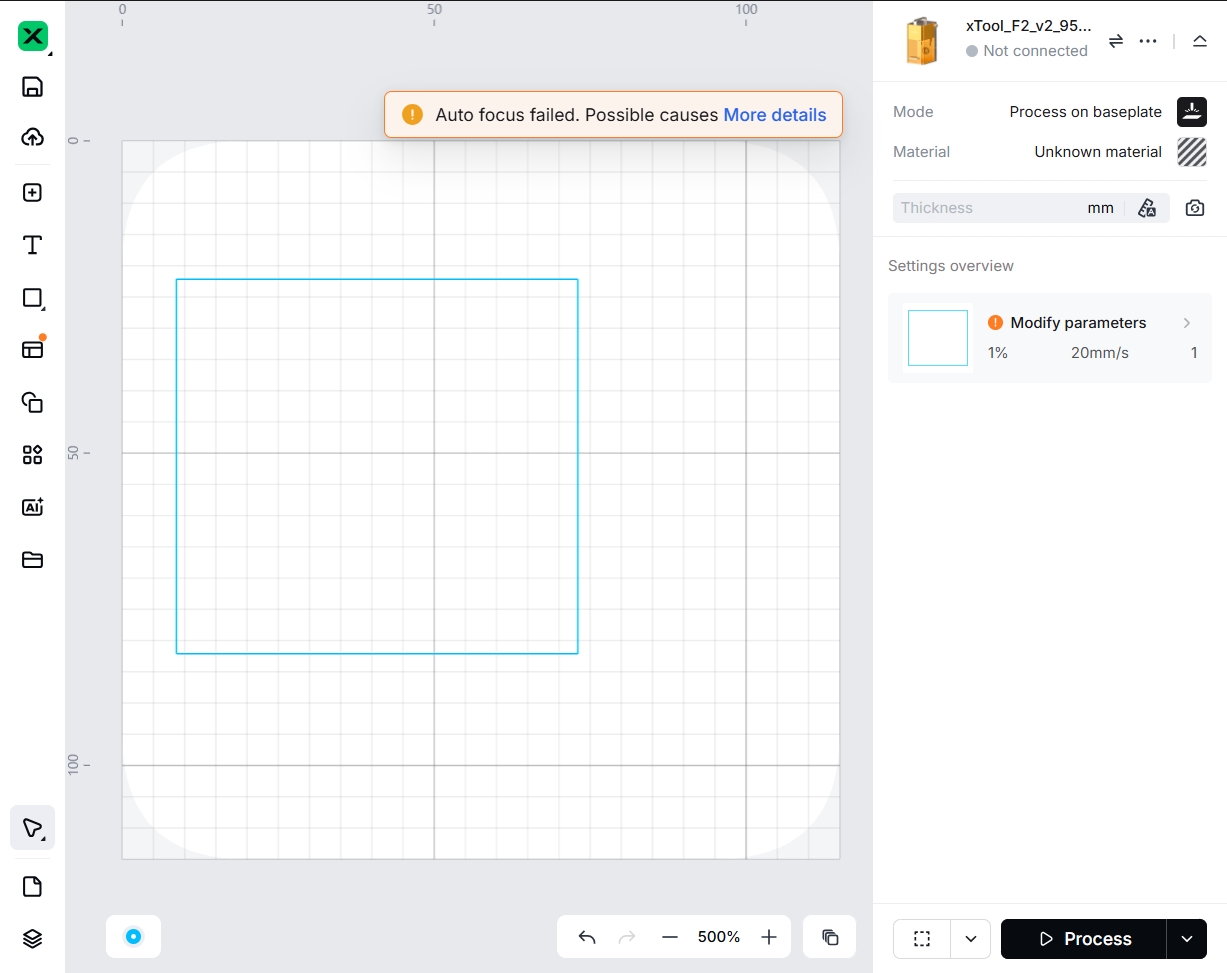
Troubleshooting
During the automatic distance measurement process, if you adjust the laser module using physical buttons (manual focus) or click the reset function in the device settings, the automatic measurement process will stop. Therefore, please do not press any buttons on the controller during automatic distance measurement.
Step 1: Perform second calibration
Refer to this guide to perform a second calibration.
Step 2: Place the material correctly
The automatic distance measurement requires placing the material on the blue focus point. If the material is not placed correctly, automatic focusing may fail or may be inaccurate.
Step 3: Use compatible materials
This function is not suitable for transparent, semi-transparent, reflective, fluffy (cotton), or light-absorbing (black acrylic) materials. Please make sure the material is compatible.
Step 4: Secure the connection
The device needs to take photos and send them to xTool Studio for image processing. If the device is disconnected or the Wi-Fi network is slow, the image transmission may fail, leading to automatic focusing failure.

