
Issue description
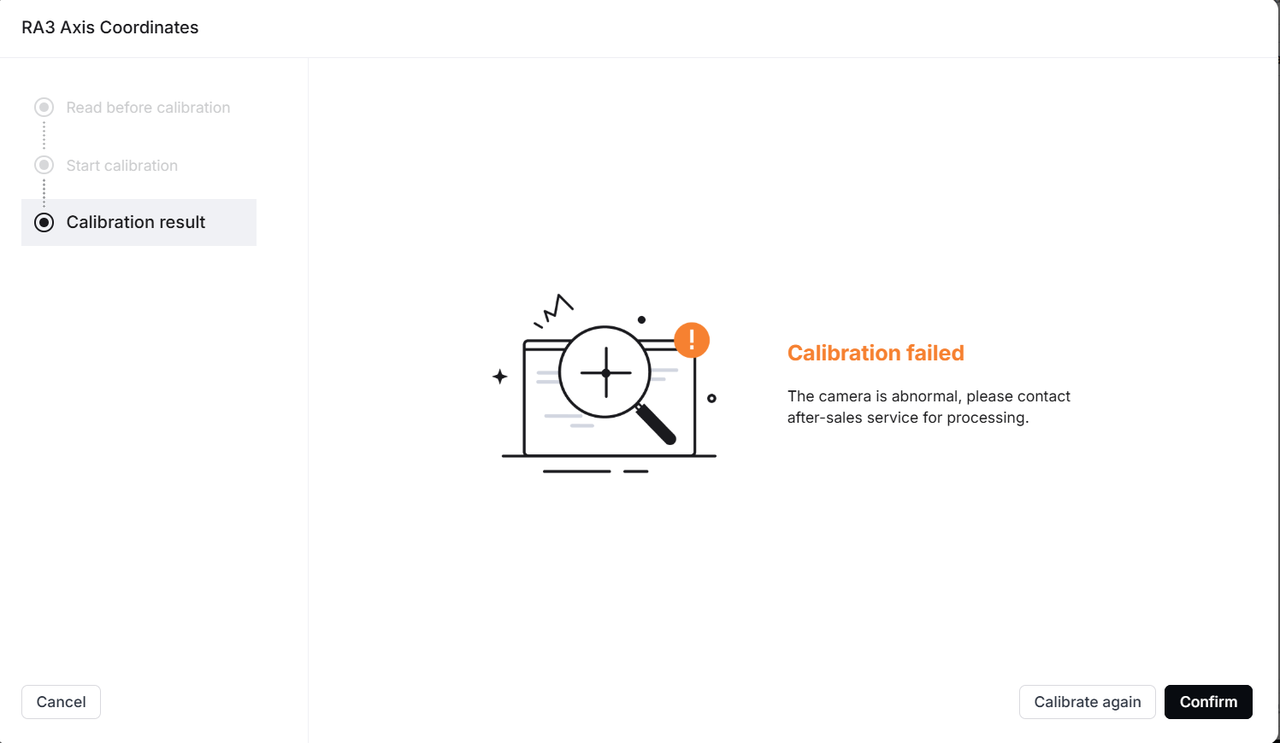
After attaching xTool Rotary Attachment 3 (RA3) to the RA3 locator inside xTool P3, a calibration failure message appears when attempting to calibrate RA3 axis coordinates.
Possible causes
1. Software issue.
2. RA3 is not properly attached to xTool P3.
3. The calibration dots on RA3 are dirty.
4. Wi-Fi is unstable.
5. A strong light interferes with the device.
6. The close-view camera malfunctions.
Troubleshooting
1. Check the software and firmware
Upgrade the software and firmware to the latest version before calibrating again.
2. Check whether RA3 is properly attached to xTool P3
Ensure that RA3 is properly attached to xTool P3 during calibration. Refer to the images below for proper installation, then recalibrate.
(1) Attach ONLY the main baseplate and the power module of RA3 to the RA3 locator inside xTool P3. DO NOT install any jaws or other components onto the main baseplate and the power module of RA3.
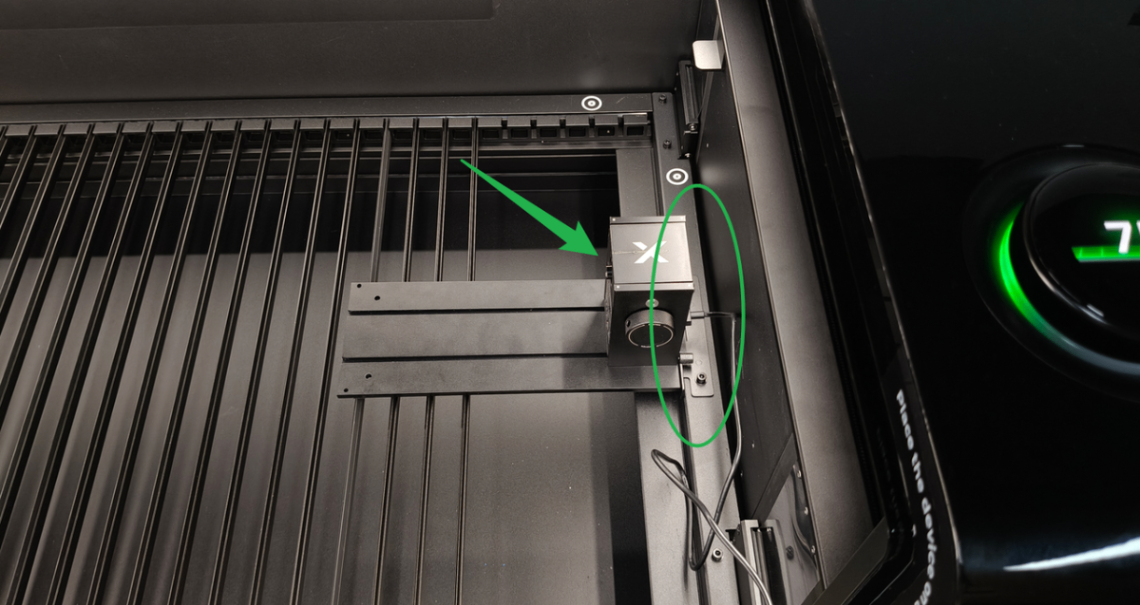
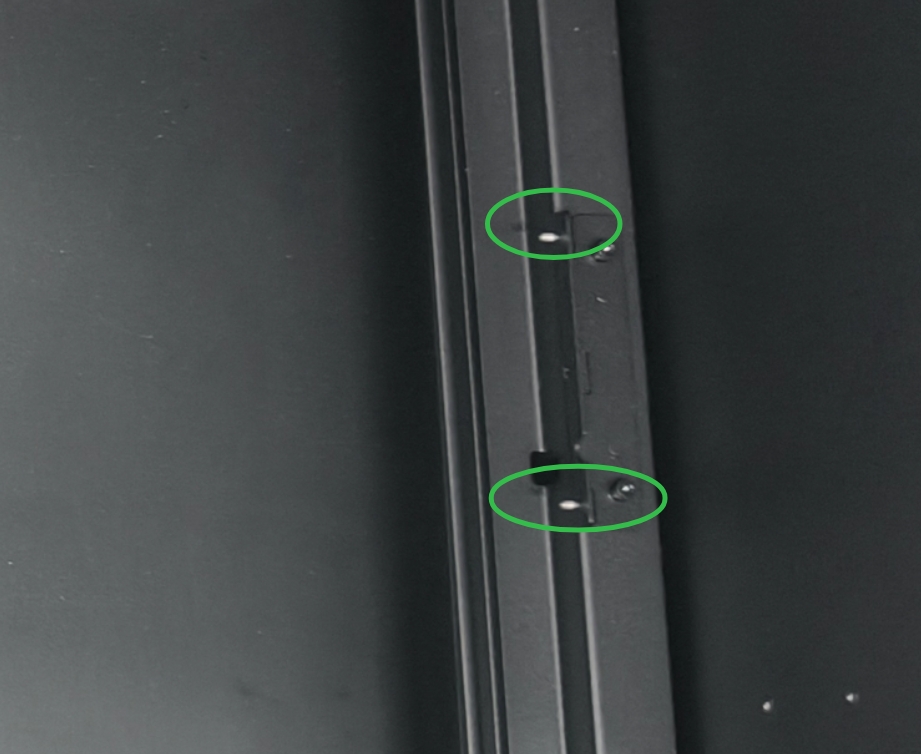
When attaching RA3 to xTool P3, align the two holes on the main baseplate of RA3 with the two protrusions on the RA3 locator inside xTool P3.
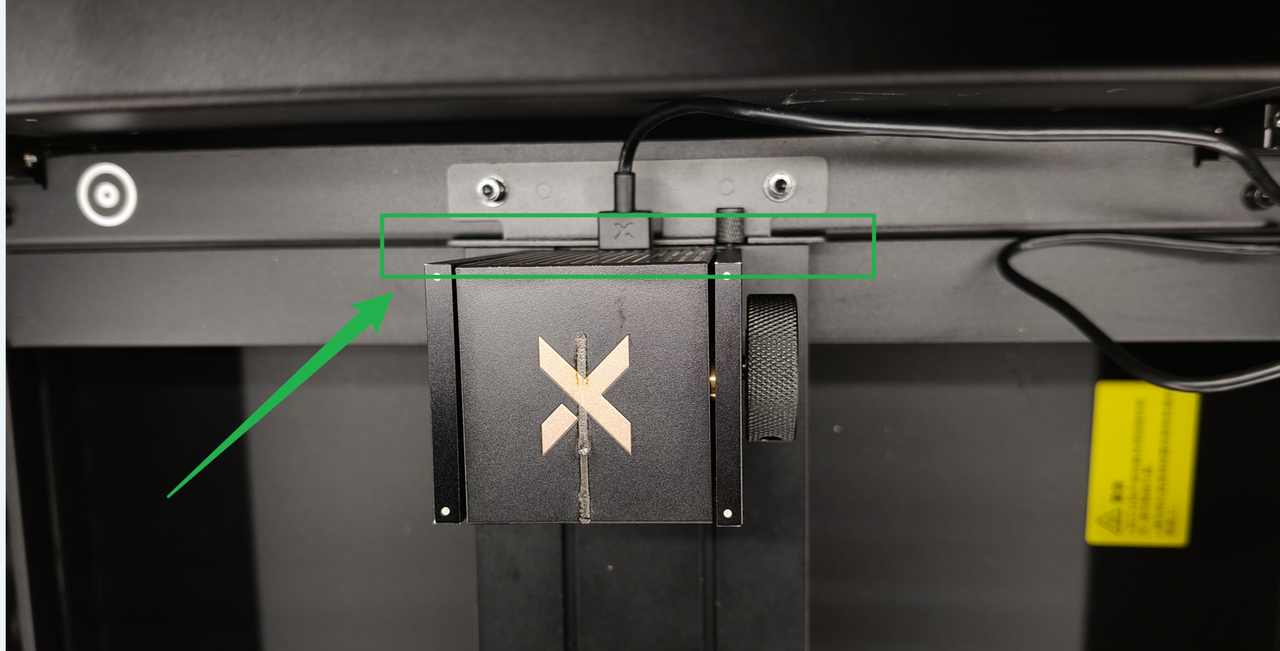
(2) Ensure that RA3 is vertically aligned and tightly attached to the RA3 locator inside xTool P3.
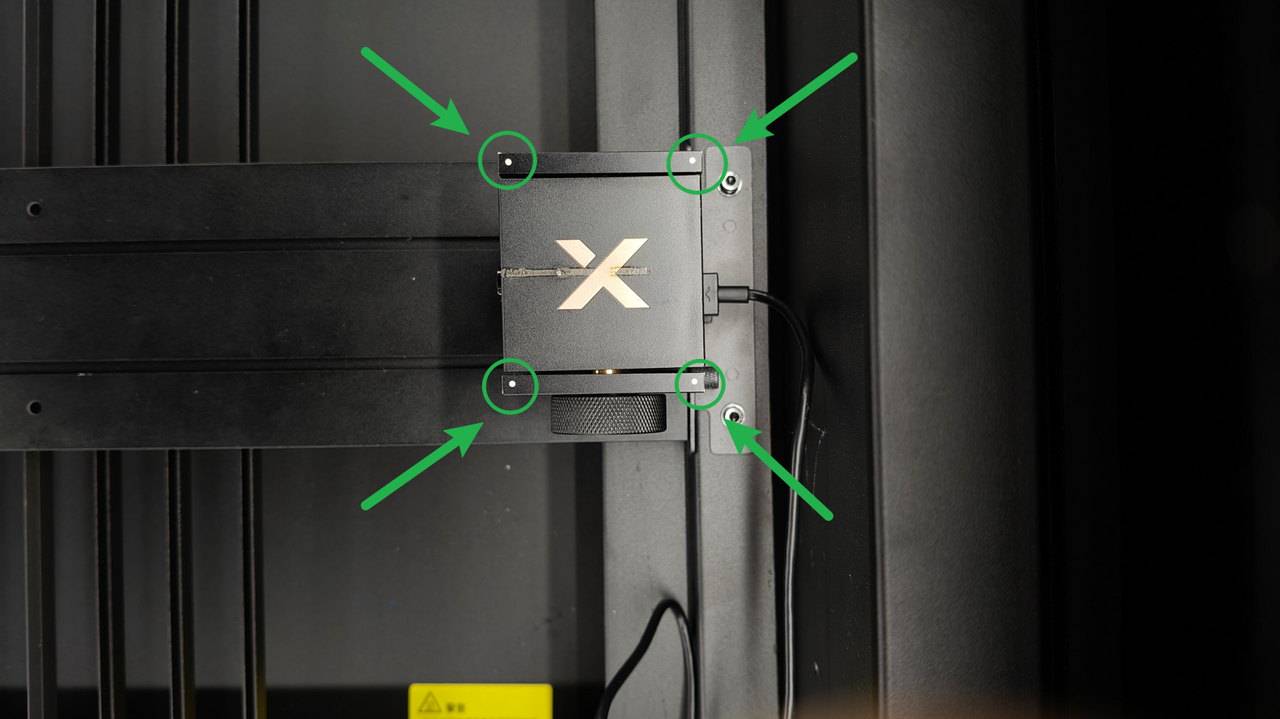
3. Check the four calibration dots on RA3
Check whether the four calibration dots on the power module of RA3 are dirty or obstructed.
- Clean the four calibration dots to ensure that they are clearly visible.
- If the power module of RA3 has no calibration dots or the calibration dots are unclear, replace the power module.
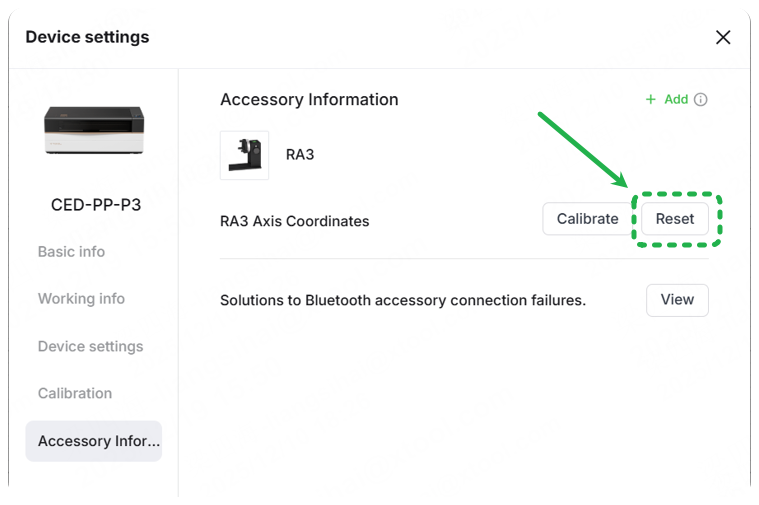
4. Reset the calibration data before recalibration
5. Check the ambient lighting conditions
Check whether there is strong light (such as lamp light or sunlight) above xTool P3. If yes, close the door panel or move xTool P3 to an area with normal lighting conditions for calibration.
6. Check the close-view camera
Take a photo using the close-view camera and check whether the imaging is working properly.
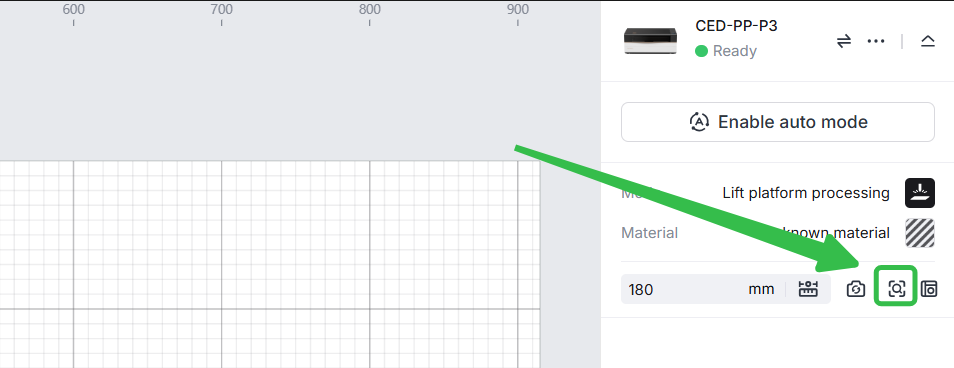
- If the imaging is clear, perform other troubleshooting steps.
- If the imaging is blurry, clean the close-view camera.
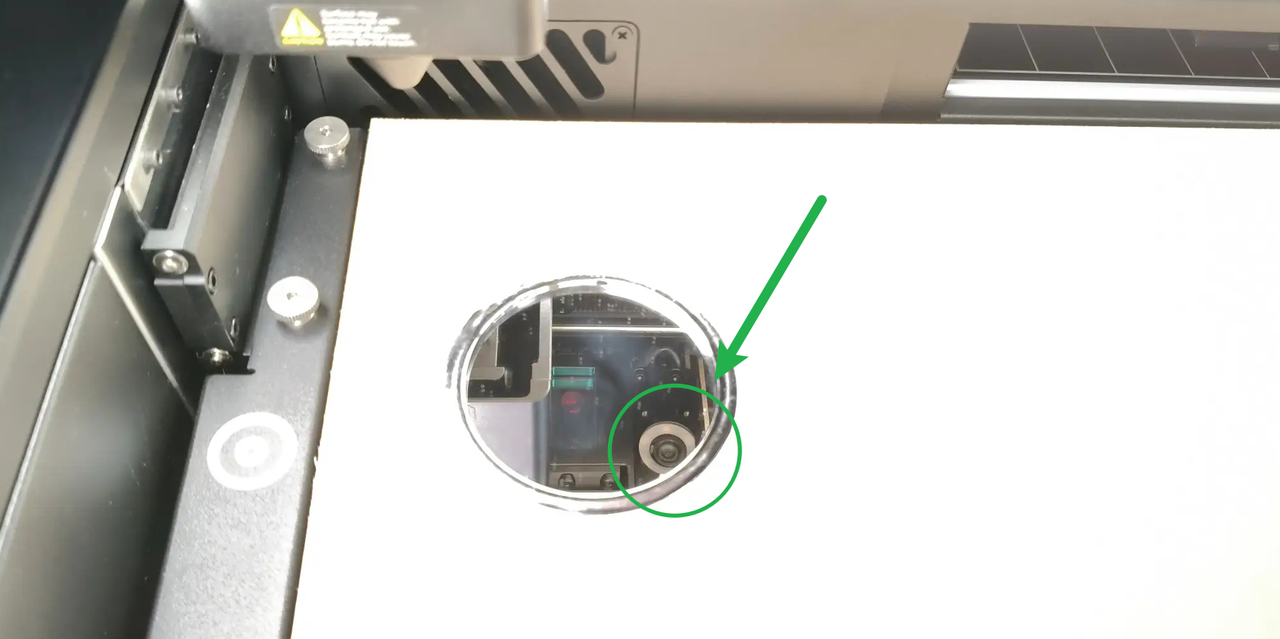
- If imaging fails or remains consistently blurry, replace the close-view camera.
Information to provide
If the above steps did not resolve your issue, provide the following information to us:
- A video of RA3 calibration process, including the placement of RA3 and xTool P3's ambient conditions
- Information from the folder shown below (compress it and provide it to us)

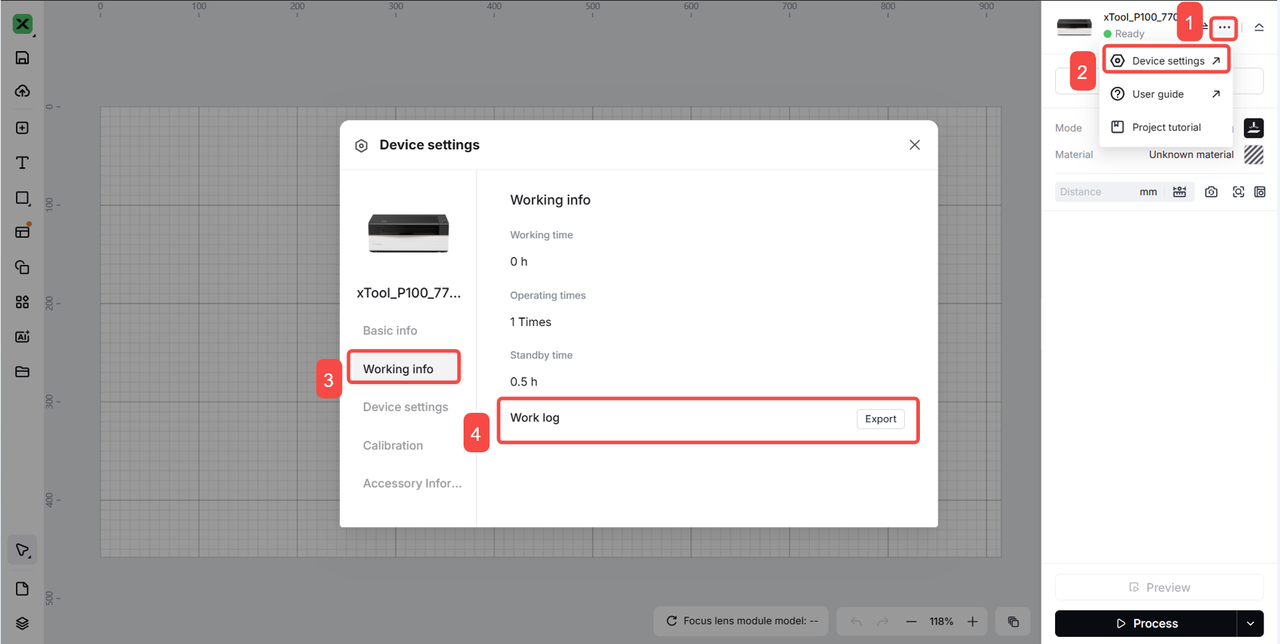
- xTool P3's work log
Still experiencing issues?
Should the issue persist after completing the preceding steps, submit a ticket via the "Submit a Ticket" button in the "Help Ticket" section below. The standard response time for xTool Customer Service is one business day.
For a prompt resolution, please include the following details:
- Issue description: A detailed explanation of the observed problem.
- Video evidence: Attach a video demonstrating the issue, where applicable.
- Troubleshooting performed: Any troubleshooting steps you have already attempted, along with their results.
This information is crucial for xTool technical support engineers to provide timely assistance.
Documentation feedback
Help improve this content by providing feedback. If this content did not meet your requirements, select "No" in the "Was this page helpful?" section below. Include specific details about what was unclear or missing in the pop-up suggestion box. Feedback submissions are reviewed by xTool technical writers to enhance future documentation.

Services & Help
Learn & Education

Copyright © 2025 xTool All Rights Reserved.