
Issue description
You receive a persistent error message in xTool Creative Space (XCS) that says, "Please clean up any accumulated film or powder in the powderbin." However, upon visual inspection, no film or adhesive powder accumulation is visible in the powder bin.
- Consult this section for troubleshooting.
Cause analysis
Most likely causes:
- PET film obstruction - A small, overlooked piece of PET film is physically blocking one of the sensors.
- Powder accumulation - A buildup of adhesive powder is blocking the sensors.
Less likely causes:
- Loose sensor connection - The connection cable for one of the sensors has become loose.
- Sensor malfunction - One of the sensors has failed.
Before troubleshoot
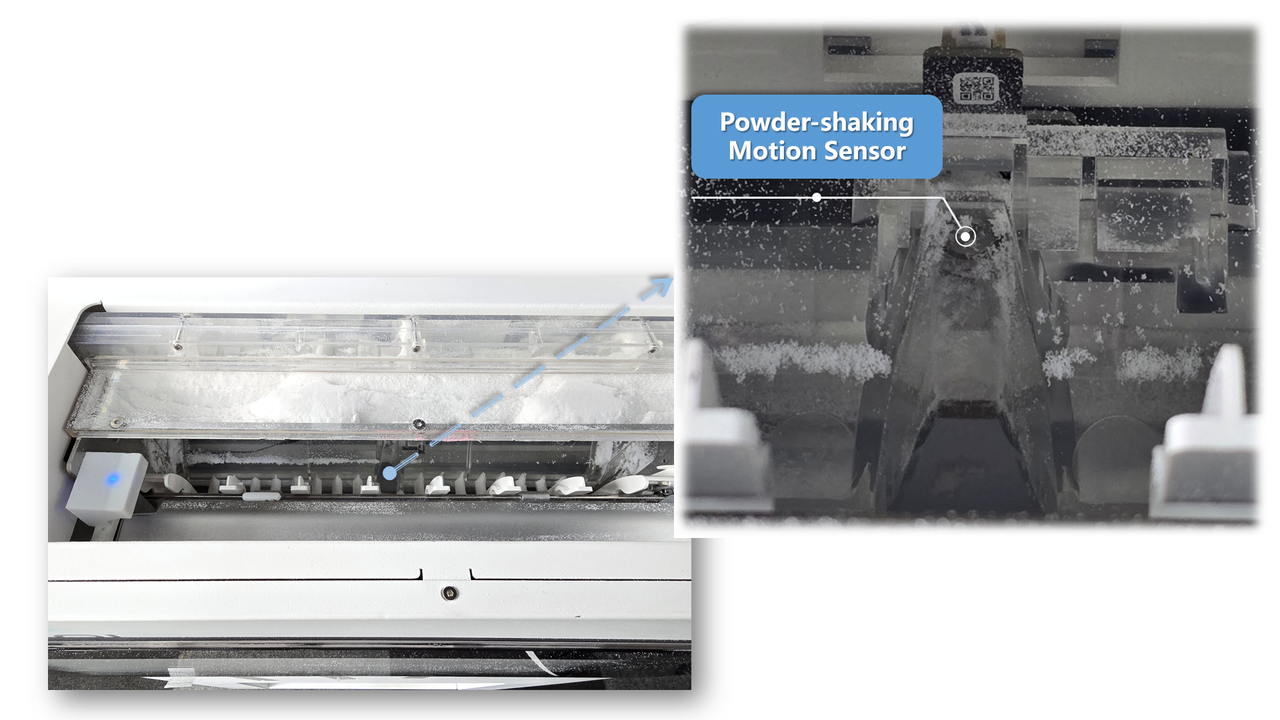
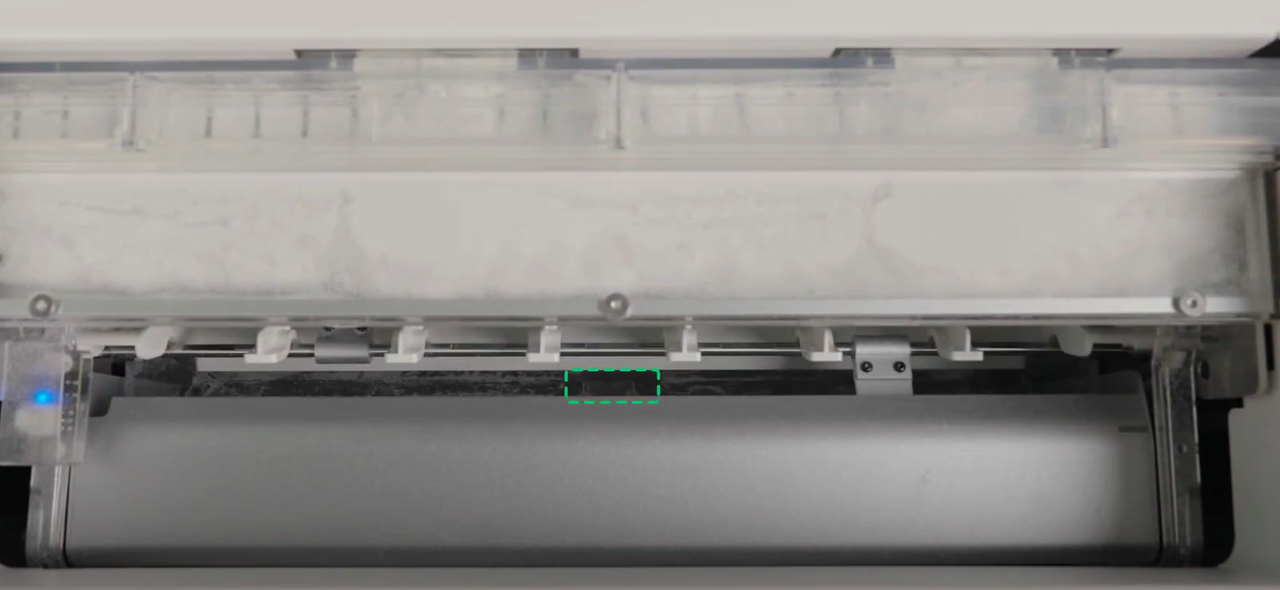
Before troubleshooting, it's important to know that your xTool OS1 features two powder-shaking motion sensors to detect blockages. They are located on the underside of the translucent powder compartment, near the film-fork lifter mechanism. This error is typically triggered when one of these sensors is physically obstructed.
Troubleshooting steps
Step 1: Check for film in the buffer zone
- Detach the magnetic cover from your xTool OS1 oven.
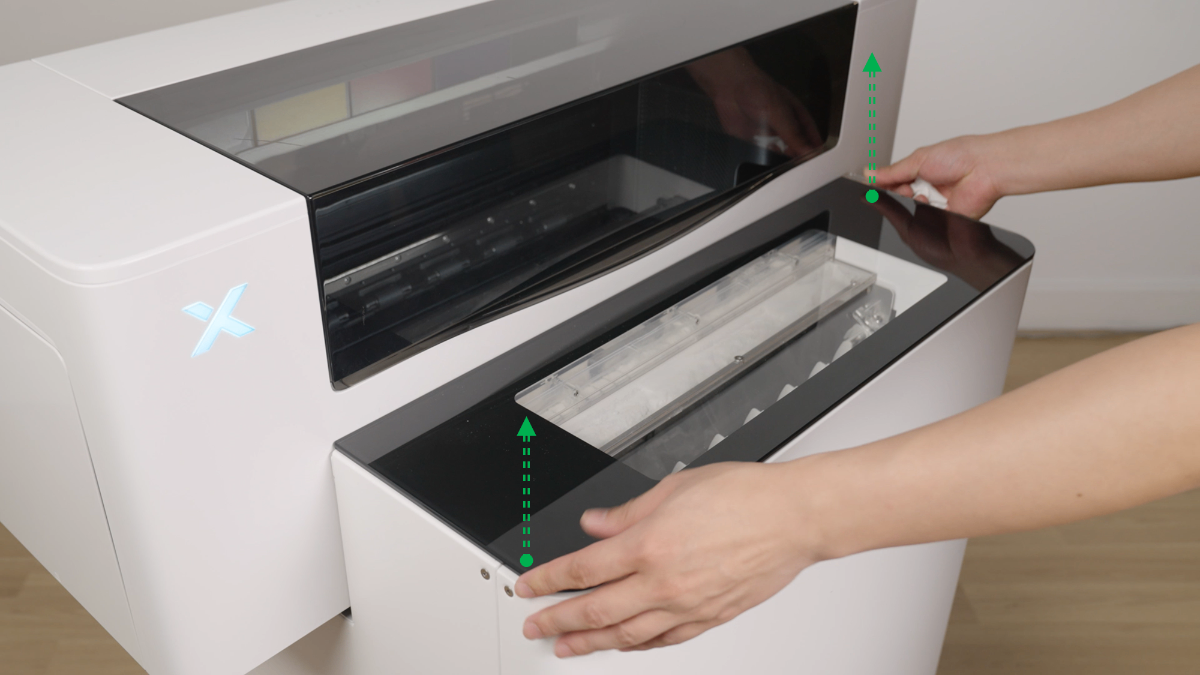
- Carefully and thoroughly inspect the buffer area and the space around and under the powder compartment for any small, stray pieces of film.
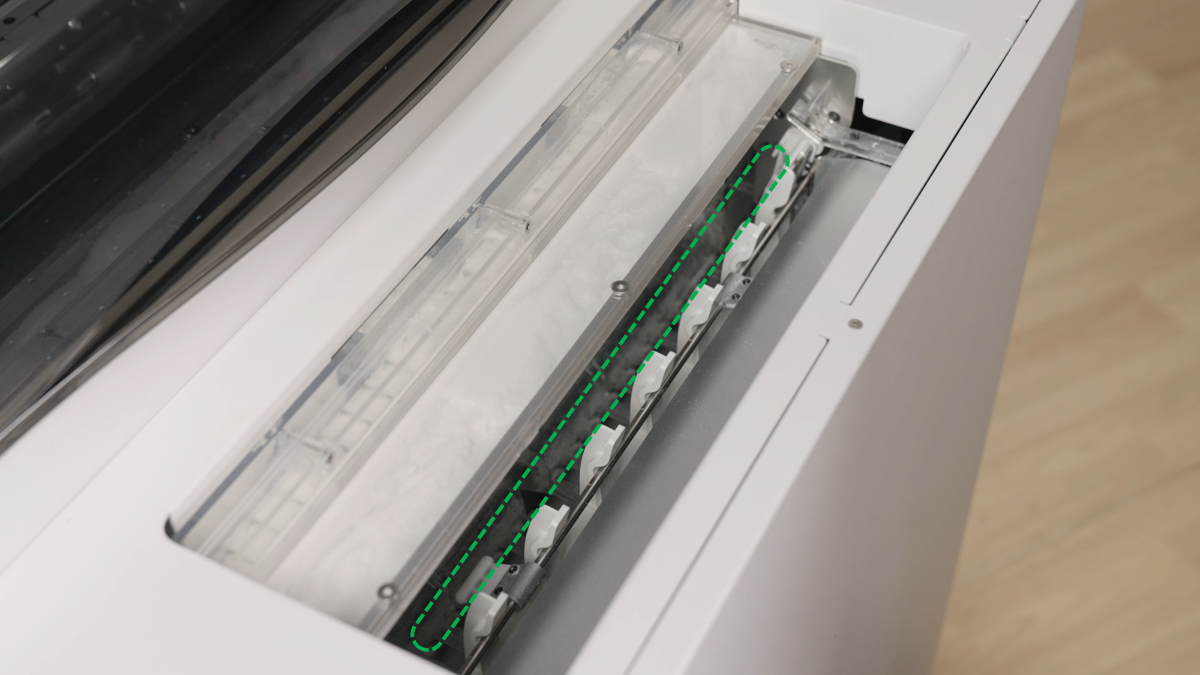
- If any film is present, carefully remove it.
- Close the cover and check if the prompt still appears in the XCS software.
If no film is found or the issue persists, proceed to Step 2.
Step 2: Clean the sensors
- Locate the two sensors on the lower side of the translucent powder compartment, near the film-fork lifter.
- Clean both sensors following the demonstration in this video:
- Video reference: Routine Cleaning & Care for xTool OS1 Shaker Oven
- Focus on the cleaning procedure shown at 0:32 - 0:42
- After cleaning, restart the oven and check if the prompt still appears in the XCS software.
If the error persists, proceed to Step 3.
Step 3: Inspect sensor connections (advanced step)
This step is unlikely to be the cause but can be checked if the issue persists. Check both sensor connection cables for secure connection.
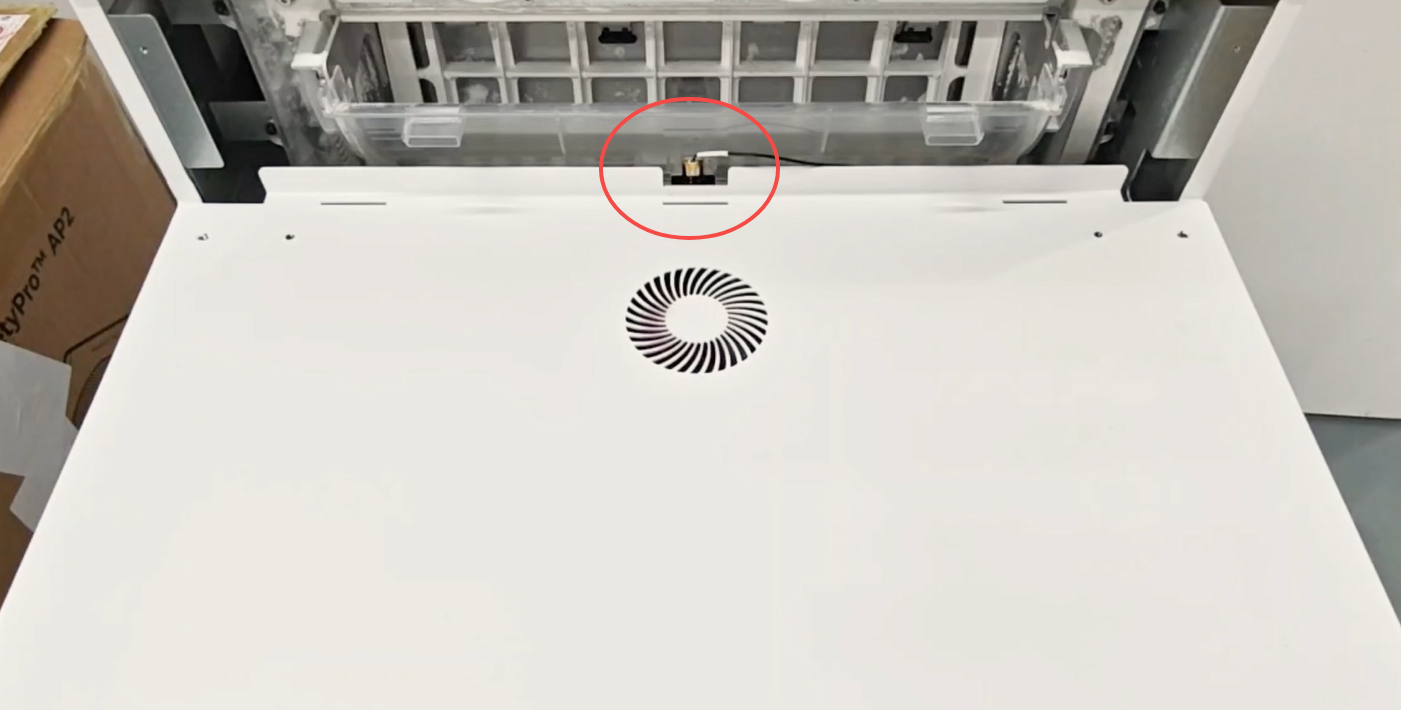
Check the Outer Sensor Cable:
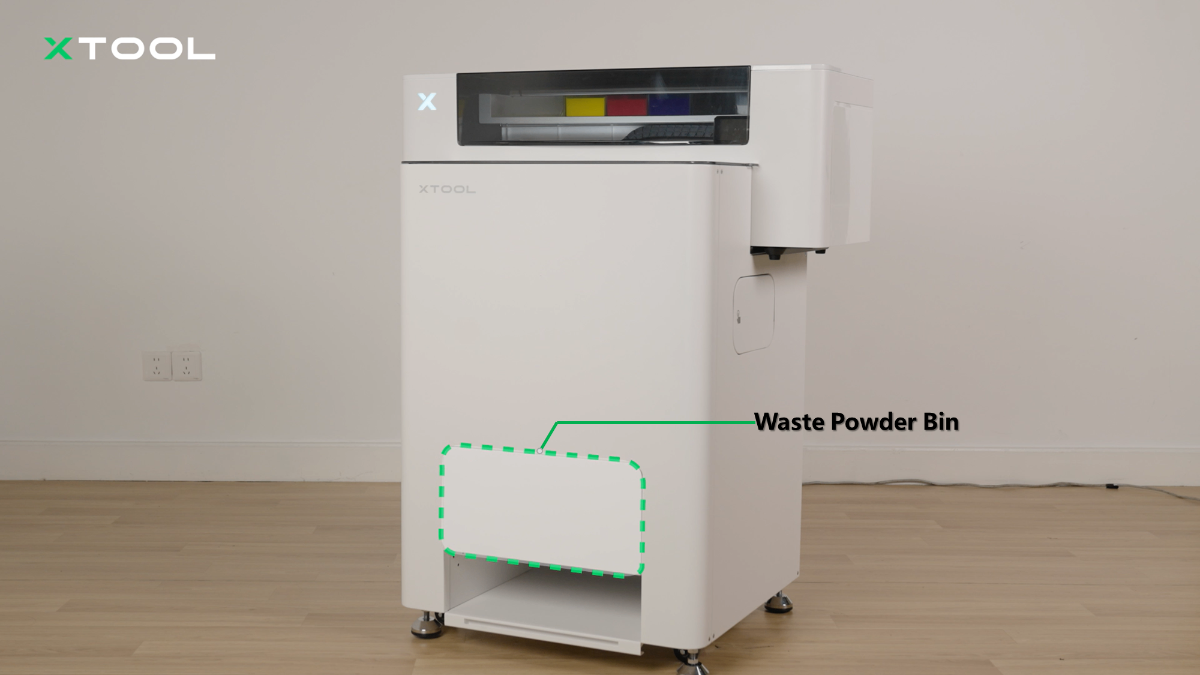
- Remove the waste powder bin.
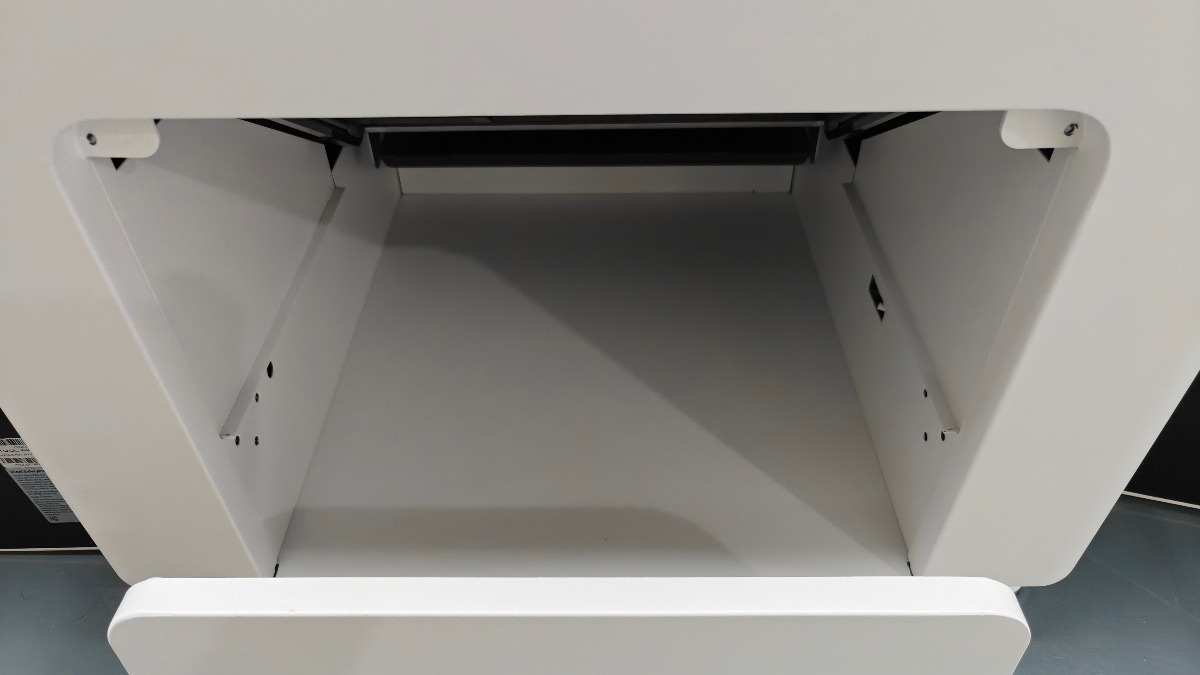
- Use your phone's front-facing (selfie) camera to look up at the sensor and its connection cable to check if it is loose.
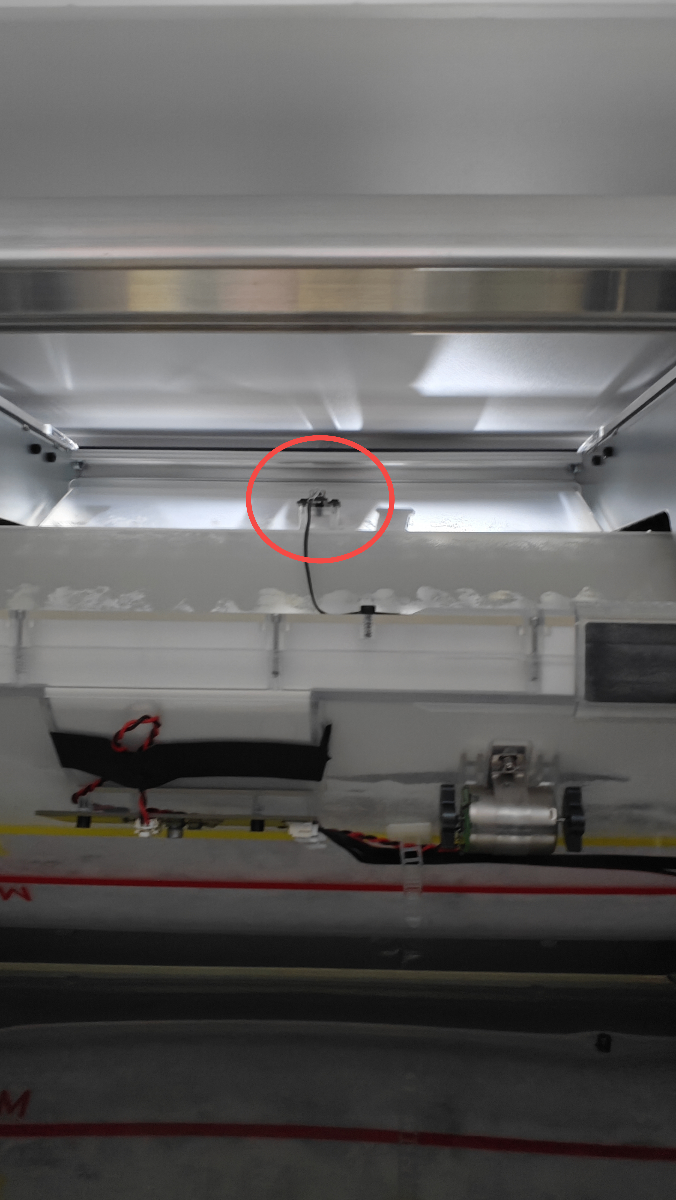
- If the cable is loose, you will need to remove the oven's front panel to access and reconnect it. Follow the video guide here: Video for removing the front panel
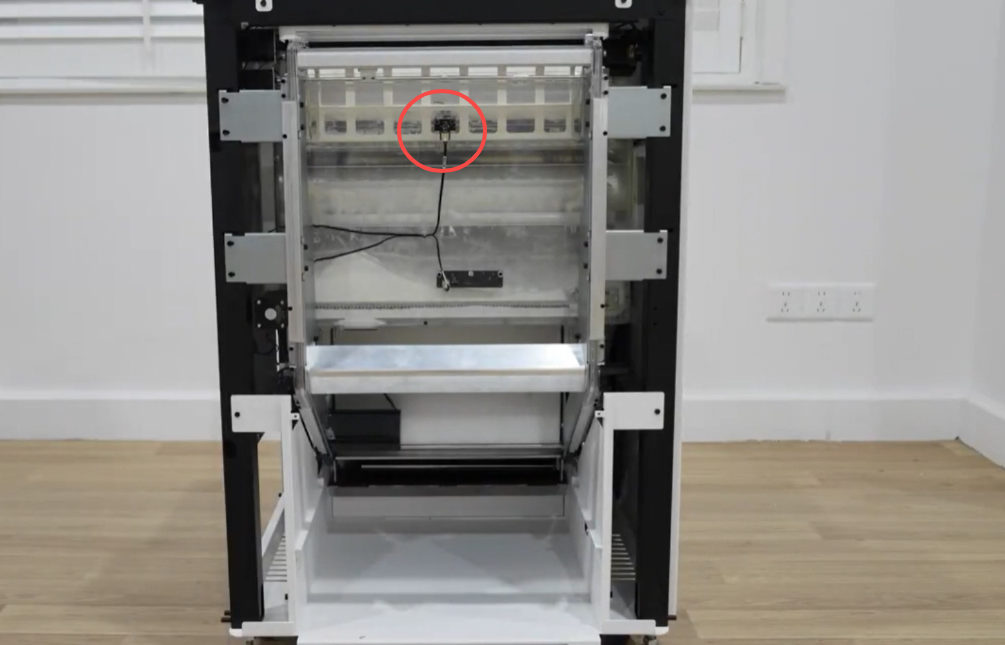
Check the Inner Sensor Cable:
- If the outer sensor connection is secure, check the inner sensor.
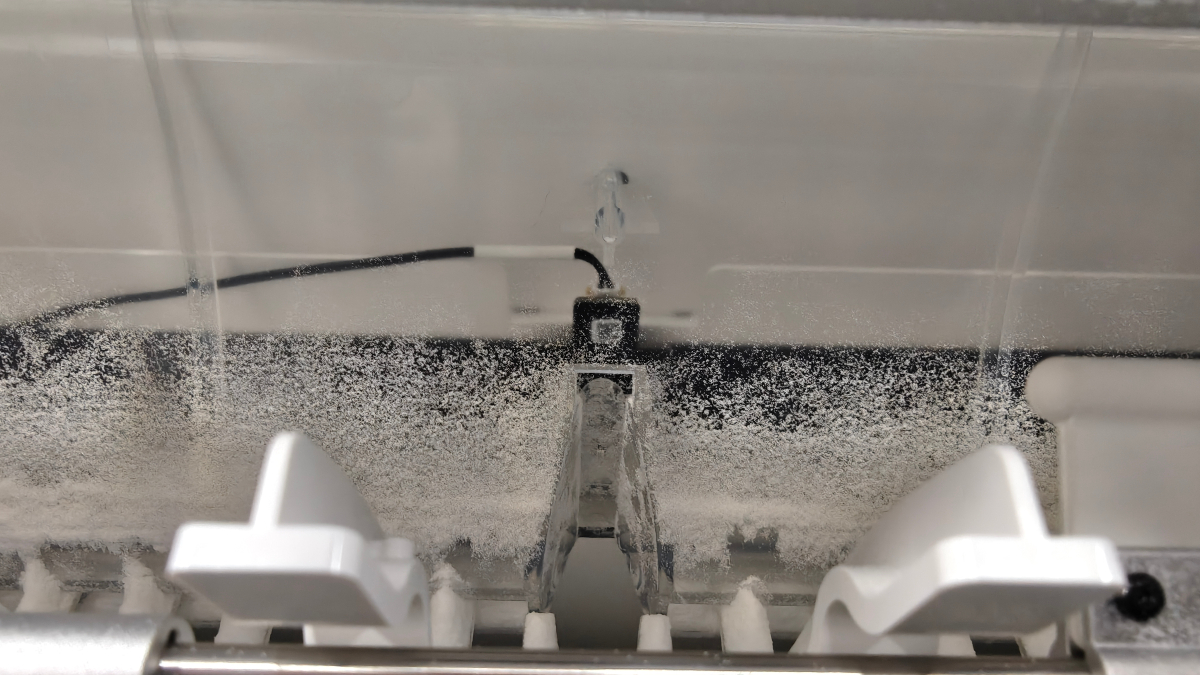
- If the cable for the inner sensor is loose, you will need to remove the oven's top cover to access and reconnect it. Follow the video guide here: Video for removing the top cover
If both connections are secure and the problem continues, proceed to the final step.
Step 4: Replace sensors
If all previous steps fail to resolve the issue, the sensor may have malfunctioned.
- This step requires advanced technical intervention. Please proceed to the "Still experiencing issue" section to contact xTool Customer Service for further diagnosis.
- If deemed necessary by xTool technical experts, the sensors may need to be replaced.
Still experiencing issues?
Should the issue persist after completing the preceding steps, submit a ticket via the "Submit a Ticket" button in the "Help Ticket" section below. The standard response time for xTool Customer Service is one business day.
For a prompt resolution, please include the following details:
- Issue description: A detailed explanation of the observed problem.
- Video evidence: Attach a video demonstrating the issue, where applicable.
- Troubleshooting performed: Any troubleshooting steps you have already attempted, along with their results.
This information is crucial for xTool technical support engineers to provide timely assistance.
Documentation feedback
Help improve this content by providing feedback. If this content did not meet your requirements, select "No" in the "Was this page helpful?" section below. Include specific details about what was unclear or missing in the pop-up suggestion box. Feedback submissions are reviewed by xTool technical writers to enhance future documentation.

Services & Help
Learn & Education

Copyright © 2025 xTool All Rights Reserved.