Automatic conveyor feeder
1. What are the dimensions and weight of materials that can be processed?
Maximum width | 610 mm (24 inches) |
|---|---|
Minimum width | 76.2 mm (4 inches) |
Maximum height | 26 mm (1 inch) |
Minimum height | 3 mm (0.12 inches) |
Maximum length | 1524 mm (60 inches) |
Maximum weight | 16 kg |
2. What kind of materials can be processed?
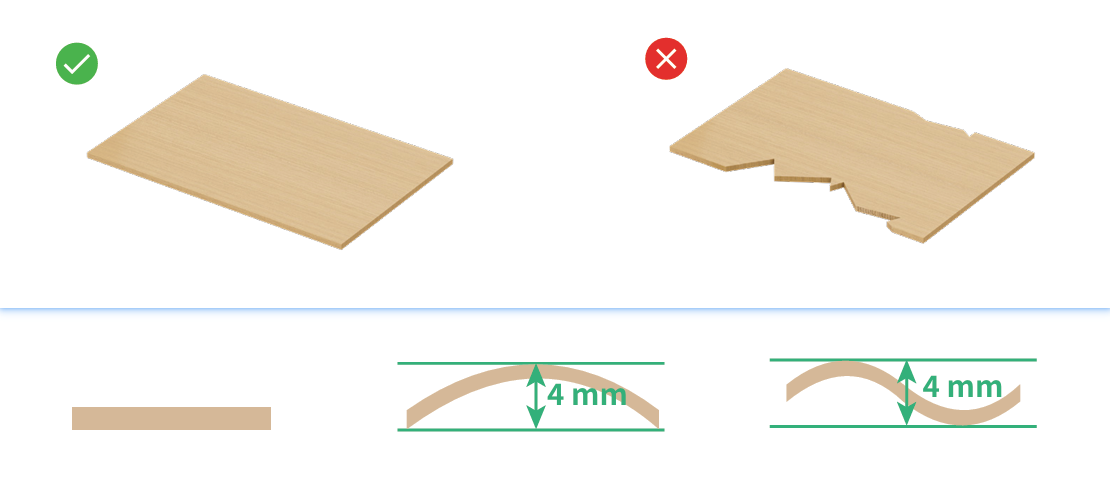
The surface flatness of the material plays a significant part on the processing results. The preferred materials include:
- Basswood boards with a maximum deformation of 4 mm or less.
- Materials with straight edges.
- Materials with high flatness, with no obvious dents or humps.
3. What is the processing tolerance?
When the material meets the processing requirements and is placed properly, for every 1 meter of processing, the pattern length and offset error are less than 1 mm.
4. What is the non-machinable area of the material?
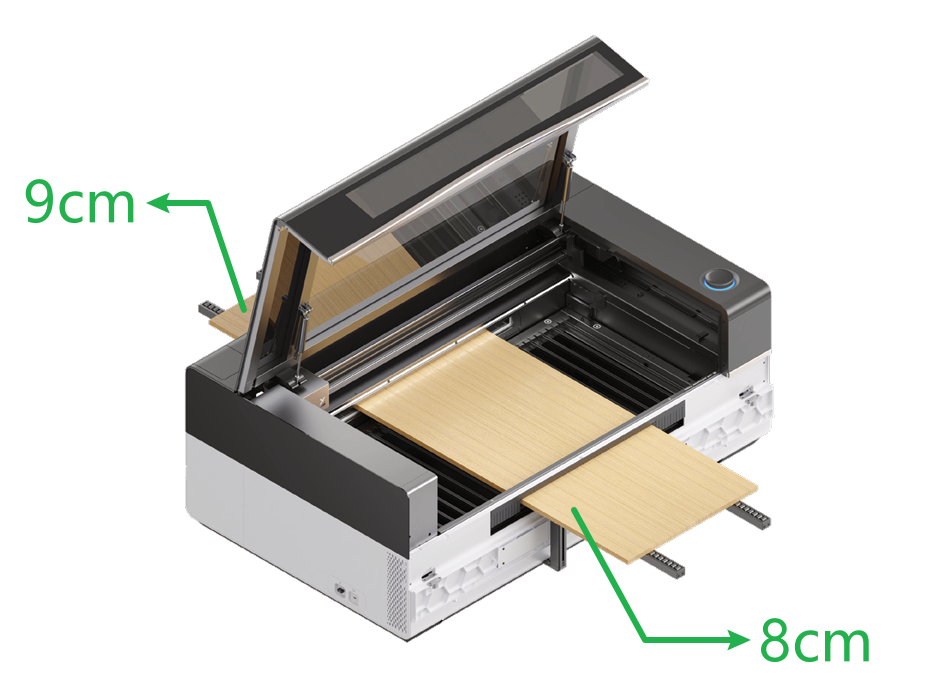
The front 9 cm and rear 8 cm of the material cannot be processed.
5. Why is the material longer than the pattern to be processed, but the pattern on the image captured is still incomplete?
To ensure proper material support during processing, the front 9 cm and rear 8 cm of the material cannot be moved to the processing area. This limits the actual processing length and may cause the pattern to appear incomplete. To resolve this:
- Adjust the material's position so that its length is at least 9 cm longer at the front and 8 cm longer at the rear than the pattern.
- Use a longer material.
- Reduce the size of the pattern.
6. How to adjust the distance between the two pinch rollers of the linear shaft?
Use a 2.0 mm screwdriver to loosen the screws on the pinch rollers and adjust their positions. The recommended distance between them should be slightly narrower than the width of the material to ensure optimal support and friction.
.png)
7. What should be noted when placing materials?
- Ensure the material is parallel to the slats of xTool P3.
- Both ends of the material should fully cover the pinch rollers. If the material is too narrow, avoid placing it on the pinch rollers.
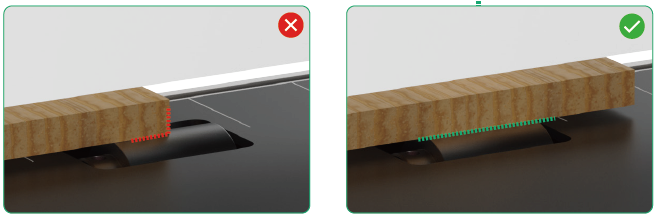
- The width of the material must not exceed 610 mm, and both sides are stay within the widest limit marks of the feeding inlet.
- When one end of the material is warped, place the warped end in the feeding inlet side, to minimize deviation during the processing.
- If you are not sure whether the material is properly positioned, perform image capturing on the software, and align the material based on the image as needed.
8. Can the automatic conveyor feeder be used to process materials in batches?
No.
9. What happens if the thickness measurement error exceeds 1 mm? How can this be improved?
If the auto-measured material thickness deviates from the actual thickness by over 1 mm, the material may not be clamped tightly, leading to larger processing errors. In this case, you can manually enter the material thickness. The machine will automatically re-clamp the material.
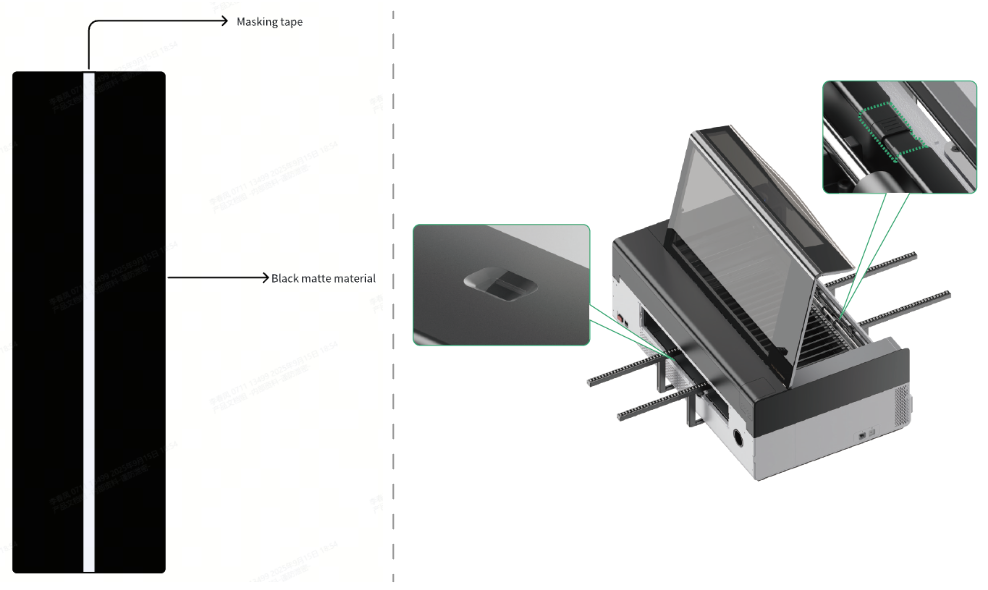
10. Why are black matte materials (e.g., black felt, black EVA foam) not detected during image capturing?
Such kind of materials may interfere with sensor detection. To solve this, you can apply a light-colored masking tape to the back of the material from top to the bottom, with a width of 50 mm. During the processing, place the side with masking tape faces downward and ensure the masking tape covers the sensor in the front of xTool P3 and that of the conveyor feeder.
11. Why can the same material be cut through in “Lift platform processing” mode but not in “Use conveyor feeder" mode?
The motor's rotation speeds are different in the two processing modes. In Use conveyor feeder mode, lower speed or higher power is required to cut through the material.
- For official materials, the software provides recommended processing parameters that have been optimized for each mode. You can directly use these parameters for processing.
- For unofficial materials, it is recommended to perform a test array in Use conveyor feeder mode to determine suitable parameters before starting processing.
12. How to process soft materials with a thickness less than 3 mm?
For a material with a thickness less than 3 mm, place it onto a 6 mm wooden board of the same size before processing.
13. Will hollow-out areas in the material affect the image capturing function?
Yes, hollow-out areas in the material may prevent the sensors in the front and rear of the device from detecting the material, causing image capturing and processing failures. To process such kinds of materials, you can apply masking tape or other similar tapes to the hollow-out areas.
14. What should be done if the material wraps during cutting and collides with the laser module?
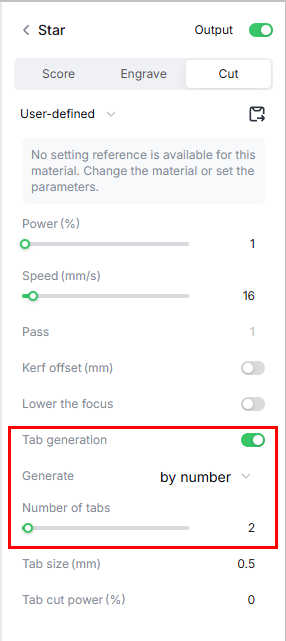
Increase the number of tabs to prevent the material from falling after cutting.
Navigation path: On the software, enable Tab generation, set Generate to by number, and adjust the number of Number of tabs.
15. What should be done if the material gets stuck by the pinch rollers after cutting?
- Adjust the pattern position to avoid it close to pinch rollers during transmission.
- Increase the number of tabs to prevent the material from falling after cutting.
Navigation path: On the software, enable Tab generation, set Generate to by number, and adjust the number of Number of tabs.
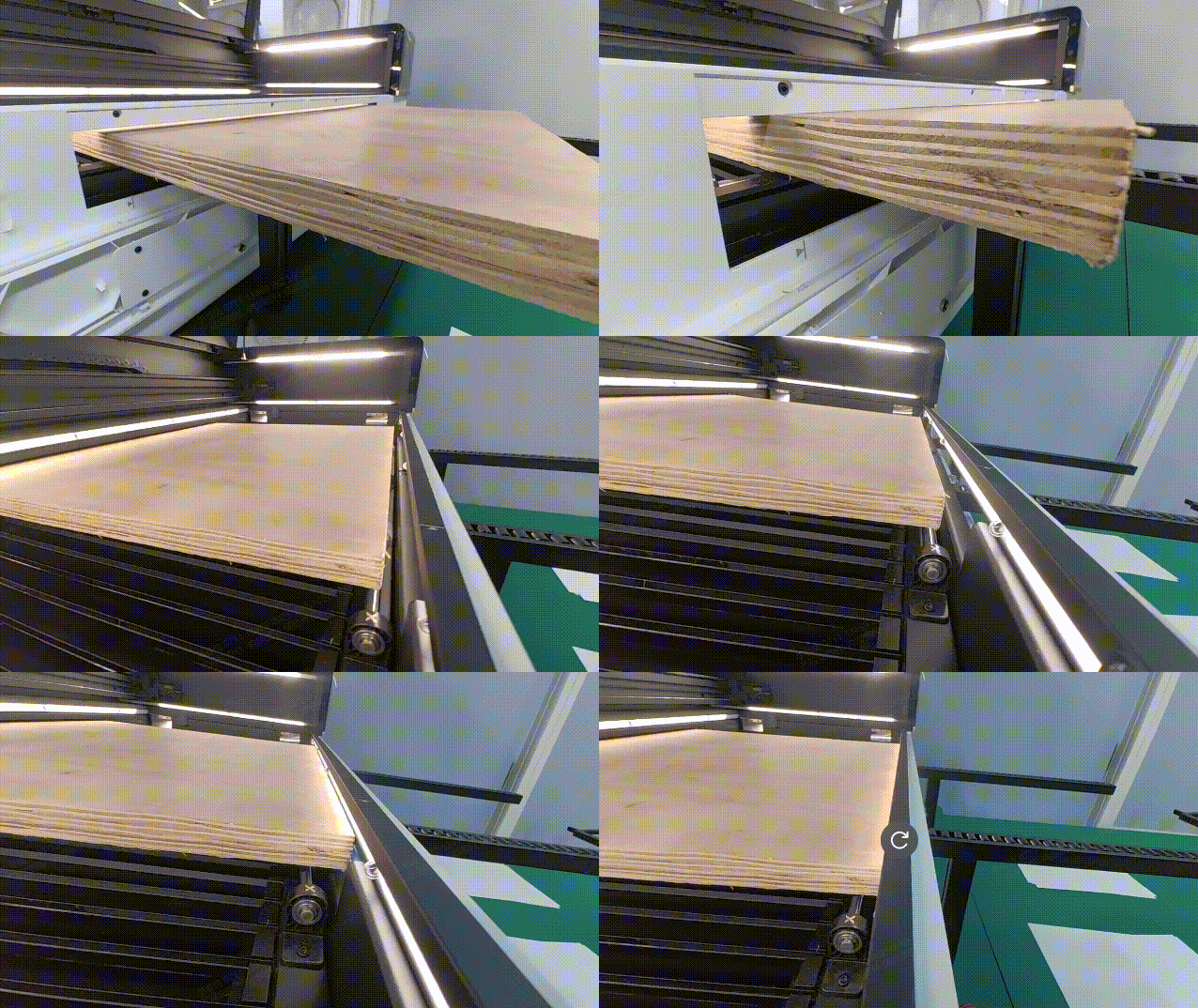
16. What should be done if the material collides with the fill light bracket of xTool P3 during retraction?
- Remove the conveyor rails at the rear of the device and re-install them.
- Add an additional set of conveyor rail at the rear of the device to increase the support capacity.
Conveyor rails
1. How many sets of conveyor rails can be connected to the automatic conveyor feeder?
The maximum supported processing length is currently 5 meters. That is to say, up to 7 sets of conveyor rails can be used at a time. However, for every 1 meter of processing, the pattern length and offset error are about 1 mm. The longer the material, the greater the cumulative processing errors. Therefore, it is not recommended to install too many conveyor rails.
2. How much can the maximum supported material length be extended by adding conveyor rails?
Adding a set of conveyor rails increases the maximum supported material length by 50 cm.
3. How to solve the problem of vibration in the conveyor rails after prolonged use?
After prolonged use, the support legs of conveyor rails may become loose due to vibrations during processing. In this case, loosen the screws of the support legs, adjust the support legs to stabilize them, and tighten the screws.
4. How should the extended conveyor rails be placed?
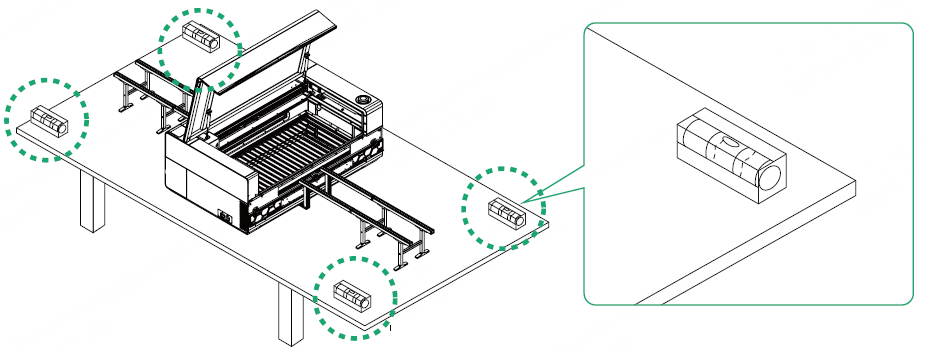
If the table used for placing xTool P3 is large enough, place the conveyor rails directly on it. If the table is not large enough to accommodate the conveyor rails, use an additional table. Ensure that adjacent conveyor rails are tightly aligned and have no height difference.
After installation, use a level to check all supporting surfaces to confirm they are flat and free of height discrepancies. A centered bubble on the level indicates the surfaces are even.