
Issue description
If you cannot connect xTool MetalFab CNC Cutter to xTool software via Wi-Fi, please refer to this troubleshooting to solve the issue.
Possible causes
- Unsupported Device
- Antenna:
- Not installed
- Defective
- Network:
- Incorrect setup
- Weak signal
- Not whitelisted in the router
Detailed procedure
Step 1: Check your connected device
xTool MetalFab CNC Cutter can only be connected to a computer and is not compatible with phones, tablets, or other mobile devices. Please ensure that xTool MetalFab CNC Cutter is connected to a computer.
Step 2: Check the antenna installation
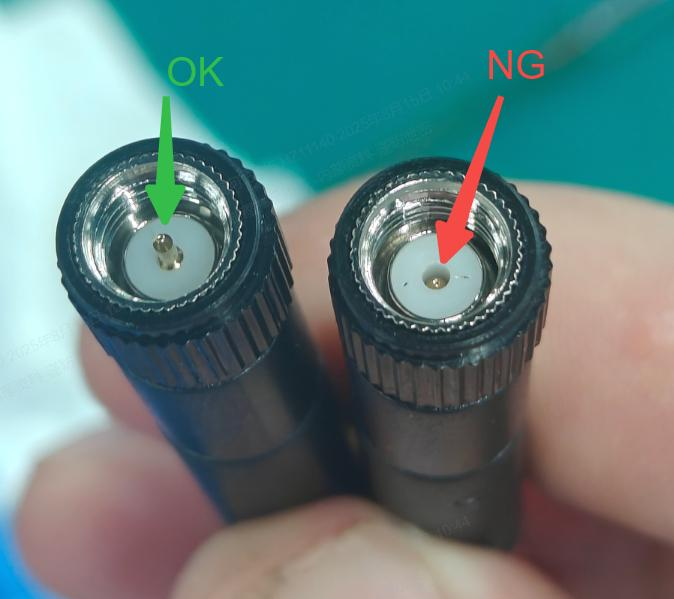
- Refer to the following image and check if your antenna appearance is intact, with no signs of damage.
- If yes, follow the next step.
- If not, contact xTool Customer Service for further assistance.
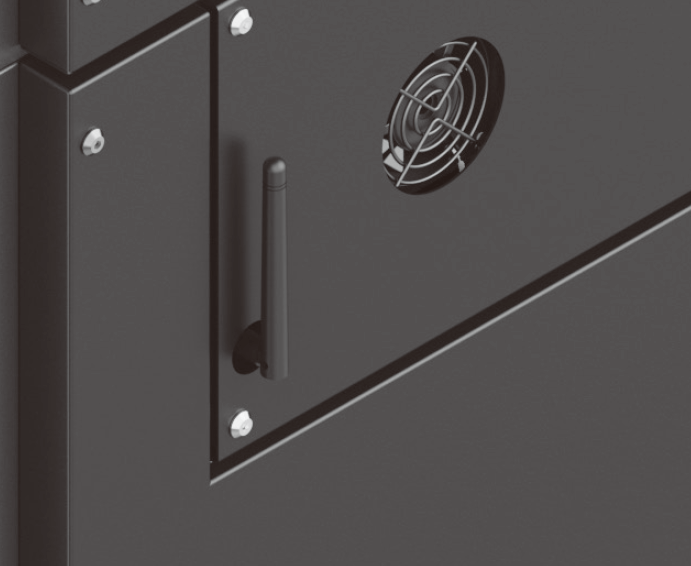
- If the antenna is not damaged, ensure that it is properly installed at the rear of xTool MetalFab CNC Cutter.
|
|
| |
| Done! |
- If the issue persists, proceed to the next step.
Step 3: Reconfigure the network
- Follow Operate xTool MetalFab CNC Cutter with XCS (V2.0) on Your Computer to connect xTool MetalFab CNC Cutter to xTool software via Wi-Fi.
- If the issue persists, proceed to the next step.
Step 4: Choose another network
- Connect both your computer and xTool MetalFab CNC Cutter to the same alternative network. You may:
- Option 1: Switch to a different Wi-Fi network.
- Option 2: Use your mobile phone's hotspot and connect both devices to it.
- If the issue persists, please prepare the following materials and send them to xTool Customer Service for further assistance:
- A video recording your troubleshooting process and results
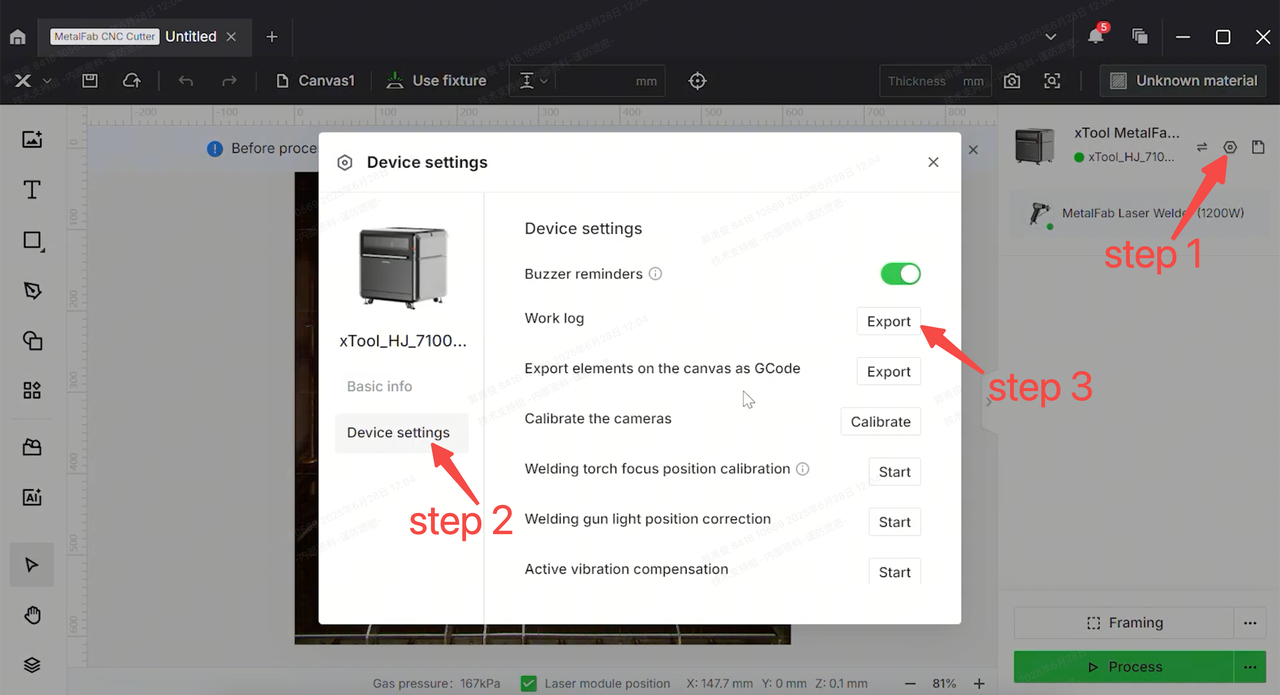
- Work log of xTool MetalFab CNC Cutter
Help us improve
If this article or video doesn't effectively assist you in resolving the issue, please let us know by clicking the “No” button in the “Was this page helpful?” section below, and leave your feedback in the pop-up suggestion box. Our knowledge base team will review it and consider it for future updates.
Still need help?
If you need any human assistance, please create a ticket by clicking the “Submit a Ticket” button in the “Help Ticket” section below. Our service team will get back to you in 1 business day via E-mail.

Services & Help
Learn & Education

Copyright © 2025 xTool All Rights Reserved.