
Quick Start Guides in different languages
Język Polski_xTool Retail Marker_Manual de referência rápida | ||
Note: From the Quick Start Guide, you can view the item list, product structure, specifications, indicators and buzzer explanation, as well as instructions on device installation, and fundamental maintenance.
List of items
| |||
xTool Retail Marker | Power cable | Pipe | Slatted panel |
L-shaped positioning piece | USB cable | Key (pre-installed) | Screwdriver |
|
|
| |
Lint-free cloth | Test materials | Quick Start Guide | Safety Instructions |
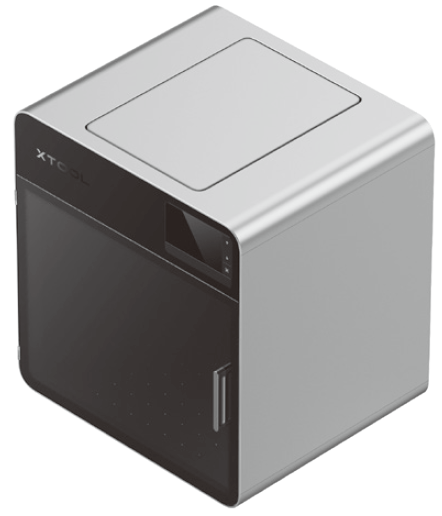


Meet xTool Retail Marker
Product structure
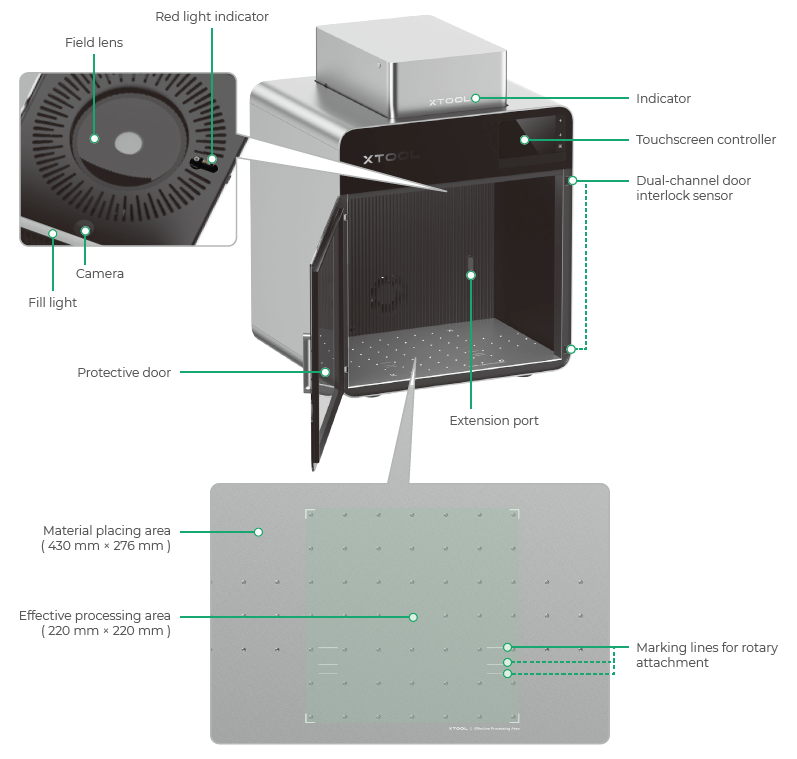
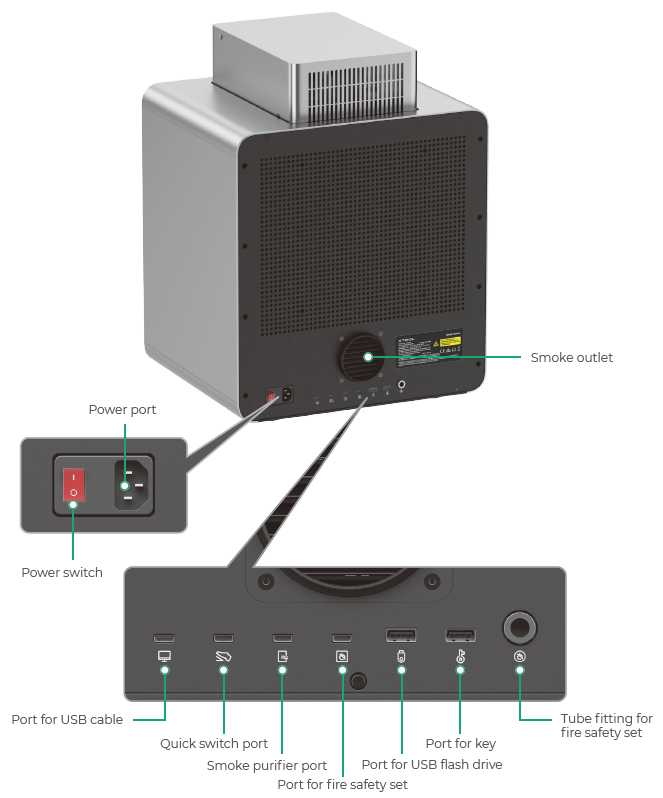
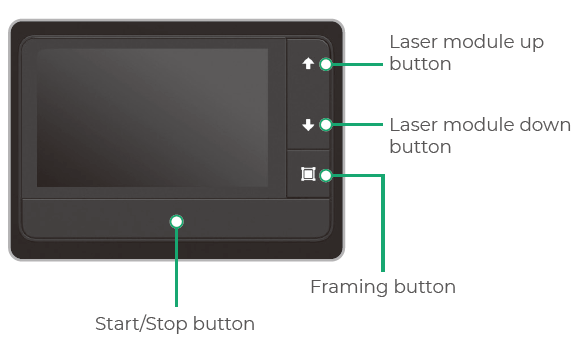
Touchscreen controller
| ■ Laser module up button: Lifts the laser module during manual focusing. ■ Laser module down button: Lowers the laser module during manual focusing. ■ Framing button: Press it once to start or stop framing. ■ Start/Stop button: Press it once to start or stop material processing; press it twice consecutively to repeat the last processing task. |
Common machine states and indicator display
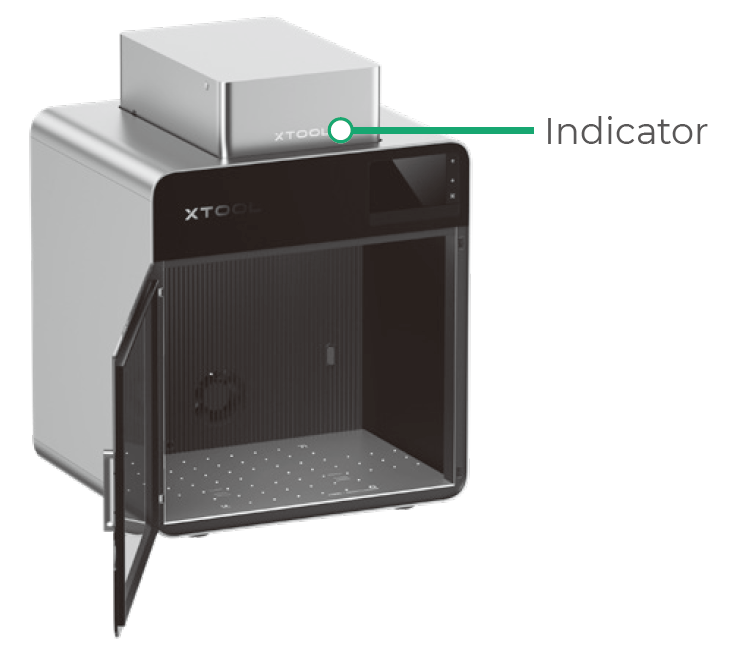
Machine state | Indicator display |
Powered on | Solid on |
Processing | Blinking slowly |
Setting network / Upgrading firmware | Blinking rapidly |
Sleeping / Powered off | Going off |
Specifications
Product name | xTool Retail Marker | Laser power | 20 W (445 ± 15 nm) 20 W (1064 ± 5 nm) |
Size (W × D × H) | 461 mm × 418 mm × 503 mm | Working laser wavelength | Blue-light laser: 445 ± 15 nm Infrared laser: 1064 ± 5 nm |
Input power | 100 – 240 V ~ 50 / 60 Hz, 130 W | Effective processing area | 220 mm × 220 mm |
Connection mode | Wi-Fi, USB, IP | Maximum processing speed | 10,000 mm/s |
Get the machine ready
1. Ensure that xTool Retail Marker is turned off.
2. Pull down the field lens protector to remove it.
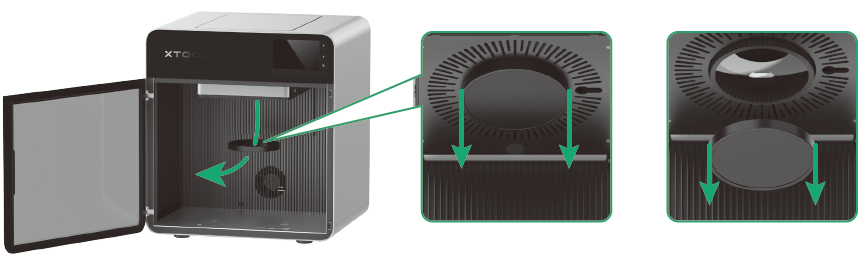
Note: Ensure that the protector is removed every time before you use the machine. If you won't use the machine for a long period of time, you can install the protector back to prevent the field lens from getting dusty.
3. Ensure the key is fully inserted.
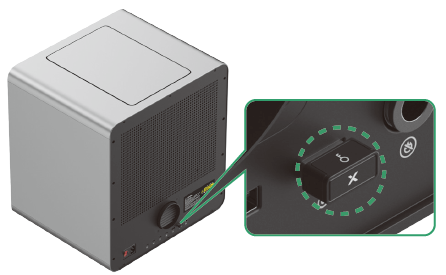
Note: Removing the key can disable the machine's processing and related functions.
4. Install the pipe.
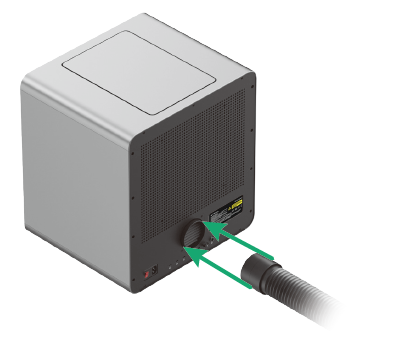
5. Connect to a power supply.
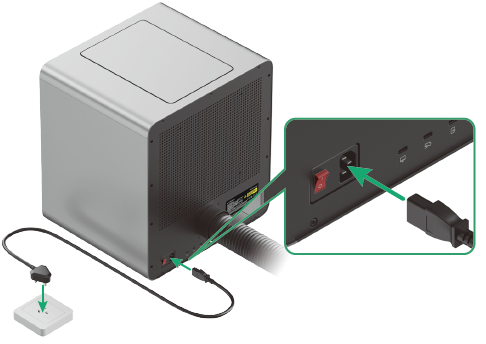
Use xTool Retail Marker
Power on
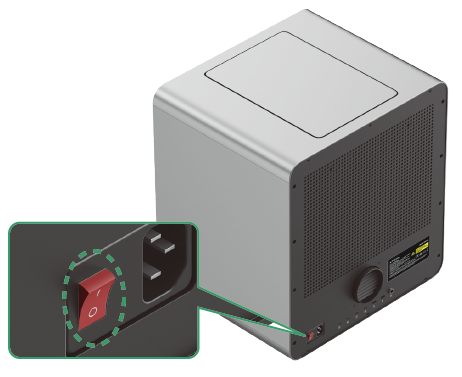
Turn on the power switch to power on xTool Retail Marker.
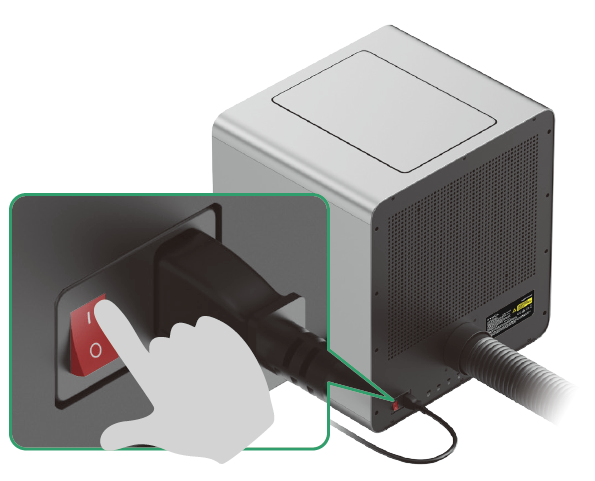
Operate xTool Retail Marker with Customthings
Customthings is a customized software. Scan either QR code below to contact our sales for inquiries or customization services.

Maintenance
Caution: Disconnect power before maintaining the product.
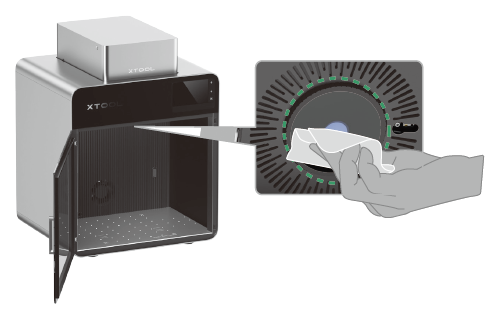
Clean the field lens
When laser power attenuation occurs, for example, engraved patterns are shallow or materials can't be cut as expected, the field lens may get dirty. Clean it with the lint-free cloth moistened with alcohol.
Clean the fan module
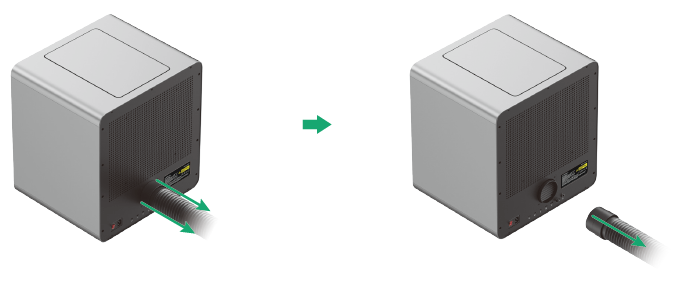
When smoke runs out of the protective door, the fan module may be blocked by dust. Clean it to ensure proper smoke exhausting.
1. Remove the pipe.
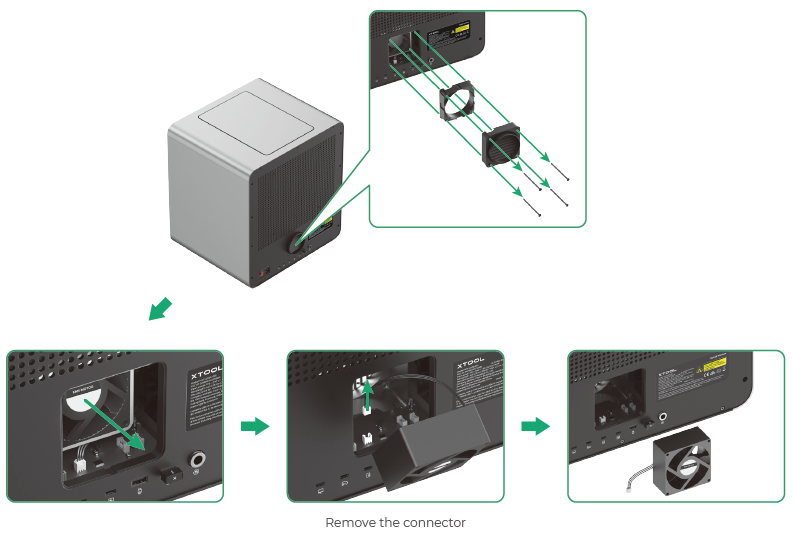
2. Detach the cover, and then take out the fan module.
3. Use a brush or other tools to clean both sides of the fan module.
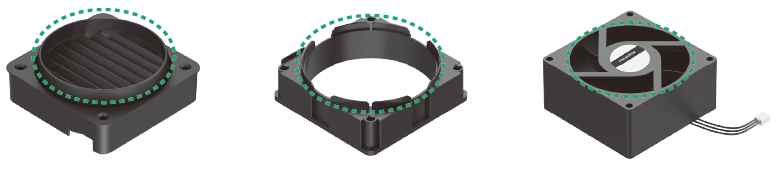
Note: Do not rinse or immerse the fan module in water, as it may damage the circuit.

Services & Help
Learn & Education

Copyright © 2025 xTool All Rights Reserved.