
How to Adjust Object Position and Size
Updated May 19,2026
Updated May 19,2026
These functions are available for all types of objects
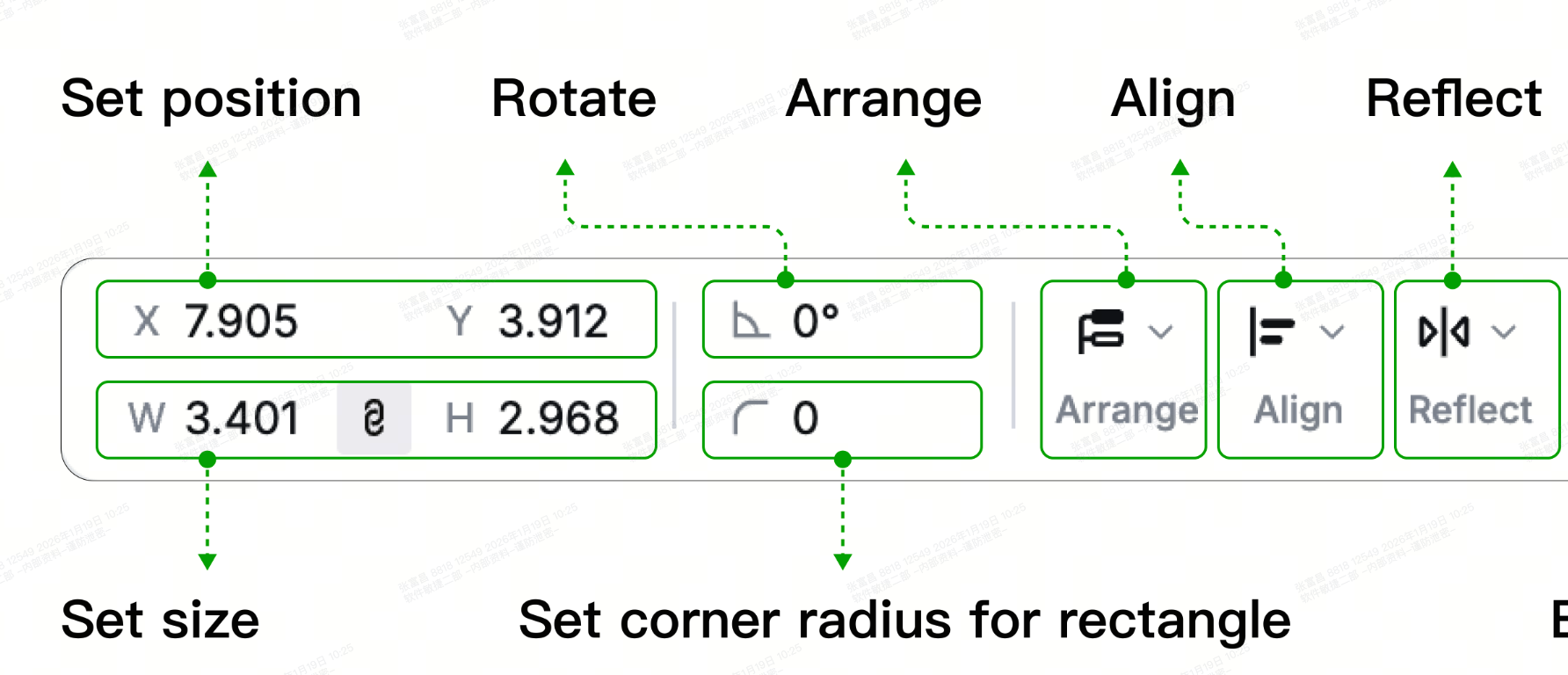
Set the position of an object
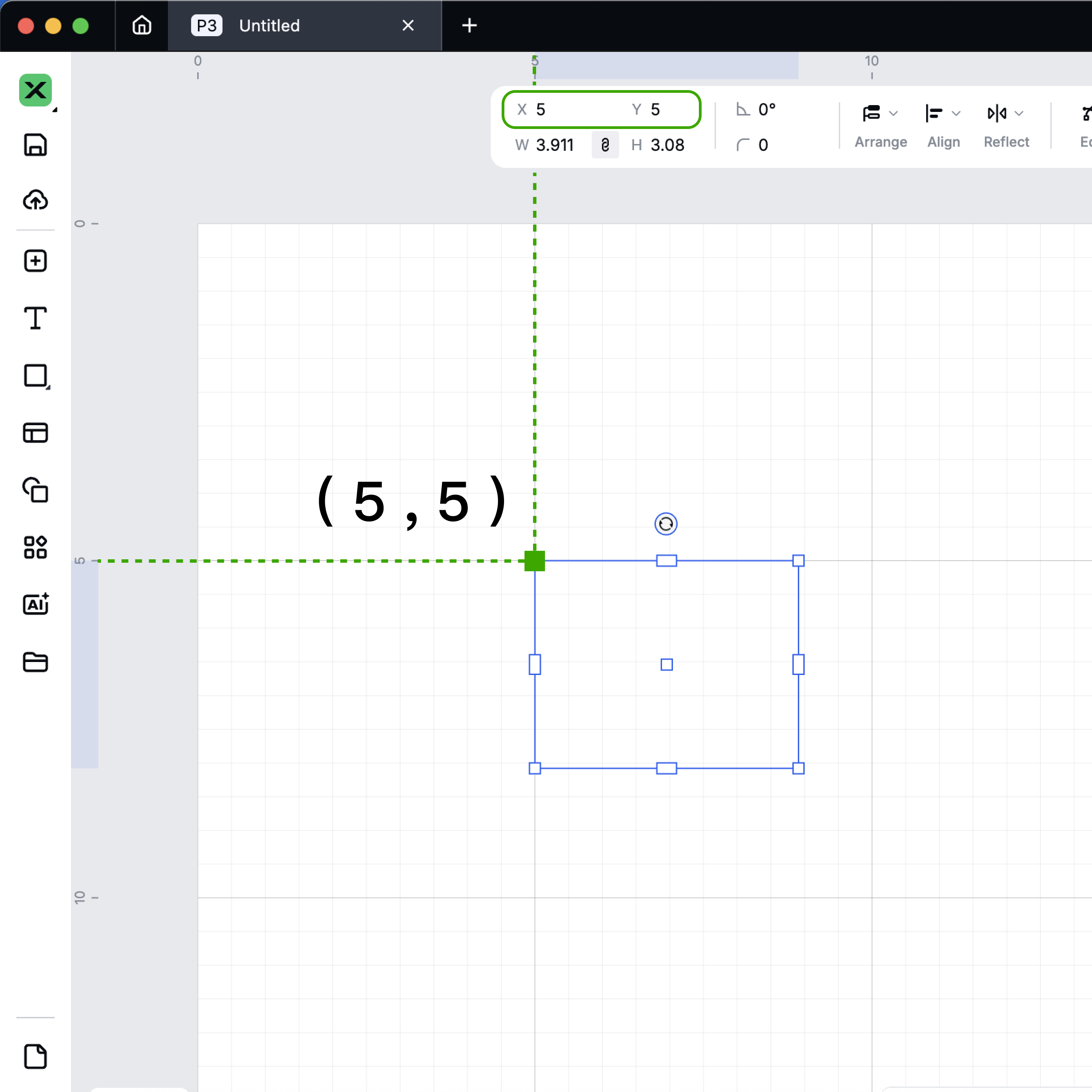
You can set the position of an object precisely by entering the x and y coordinates of its upper-left edge.
- The unit can be set in Settings.
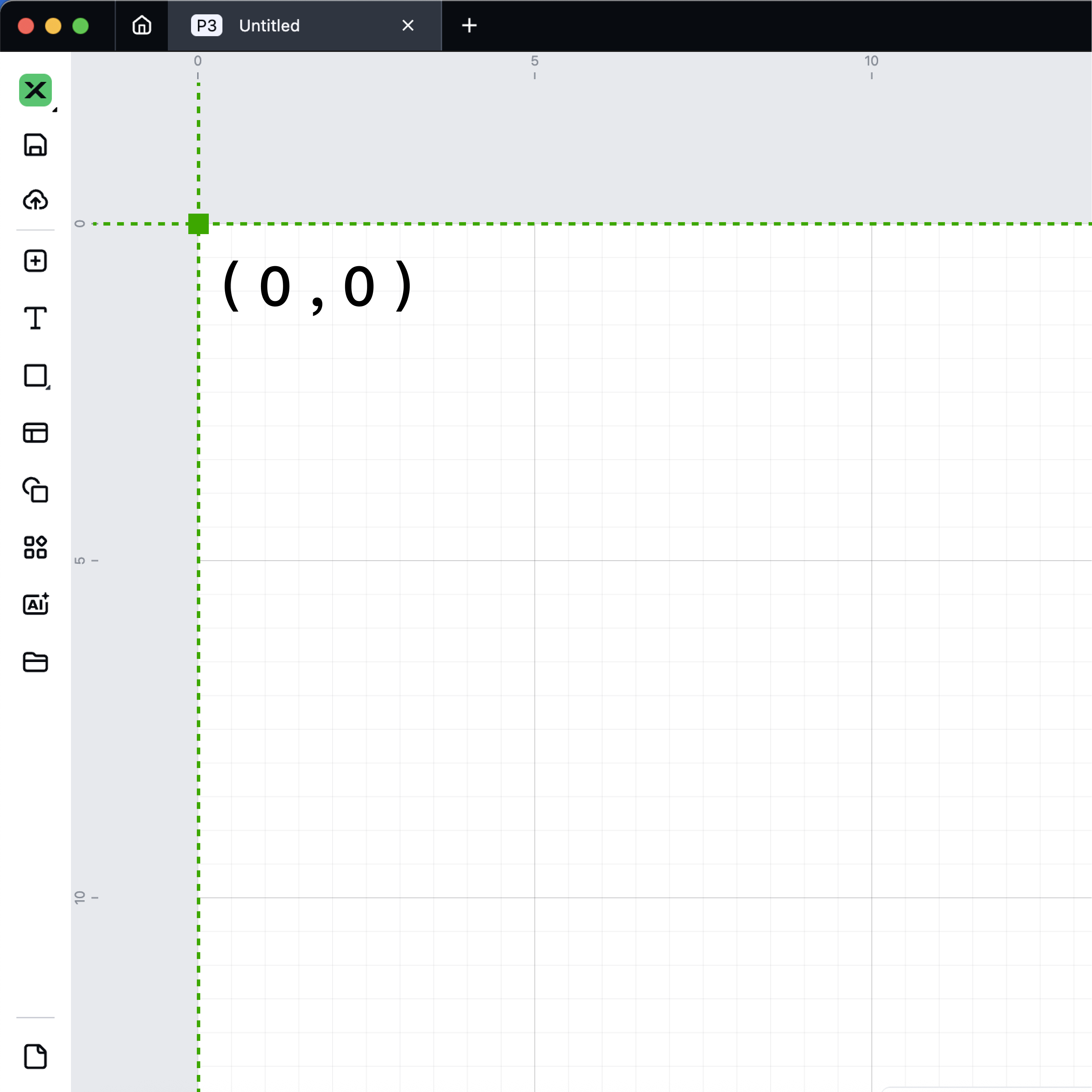
- The position (0, 0) is in the upper-left corner of the canvas.
Preview
Was this page helpful?
65 out of 75 found this helpful
Help Ticket
Use this help ticket to submit your issue. We will respond within 1 business day
Submit a Ticket 
