
After a long period of use, dust buildup may affect airflow or reduce smoke exhaust performance. Clean the fan as instructed when the xTool software reminds you.
1. Remove the fan
(1) Disconnect the power cable.
(2) Remove the exhaust pipes and pipe connectors on both sides.
(3) Remove the four screws using the hex key.
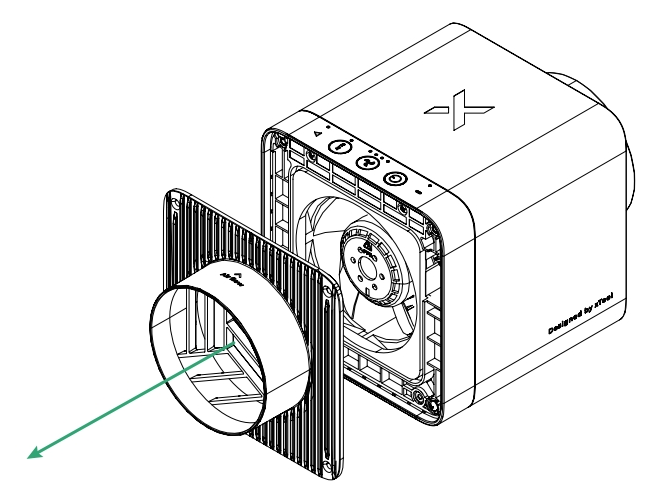
(4) Remove the fan cover.
(5) Disconnect the fan's connection cables. Press the positions shown in the illustration using your thumb and pull out the terminals.
(6) Take the fan out.
2. Clean the fan
(1) Clean the fan blades using a degreasing cleaner. Avoid applying the cleaner on the terminals.
(2) Wash the fan blades with a gentle stream of water.
■ Do not splash water on the terminals.
■ Do not use a high-pressure water spray to rinse the fan or immerse the fan completely in water.
3. Install the fan back
(1) When the fan is dry, put it back with the five-blade side facing outward.
(2) Re-connect the fan’s connection cables.
(3) Install the cover back.
(4) Install and secure the four screws securing the cover.

