
1. Common Issues
1.1 After bitmap engraving on polished metal surfaces, the engraving effect is not clearly visible.
1.2 During processing of polished metal, laser reflection may damage the laser module.
1.3 Polished metal may bend or deform during laser engraving.
2. Solutions
2.1 Increase the Number of Engraving Passes
For bitmap engraving on polished metal, if the details are not clear, increasing the number of passes can deepen the engraving effect.
2.2 Invert the Bitmap Image
If bitmap engraving results are unsatisfactory, inverting the colors of the bitmap image can produce a different and more visible effect.
2.3 Increase Laser Power and Reduce Engraving Speed
Increasing laser output power while reducing engraving speed raises the energy delivered to the polished metal surface, enhancing the depth and clarity of the engraving.
2.4 Take Precautions for Polished Metal Surfaces
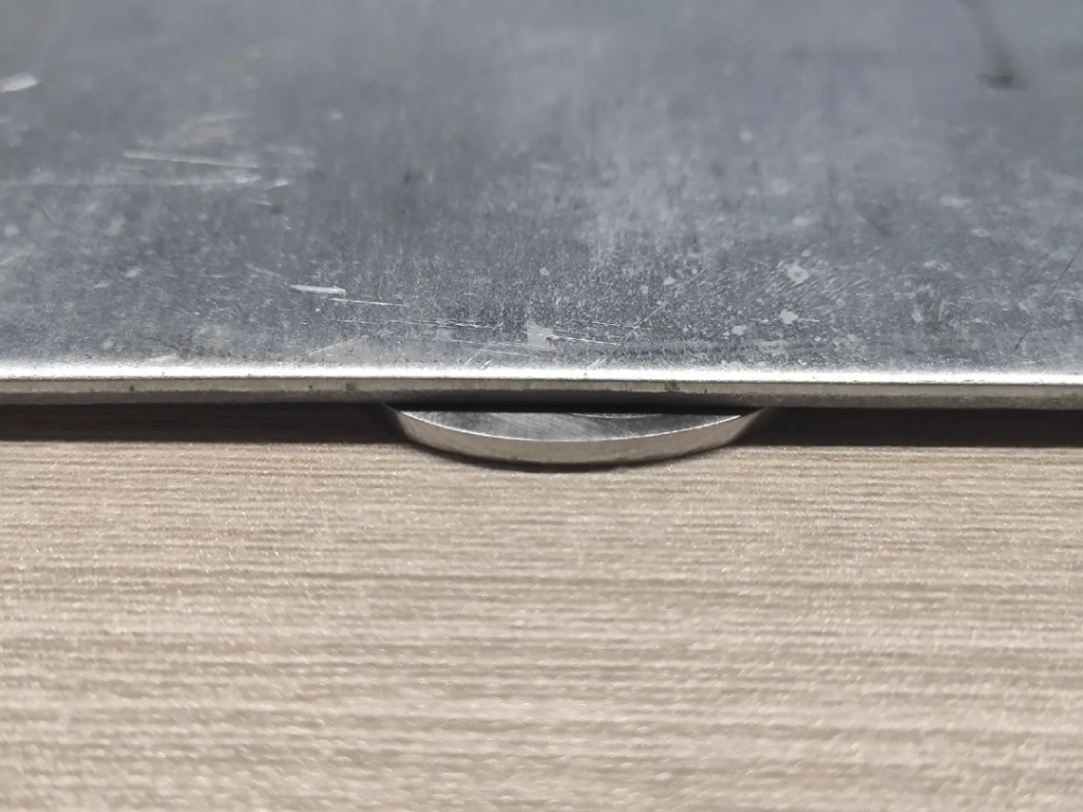
Polished metal has a high reflectivity, which can cause laser reflection and potentially damage the laser module. When processing highly reflective metals, follow the processing instructions carefully to prevent damage. Additionally, placing a ~1 mm spacer under the metal can create a slight angle between the metal surface and the laser module’s output, preventing direct reflection back into the laser.
2.5 Use Magnetic Clamps and Masking Tape to Secure the Metal
When processing metal, secure it on the machine’s base plate using magnetic clamps and masking tape. Proper fixation prevents bending or deformation during laser engraving.

Services & Help
Learn & Education

Copyright © 2025 xTool All Rights Reserved.