
1.Material
2.Instructions for Use
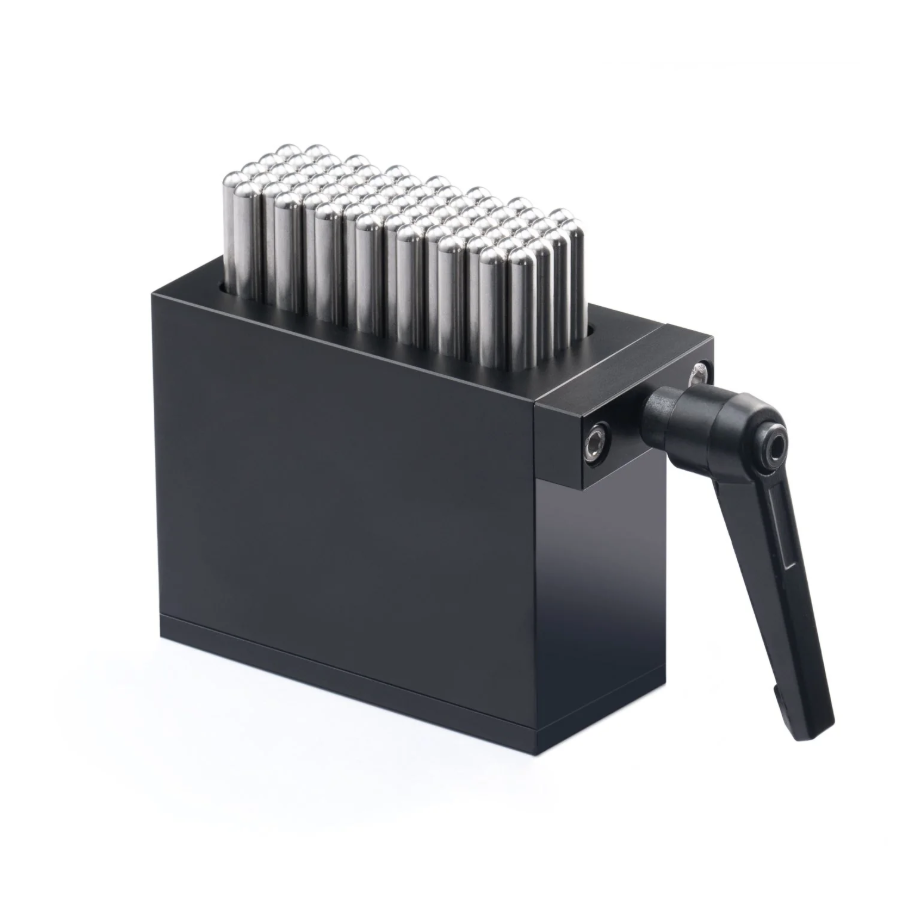
2.1 Place the Flexible Fixture in the center of the machine’s working area. Put the irregular material on the adjustable metal pillars of the Flexible Fixture. Press down to adjust the height of the material and align the area to be engraved. After positioning the material, press the side handle of the Flexible Fixture and perform a Twist to Lock. Measure the highest point of the material, then proceed with laser engraving according to the preset image and position.
3.Precautions
3.1 The side handle of the Flexible Fixture must be locked
After twisting the side handle to lock, ensure it is secured. If not fixed properly, the material may shift during engraving, affecting the result.
3.2 The engraving surface must face upward and be level
If the material is not placed level with the engraving surface facing upward, the engraving quality will be affected. Keeping the surface flat ensures even laser engraving. Otherwise, uneven placement may cause inconsistent engraving depth and color.

Services & Help
Learn & Education

Copyright © 2025 xTool All Rights Reserved.