
1. Can a laser cutting machine cut MDF board?
MDF is an engineered or composite wood made from wood fibers, resin, and wax. It is a byproduct of residues from different types of wood. Therefore, like any other type of wood, a laser cutter can also cut MDF board.
1.1 Advantages of Laser Cutting MDF Board
Laser cutting is an ideal choice for cutting MDF boards. Compared with alternative power tools such as vertical saws or circular saws, laser cutting offers significant advantages.
1.2 Clean and Neat Cutting
The laser does not make any physical contact with the MDF, so it will not cause cracks or chipping along the edges. Instead, it uses a focused beam to evaporate the material along the cutting path, producing smooth and precise cuts without the need for any further finishing or sanding.
1.3 Minimal Waste
Laser evaporates the wood and cuts it into pieces with a very narrow kerf. This means high material utilization and low waste. Moreover, there will be none of the large amount of fiber dust produced by cutting with power tools. However, proper ventilation is also necessary because the smell of laser cutting MDF is unpleasant. Please make sure you have a smoke exhaust pipe and an air purifier.
1.4 High Precision
A laser cutting machine is a type of CNC machine tool controlled by a computer program, which can cut any design or shape you want. It can achieve precision close to 2.5 cm. You can cut intricate designs, patterns, or letters with top accuracy and precision. No matter how many pieces you cut, all the works will be identical and consistent.
2. Is it safe to laser cut MDF board?
To reduce the hazards of laser cutting MDF, you need to purchase MDF specifically designed for laser cutting, and operate in a well-ventilated area using an air purifier to remove smoke from the cutting area. Additionally, wear protective equipment such as laser safety goggles, gloves, and a respiratory mask when laser cutting MDF.
3. How to laser cut an MDF board?
The steps for laser cutting MDF vary depending on the laser cutting machine used. The following are the steps for cutting MDF with a laser cutting machine:
Step 1: Turn on the laser machine and connect it to the computer, open the software, and turn on the Smoke Exhaust Pipe or Air Purifier. The MDF board produces irritating smells and harmful fumes, so these gases must be expelled from the work area. You can use the Air Purifier to remove odors and particles from the air.
Step 2: You will need laser cutting files. You can design them yourself in Adobe Illustrator, Inkscape, CorelDRAW, etc., which ensures the uniqueness and quality of your design. You can also search online for free and paid files; there are plenty of websites where you can obtain laser cutting files, and then import them into the laser software.
Step 3: Clean the MDF board with a cloth and place it in the work area. Adjust the height of the Laser Module according to the thickness of the MDF board. Then position the Laser Module at the starting point.
Step 4: Set the parameters. For MDF board cutting, it is necessary to select the appropriate speed, power, and number of passes, otherwise the laser may burn the edges. Even without using Air-Compress Assist, you can get clean results. If you have Air-Compress Assist or a more powerful Laser Module, adjust these parameters accordingly. It is best to test speed and power on spare material to obtain the optimal parameters for laser cutting MDF.
Step 5: Finally, start cutting the MDF board. Follow along the edges to ensure the machining path stays within the material boundaries. Start the machine and wait for the process to finish.
Step 6: After cutting, remove the MDF board. If there is too much soot on the edges, you can clean it with a cloth or a wet wipe.
4. How to laser cut an MDF board without burning it?
4.1 Select the Correct Parameter Settings
Selecting the right parameters is the most important factor in preventing MDF from burning. You need to choose the optimal power, speed, and number of passes to achieve the best results. You can take a spare MDF board to conduct parameter testing so that you can determine the appropriate cutting settings. For MDF boards, it is best to cut at a higher speed to prevent burning and eliminate scorch marks. You can set two passes at a higher speed; compared with a slow speed, high power, and single pass, this method will not burn the edges of the MDF and will yield better results.
4.2 Using Air-Compress Assist
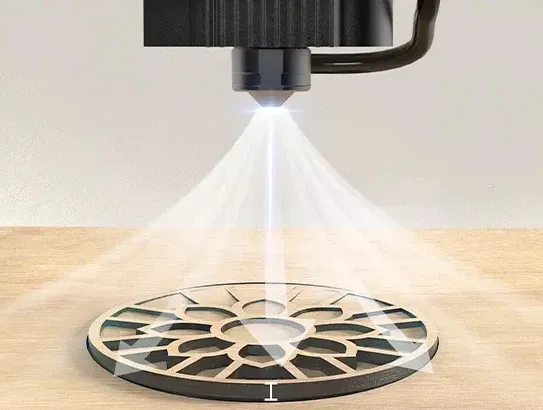
Air-Compress Assist can provide a powerful airflow to remove smoke from objects. It can prevent combustion and improve the cutting speed and capability of the laser, making it an essential tool for cutting MDF or other materials.
4.3 Improve smoke exhaust pipe and ventilation
A defective smoke exhaust pipe may cause burn marks. Smoke contains particles that adhere to surfaces, and if the smoke is not removed from the laser working area, it can accumulate near objects, causing burning and leaving permanent marks.
4.4 Use Honeycomb Panel
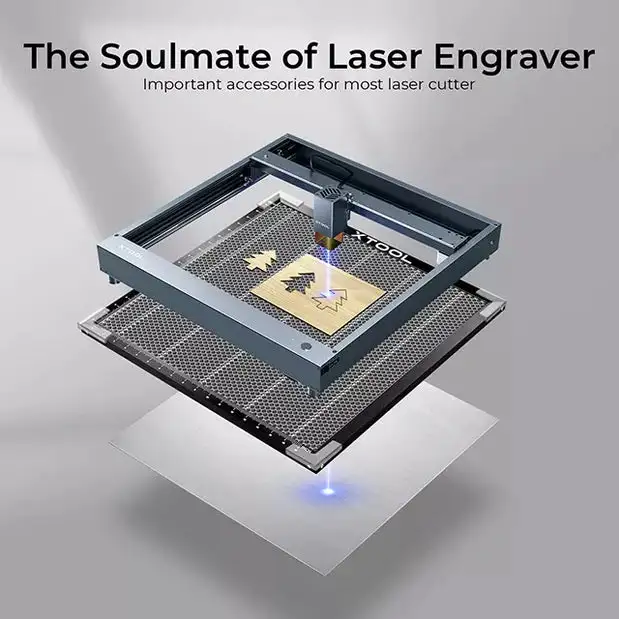
The smoke generated during wood cutting gets trapped at the bottom, increasing the object's temperature and promoting combustion, while also altering its color and leaving burn marks. You can use a Honeycomb Panel to improve this situation.
4.5 Masking Tape
Masking tape is very useful as it can prevent edge burning. You can stick the tape onto the surface of the MDF board before cutting, and after processing, remove the tape. This way, you can get a clean, unburned cut on the MDF.

