
Introduction
Thank you for choosing xTool Apparel Printer and xTool OS1 Automatic Shaker Oven Machine. We value your feedback and are committed to delivering a safe, efficient, and high-quality printing experience.
Some users have reported suboptimal curing results or exhaust leakage during operation. Our investigations indicate that these issues are often related to improper exhaust purification setup.
This notice provides essential guidance on selecting and configuring exhaust purification equipment to ensure optimal performance, safety, and print quality.
Why proper exhaust purification matters
xTool OS1, used with xTool Apparel Printer for curing printed transfer films, releases exhaust gases and glycerol mist during the curing process. These emissions may contain volatile organic compounds (VOCs), which can impact both print quality and user safety if not properly managed.
Here’s why appropriate purification equipment is critical:
- No Purifier Installed: Operating without an exhaust purifier can lead to indoor odor buildup, smoke accumulation, PET film wrinkling, or material jams. Prolonged exposure to these emissions may also pose health risks to the respiratory system.
- Incompatible Purifiers: Using a purifier with inadequate airflow (not equal to 120 m³/h) may result in incomplete exhaust capture, leading to smoke leakage and inconsistent curing temperatures.
- Material Compatibility: Some purifiers use filter materials incompatible with glycerol, which can degrade over time, reducing purification efficiency or causing equipment damage.
Recommended exhaust purification solution
To ensure optimal curing results and prioritize your health and safety, xTool strongly recommends the following:
- Use xTool SafetyPro™ AP2: xTool AP2 is a verified, universal air purification system designed for use with xTool OS1 Automatic Shaker Oven. It effectively captures and filters exhaust gases, including VOCs and glycerol mist, ensuring a safe and clean working environment. The AP2 features a 6-layer filtration system with 99.99% dust removal and odor absorption, cyclone separation technology for capturing large particles, and compatibility with the OS1's exhaust pipe.
- Third-Party Purifiers: If you opt for a third-party purifier, verify that it meets the following requirements:
- Airflow capacity: 120 m³/h.
- Filter material: Compatible with glycerol and VOCs to ensure long-term durability and effective purification.
Operating without a purifier
We understand that some users may not immediately have access to xTool SafetyPro™ AP2 or a compatible purifier. However, operating xTool OS1 without proper exhaust purification is considered high-risk and not recommended. If you must operate temporarily without a purifier, follow these precautions:
- Enhance Ventilation: Ensure the workspace is well-ventilated with open windows or industrial ventilation systems to disperse exhaust gases.
- Use Protective Gear: Wear a mask or respiratory protective equipment to minimize inhalation risks. Avoid operating in enclosed spaces.
- Adjust Curing Temperature: To balance curing quality and safety, start with a lower initial temperature (e.g., 85°C). Adjust the temperature in 5°C increments (up or down) and perform test prints until the desired curing quality is achieved
- Monitor Air Quality: If you detect strong odors, experience discomfort, or notice air pollution, immediately stop the machine and inspect the ventilation setup.
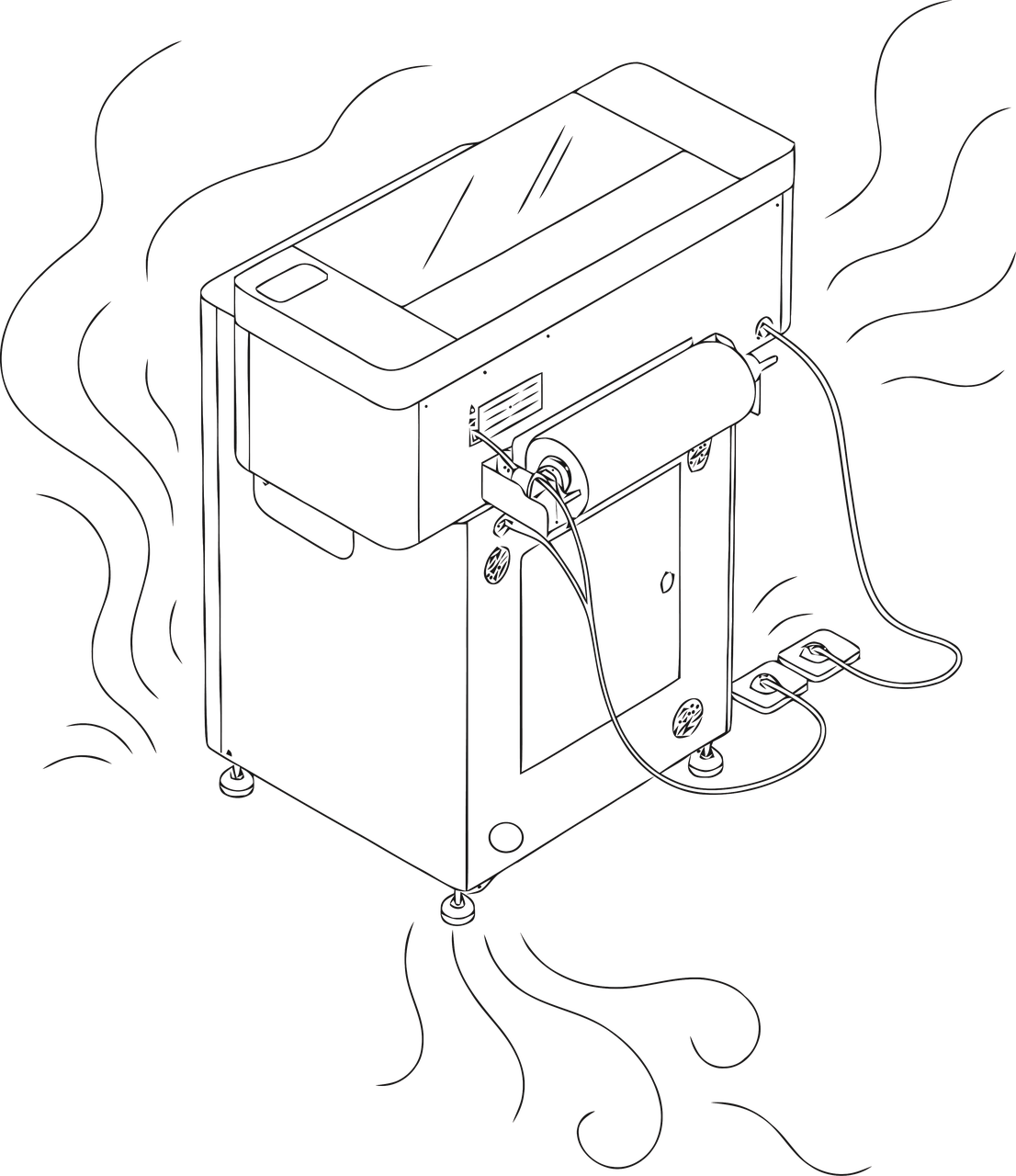
Operation Without xTool AP2
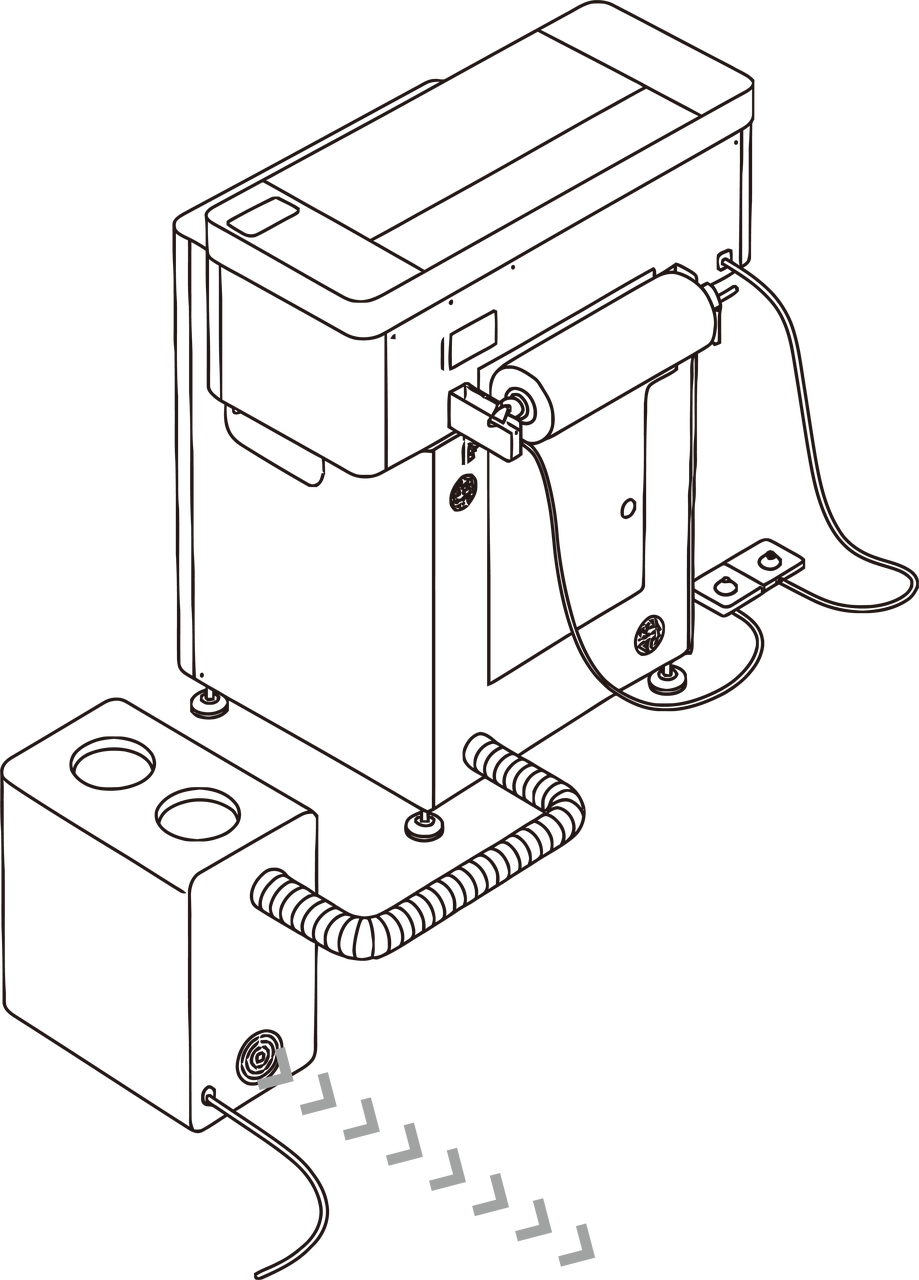
Operation With xTool AP2
xTool commitment
At xTool, your health, safety, and satisfaction are our top priorities. We are here to support you with expert guidance on selecting and installing exhaust purification equipment to ensure a safe and efficient printing experience.
Thank you for your trust and support.
Together, let’s make creating an enjoyable experience in a safer environment with higher efficiency.
— xTool

