
For a faster troubleshooting experience, use the interactive troubleshooting guide.
If a more detailed explanation of each step is preferred, you may continue reading the article below.
Issue description
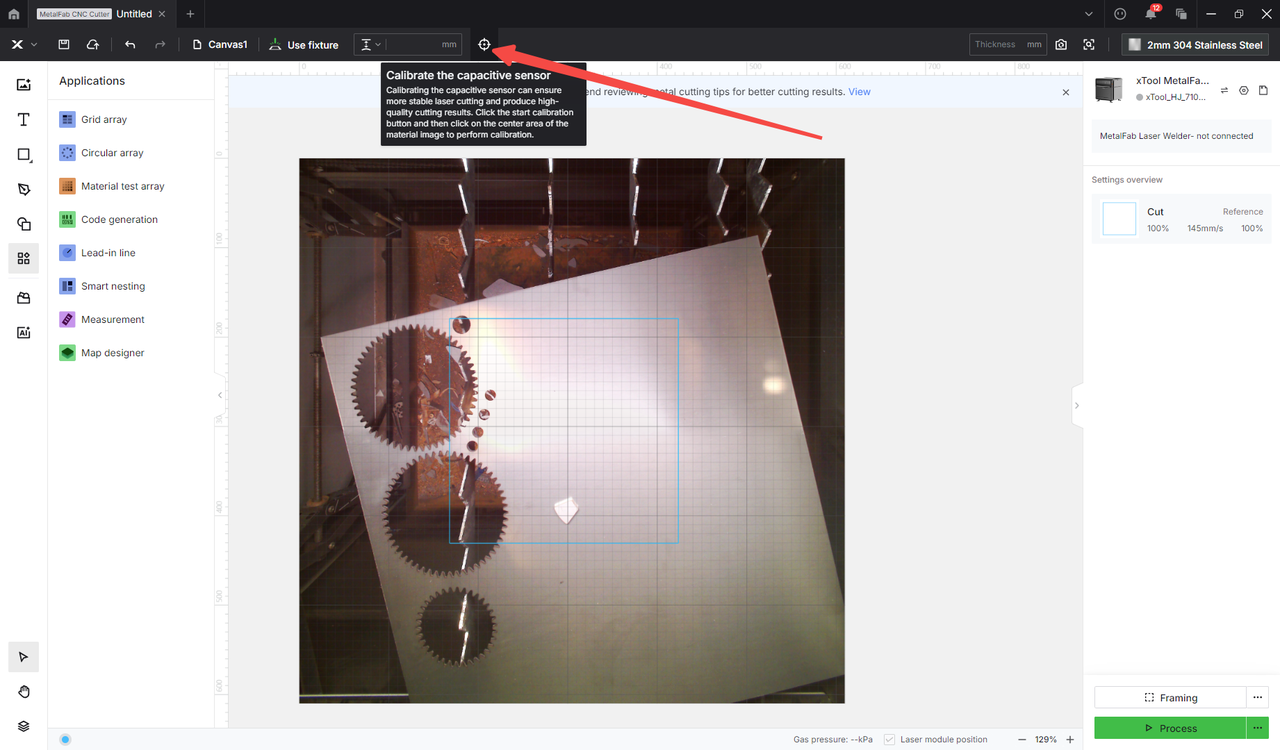
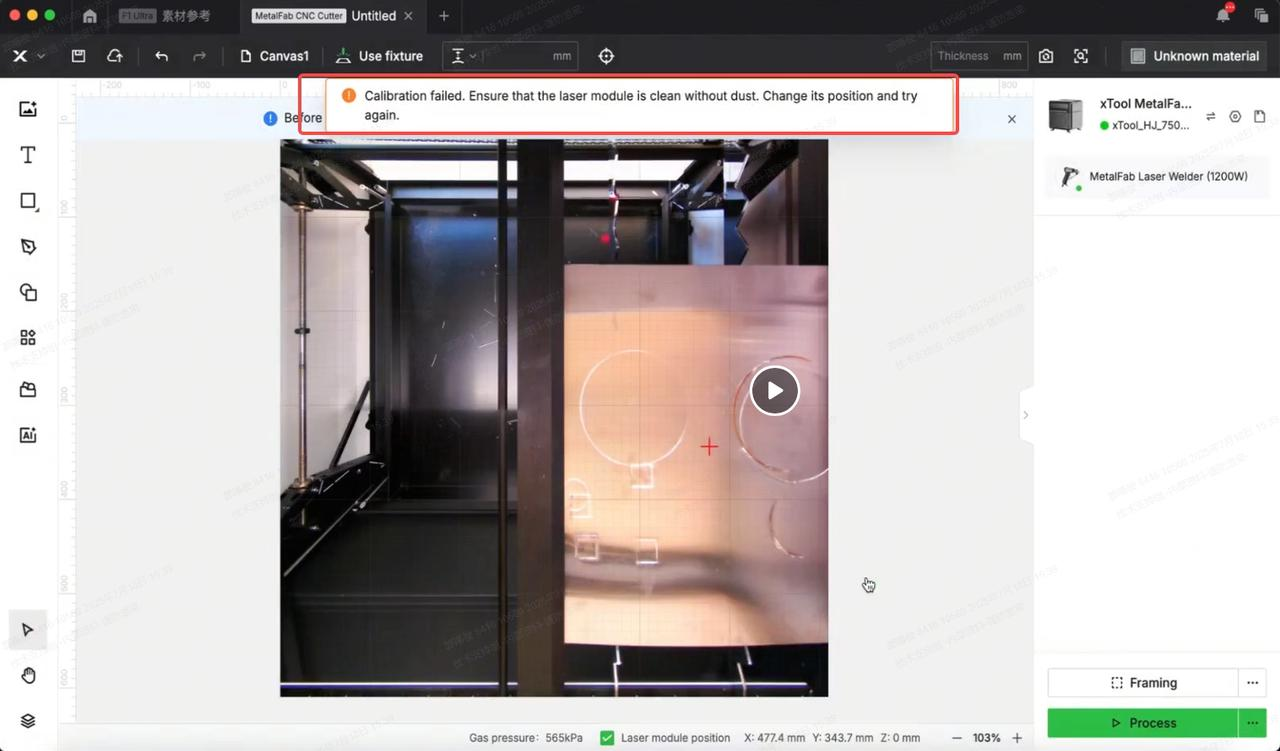
If you encounter a pop-up error message in xTool software when calibrating the capacitive sensor, please follow this troubleshooting guide to resolve this issue.
Possible causes
- The image captured by the camera is abnormal.
- Slag is built up on the nozzle.
- The material to be processed is not metal.
- Cutting tip related
- The cutting tip is not well installed.
- The carriage is contaminated.
- The cutting tip cable is damaged.
Detailed procedure
Step 1: Check if there is an error message
Check if there is an error message entitled "Capacitance value abnormal" when calibration fails in xTool software.
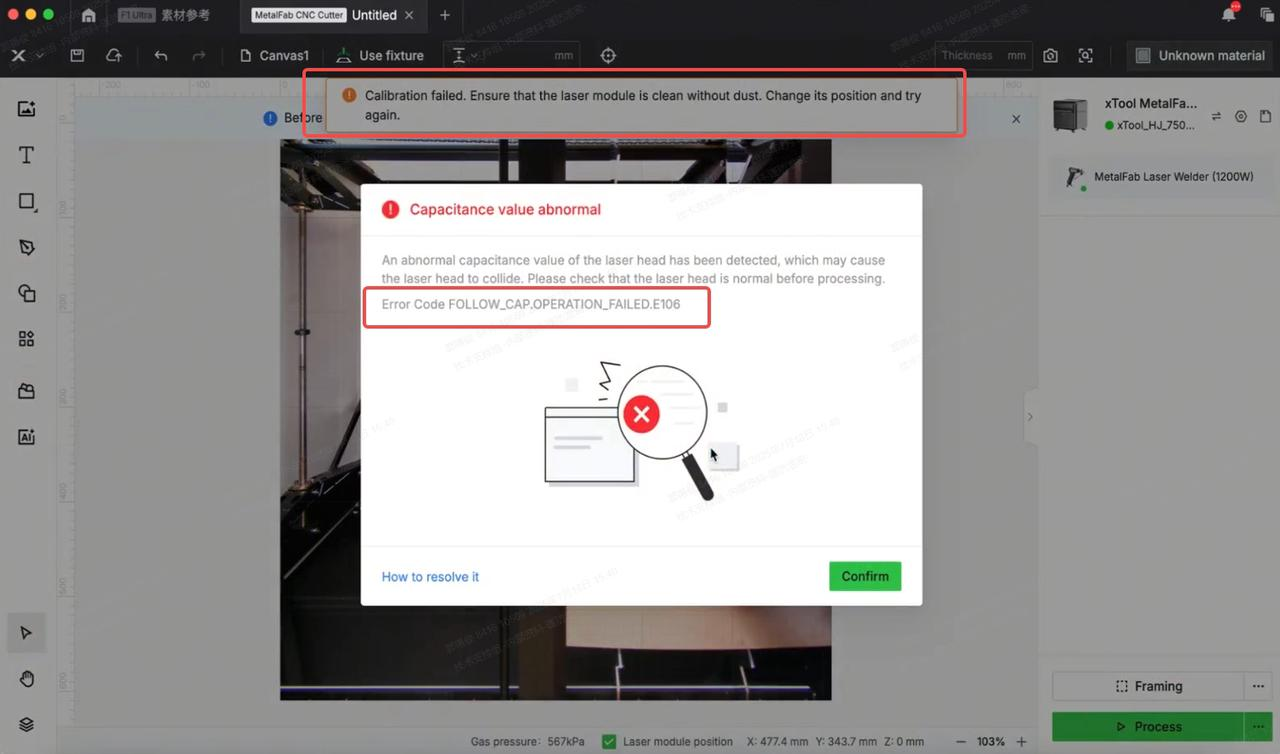
- If the error message still exists, follow this guide to resolve the issue.
- If not, proceed to the next step.
Step 2: Check the nozzle and the camera
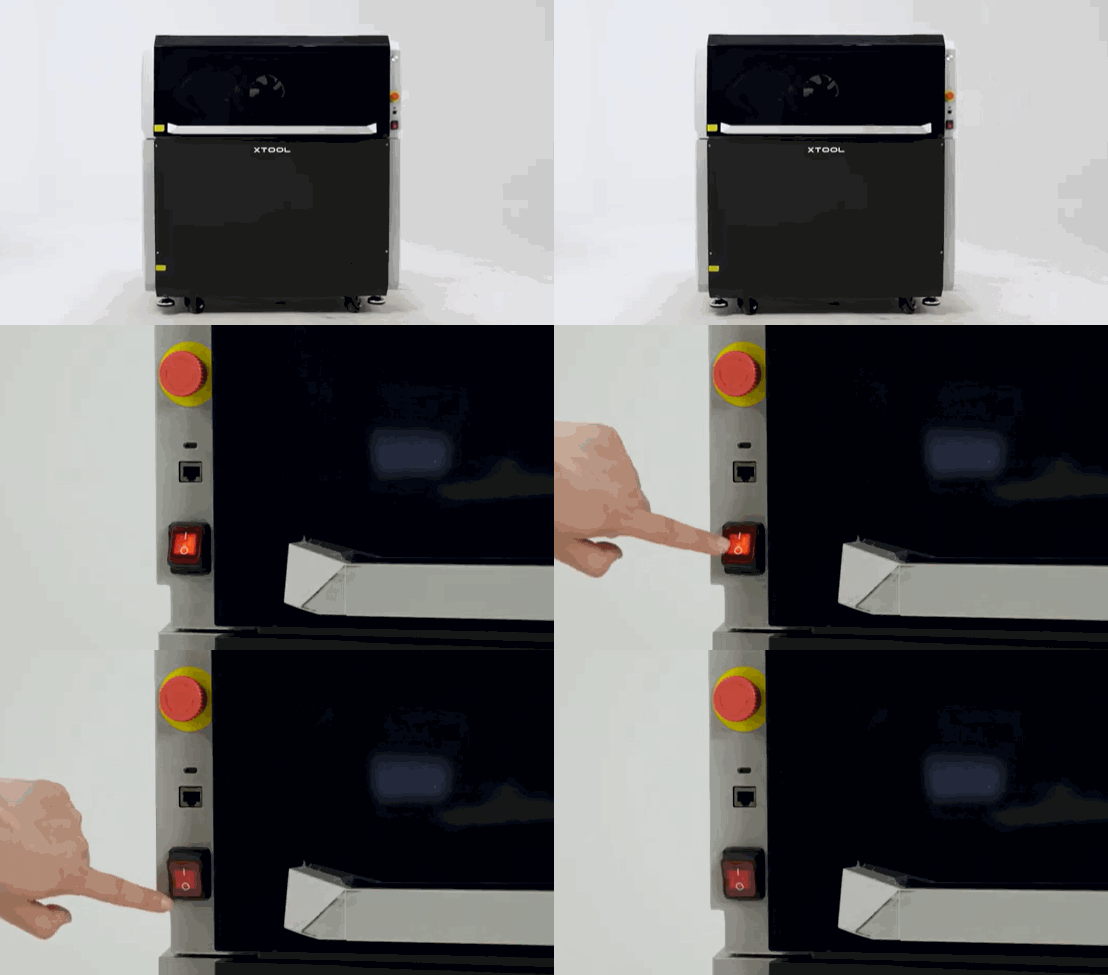
- Power off the machine.
- Remove the nozzle from the cutting tip.
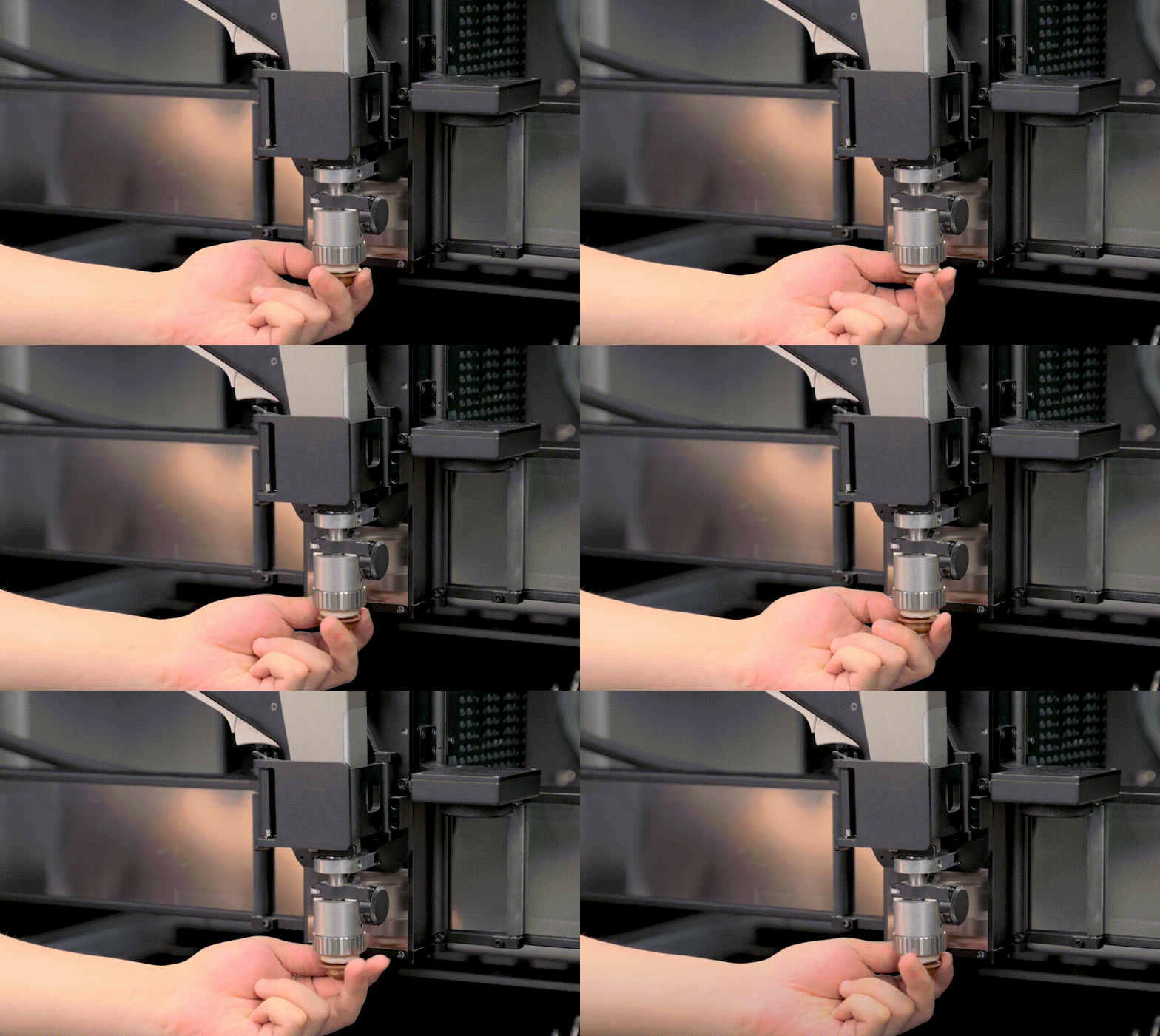
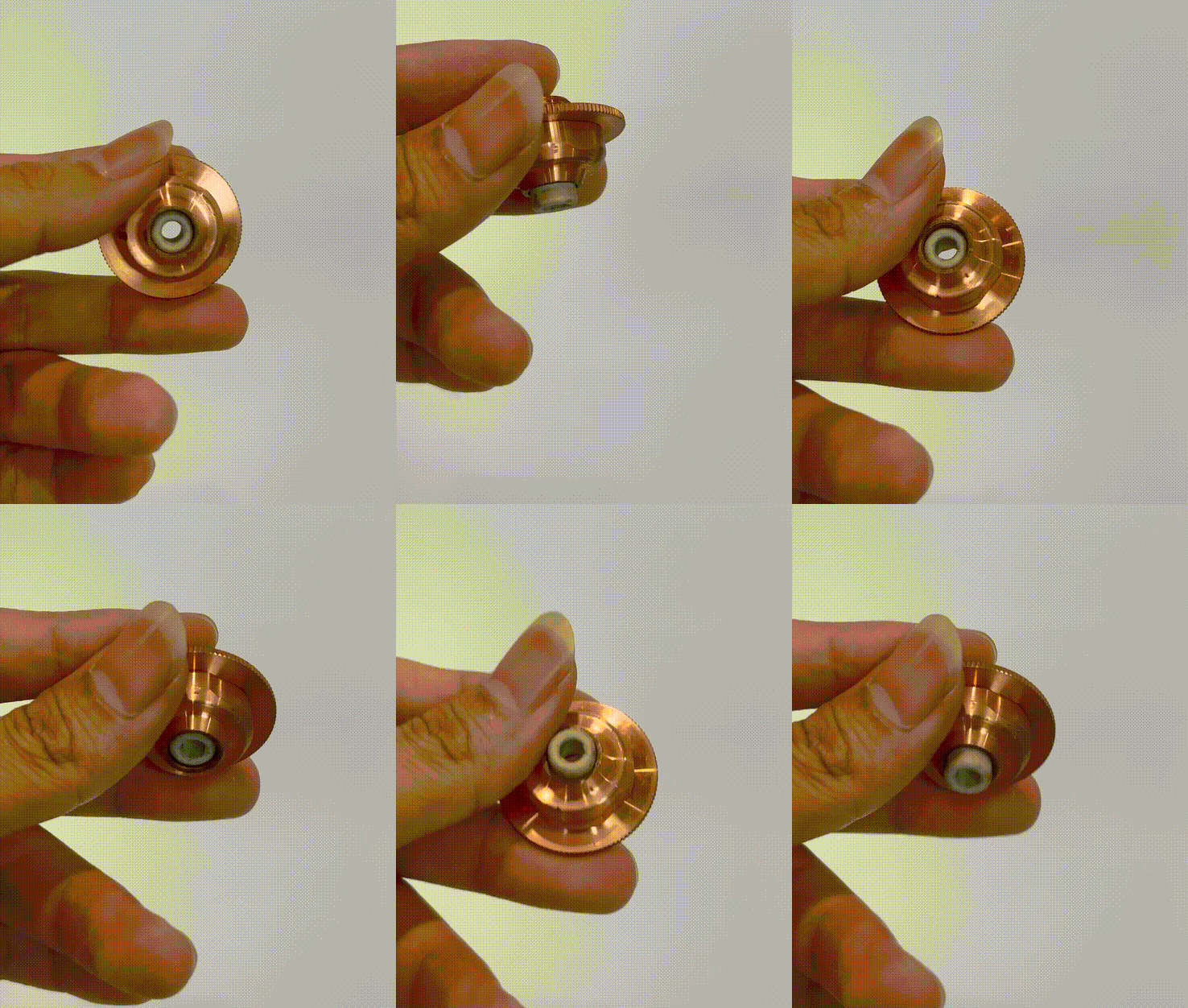
- Check for obvious metal debris on the nozzle. If there is any, use a lint-free cloth dipped with alcohol or an angle-grinder to clean the nozzle.
Note: If it is a SaveGas nozzle, check if the white ceramic ring can extend and retract properly.
- Ensure that the calibration is performed on a solid section of a metal material (with no cutouts), and that a proper image can be captured by the distant-view camera.
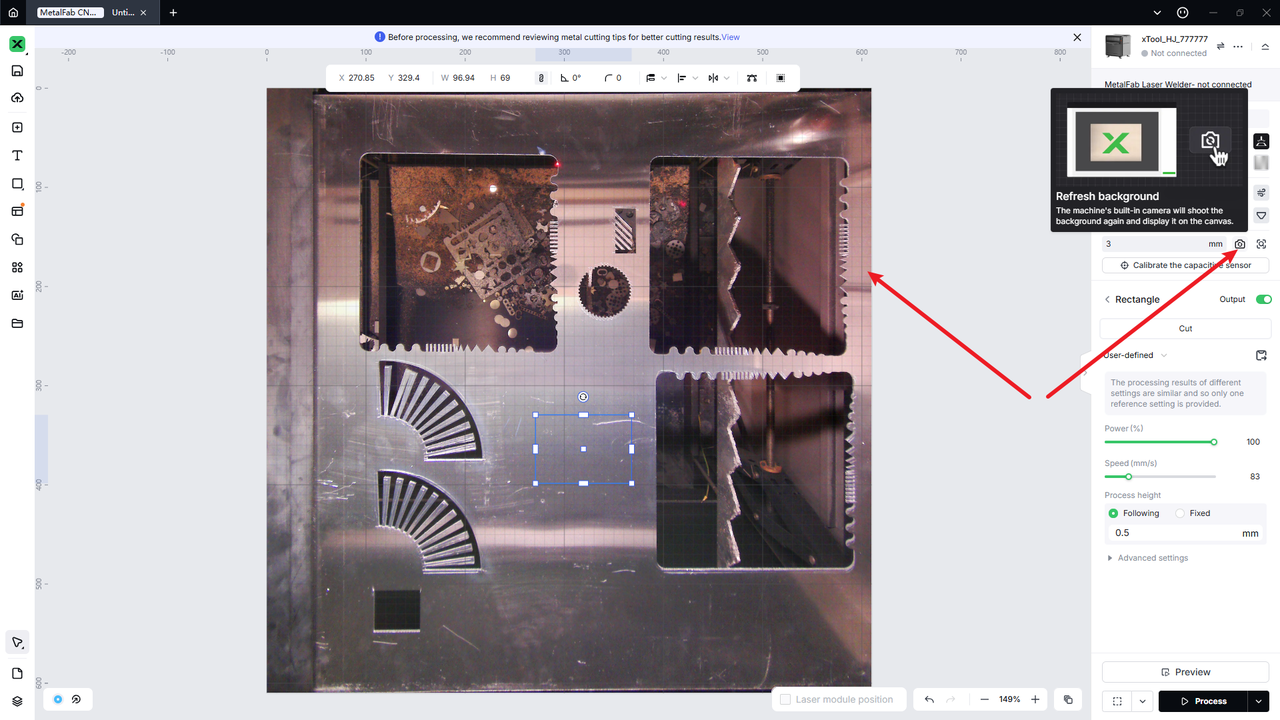
- Calibrate again on the other position of the canvas.
- If the issue persists, please prepare a video recording your troubleshooting process and results and contact xTool Customer Service for further assistance.
Still experiencing issues?
Should the issue persist after completing the preceding steps, submit a ticket via the "Submit a Ticket" button in the "Help Ticket" section below. The standard response time for xTool Customer Service is one business day.
For a prompt resolution, please include the following details:
- Issue description: A detailed explanation of the observed problem.
- Video evidence: Attach a video demonstrating the issue, where applicable.
- Troubleshooting performed: Any troubleshooting steps you have already attempted, along with their results.
This information is crucial for xTool technical support engineers to provide timely assistance.
Documentation feedback
Help improve this content by providing feedback. If this content did not meet your requirements, select "No" in the "Was this page helpful?" section below. Include specific details about what was unclear or missing in the pop-up suggestion box. Feedback submissions are reviewed by xTool technical writers to enhance future documentation.

Services & Help
Learn & Education

Copyright © 2025 xTool All Rights Reserved.