
xTool Store
Troubleshoot Camera Calibration Failure for xTool MetalFab CNC Cutter
Updated Aug 14,2025
Updated Aug 14,2025
Issue description
During camera calibration with XCS, if an error message "Calibration failed. Please try again." pops up, please follow this troubleshooting guide to resolve this issue.
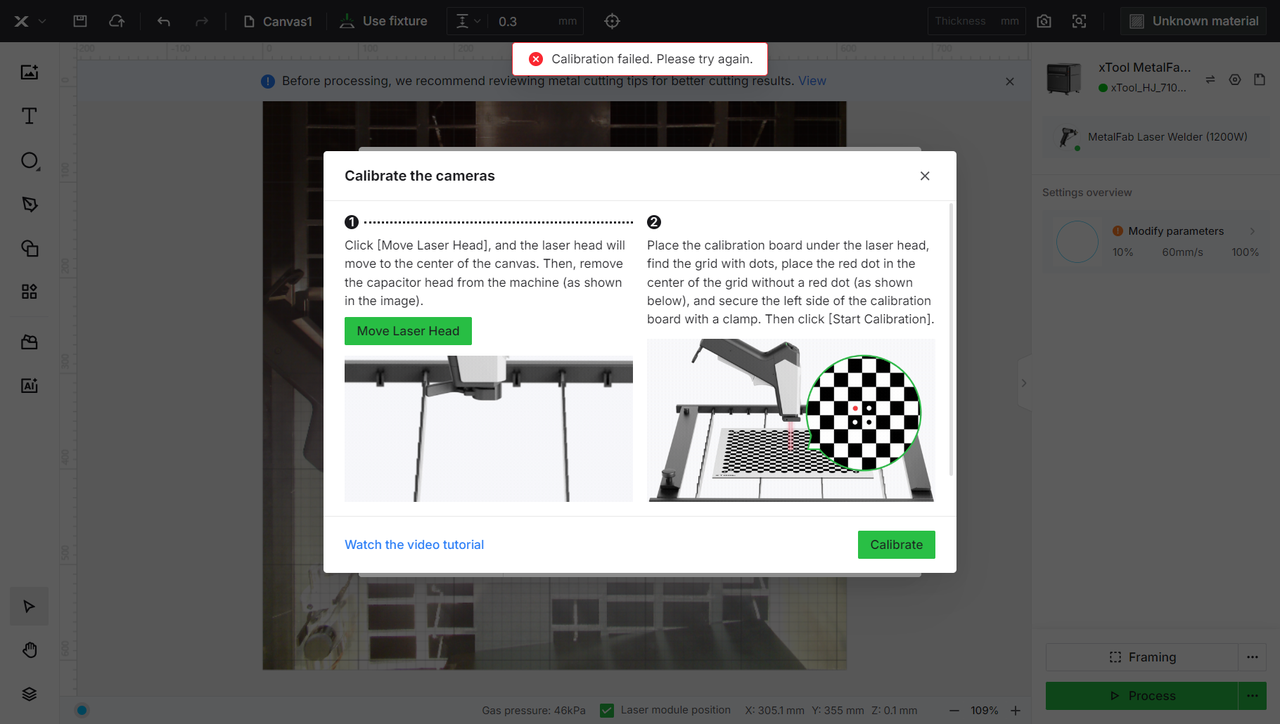
Possible Causes
- Slats related
- Excessive metal debris adheres to the slats.
- The slats are not fully seated in the slots, causing unevenness when the calibration plate is placed.
- Camera calibration board related
- The protective film is not removed.
- There are metal sheets under the board.
- The board is not placed at the target position.
- The board is not clamped with the left fixture, leading to the board displacement during machine calibration.
Troubleshooting procedure
Before Calibration
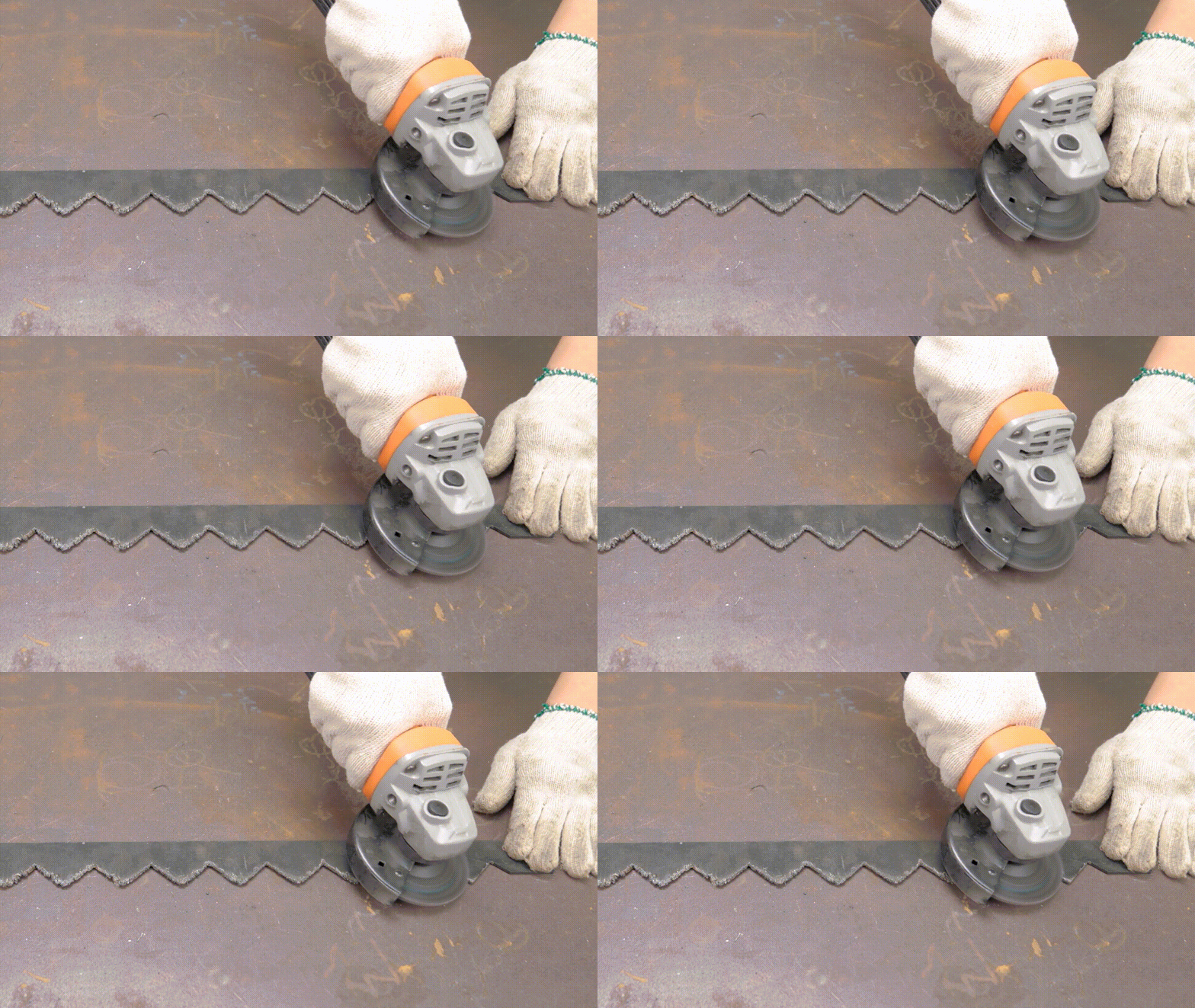
- Ensure that the slats are not attached with obvious metal debris.
If there is any, use an angle-grinder to sand the slats. Then, snap them back into the slots and ensure that the slats are level.
- Ensure that there are no metal sheets on the slats.
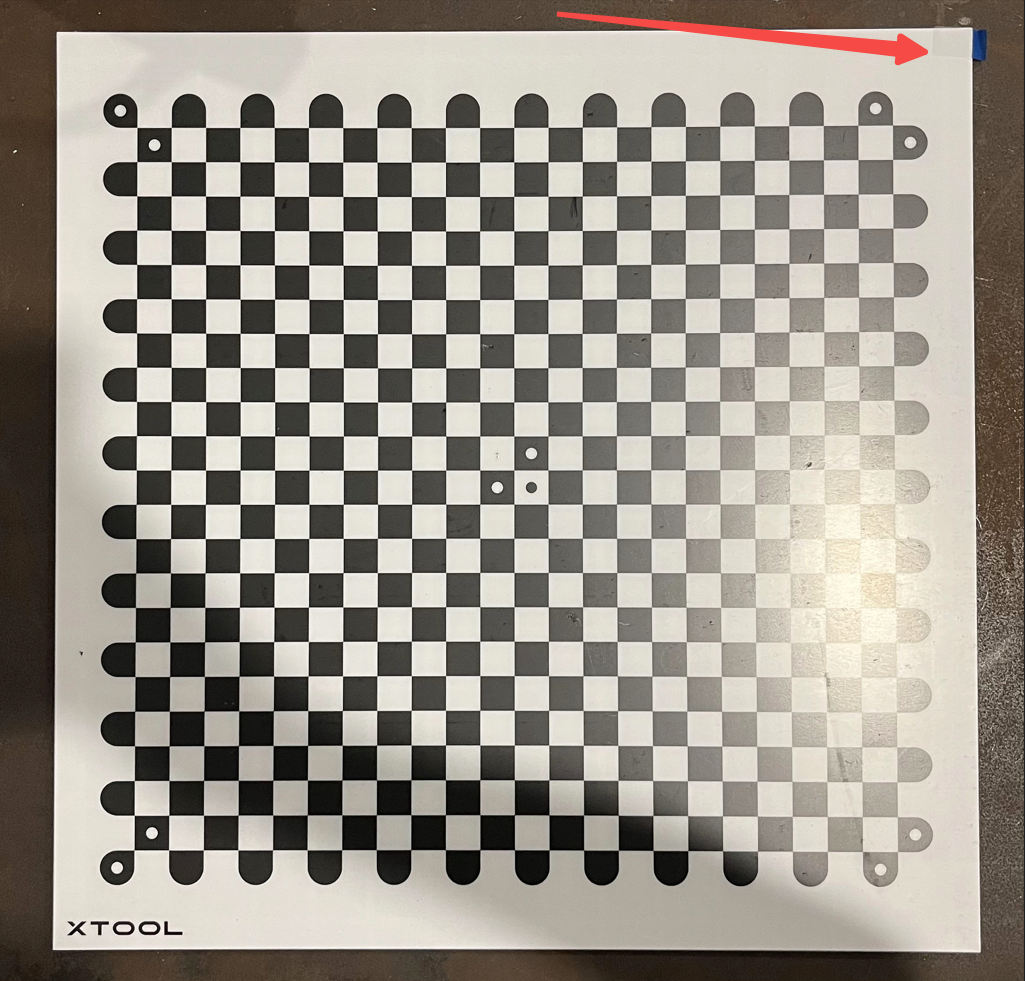
- Ensure that the protective film is peeled off from the camera calibration board. Then place the board onto the slats.
During calibration
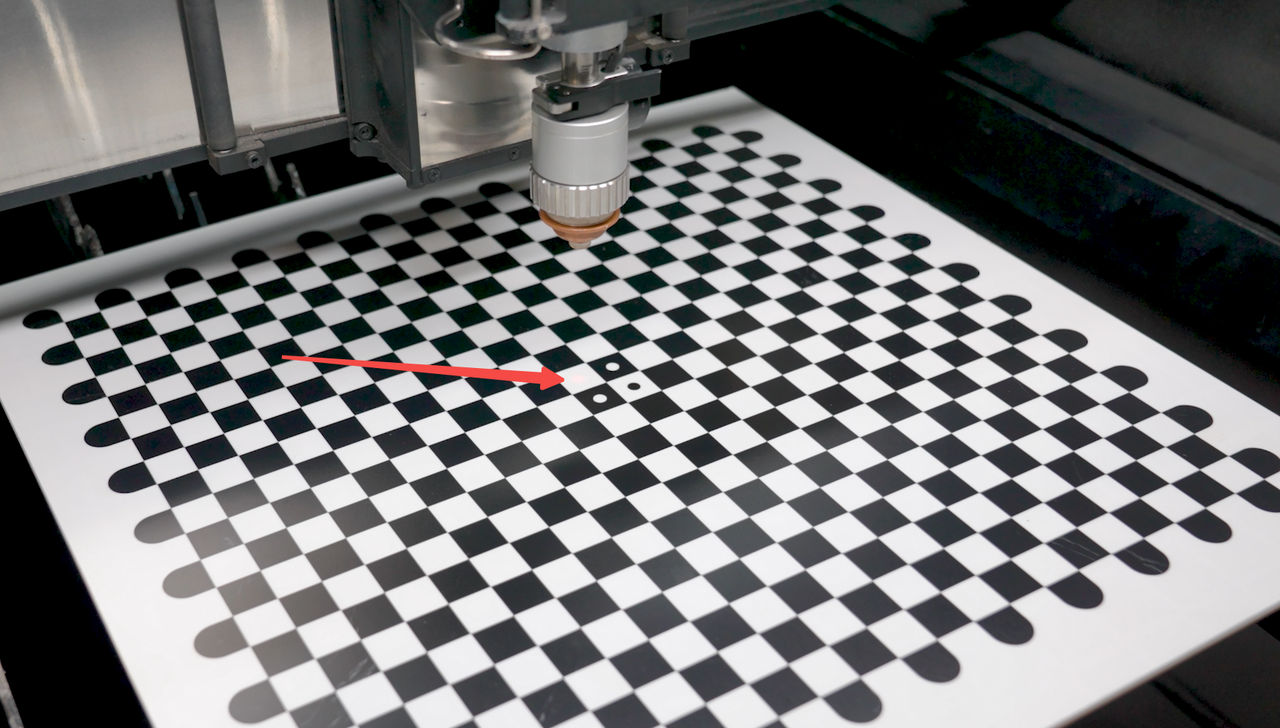
- Ensure that the red spot falls on the target grid of the board.
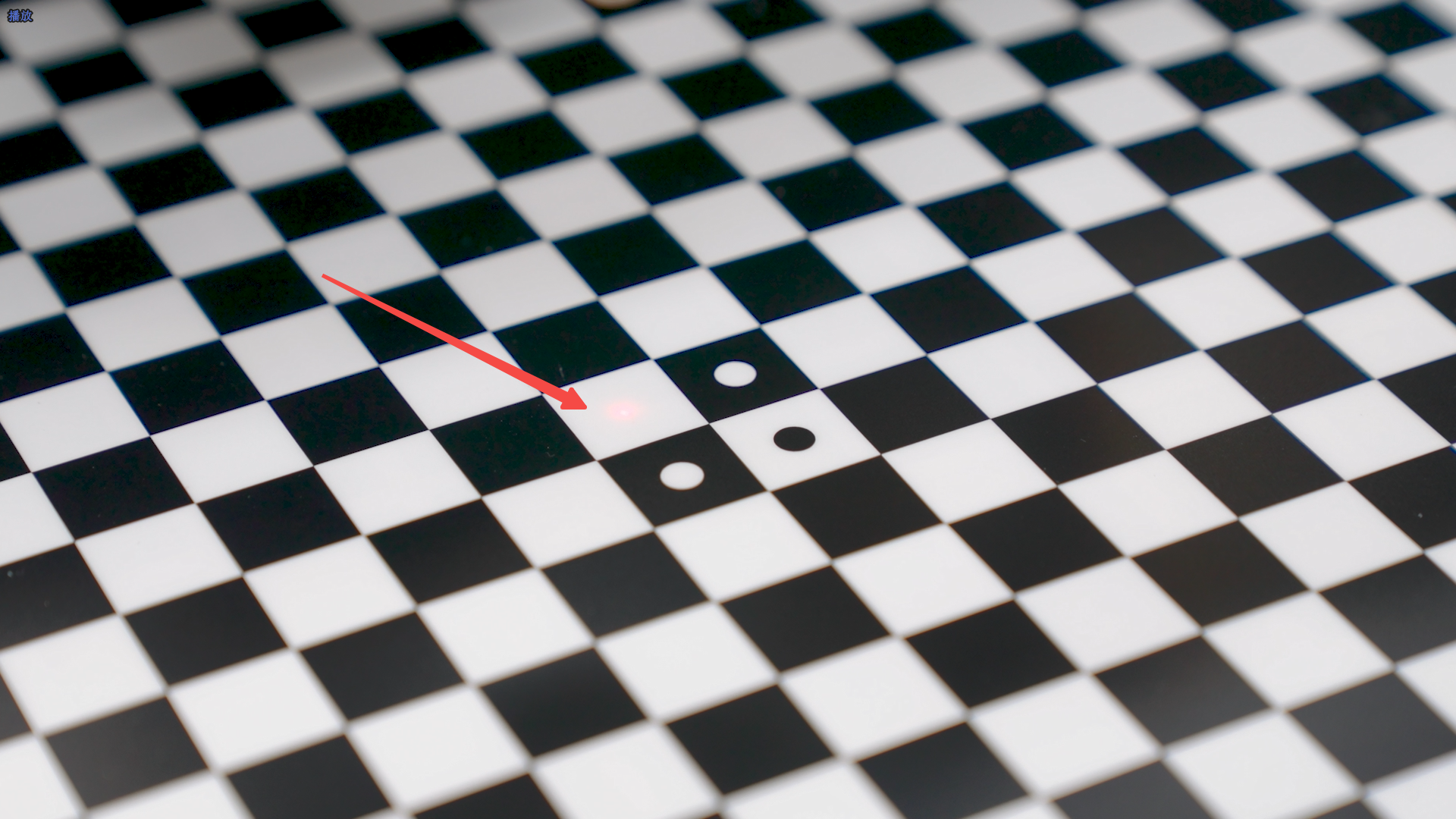
- Use the left fixture to secure the board.
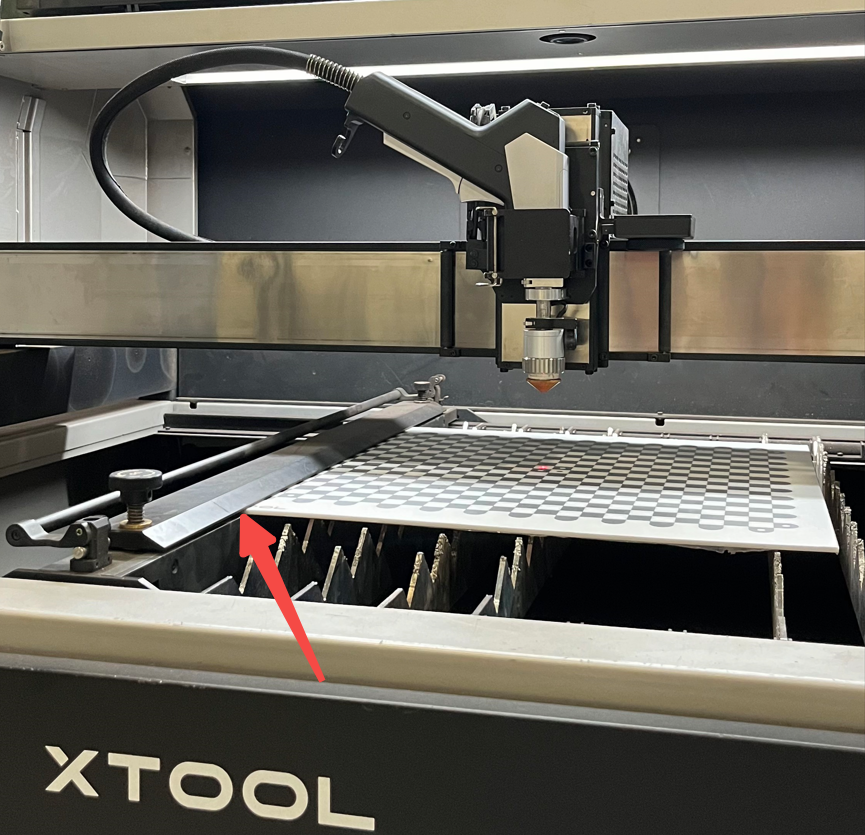
- Calibrate again. You may perform the calibration a few more times to see if the issue is resolved.
- If the issue persists, please prepare a video recording your troubleshooting process and results and contact xTool Customer Service for further assistance.
Help us improve
If this article or video doesn't effectively assist you in resolving the issue, please let us know by clicking the “No” button in the “Was this page helpful?” section below, and leave your feedback in the pop-up suggestion box. Our knowledge base team will review it and consider it for future updates.
Still need help?
If you need any human assistance, please create a ticket by clicking the “Submit a Ticket” button in the “Help Ticket” section below. Our service team will get back to you in 1 business day via E-mail.
Preview
Was this page helpful?
0 out of 0 found this helpful
Help Ticket
Use this help ticket to submit your issue. We will respond within 1 business day
Submit a Ticket Tags
Help Ticket
Use this help ticket to submit your issue. We will respond within 1 business day
Submit a Ticket 
Services & Help
Learn & Education

Copyright © 2025 xTool All Rights Reserved.