
Issue description
If you encounter a pop-up error message titled "Electromagnetic lock exception" in XCS, please follow this troubleshooting guide to resolve this issue. (The electromagnetic lock is also called "safety lock" in this guide.)
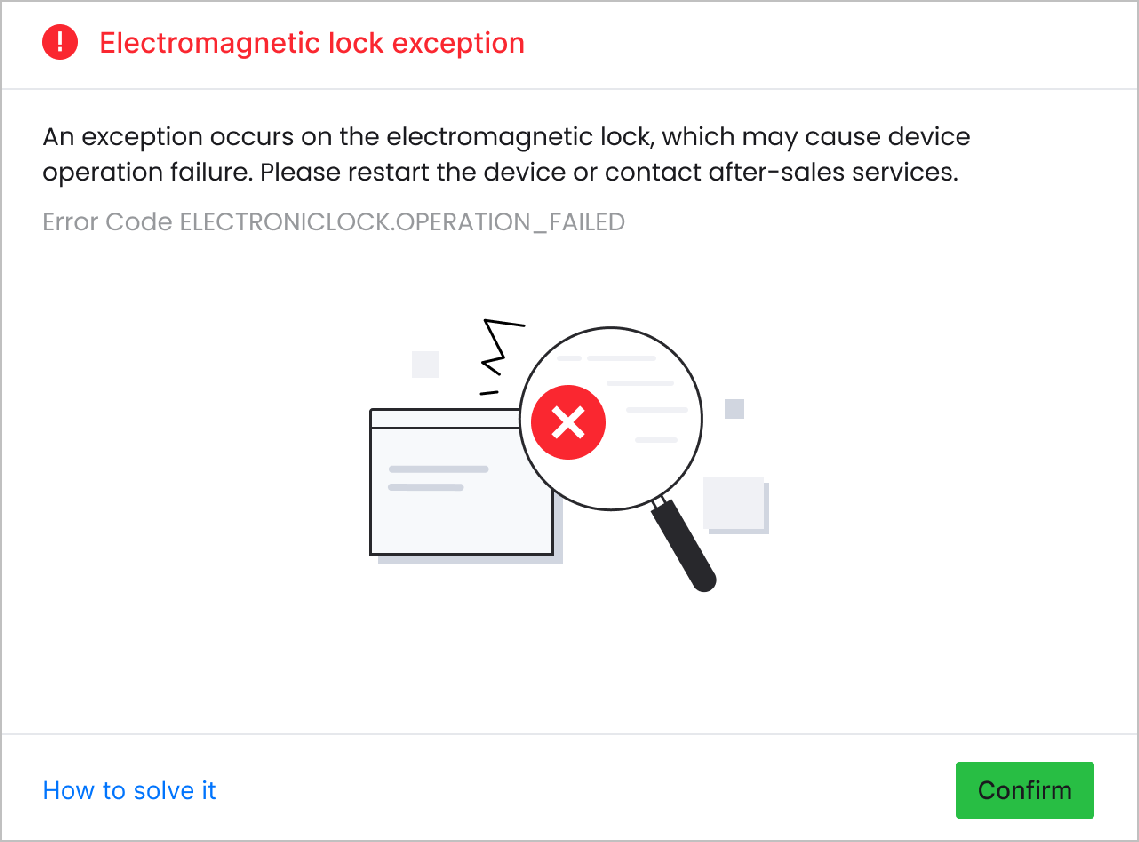
Possible causes
- Unclosed protective lid: The lid is not fully closed, and thus the safety lock fails to work properly.
- Insufficient power supply or wiring issues: The safety lock suffers from insufficient power supply voltage, damaged cables, or disconnected connector.
- Internal failure: The safety lock is damaged or aging inside, which leads to its failure to lock properly.
Detailed procedure
Step 1: Check if there are obstructions around the lid or the safety lock
- Ensure that there are no obstructions around the safety lock preventing its normal ejection.
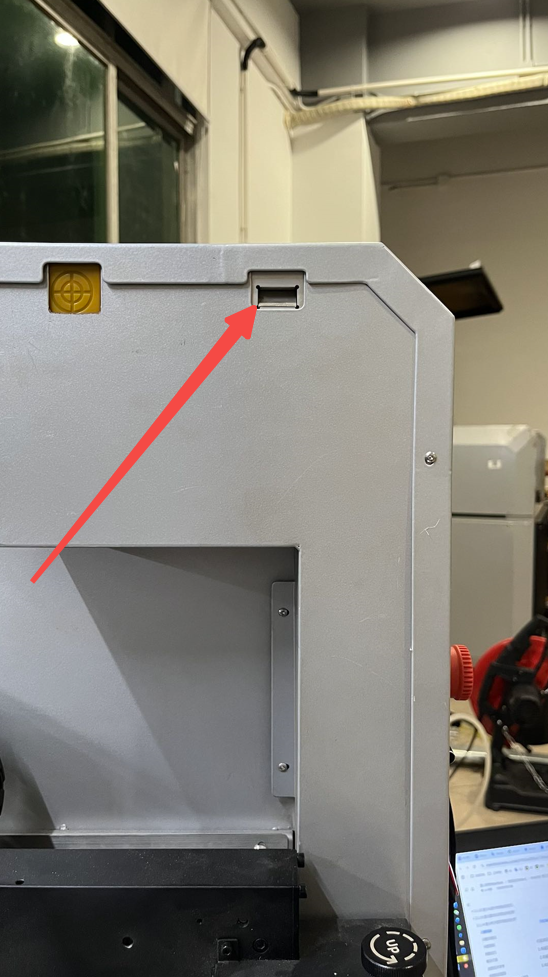
- When the protective lid is put down, it should be fully closed. When the machine is powered on, you may inspect the closed lid from the right of the machine and check if there is any light leakage.
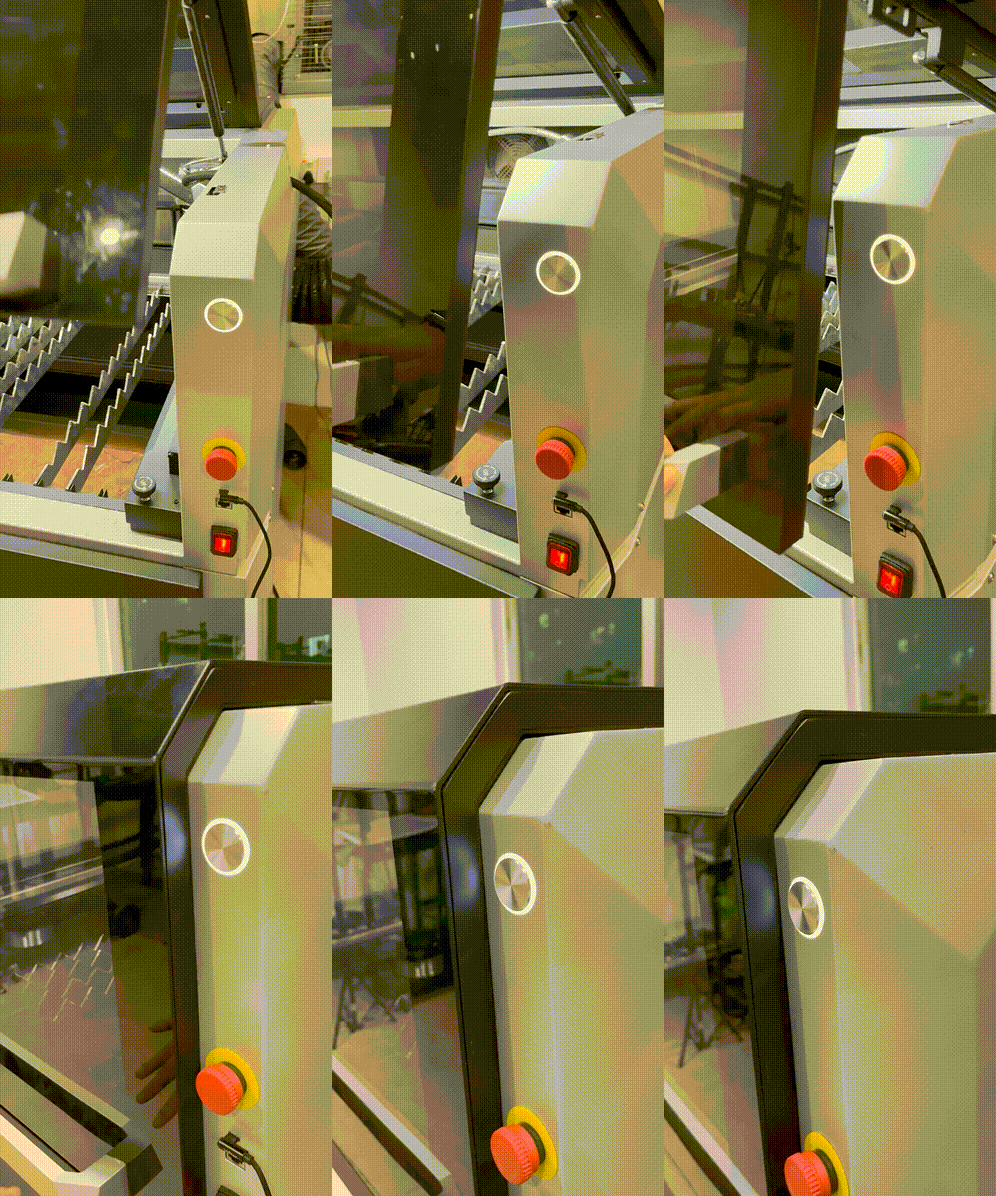
Fully closed
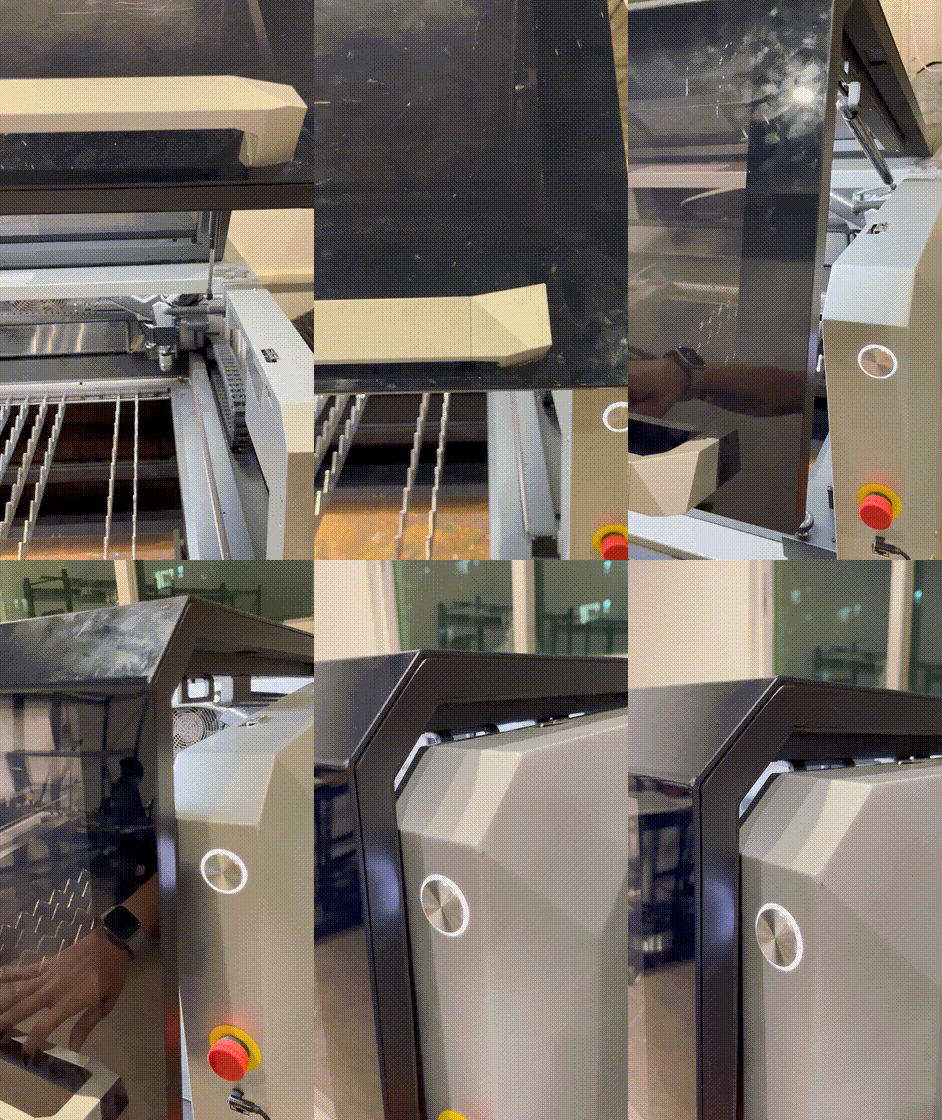
Not fully closed and light leaks out
If the lid cannot be fully closed, check the area around the lid for any obstructions that may prevent it from normal closing.
- If the issue persists, proceed to the next step.
Step 2: Check the safety lock cables
- Power off the machine.
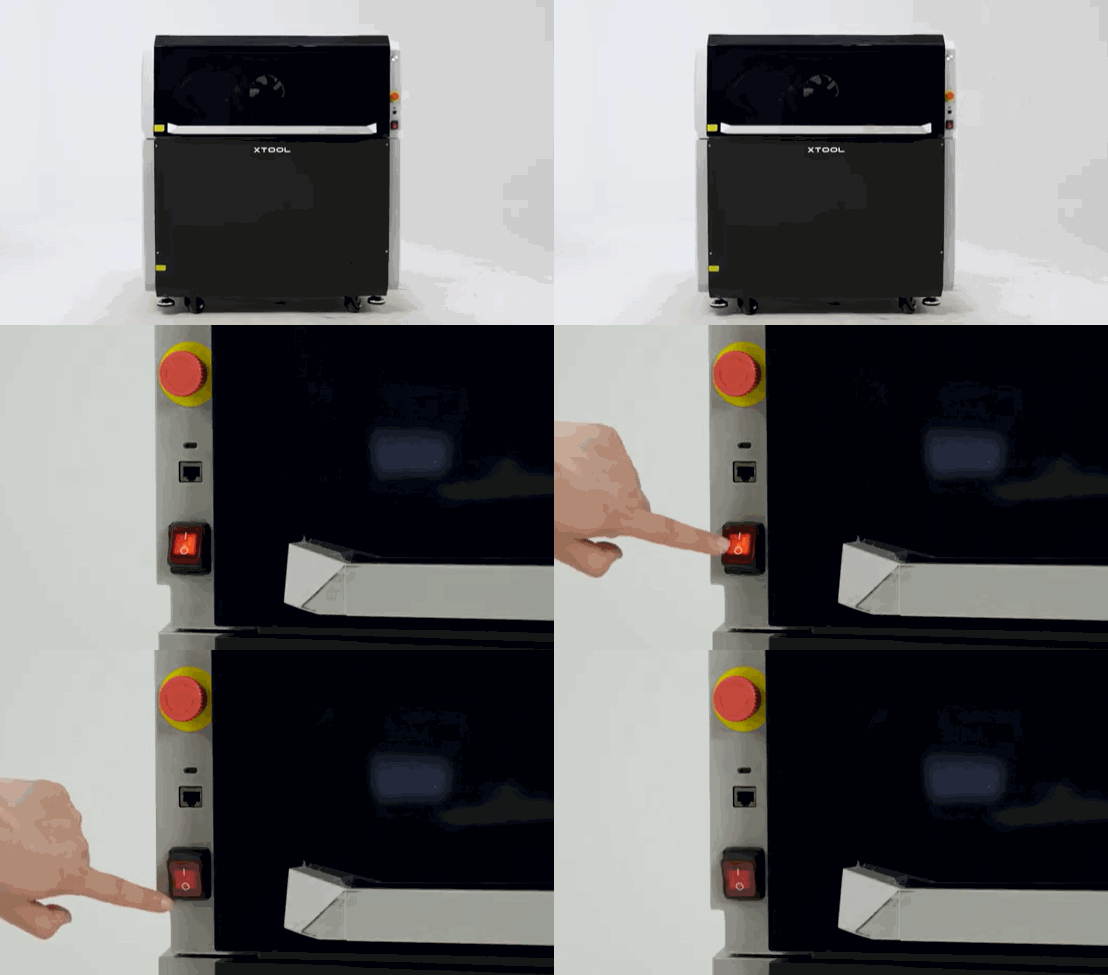
- Follow the video tutorial to remove the right plate.
- Reseat the white connector, which is right below the blue one.
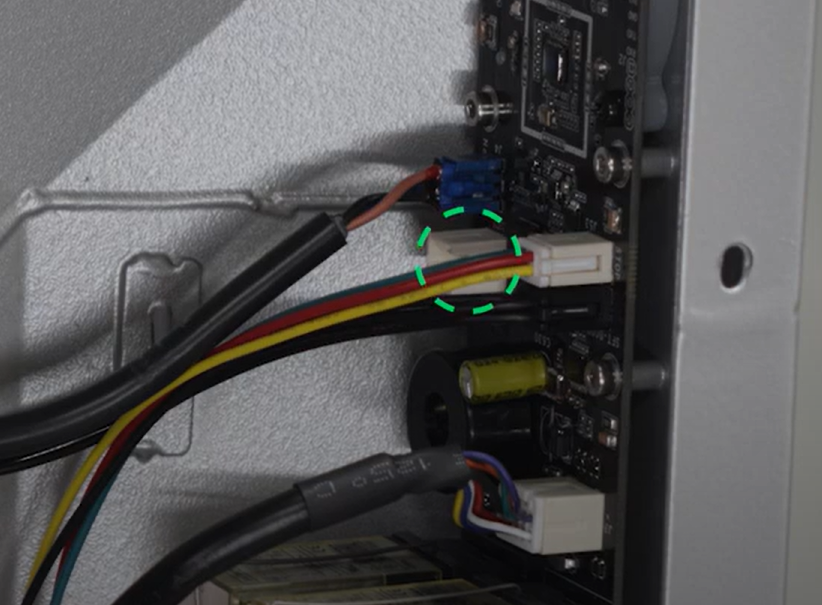
- Restart the machine.
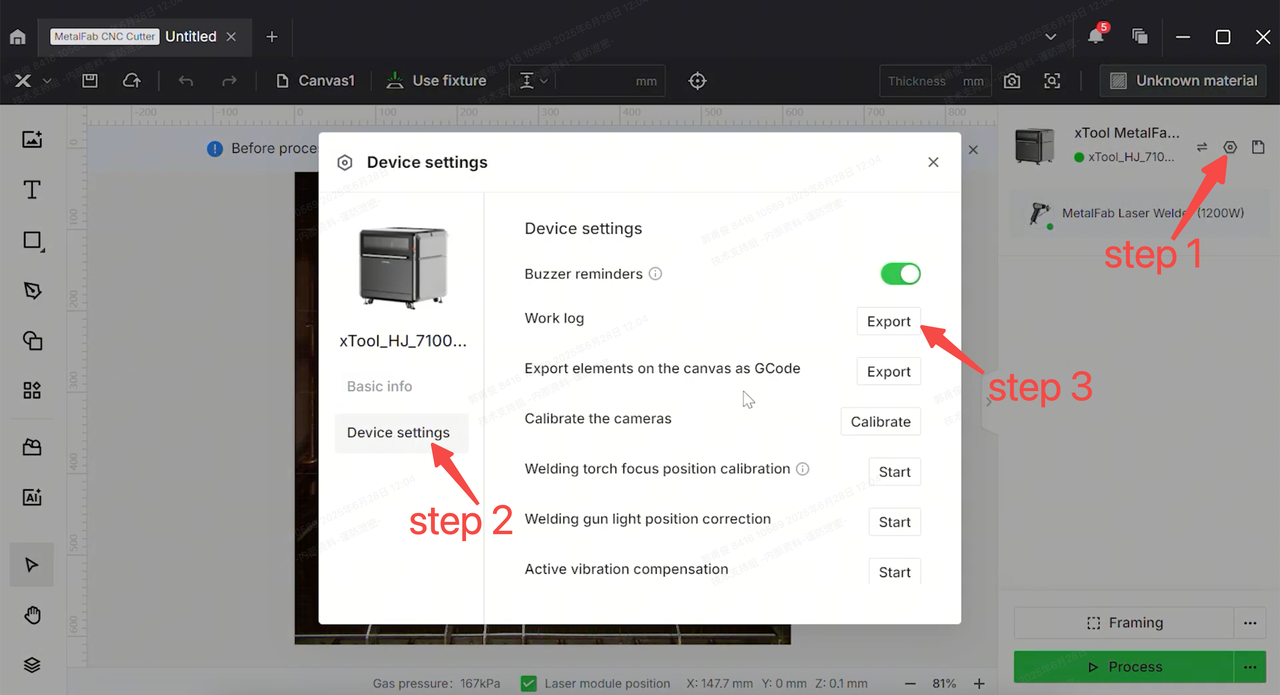
- If the issue persists, please prepare a video recording your troubleshooting process and results, follow the figure below to extract the log from XCS, then send these materials to xTool Customer Service for further assistance.
Help us improve
If this article or video doesn't effectively assist you in resolving the issue, please let us know by clicking the “No” button in the “Was this page helpful?” section below, and leave your feedback in the pop-up suggestion box. Our knowledge base team will review it and consider it for future updates.
Still need help?
If you need any human assistance, please create a ticket by clicking the “Submit a Ticket” button in the “Help Ticket” section below. Our service team will get back to you in 1 business day via E-mail.

