
Issue description
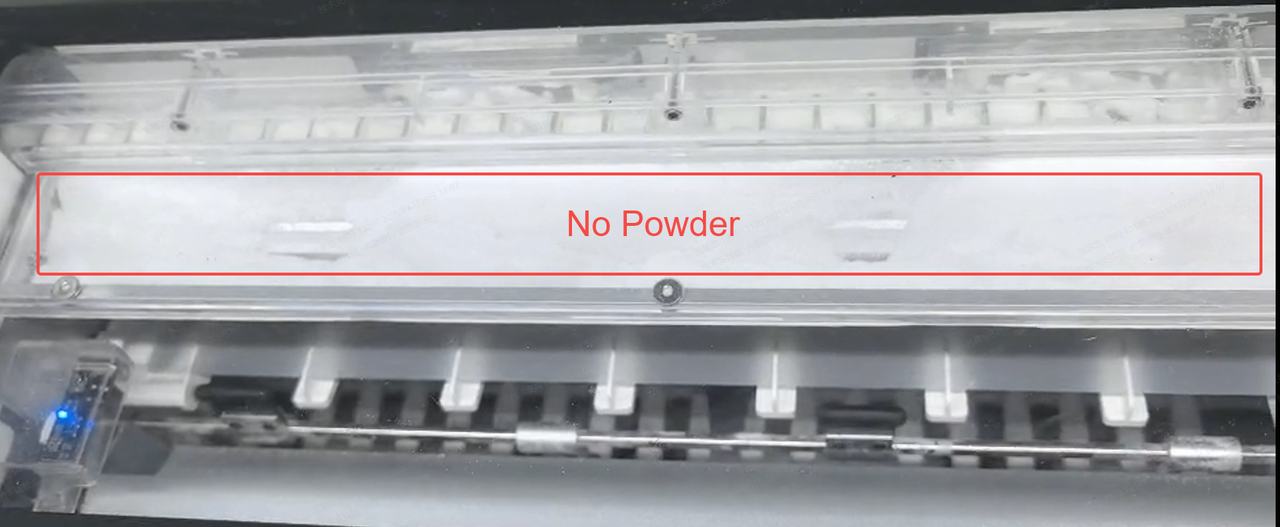
You observe that while there is adhesive powder at the bottom of the translucent powder compartment, no powder is being transported up by the conveyor belt to the top section for application. The impellers cannot push powder onto the film for proper spreading because the upper compartment is empty.
- Consult this content for troubleshooting.
Potential causes
- The powder level in the compartment is too low.
- The powder level in the compartment is too high (overfilled).
- The vibration motor, which helps the powder flow, is not working correctly.
Troubleshooting
Step 1: Check the powder level
- Inspect the Powder Level:
- You can use your phone's camera to get a clear view inside the powder bin to check the current level.
- Evaluate the Level:
- If the powder level is too low: Refill xTool adhesive powder.
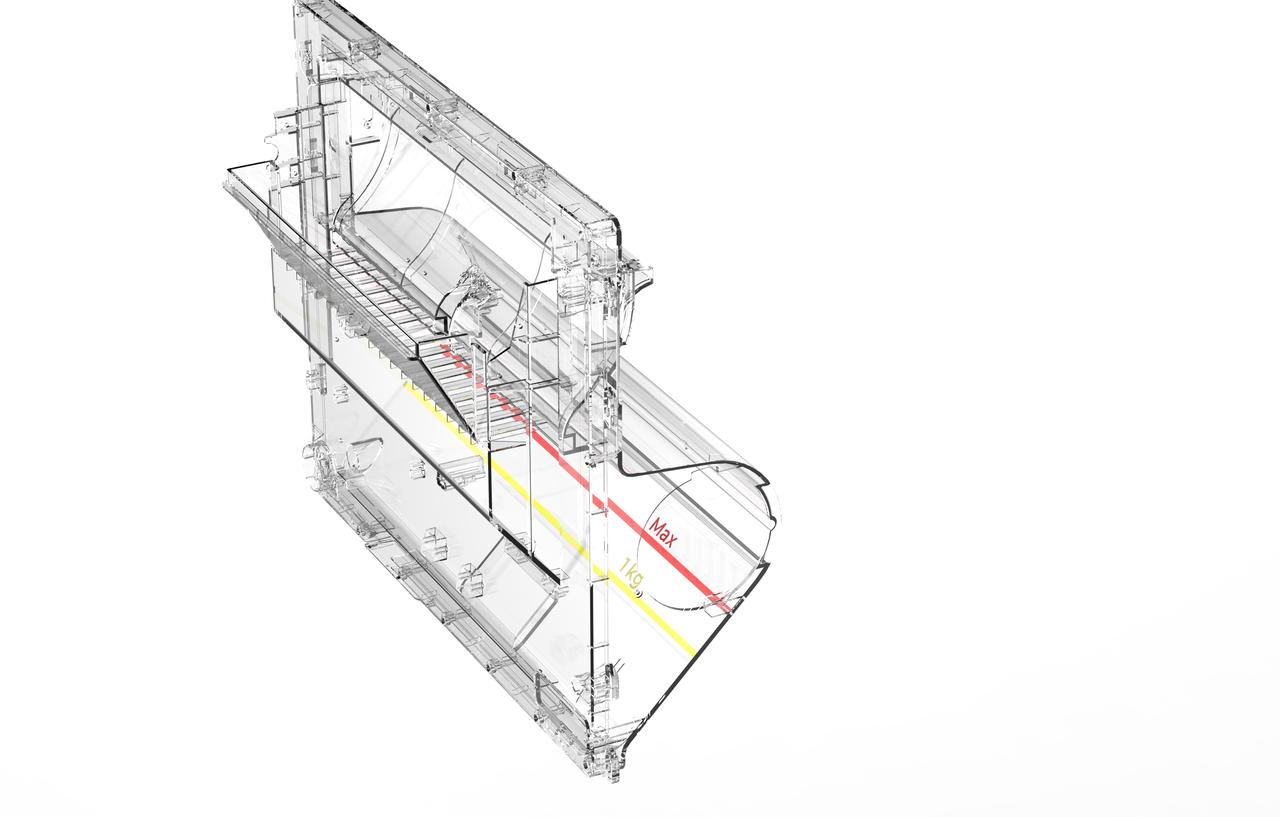
- Be careful not to overfill; the powder level should not exceed the red "MAX" line.
- If the powder level is too high (above the red line): Overfilling can prevent the powder from flowing correctly. Please contact xTool Customer Service for instructions on how to safely remove the excess powder.
- If the powder level is normal (between low and the max line), proceed to the next step.
💡 Maximum powder volume capacity: Do not add more than 2 packages of adhesive powder.
Step 2: Check the vibration motor status
The vibration motor intermittently taps the powder compartment to loosen the powder and help it flow towards the conveyor system.
- Test vibration motor operation: Observe the machine during operation to see if the vibration motor is working. It should create small, periodic vibrations or taps to agitate the powder.
- If the vibration motor is not working:
- Power off the oven and unplug it.
- Access the vibration motor's connection cable.
- Carefully disconnect and then firmly reconnect the cable at both ends (at the motor and on the control board) to ensure a secure connection.
- If checking the connection does not resolve the issue, proceed to the next step.
Step 3: Address a failed vibration motor
If all previous steps fail, there may be an issue with the vibration motor.
- A malfunctioning vibration motor may sometimes be identified by an unusually loud "banging" or "knocking" sound.
- Ad Hoc Workaround:
- As a temporary measure to get powder flowing, you can try to manually tap the side of the powder compartment with your hand to simulate the motor's action.
- Motor Replacement:
- This step requires advanced technical intervention. Please proceed to the "Still experiencing issues" section to contact xTool Customer Service for further diagnosis.
- If deemed necessary by xTool technical experts, the vibration motor may need to be replaced.
Still experiencing issues?
Should the issue persist after completing the preceding steps, submit a ticket via the "Submit a Ticket" button in the "Help Ticket" section below. The standard response time for xTool Customer Service is one business day.
For a prompt resolution, please include the following details:
- Issue Description: A detailed explanation of the observed problem.
- Video Evidence: Attach a video demonstrating the issue, where applicable.
- Troubleshooting Performed: Any troubleshooting steps you have already attempted, along with their results.
This information is crucial for xTool technical support engineers to provide timely assistance.
Documentation feedback
Help improve this content by providing feedback. If this content did not meet your requirements, select "No" in the "Was this page helpful?" section below. Include specific details about what was unclear or missing in the pop-up suggestion box. Feedback submissions are reviewed by xTool technical writers to enhance future documentation.

