
xTool Store
No laser output or no marking after processing
Updated Nov 20,2025
Updated Nov 20,2025
Issue description
- The laser does not emit after pressing the "Start" button.
- The laser emits but leaves no visible mark on the material.
Troubleshooting
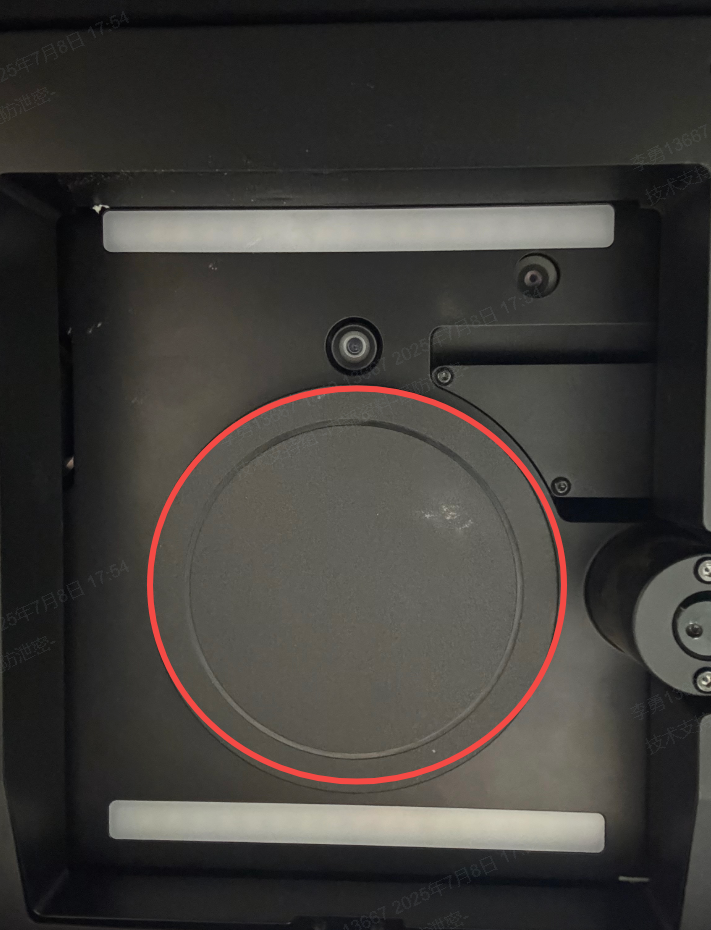
Step 1: Check the field lens protector
Ensure that the field lens protector has been removed before processing. The protector blocks both the blue and infrared lasers during operation.
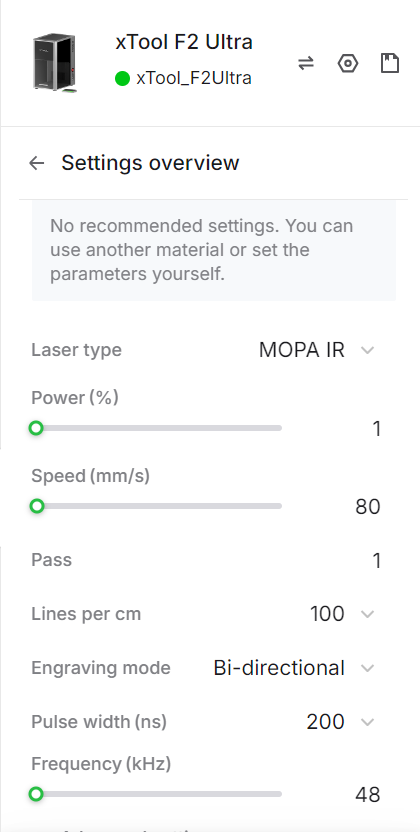
Step 2: Verify processing parameters
Check whether the power setting is appropriate. Incorrect power settings can lead to insufficient laser output or ineffective marking.
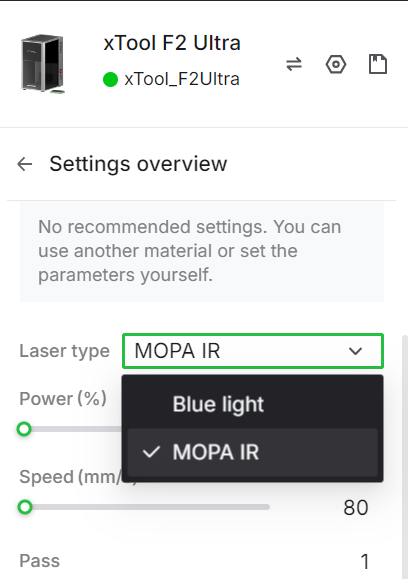
Step 3: Confirm the laser source
Ensure you’re using the correct laser source for your material. Note that F2 Ultra (Single) supports MOPA laser source only.
Step 4: Check the focus
Make sure the infrared and blue laser dots overlap exactly on the material surface. If the dots don’t align, refocus before processing.
Step 5: Inspect and clean the field lens
Dust or contamination on the field lens reduces laser power output. If the lens appears dirty, clean it gently using the lint-free cloth provided with your machine.
Preview
Was this page helpful?
0 out of 16 found this helpful
Help Ticket
Use this help ticket to submit your issue. We will respond within 1 business day
Submit a Ticket Tags
Help Ticket
Use this help ticket to submit your issue. We will respond within 1 business day
Submit a Ticket 
Services & Help
Learn & Education

Copyright © 2025 xTool All Rights Reserved.