
Materials not cutting through
Updated Nov 20,2025
Updated Nov 20,2025
Issue description
If your device isn't cutting through materials like copper or wood when using recommended settings, try the steps below to troubleshoot the issue.
Troubleshooting
Step 1: Check the focus
Make sure the red and blue laser dots overlap exactly on the material surface. If the dots don’t align, refocus before processing.
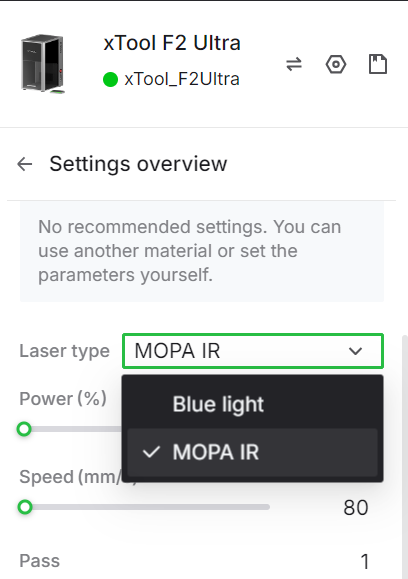
Step 2: Verify the laser source
Ensure you’re using the correct laser source for your material. Note that F2 Ultra (Single) supports MOPA laser source only.
Step 3: Clean the field lens
Inspect the field lens for dust or contamination. If dirty, clean it using the lint-free cloth provided in the box.
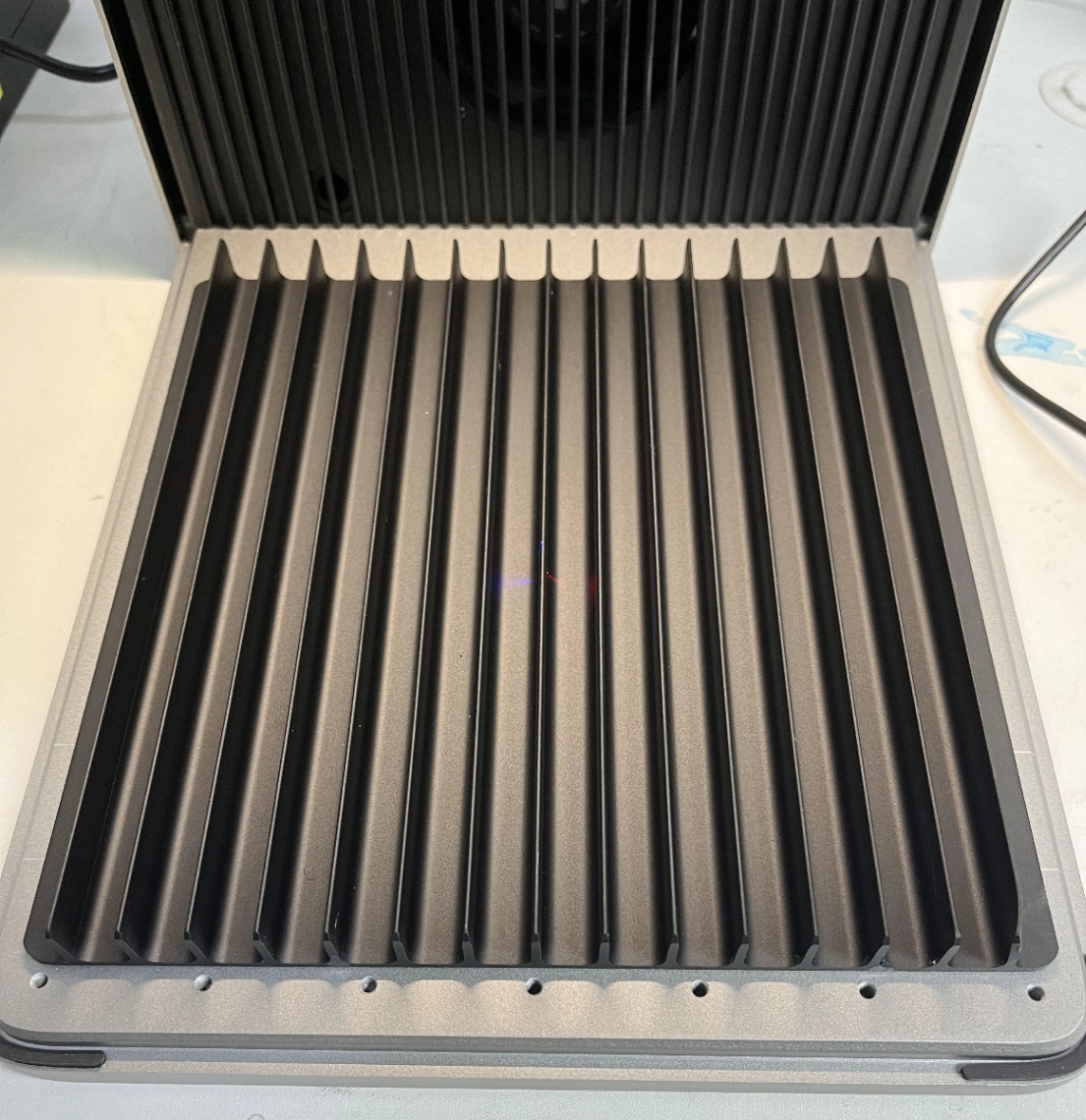
Step 4: Use the slatted panel
Place your material on the slatted panel to ensure proper airflow and cutting results.
Step 5: Adjust processing parameters
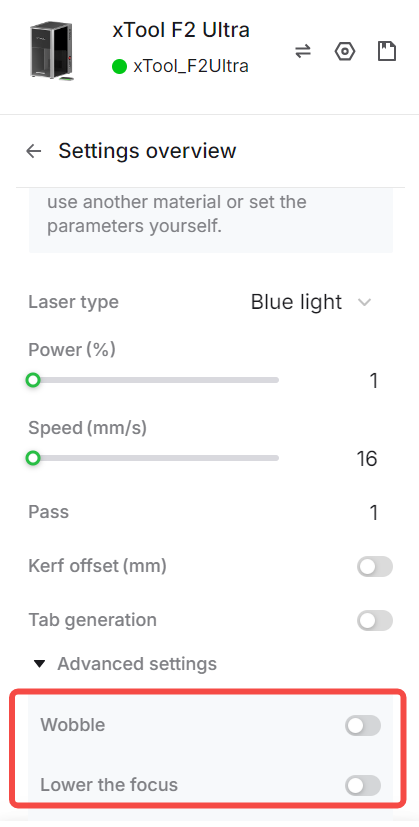
Increase the number of passes or raise the cutting power. For better results, enable Wobble and Lower the focus in the Advanced settings.
Preview
Was this page helpful?
4 out of 7 found this helpful
Help Ticket
Use this help ticket to submit your issue. We will respond within 1 business day
Submit a Ticket 
