
Issue description
After the xTool Apparel Printer completes a print job, the PET film is transferred to xTool OS1 Automatic Shaker Oven Machine for powder shaking and curing. During this process, an issue occurs where the film is properly clamped and the flip plate descends correctly, but the powder shaker does not operate. As a result, the excess adhesive powder on the PET film is not shaken off.
- Consult this section for troubleshooting.
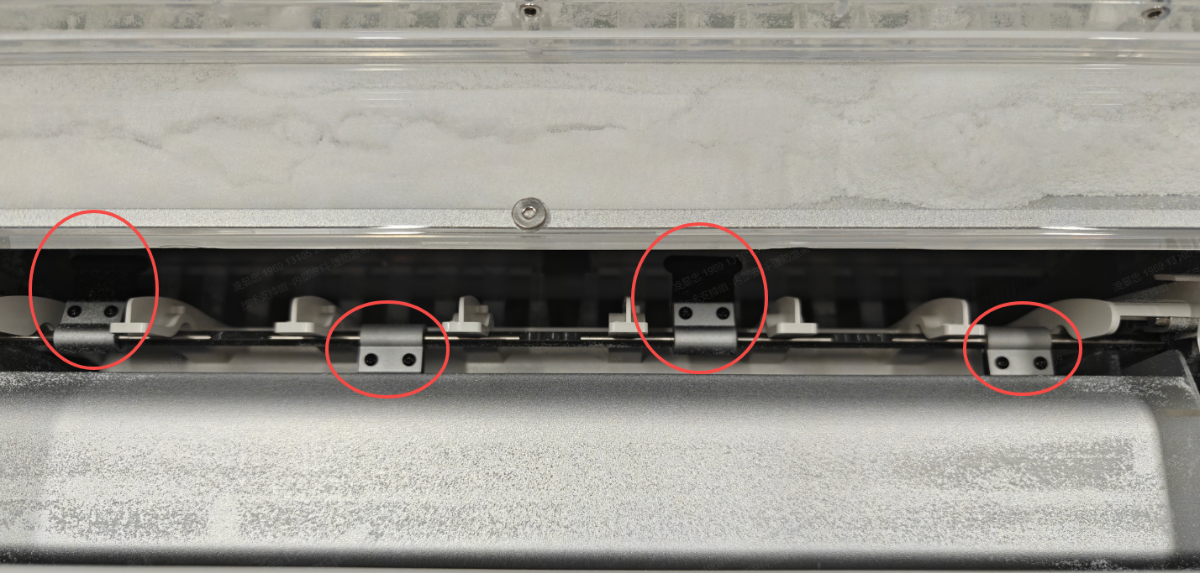
Powder Shaker Operation Failure
Potential causes
- The firmware is outdated.
- The powder shaker motor is malfunctioning.
- The movement of the powder shaker is physically obstructed.
Troubleshooting procedures
Please follow these steps systematically to diagnose and resolve the issue.
Step 1: Check firmware version
Ensure your machine's firmware is updated to version 014.ht3 or newer, as older versions may not have the latest operational logic.
- Verify current firmware version:
- Open xTool Creative Space (XCS).
- Navigate to Device settings > Basic info > Firmware version.
- Check the displayed version number.
- For version numbers like
40.100.017.00.ht4, focus on the third set of digits (in this example: "017"). - Ensure your firmware is updated to version 014.ht3 or later.
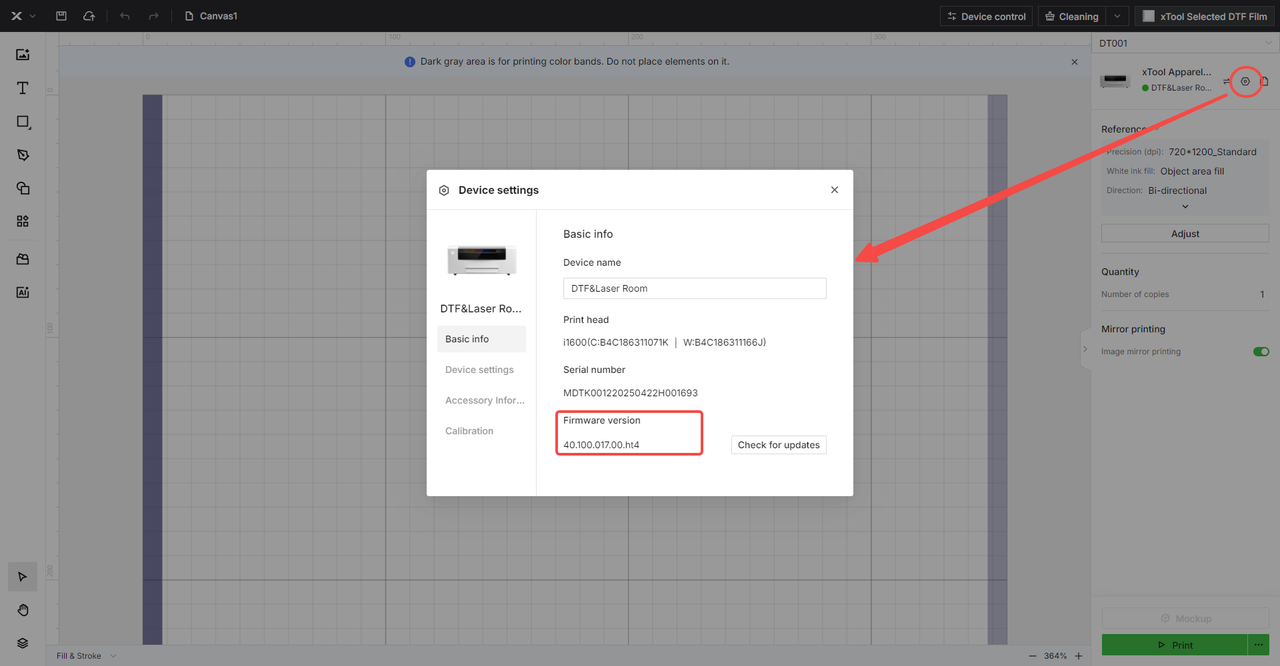
- Update firmware if necessary:
- If your firmware is outdated, click Check for Updates.
- Follow the on-screen instructions to complete the update.
- If the firmware is already up-to-date, proceed to Step 2.
Step 2: Inspect the Powder Shaker
A foreign object could be physically blocking the shaker mechanism.
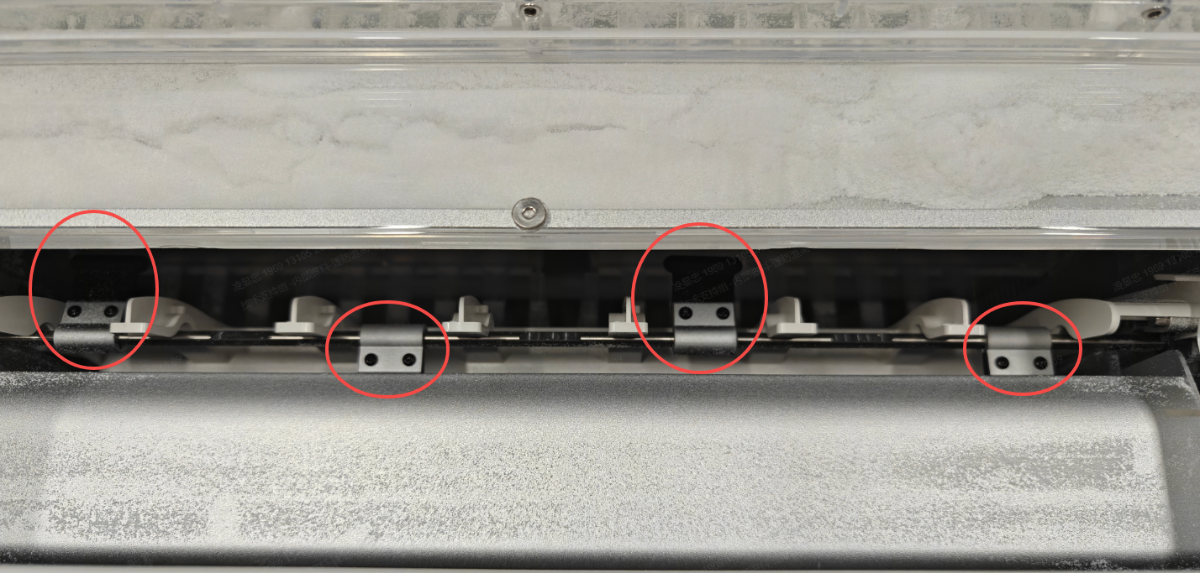
- Detach the magnetic cover from the oven.
- Visually inspect the powder shaker for any foreign objects or debris that may be causing interference.
- If obstructions are found: Carefully remove any interfering materials.
- If no obstructions are visible: Proceed to Step 3.
Step 3: Check Powder Shaker Motor
This step helps determine if the motor itself is functioning correctly.
- Reboot the oven and run a sample test print to check operation.
- If the powder shaker still fails to operate:
- Turn off the oven power.
- Detach the magnetic cover from the oven.
- Manual rotation test (power OFF):
- Manually rotate the powder shaker to check for obstructions.
- Normal operation: The shaker should rotate with continuous, slight resistance.
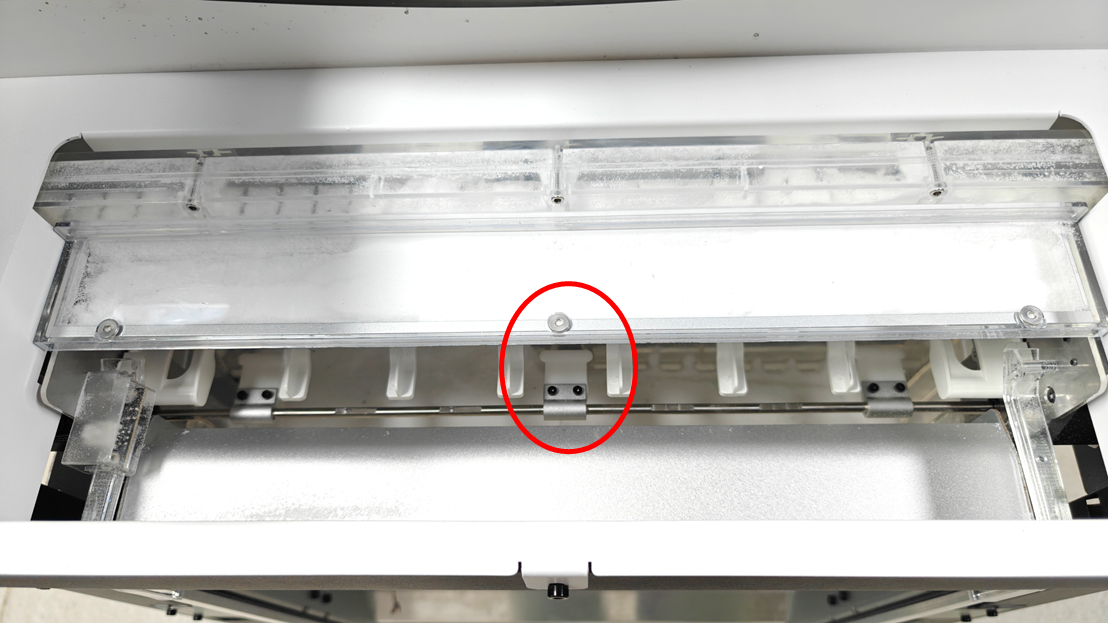
- Motor function test (power ON):
- Turn on the oven power.
- Attempt to manually rotate the powder shaker.
- Normal operation: The motor should NOT allow manual rotation when powered on.
- If the shaker rotates freely when powered on: This indicates a motor failure or connection issue.
- Connection inspection:
Tools required:
- M2.5mm Hex Screwdriver
- Turn off the power switch and unplug the power cord.
- Remove the left-side panel of the oven.
- Locate the powder shaker motor connection cable. See the images below.
- Disconnect and reconnect the motor cable firmly.
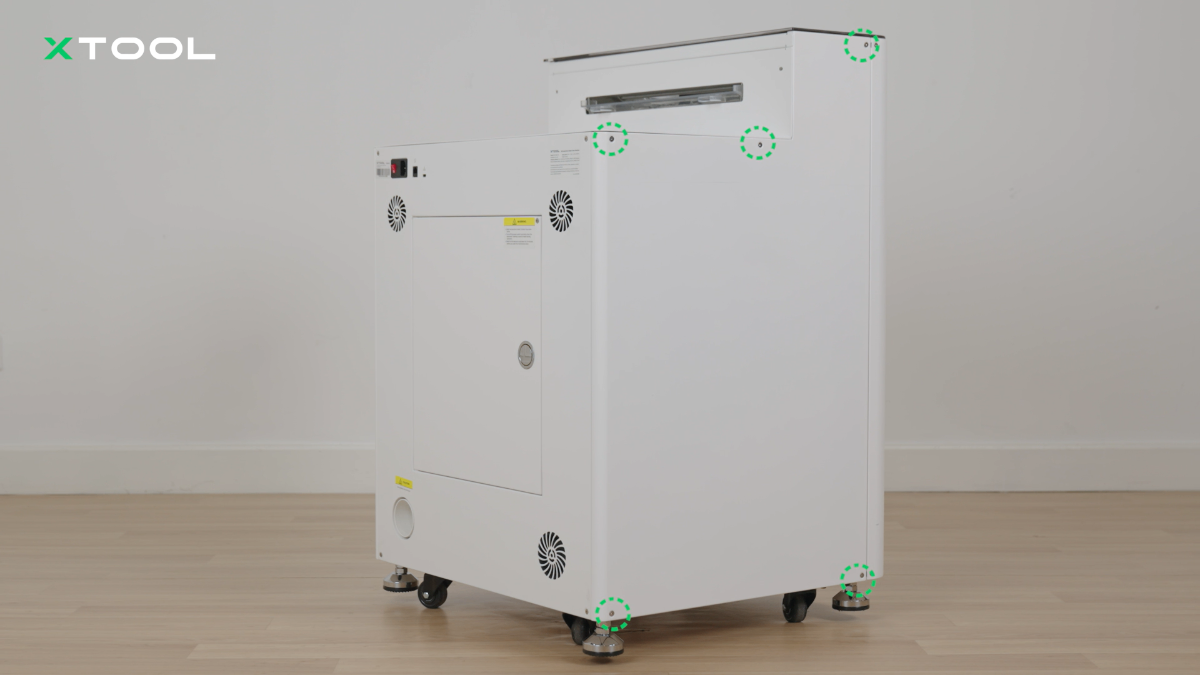
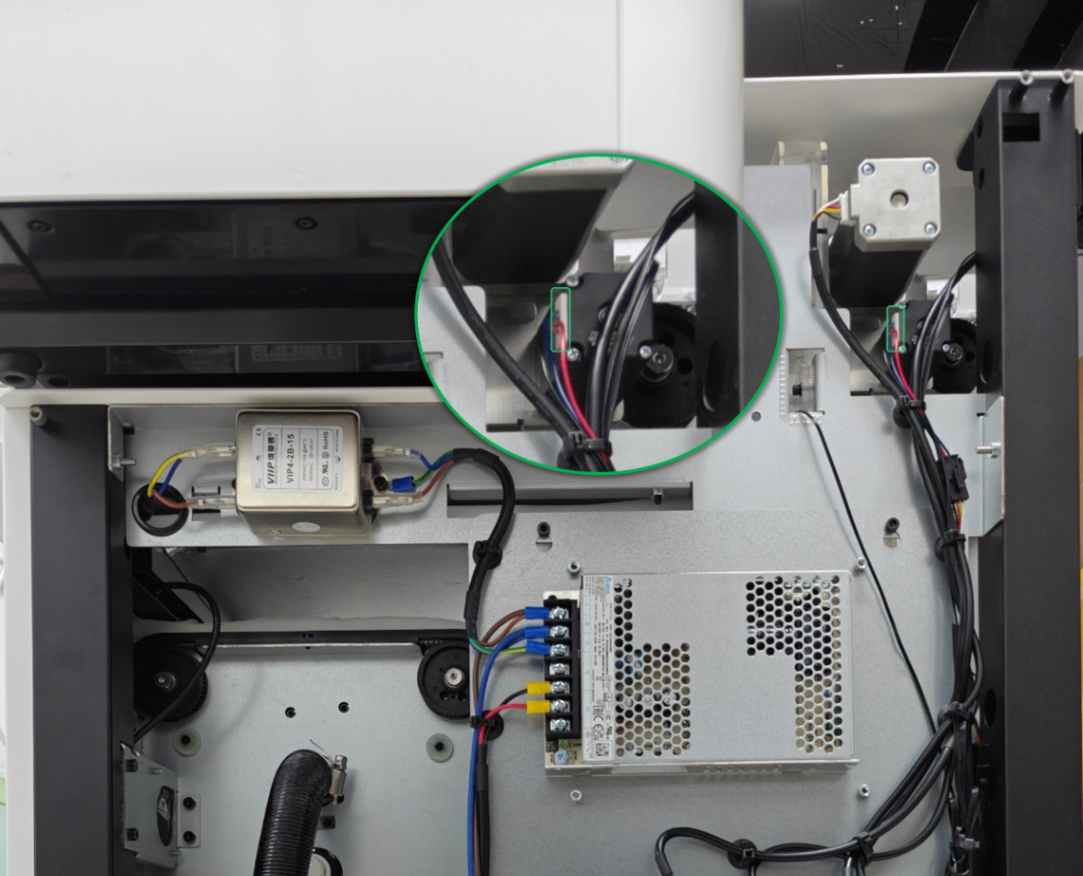
- If the problem persists: Proceed to the "Still experiencing issues?" section to contact xTool Customer Service for further assistance.
Still experiencing issues?
Should the issue persist after completing the preceding steps, submit a ticket via the "Submit a Ticket" button in the "Help Ticket" section below. The standard response time for xTool Customer Service is one business day.
For a prompt resolution, please include the following details:
- Issue description: A detailed explanation of the observed problem.
- Video evidence: Attach a video demonstrating the issue, where applicable.
- Troubleshooting performed: Any troubleshooting steps you have already attempted, along with their results.
This information is crucial for xTool technical support engineers to provide timely assistance.
Documentation feedback
Help improve this content by providing feedback. If this content did not meet your requirements, select "No" in the "Was this page helpful?" section below. Include specific details about what was unclear or missing in the pop-up suggestion box. Feedback submissions are reviewed by xTool technical writers to enhance future documentation.

Services & Help
Learn & Education

Copyright © 2025 xTool All Rights Reserved.