
Issue description
When the machine is powered on, the welding head base on the carriage is supposed to rest in the upper right corner after completing the homing in the order of z-, y-, and x-axis.
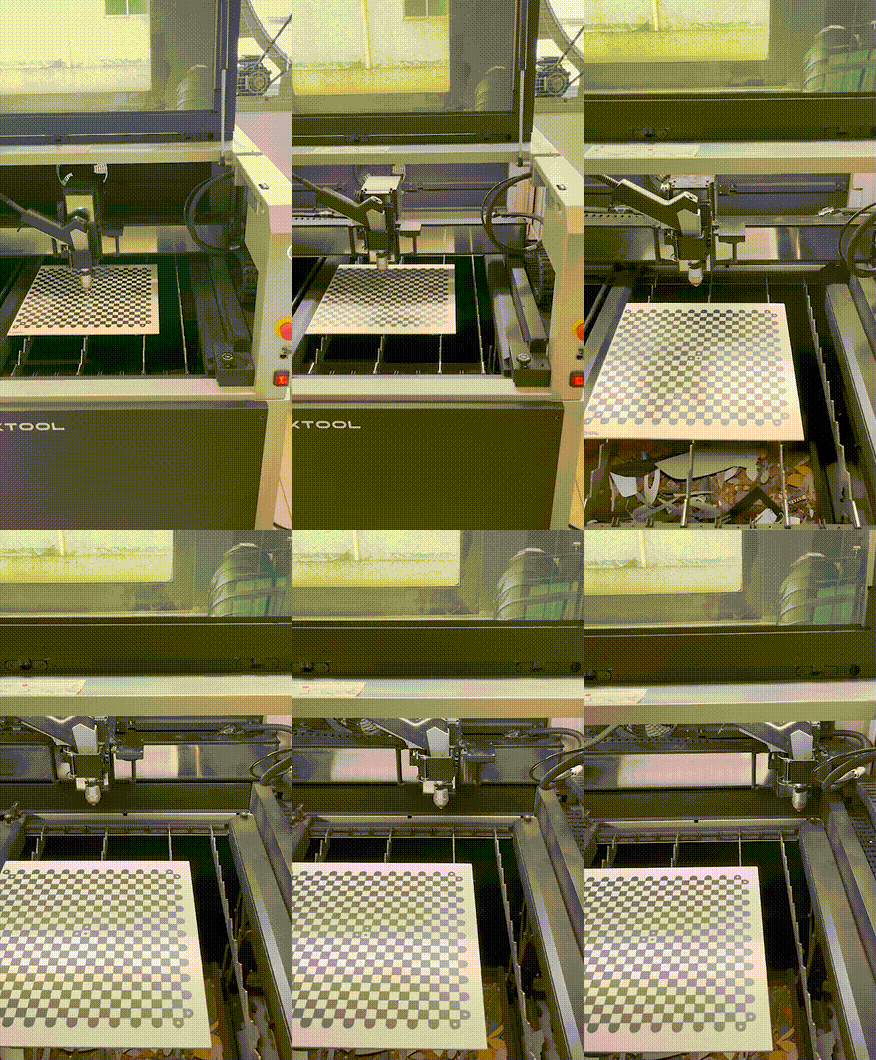
Please follow this troubleshooting guide to resolve the issue if:
- The welding head base cannot return to the z-axis upper limit or keep moving downwards.
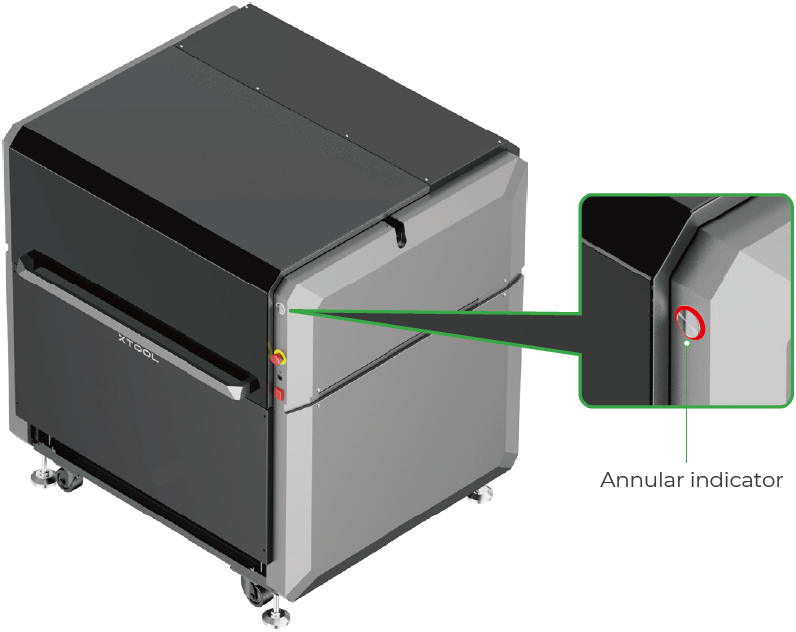
- The annular indicator is solid red.
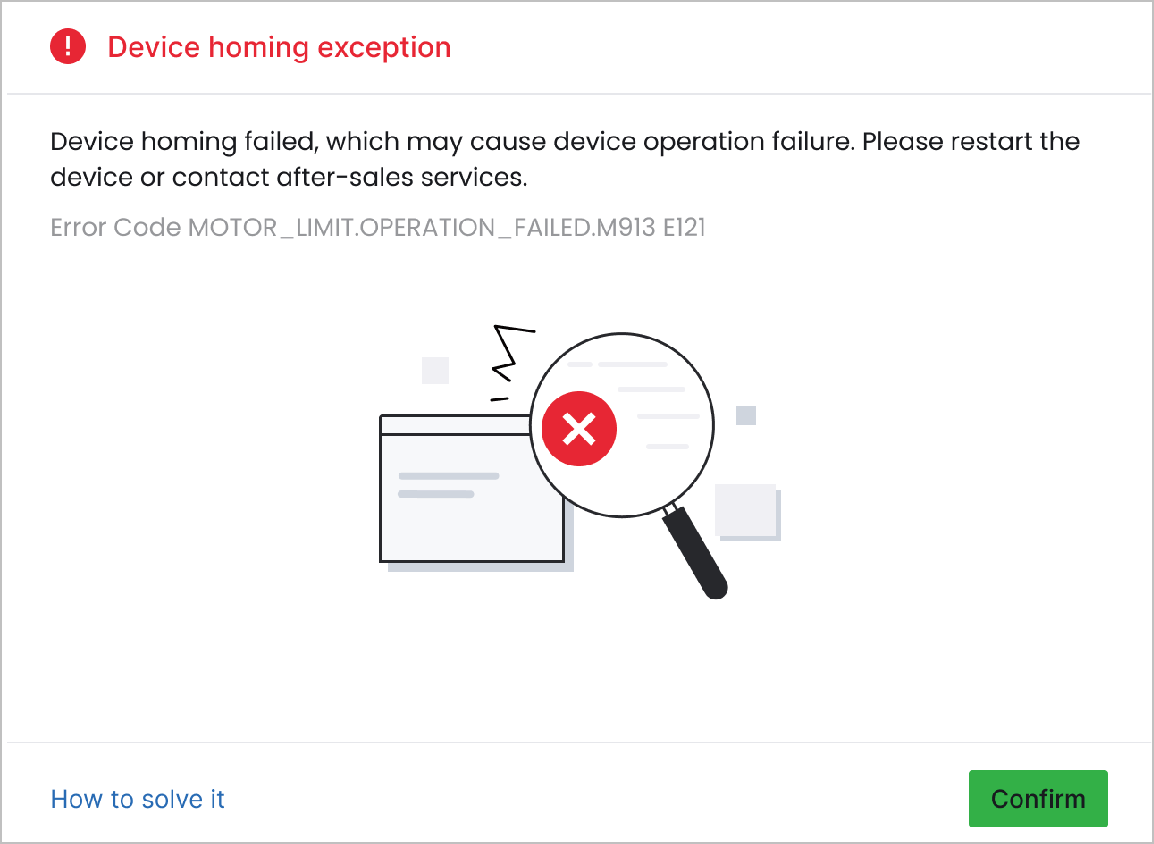
- Or an error message entitled "Device homing exception" in xTool software pops up, please follow this troubleshooting guide to resolve this issue.
Possible causes
- Obstacles exist: There is an obstacle inside the machine, preventing the welding head base from normal homing.
- Abnormal limit switch: The limit switch, its cable, or its circuit on the main control board is not functioning properly.
- Abnormal motor: The motor, its cable, its driver board, or its circuit on the main control board malfunctions.
Detailed procedure
Step 1: Pre-check
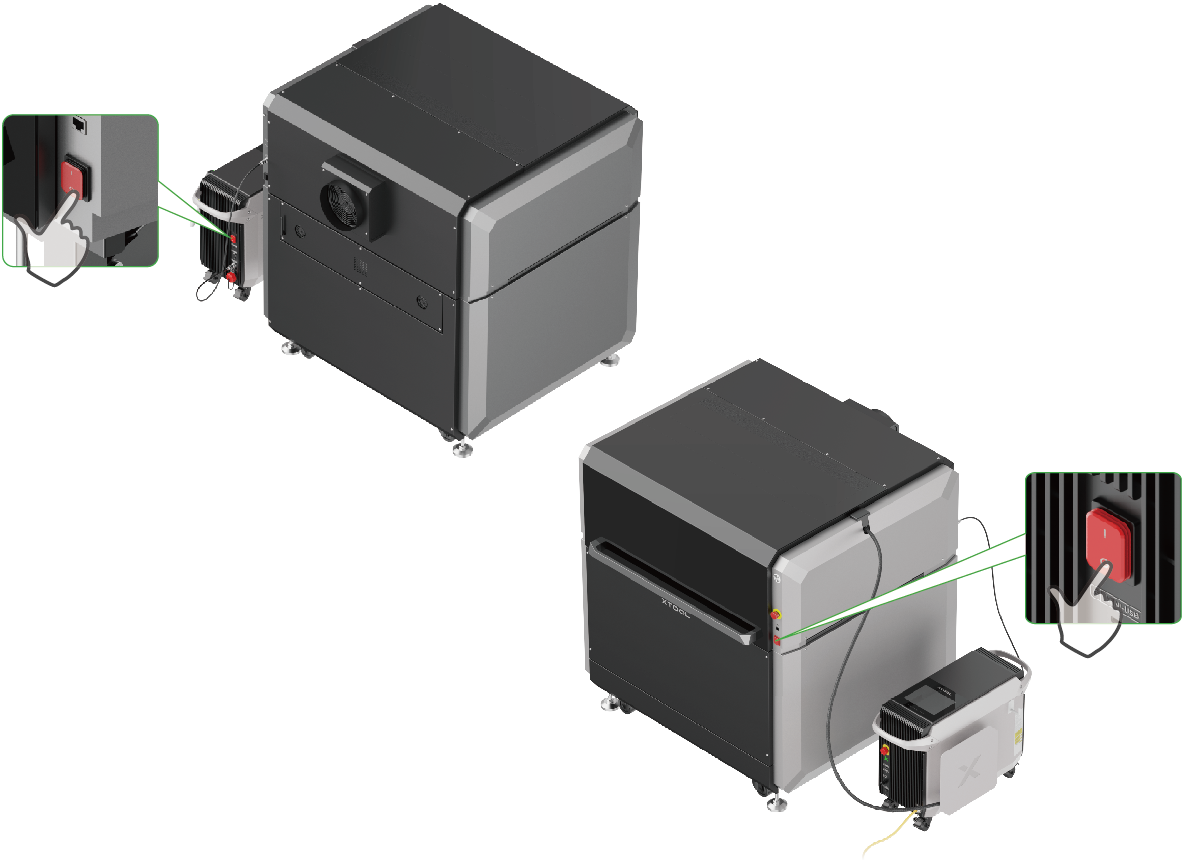
- Power off your xTool MetalFab Laser Welder and xTool MetalFab CNC Cutter.
Note: When xTool MetalFab CNC Cutter is off, the welding head base can be moved manually.
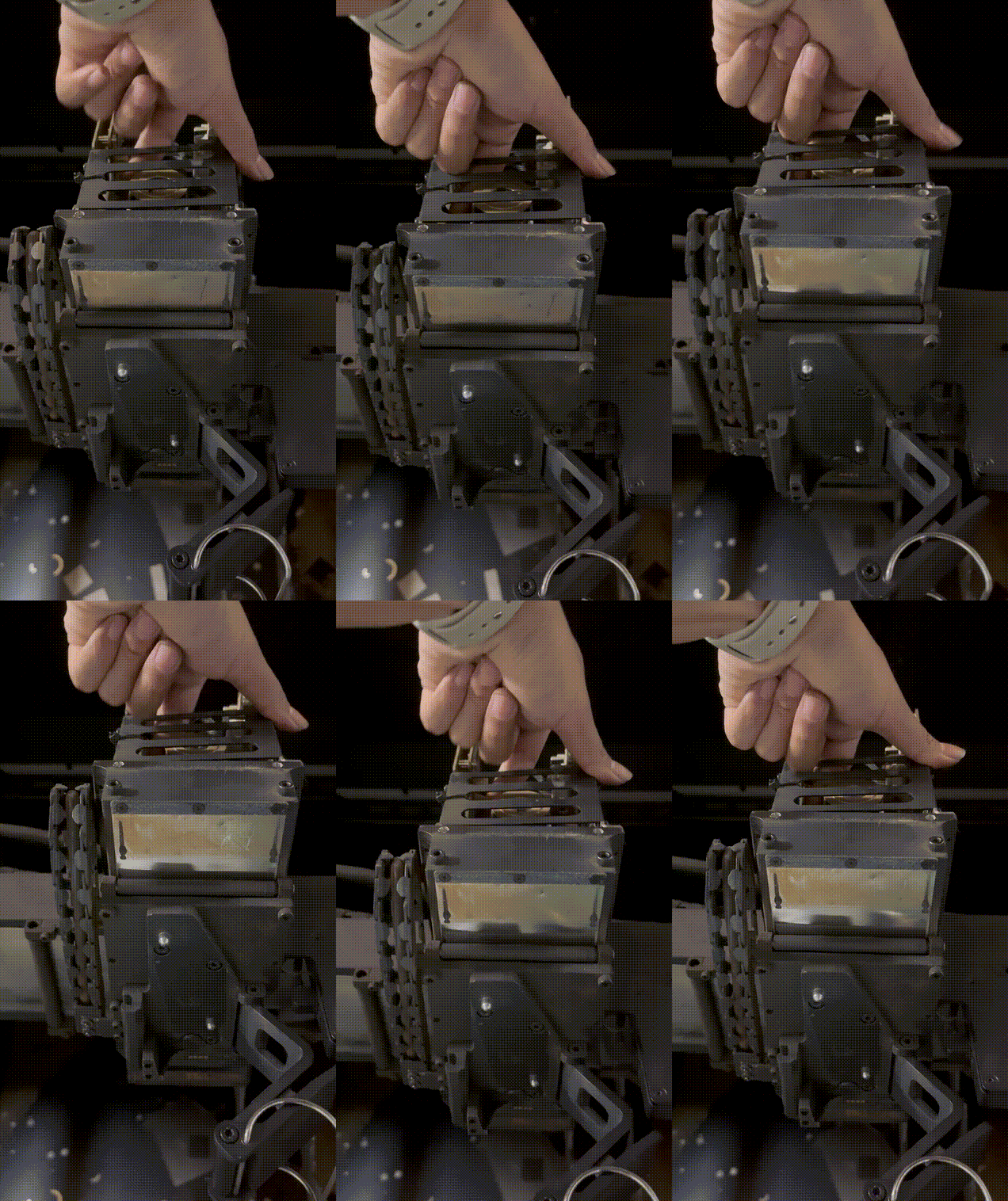
- Manually rotate the gear as shown in the following figures to move the welding head base downwards to its lowest limit.
Rotating the gear | Welding head base at its lowest limit |
|
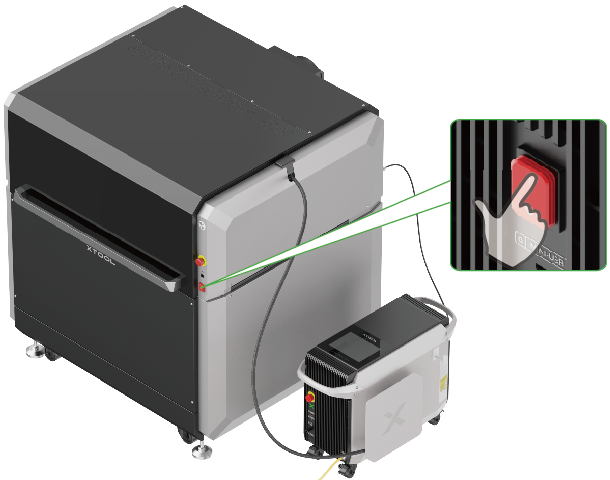
- Plug in the power cable and turn on the machine to check whether the welding head base can move automatically along the z-axis.
- Then, resolve the issue according to different scenarios.
Step 2: Troubleshoot based on a specific scenario
Scenario 1: Welding head base moving along the z-axis
If the welding head base moves along the z-axis but in the wrong direction or does not stop at the target position, refer to the following troubleshooting steps.
- Refer to this video to remove the carriage cover, and check if the limit switch and its cable are damaged.
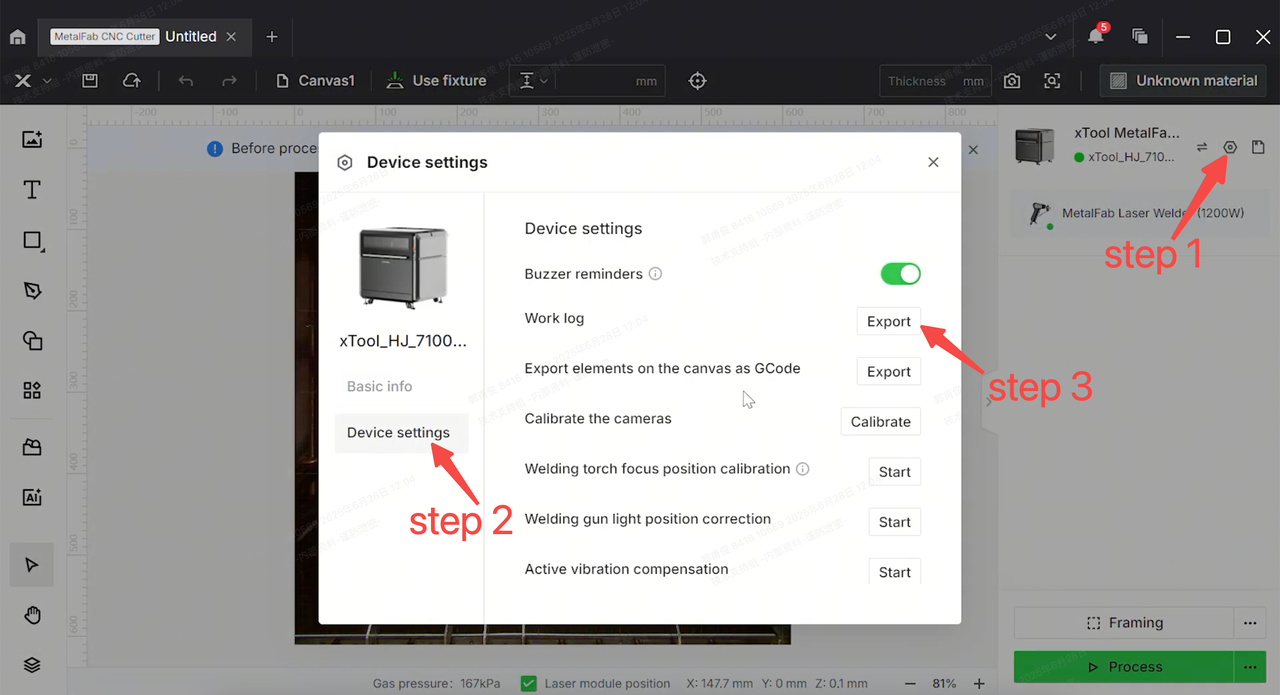
- Export the work log by clicking the Device settings icon > the Device settings tab > Export near Work log.
- Prepare a video recording the issue and the work log you obtained from xTool software. Then, contact xTool Customer Service for further assistance.
Scenario 2: Welding head base NOT moving along the z-axis
If the welding head base does not move along the z-axis when the machine is on, refer to the following troubleshooting steps.
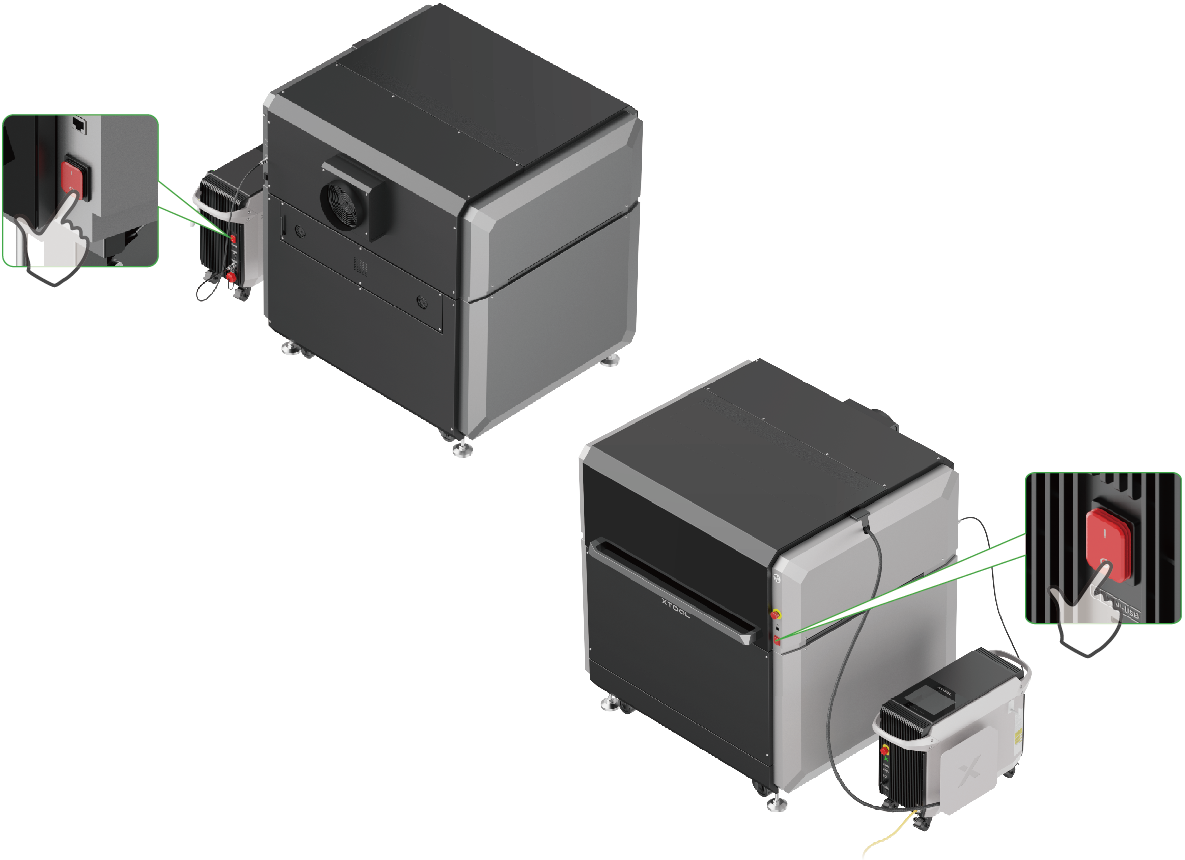
- Power off your xTool MetalFab Laser Welder and xTool MetalFab CNC Cutter.
- Refer to the following video to remove the metal plate inside the carriage.
- Check the cables for damage.
- If the cables are damaged, please prepare a video recording your troubleshooting process and results and contact xTool Customer Service for further assistance.
- If the cables are intact, proceed to the next step.
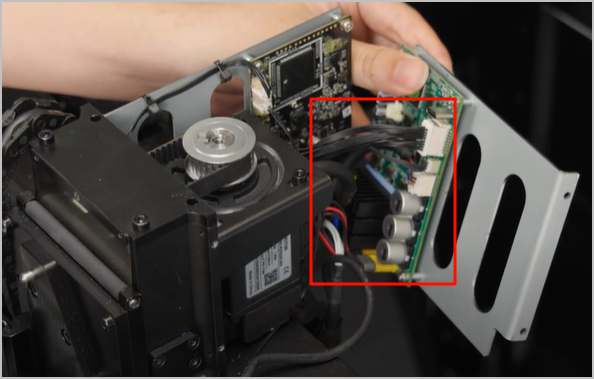
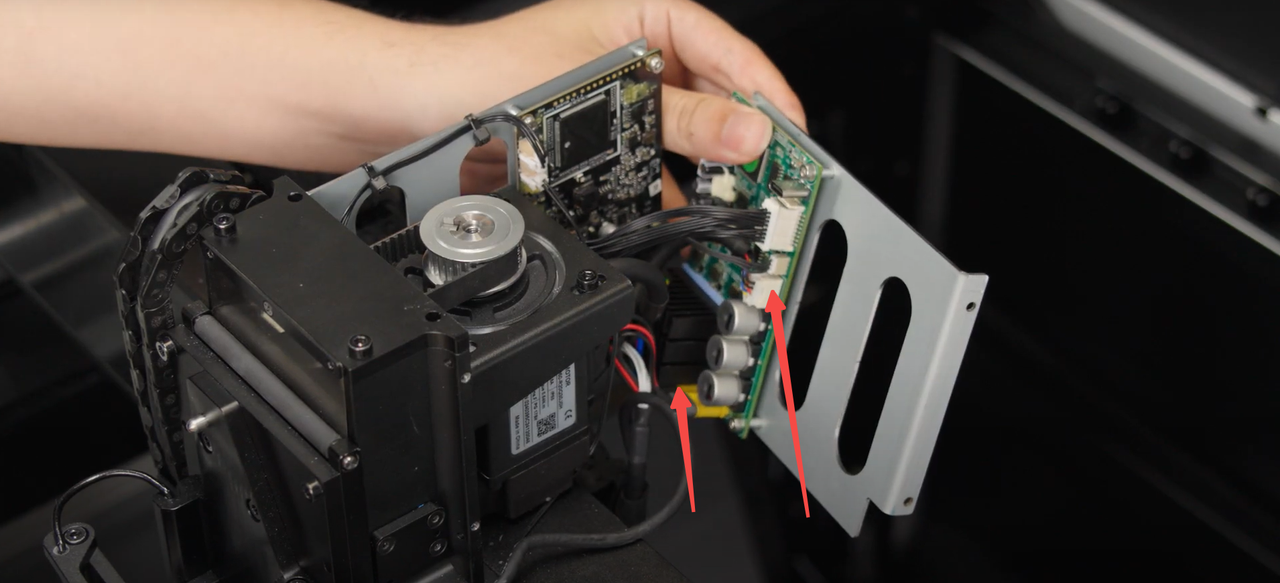
- Unplug and replug in the two connectors on the motor drive board as shown (the target yellow connector is the center one of the three.)
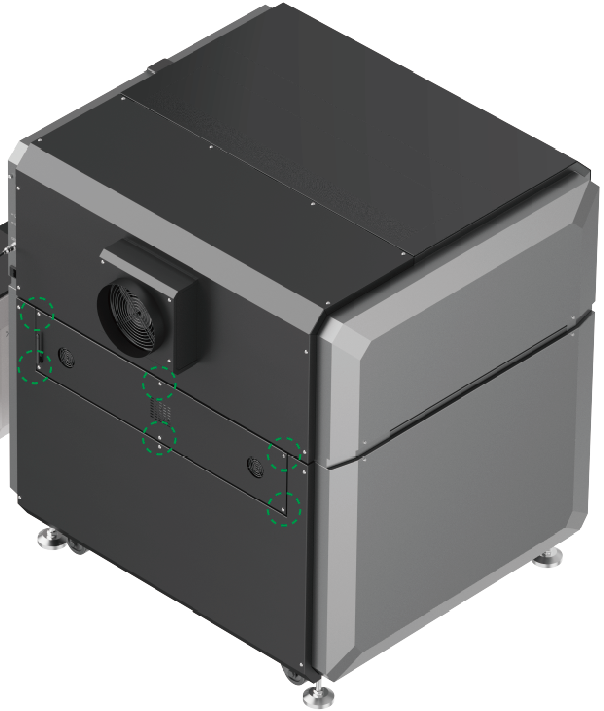
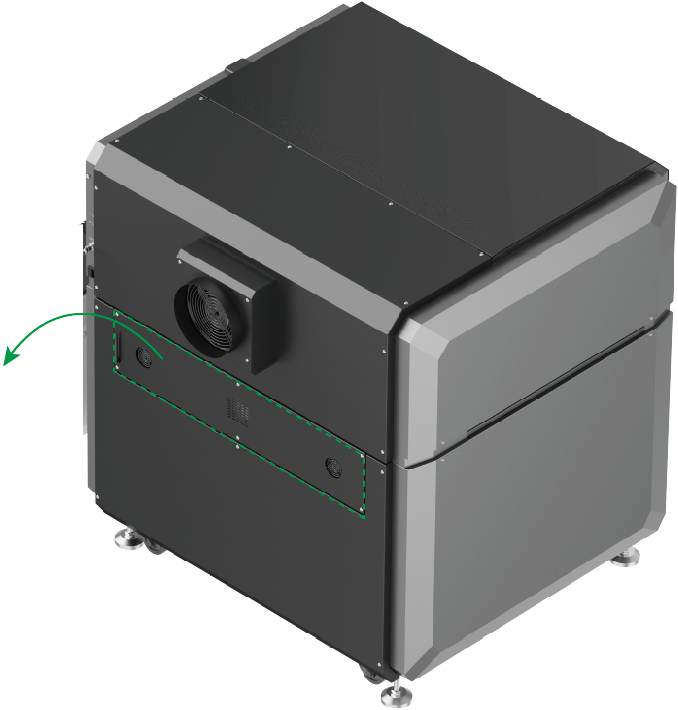
- Remove the rear plate.
|
|
|
Remove six screws. | Gently open the rear plate and disconnect the two connectors. | Remove the rear plate |
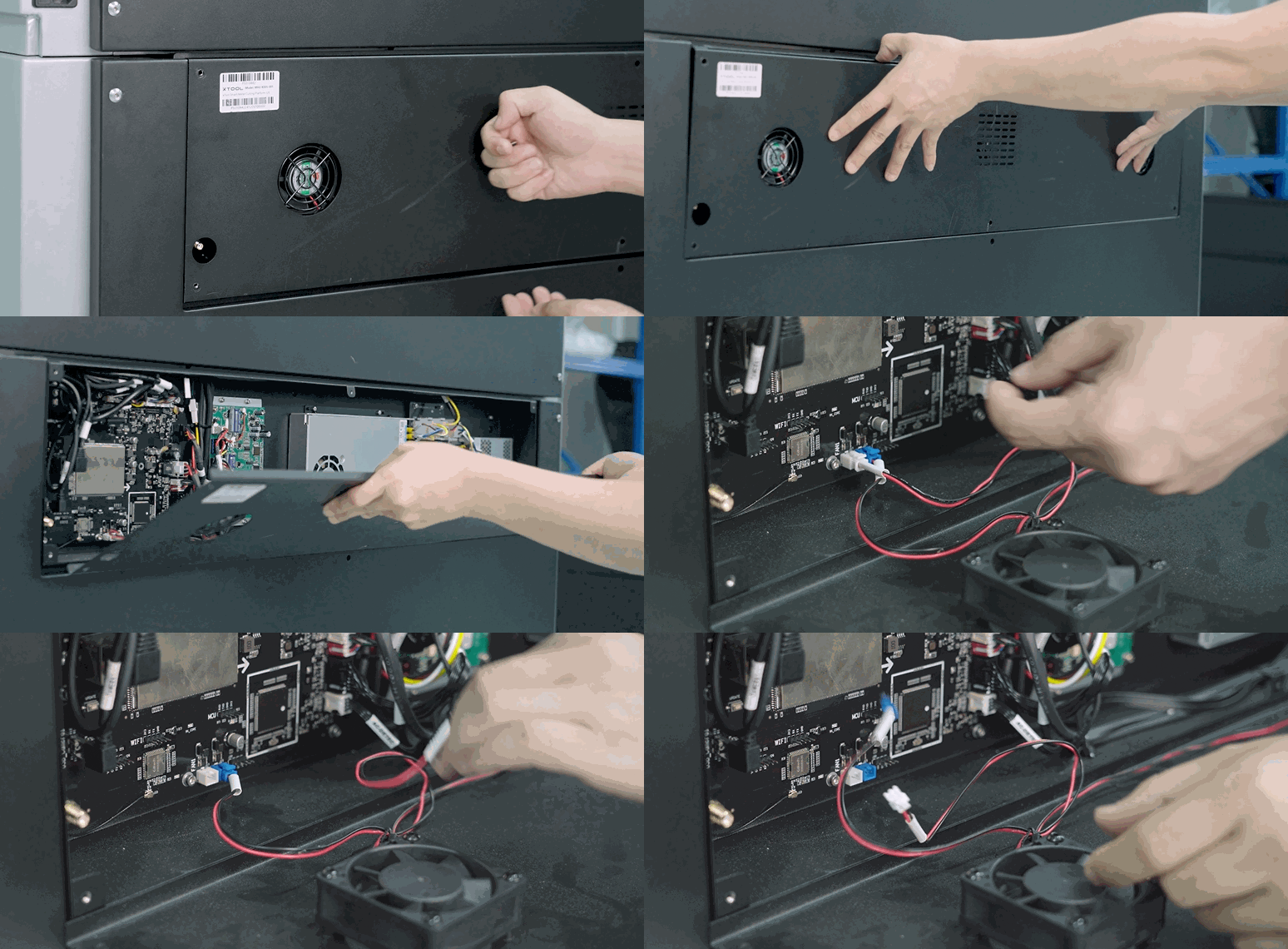
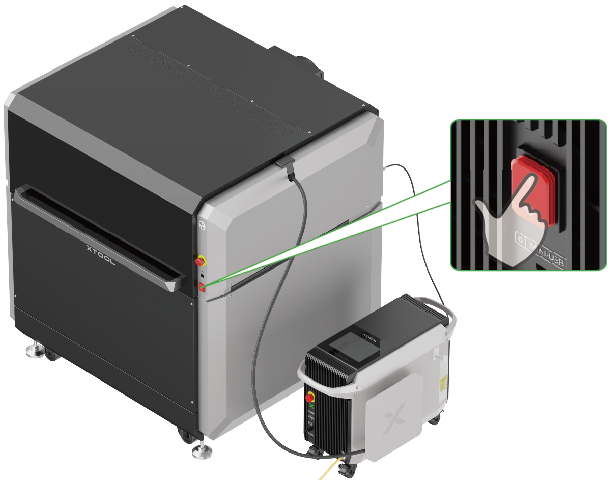
- Leave the rear plate uninstalled and turn on xTool MetalFab CNC Cutter.
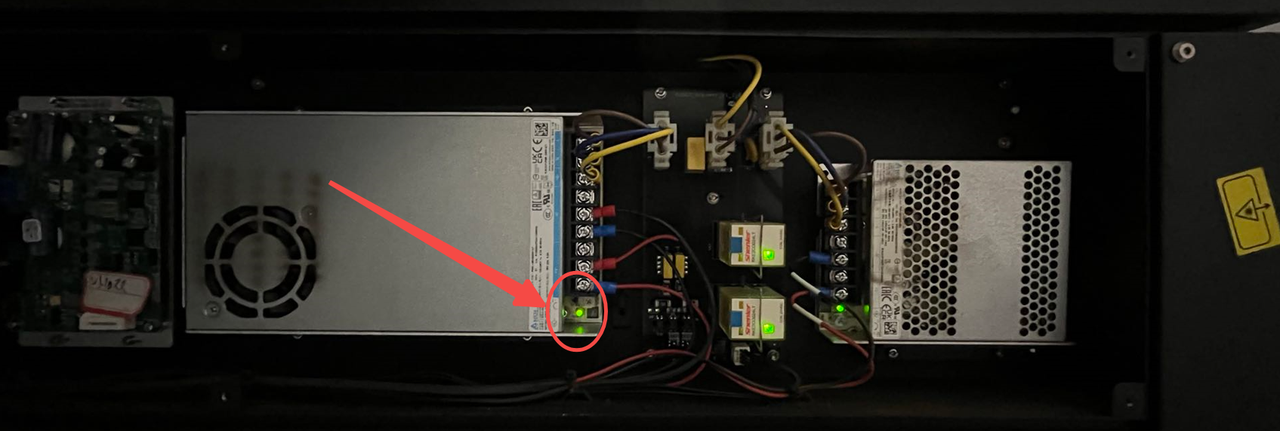
- Check whether the indicator on the DC power supply illuminates.
- If the indicator illuminates, the issue is resolved.
- If the indicator fails to illuminate, please prepare a video recording your troubleshooting process and results and contact xTool Customer Service for further assistance.
Still experiencing issues?
Should the issue persist after completing the preceding steps, submit a ticket via the "Submit a Ticket" button in the "Help Ticket" section below. The standard response time for xTool Customer Service is one business day.
For a prompt resolution, please include the following details:
- Issue description: A detailed explanation of the observed problem.
- Video evidence: Attach a video demonstrating the issue, where applicable.
- Troubleshooting performed: Any troubleshooting steps you have already attempted, along with their results.
This information is crucial for xTool technical support engineers to provide timely assistance.
Documentation feedback
Help improve this content by providing feedback. If this content did not meet your requirements, select "No" in the "Was this page helpful?" section below. Include specific details about what was unclear or missing in the pop-up suggestion box. Feedback submissions are reviewed by xTool technical writers to enhance future documentation.

