
Troubleshoot "Capacitive Head Error" for xTool MetalFab CNC Cutter
Updated Jul 23,2025
Updated Jul 23,2025
Issue description
If you encounter a pop-up error message titled "Capacitive head error" in XCS, please follow this troubleshooting guide to resolve this issue.
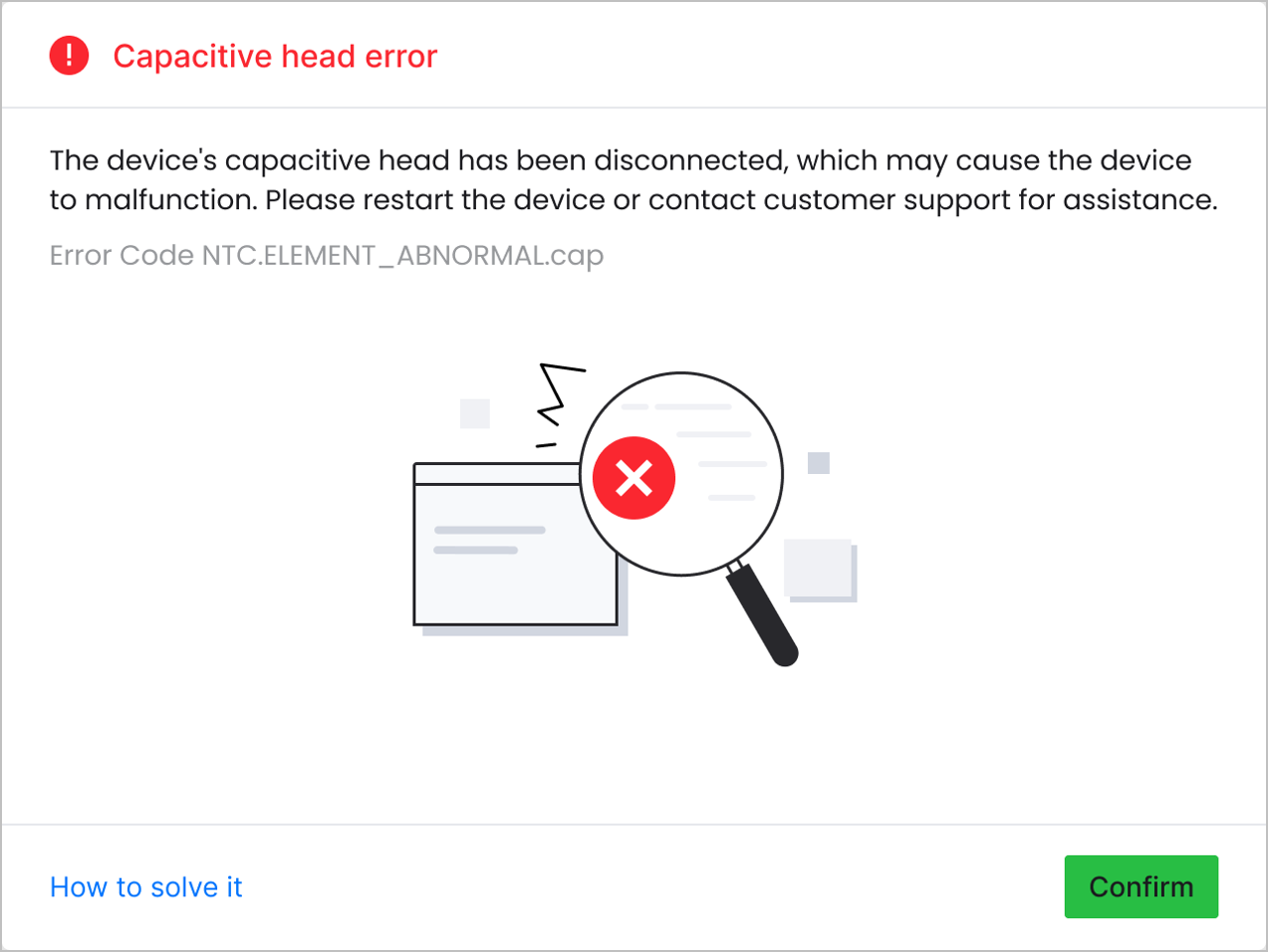
Possible Causes
- Improper installation: The welding head is not properly installed on the carriage.
- Damaged cable: The cutting tip cannot be recognized because its cable is damaged.
Detailed procedure
Step 1: Check the welding head installation
- Power off the machine.
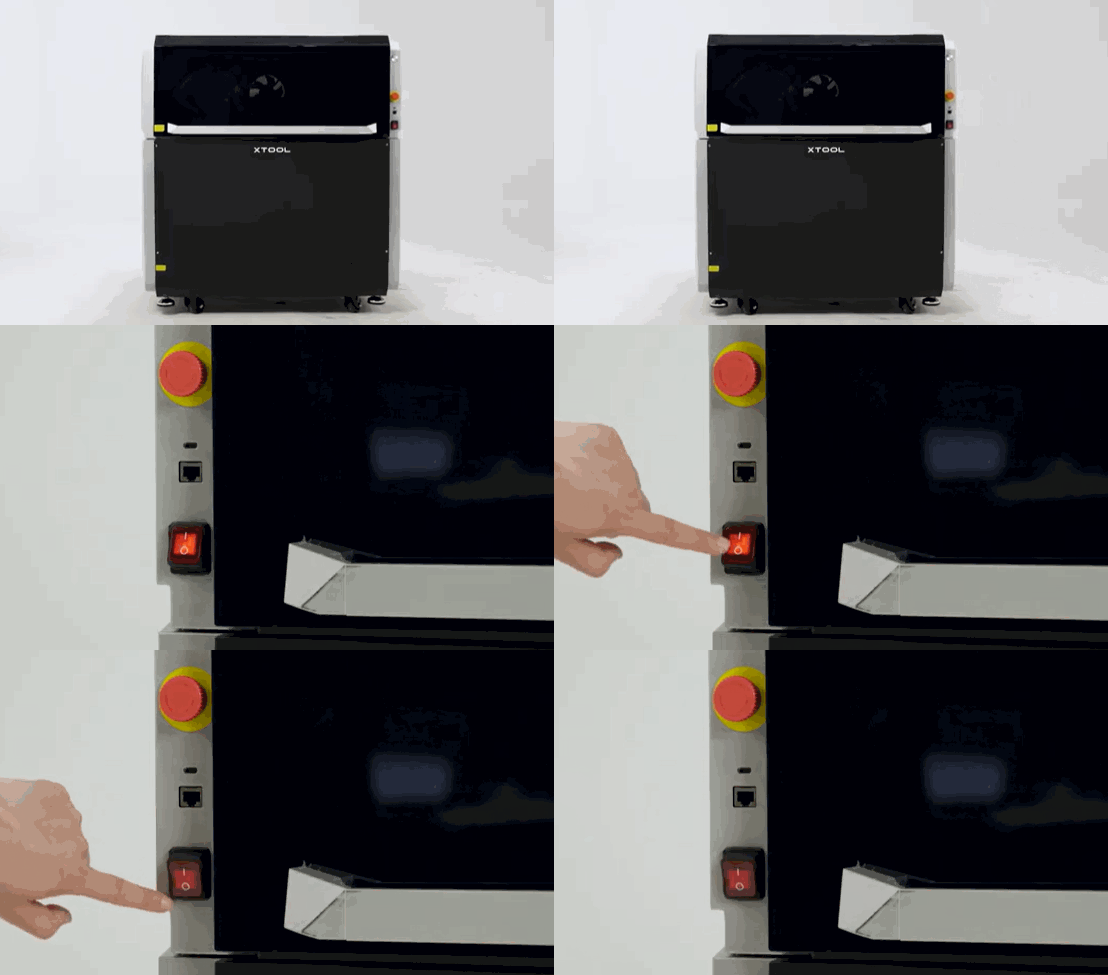
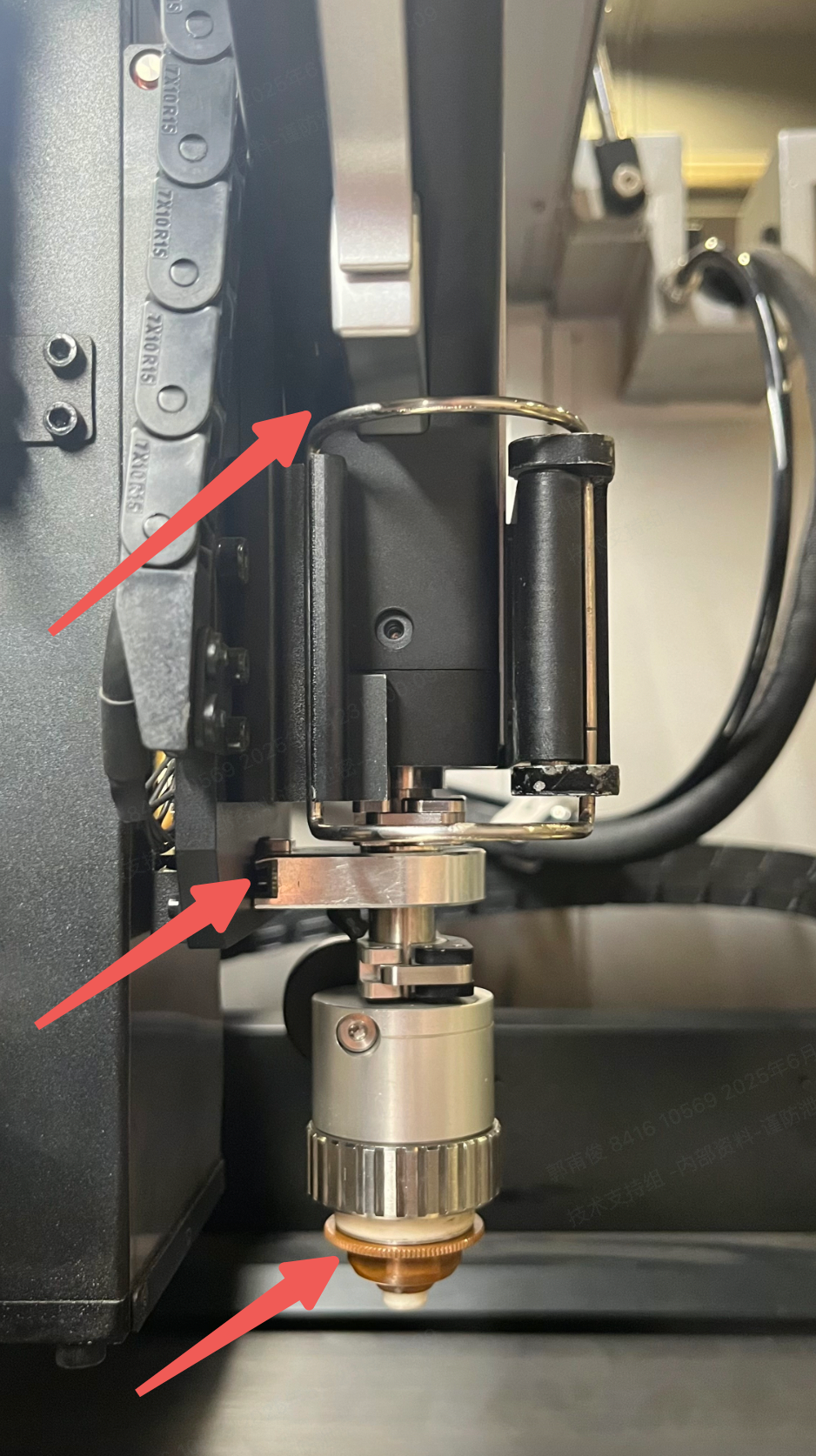
- Ensure that the cutting nozzle is firmly installed in the cutting tip and that the welding head makes flush contact with the carriage with no obvious gaps.
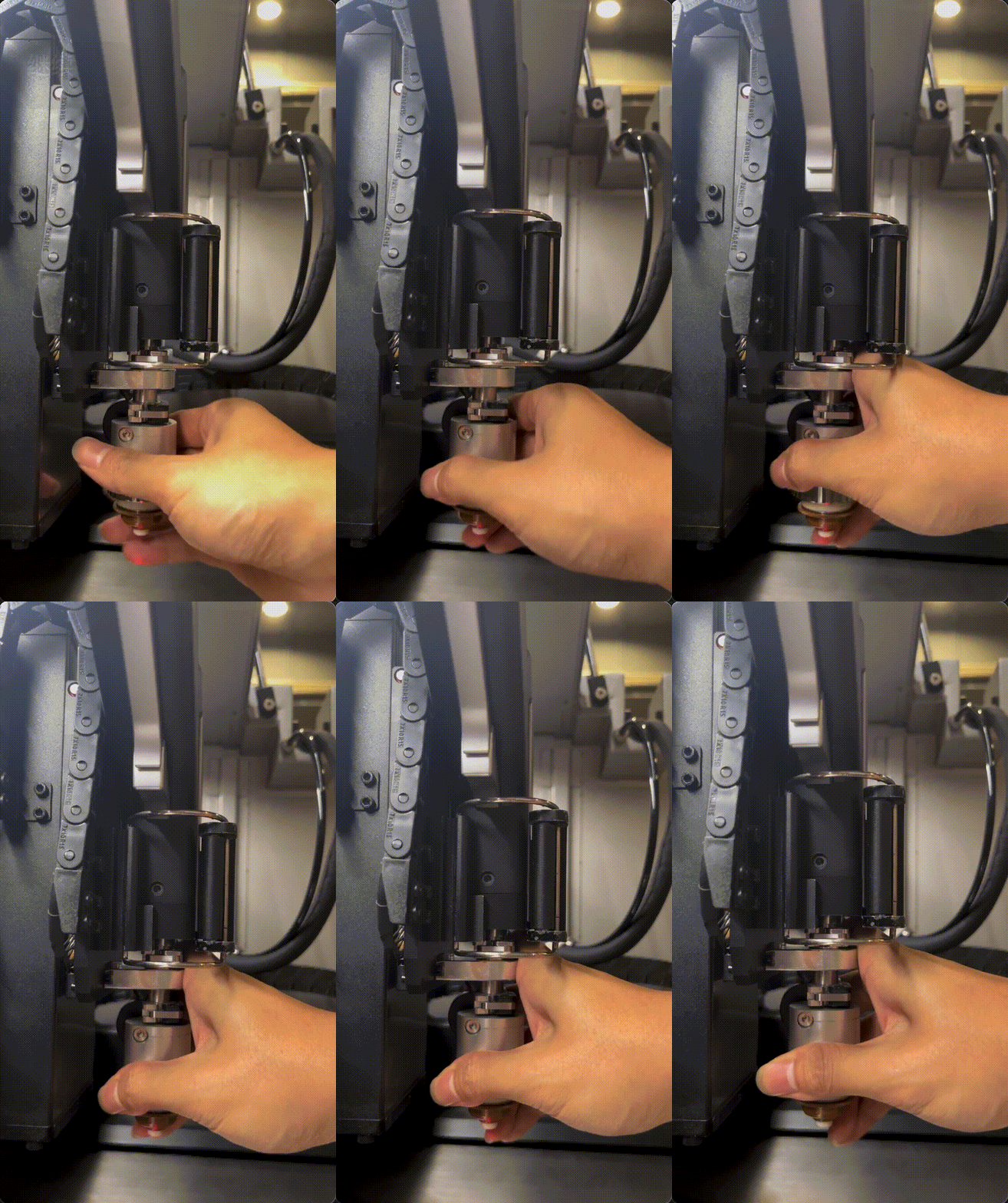
- Hold and swing the cutting tip to check if the welding head is properly assembled and installed.
- If stable: Try again in XCS to see if the issue persists.
- If loose: Reinstall the cutting tip to the welding head, and the welding head onto the carriage, then check again.
- If this does not resolve the issue, proceed to the next step.
Step 2: Check the cutting tip cable
- Check the black cable for visible damage. If the cable is damaged, please replace the cutting tip.
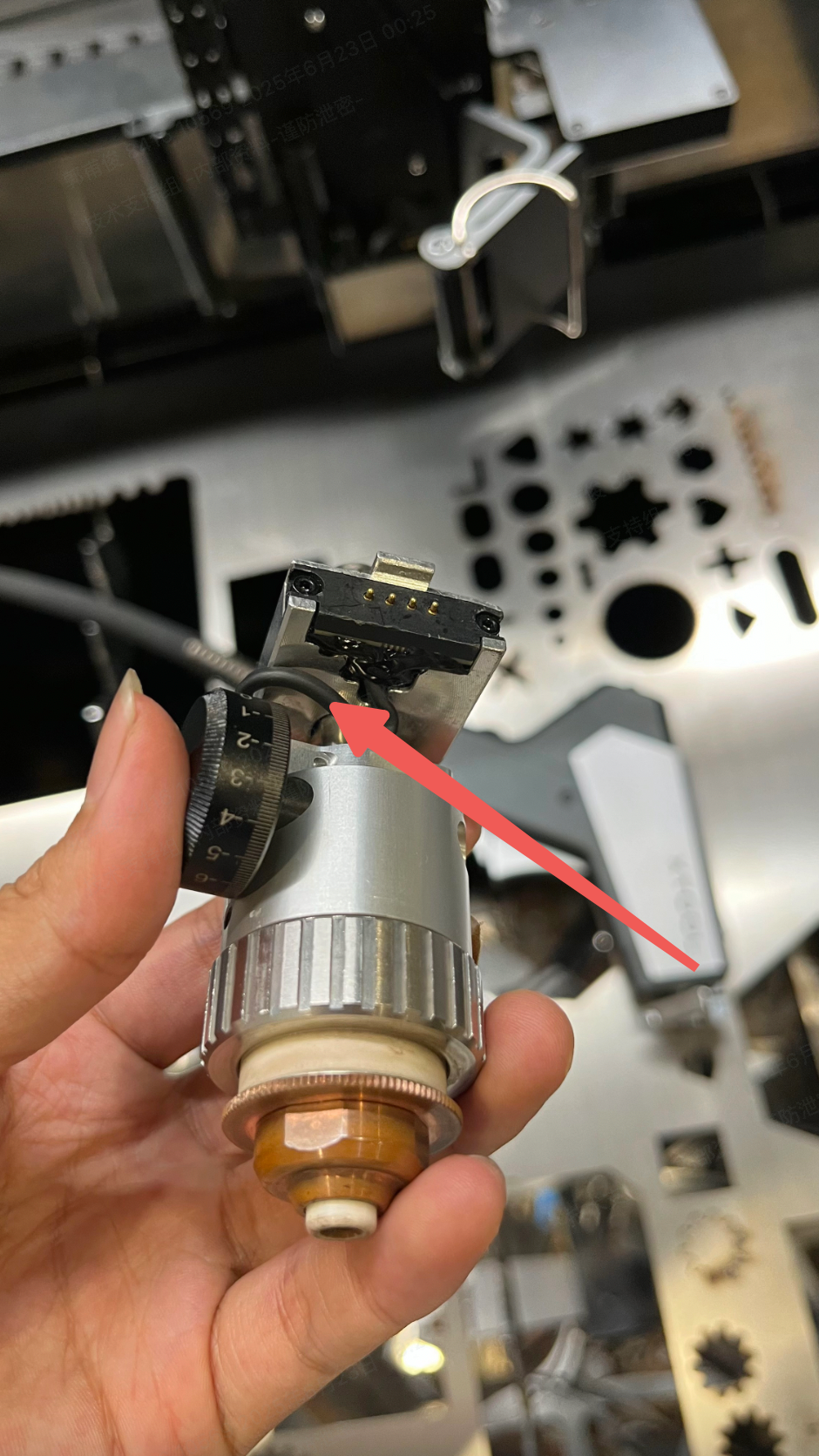
- If the issue persists when the checked items are normal or the cutting tip has been replaced, please prepare a video recording your troubleshooting process and results and contact xTool Customer Service for further assistance.
Help us improve
If this article or video doesn't effectively assist you in resolving the issue, please let us know by clicking the “No” button in the “Was this page helpful?” section below, and leave your feedback in the pop-up suggestion box. Our knowledge base team will review it and consider it for future updates.
Still need help?
If you need any human assistance, please create a ticket by clicking the “Submit a Ticket” button in the “Help Ticket” section below. Our service team will get back to you in 1 business day via E-mail.
Preview
Was this page helpful?
0 out of 2 found this helpful
Help Ticket
Use this help ticket to submit your issue. We will respond within 1 business day
Submit a Ticket 
