
xTool Store
Troubleshoot Workpiece Detachment Failure for xTool MetalFab CNC Cutter
Updated Jun 30,2025
Updated Jun 30,2025
Issue description
If the working piece cannot detach naturally from the material after processing, please follow this troubleshooting guide to resolve this issue.
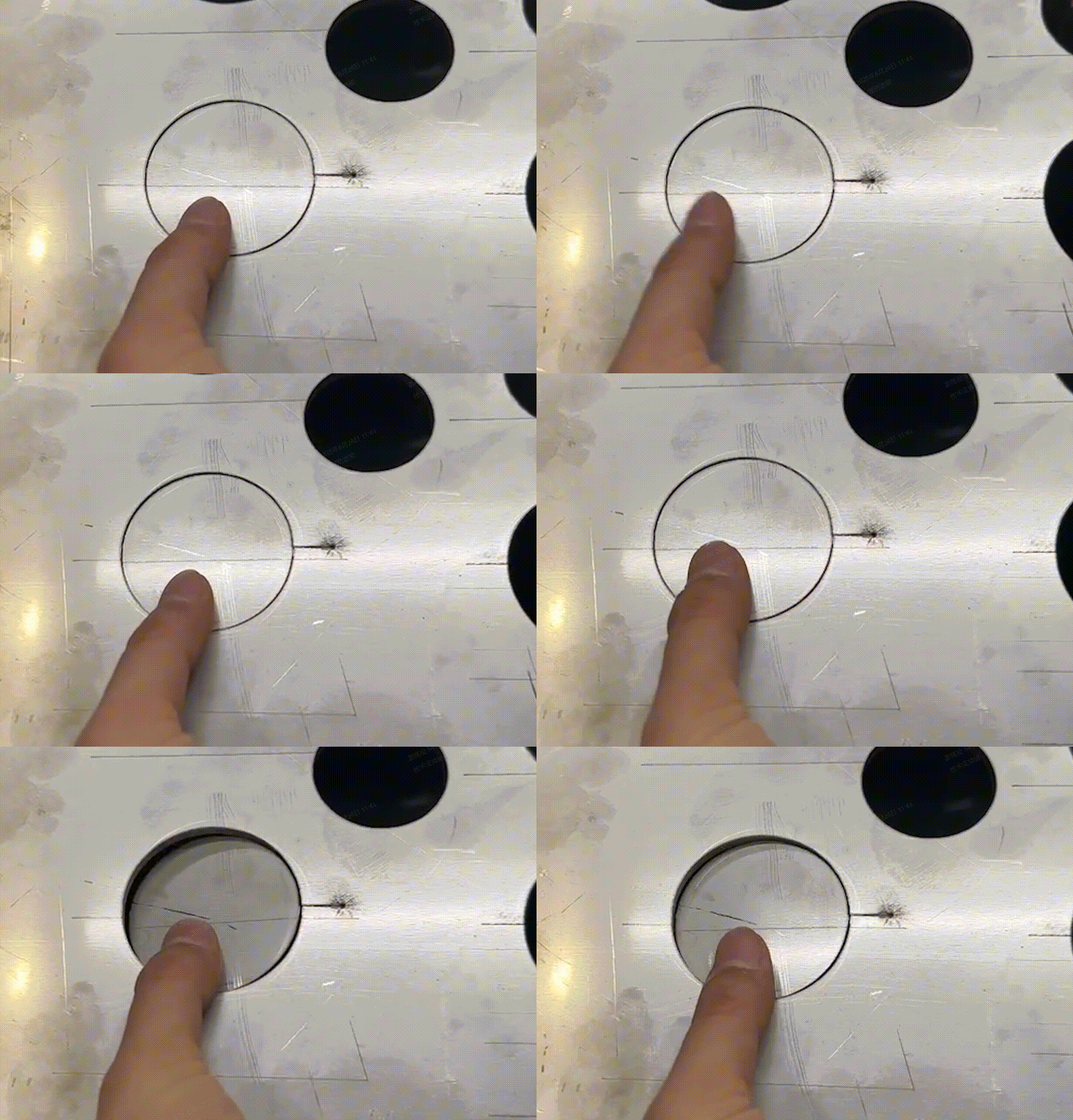
Possible Causes
- Incomplete penetration: Due to improper parameter settings or focus position deviation, the laser fails to fully cut through the material, leaving slight connections at the edges that prevent the workpiece from detaching naturally.
- Overly complex objects: Numerous corners in the object design may cause thermal deformation or internal stress release during cutting, preventing the workpiece from natural detachment.
- Special material features: Highly reflective and thermally conductive materials like brass and aluminum may encounter unique processing challenges including incomplete cuts, dross accumulation
Detailed procedure
Step 1: Ensure that the processing conditions meet the requirements
Refer to Troubleshoot Incomplete Cutting with Recommended Parameters for xTool MetalFab CNC Cutter to ensure that the shielding gas, lens protector, laser focus position, and optical path meet the requirements.
Step 2: Cut and get the workpiece based on the material type and object complexity
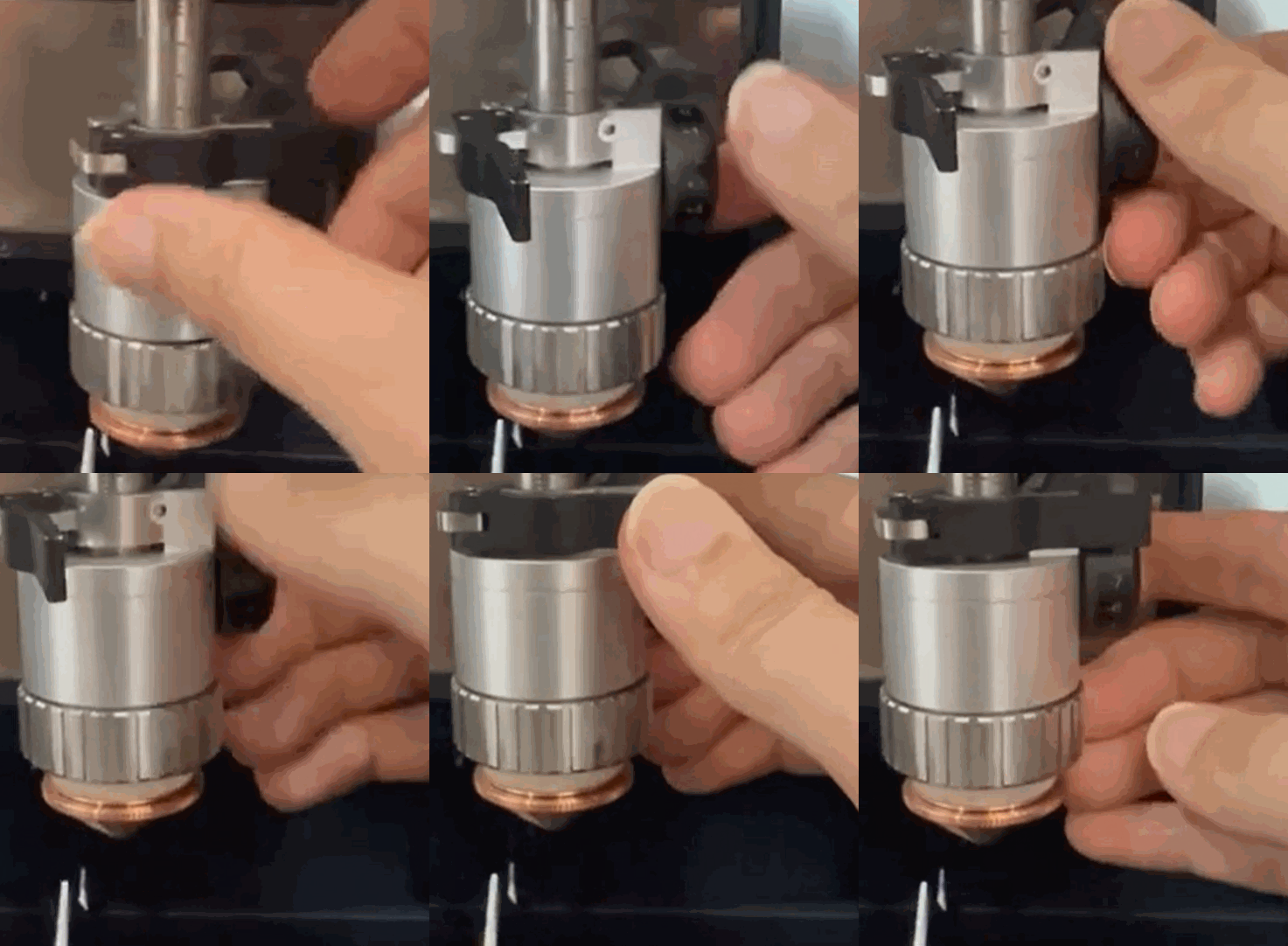
- For simple objects on thin metals
- You can lift the cutting tip by slightly rotating the knob on the right downwards to adjust the focus position and guarantee complete penetration.
- For example, when cutting circles on 1 mm brass (with -2 defocus), try increasing to -3 or -4 if the material remains stuck despite full penetration.
Note: You may click here to watch the full video.
- For complex objects with multiple corners or reflective metals like brass and aluminum, you may use a plastic mallet to gently tap the workpiece until it detach from the material.
Help us improve
If this article or video doesn't effectively assist you in resolving the issue, please let us know by clicking the “No” button in the “Was this page helpful?” section below, and leave your feedback in the pop-up suggestion box. Our knowledge base team will review it and consider it for future updates.
Still need help?
If you need any human assistance, please create a ticket by clicking the “Submit a Ticket” button in the “Help Ticket” section below. Our service team will get back to you in 1 business day via E-mail.
Preview
Was this page helpful?
0 out of 0 found this helpful
Help Ticket
Use this help ticket to submit your issue. We will respond within 1 business day
Submit a Ticket Tags
Help Ticket
Use this help ticket to submit your issue. We will respond within 1 business day
Submit a Ticket 
Services & Help
Learn & Education

Copyright © 2025 xTool All Rights Reserved.