
For a faster troubleshooting experience, use the interactive troubleshooting guide.
If a more detailed explanation of each step is preferred, you may continue reading the article below.
Issue description
If dross appears (metal debris or molten stuff adhering to the bottom of the processed material) even when you adopt xTool's recommended settings in XCS to cut materials, please follow this troubleshooting guide or the tutorial video to resolve this issue.
|
|
Processed material with dross | Normal cutting result |
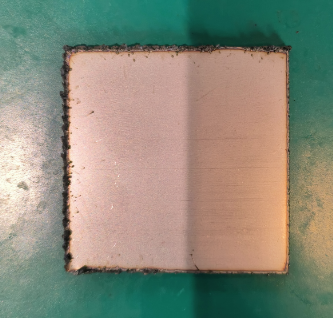
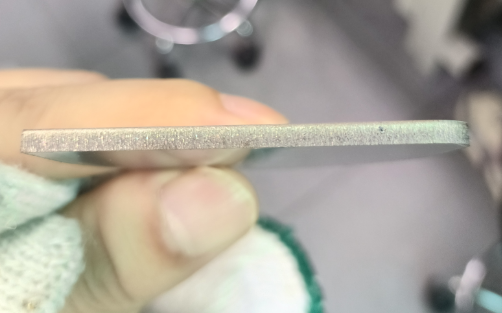
Tutorial video
Possible causes
- Improper gas supply: The assist gas suffers low pressure or poor purity, affecting the efficiency of slag removal and the laser cutting capability.
- Power attenuation: The reflector is contaminated or the optical path is misaligned, resulting in power attenuation.
- Incorrect focal position: The focus setting is wrong, leading to reduced energy concentration on the material surface.
Detailed procedure
Step 1: Check if the processing conditions meet the requirements
- Refer to Troubleshoot Incomplete Cutting with Recommended Parameters for xTool MetalFab CNC Cutter to ensure that the shielding gas, lens protector, laser focus position, and optical path meet the requirements.
- If this does not resolve the issue, proceed to the next step.
Step 2: Adjust the defocus amount
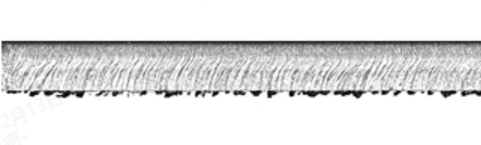
- Determine the type of dross on the material.
|
|
|
Hard dross | Soft dross | Layered sections |
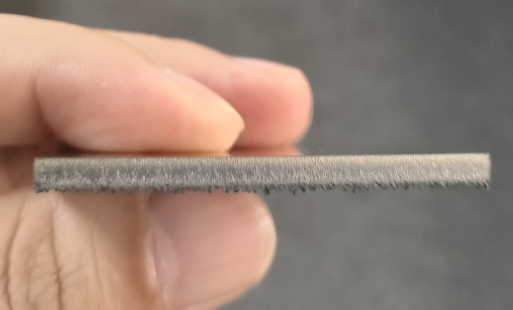
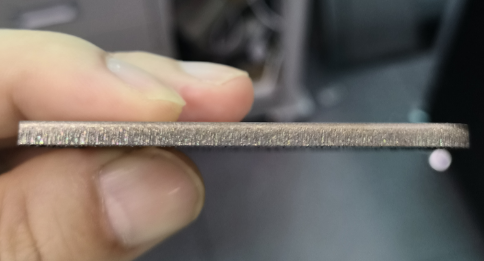
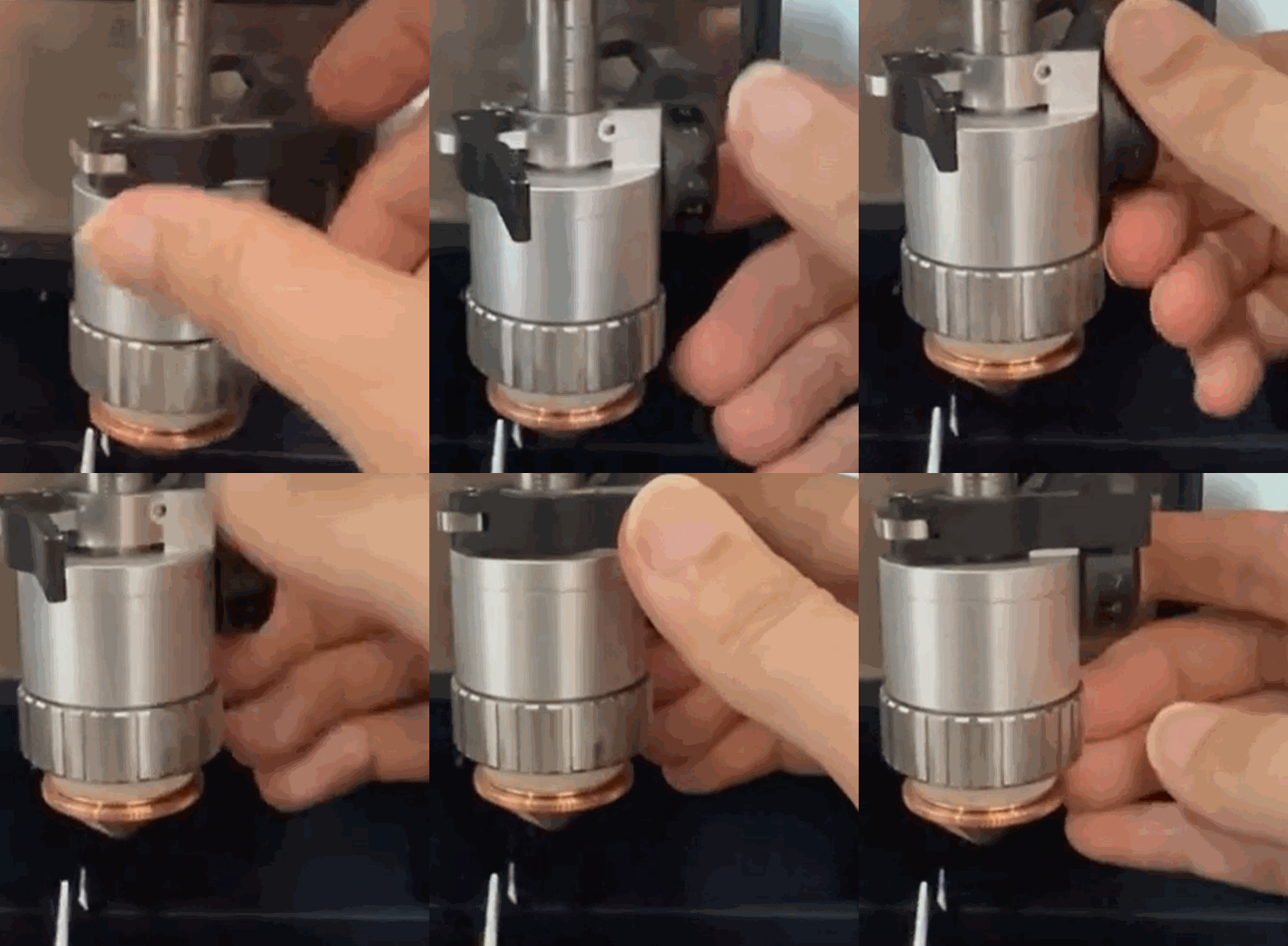
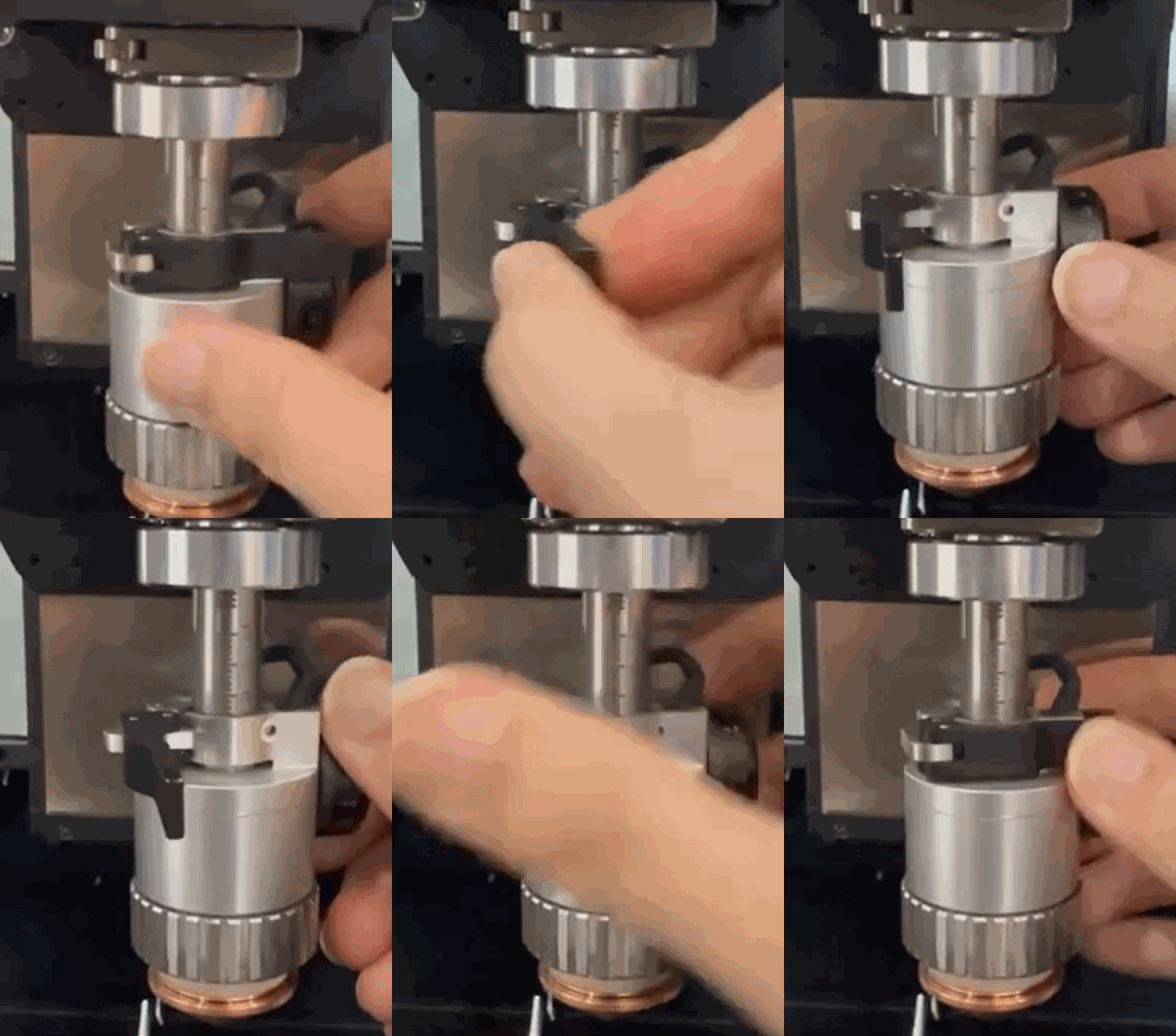
- Adjust the defocus amount according to the type of dross.
| For hard dross | For soft dross and layered sections |
|---|---|---|
Possible cause | The focus position is too high. | The focus position is too low. |
Solution | Lift the cutting tip by rotating the knob on the right downwards. For example, if the current defocus amount is -2, adjust it to -3. | Lower the cutting tip by rotating the knob on the right upwards. For example, if the current defocus amount is -2, adjust it to -1. |
|
| |
Related video | ||
- If the issue still persists, please prepare a video recording your troubleshooting process and results and contact xTool Customer Service for further assistance.
Help us improve
If this article or video doesn't effectively assist you in resolving the issue, please let us know by clicking the “No” button in the “Was this page helpful?” section below, and leave your feedback in the pop-up suggestion box. Our knowledge base team will review it and consider it for future updates.
Still need help?
If you need any human assistance, please create a ticket by clicking the “Submit a Ticket” button in the “Help Ticket” section below. Our service team will get back to you in 1 business day via E-mail.

Services & Help
Learn & Education

Copyright © 2025 xTool All Rights Reserved.