
Issue description
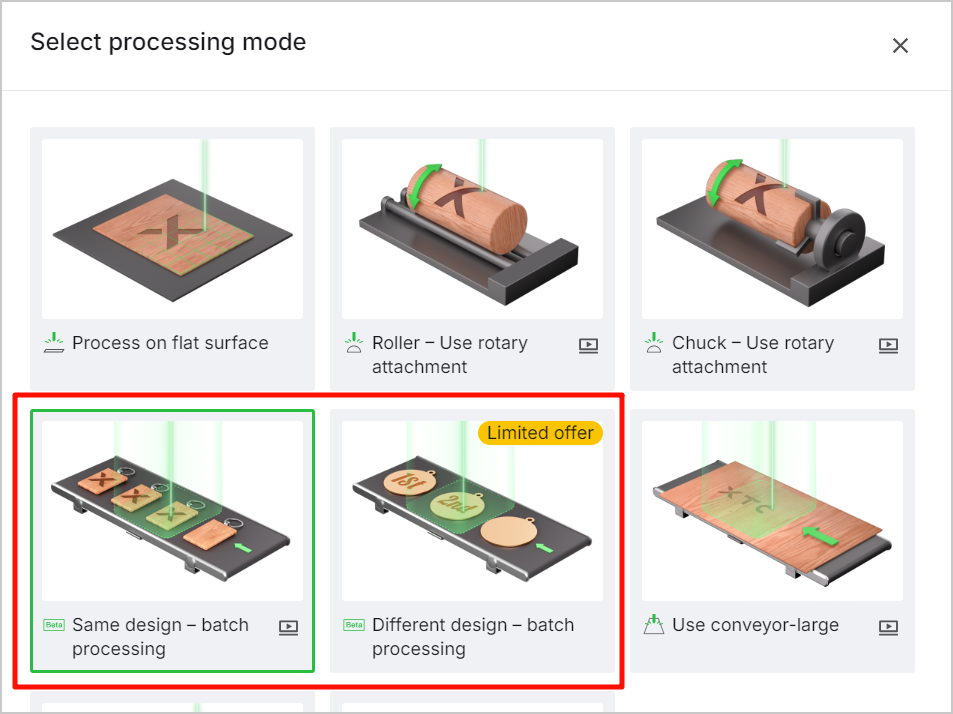
In batch processing modes, when it is found that the amount of fill material is wrong or the position is wrong by viewing the preview of the fill effect.
Potential causes and solutions
Cause 1: Intelligent Fill is based on image recognition and is not applicable to transparent and reflective materials.
Solution: Select non-transparent and reflective materials.
Cause 2: A dirty or scratched baseplate may result in inaccurate image identification.
Solution: Inspect and clean the baseplate. Cover scratches with black tape or ink for a black background.
Cause 3: the material color is too similar to the baseplate color or has certain degrees of reflection, making it difficult for the camera to identify.
Solution: Apply white water-soluble paint to the material before processing.
Cause 4: A dirty camera lens causes unclear images or overexposure.
Solution: Clean the camera lens with a cotton swab dampened with alcohol.
Cause 5: The color, size, or thickness of materials are different.
Solution: Sort materials and process one type at a time.
Cause 6: Incorrect material placement, such as too close to the edge.
Solution: Place materials within the recommended central area of the baseplate.
Cause 7: Because the side of the material is photographed and there are shadows around the material, the front and side of the material cannot be distinguished in the picture.
Solution: Avoid photographing the side of the material or adjust the lighting to avoid shadows.
Cause 8: Design elements placed incorrectly in xTool software(xTool Studio or XCS).
Solution: Place design elements on each material block and click Smart Fill.

Services & Help
Learn & Education

Copyright © 2025 xTool All Rights Reserved.