
Issue description
During wire-filled welding, the welding wire does not always come out smoothly. Typical symptoms include wire jams, intermittent wire output, and significantly increased wire-feeding resistance.
Possible causes
1. Improper welding technique
- The welding wire extends too much, which increases feeding resistance.
- The angle between the welding nozzle and the welding seam is left too large, particularly for soft welding wire.
- The welding head is pressed downward during welding, which increases feeding resistance.
2. Wire feeding system issues
- The wire feeding nozzle or the drive rolls do not fit the welding wire diameter.
- The wire feeding tube is bent or twisted.
- The welding wire is tangled inside the wire feeder.
- The wire feed tension is set too high.
3. Wire characteristics or quality issues
- The welding wire (especially 5-series aluminum wire) is too soft, which may deform during wire feeding and cause wire jams.
- The welding wire is of poor quality, such as a rough surface, inconsistent diameter, or bends in the wire.
Troubleshooting procedure
Please follow these steps in order.
Select the appropriate solution based on the actual scenario in which the issue occurs.
Scenario 1: Poor wire feeding only occurs during welding
If wire feeding is only unstable during welding but works smoothly during manual feeding using the feed button, the issue may be due to improper welding technique. Follow the steps below to adjust your technique.
Adjust your welding technique
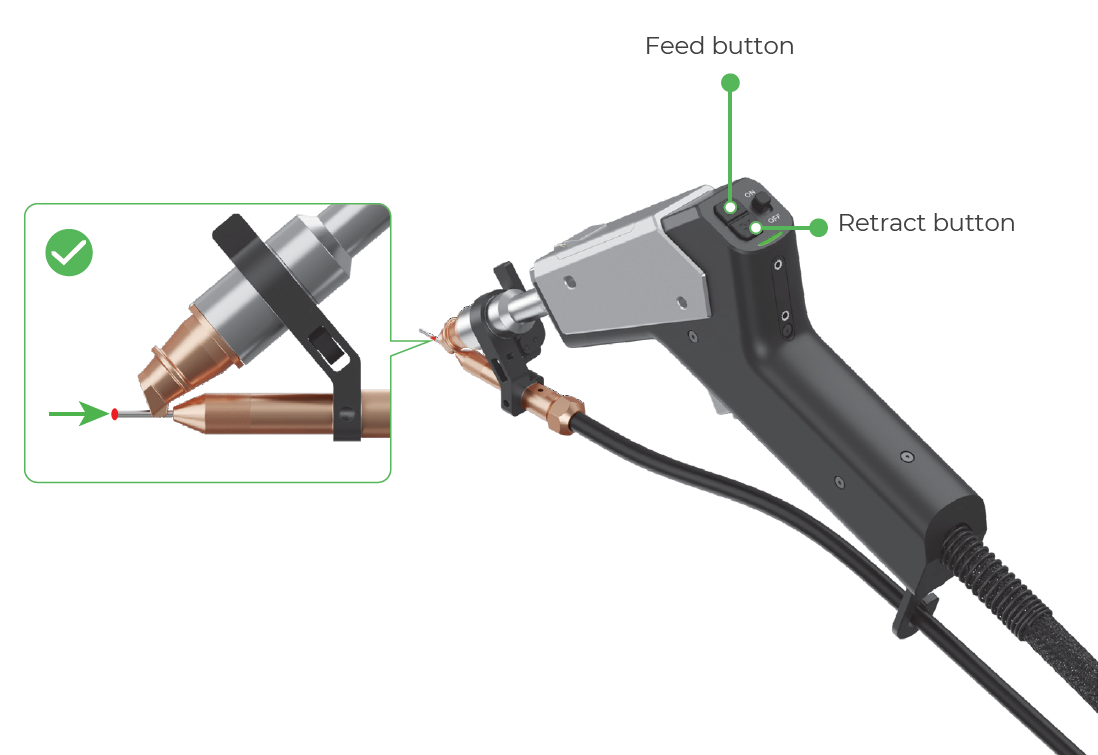
(1) Use the feed and retract buttons on the welding head to adjust the wire until its tip coincides with the red spot.
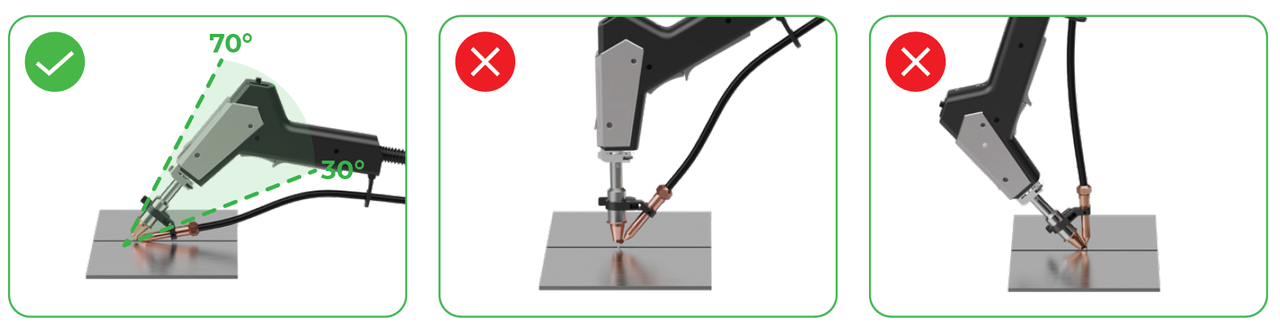
(2) During laser welding, maintain a 30° to 70° angle between the welding nozzle and the welding seam. Do not hold the welding head perpendicular to the welding seam or press the welding head downward, particularly for aluminum wire.
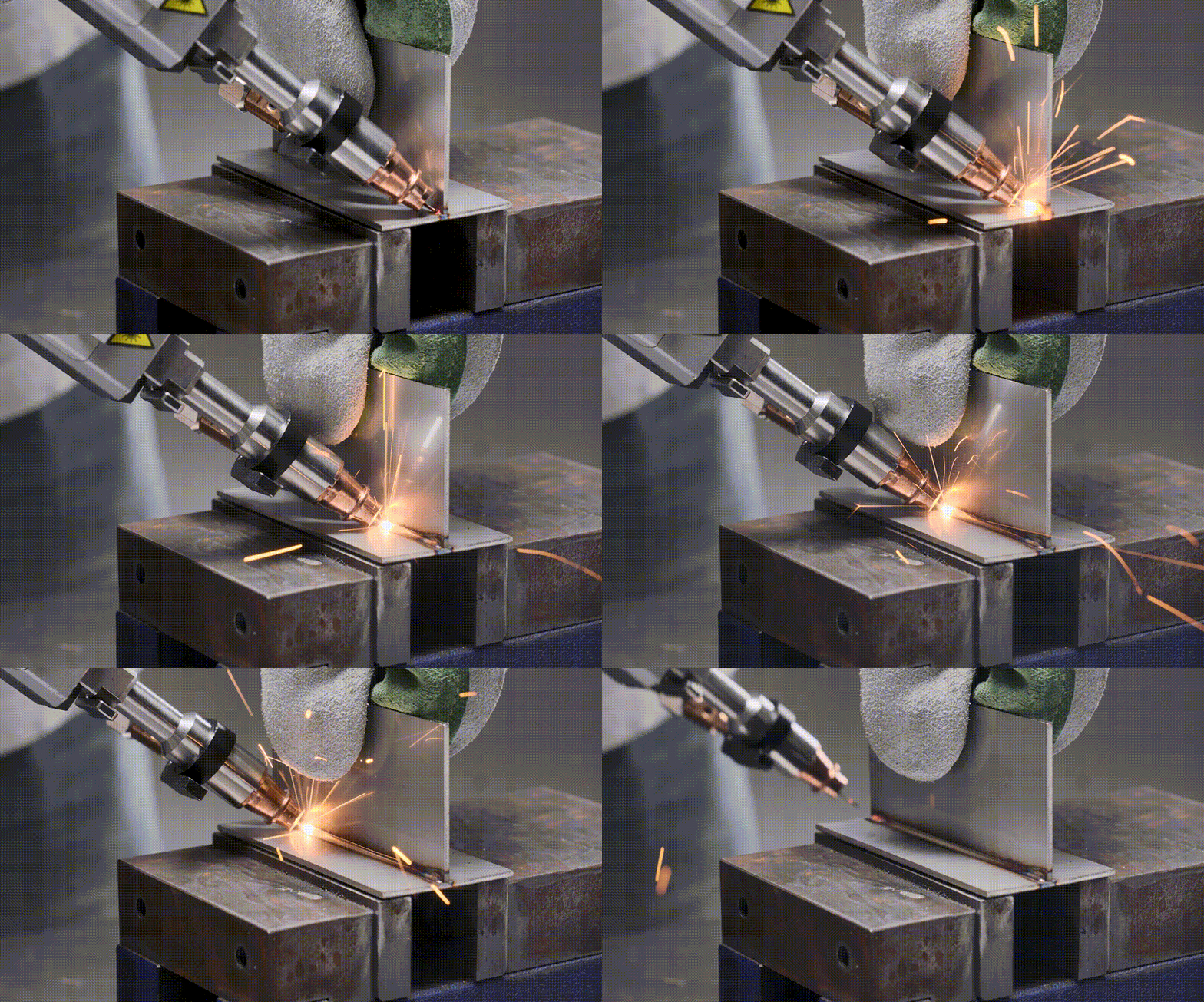
(3) During laser welding, hold the welding head steady and guide the direction. Do not press the welding head downward, or the wire may stick or clog.
Scenario 2: Poor wire feeding also occurs when not welding
If wire feeding is also unstable when you press the feed button on the welding head or wire feeder, the issue may be caused by the wire feeding system or the welding wire. Follow the steps below to troubleshoot the issue.
STEP 1: Check the size of the wire feeding nozzle
Based on the table below, check if the wire feeding nozzle is of the right size to feed the wire you use. If not, replace the wire feeding nozzle with a compatible one. For detailed instructions, see Replace the wire feeding nozzle.
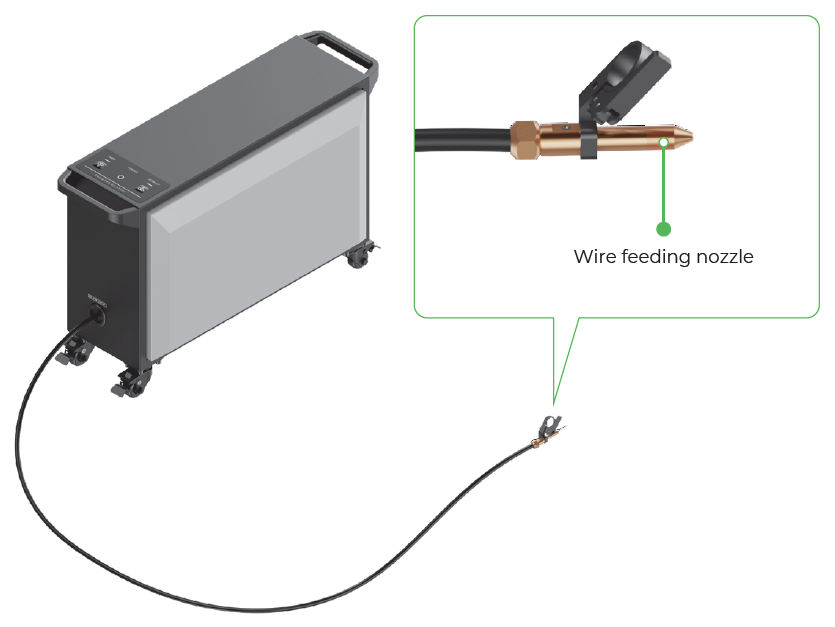
Wire feeding nozzle | Supported wire diameter |
| 0.8 mm / 1.0 mm |
| 1.2 mm / 1.6 mm |
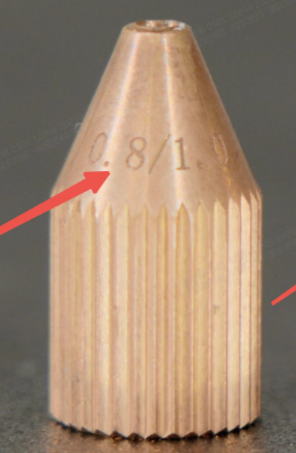
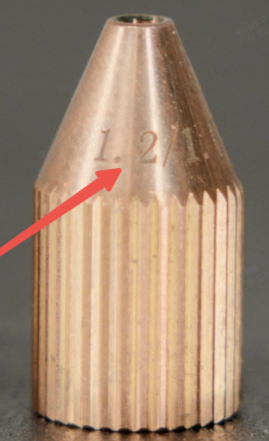
STEP 2: Check the installation and feed tension of the wire
(1) Open the door of the wire feeder.
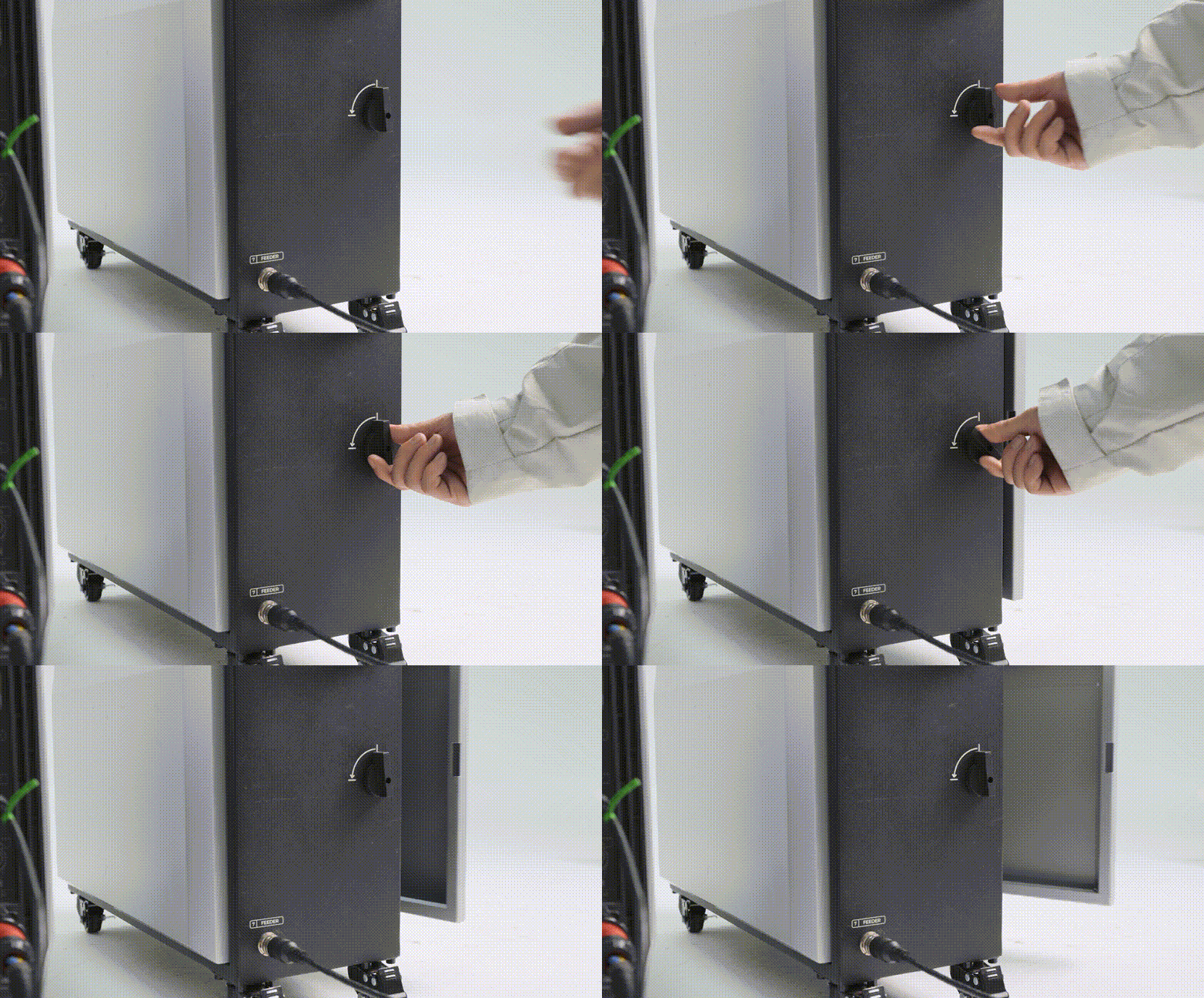
(2) Check the wire spool installation. Check if the wire spool is installed in the correct direction, as shown in the following picture.
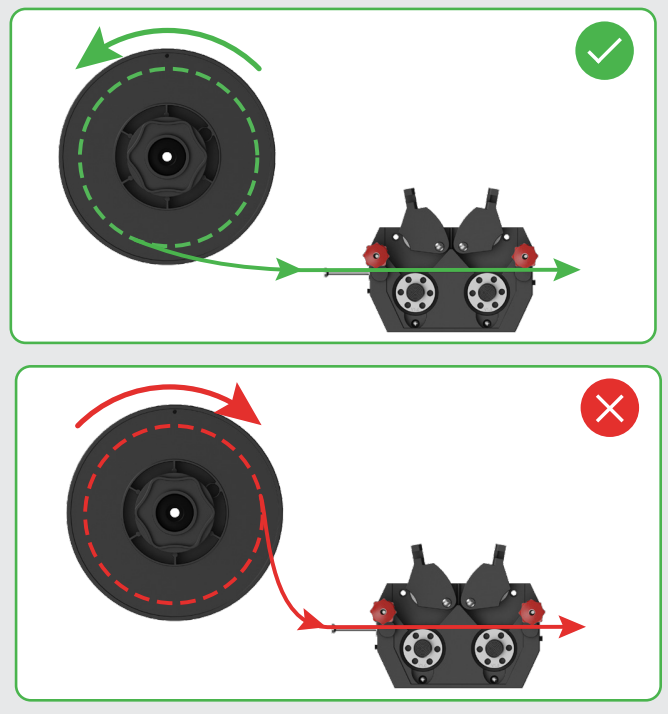
(3) Check the drive rolls.
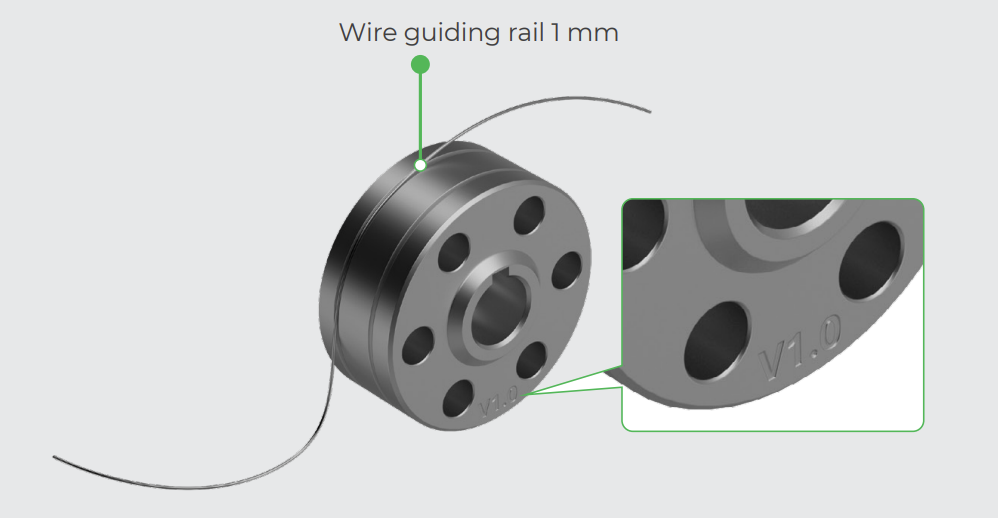
a. On the outer side of the drive rolls, check if the numbers, which indicate the size of the wire guiding rails, match the welding wire diameter.
b. In the wire guiding rails, check if there is anything like dust or grease that clogs the rail.
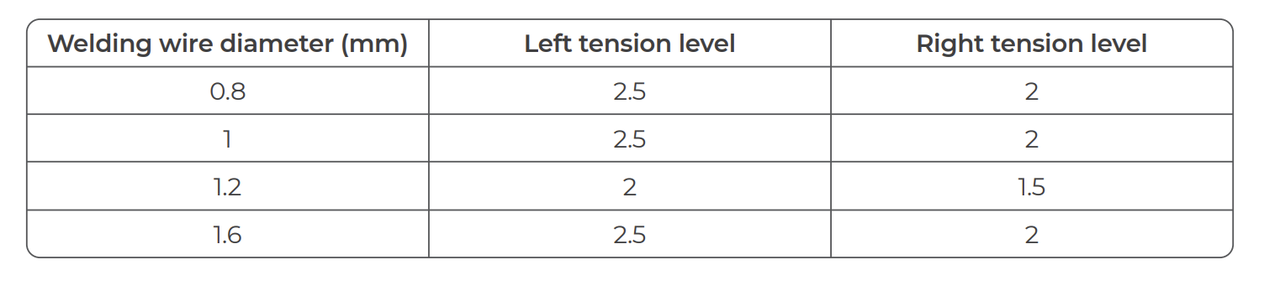
(4) Check the wire feed tension. Based on the following table, check if the wire feed tension is properly set. If not, rotate the tensioners' knobs to adjust the tension.
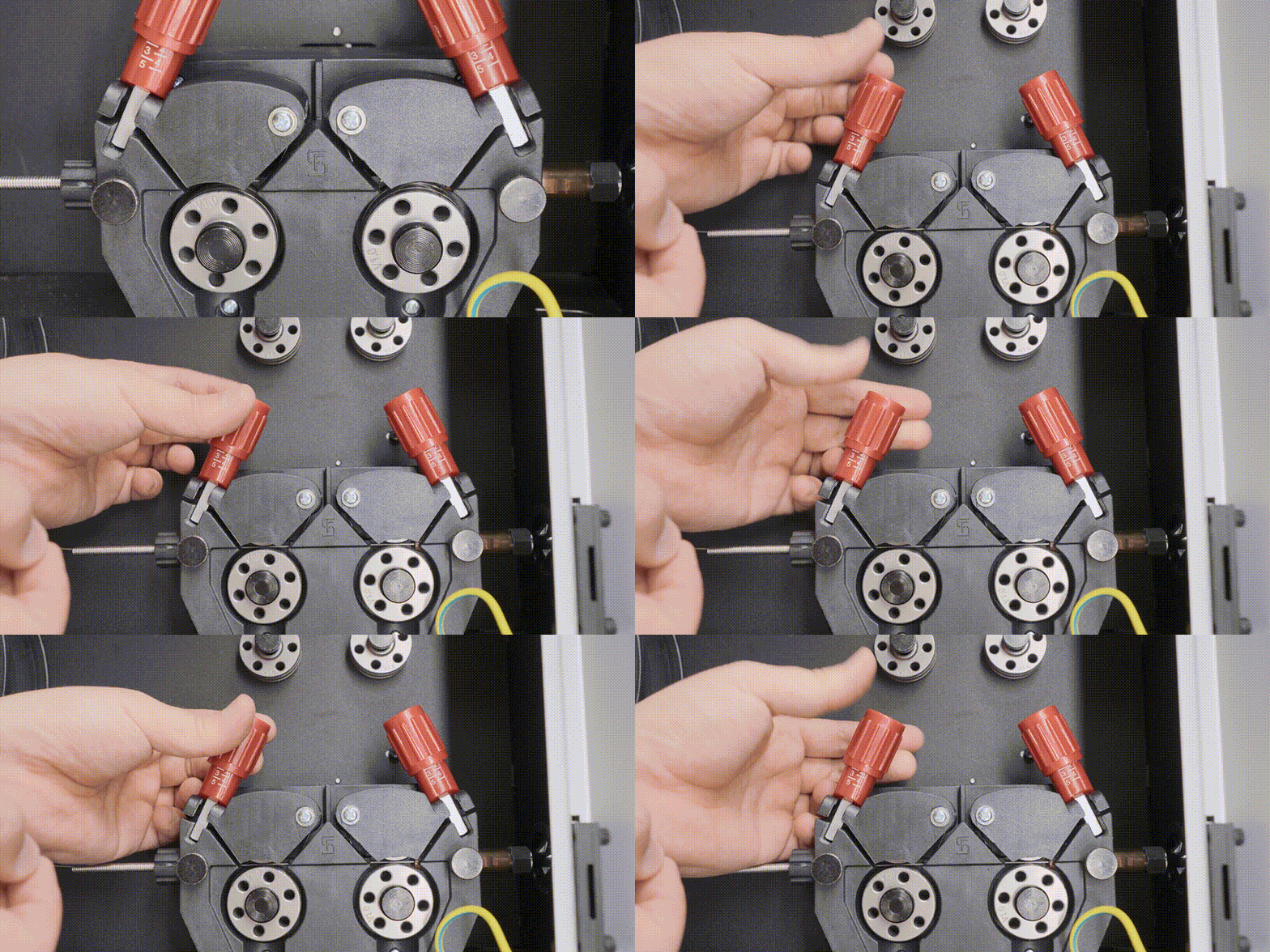
Note: If the recommended tension settings do not work well, you can slightly adjust the set tension, record the settings, and then perform a test. Compare the wire delivery performance in different tension settings and apply the best one.
STEP 3: Check the wire spool
(1) On the wire spool, check the wound wire for knots, tangles, damage, grease, rust, and bends. If the wire spool is in poor condition, replace it with a new one.
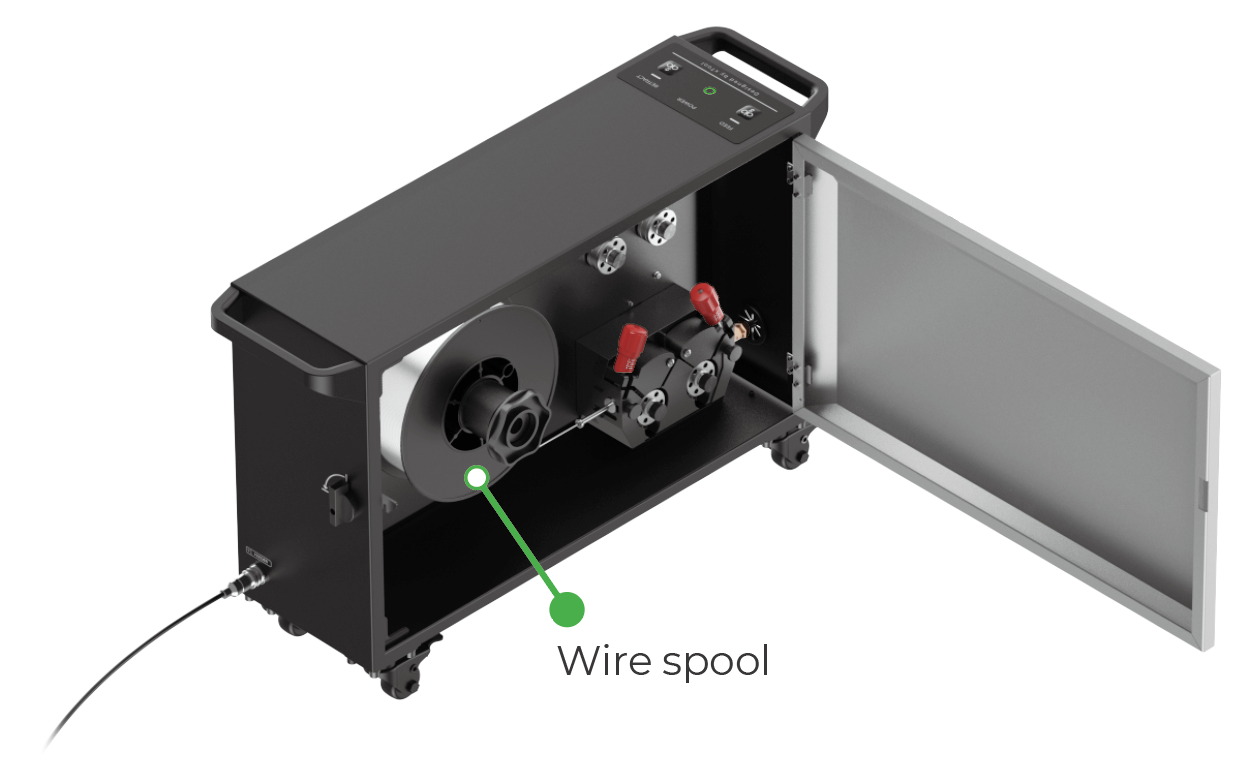
(2) On the wire feeder, press and hold the FEED or RETRACT button to feed or retract wire. Meanwhile, observe the wire spool to see if it rotates counterclockwise at a constant speed.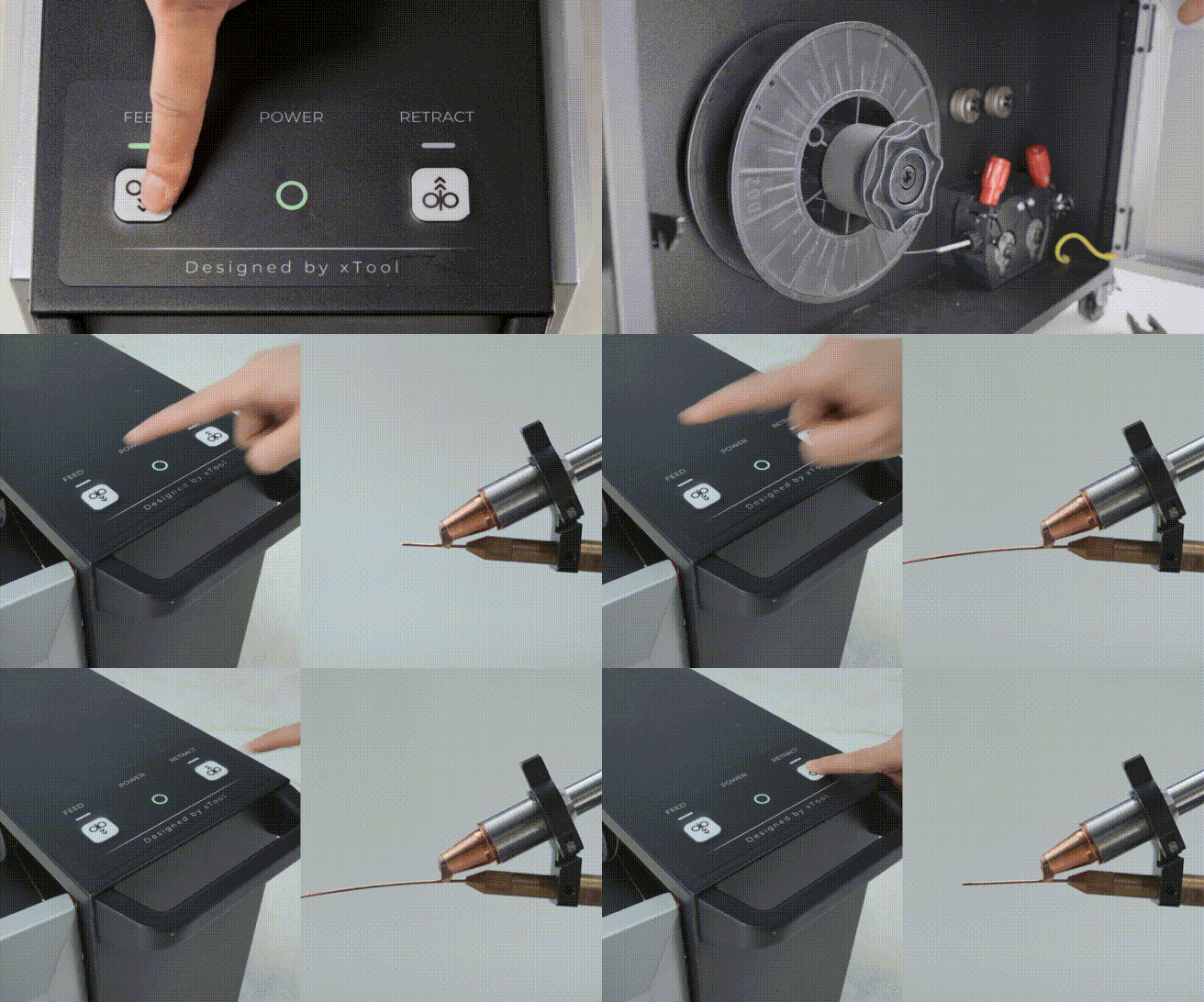
STEP 4: Check the wire feeding tube
(1) Check if the wire feeding tube is severely bent or damaged.
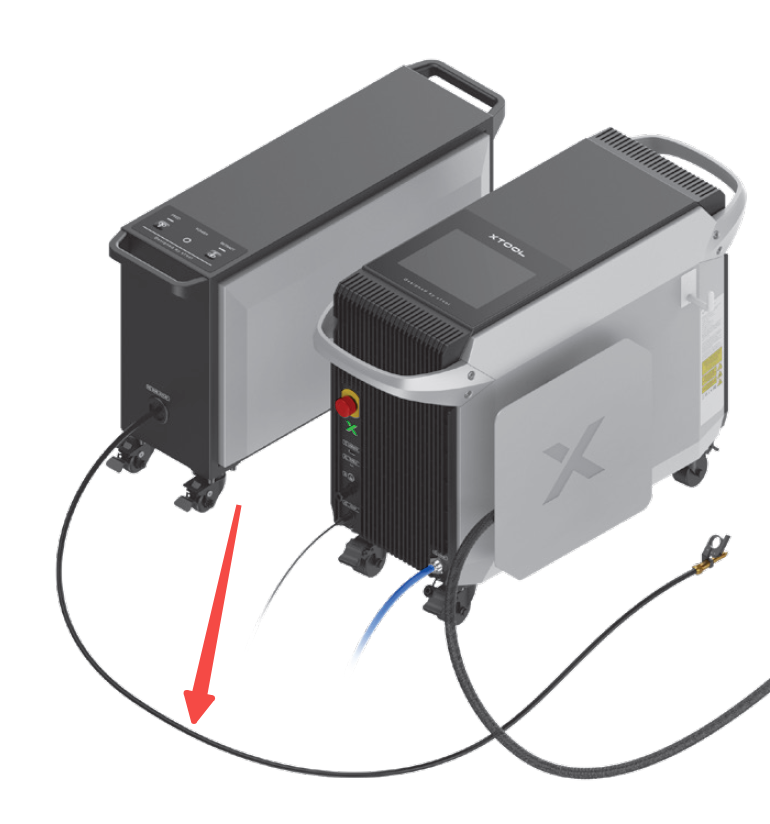
(2) Detach the wire feeding tube from the welding head and the wire feeder. Then, direct compressed air into the tube to clean the inner side of the tube.
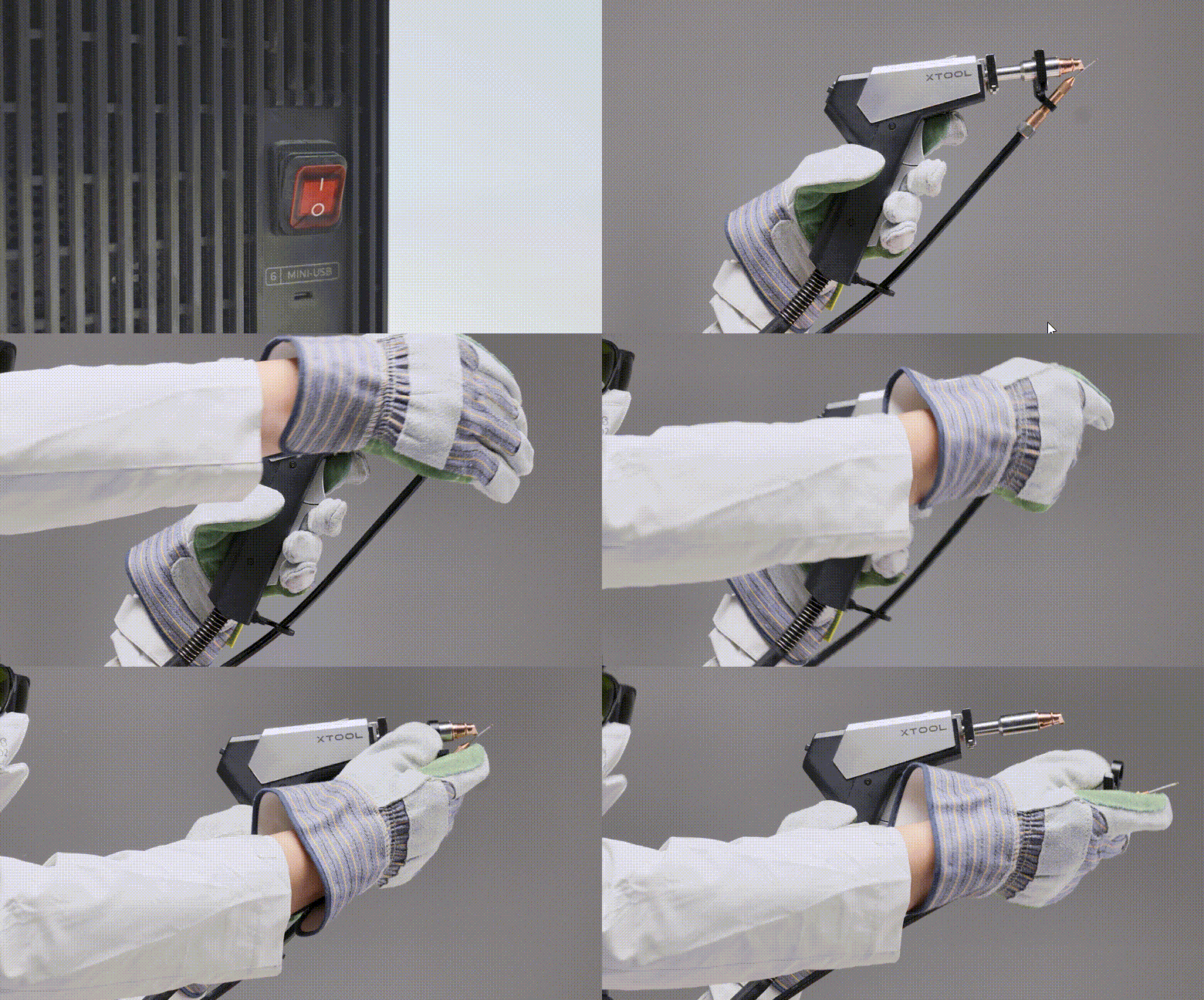
(3) After cleaning the tube, manually feed a welding wire into the tube.
- If the wire passes through the tube smoothly, install the tube back into the machine.
- If the wire encounters excessive resistance or gets stuck inside the tube, you may need to replace the tube with a new one.
STEP 5: Replace the welding wire
Replace the wire with stainless steel wire of the same diameter and test welding on a stainless steel plate under the same conditions.
If the issue disappears, it indicates that the problem is related to the wire characteristics. Please replace the welding wire.
Note: If you are using aluminum wire, 6-series aluminum wire is recommended. It has higher hardness and better rigidity. Avoid using aluminum wire that is too soft.
Still experiencing issues?
Should the issue persist after completing the preceding steps, submit a ticket via the "Submit a Ticket" button in the "Help Ticket" section below. The standard response time for xTool Customer Service is one business day.
For a prompt resolution, please include the following details:
- Issue description: A detailed explanation of the observed problem.
- Video evidence: Attach a video demonstrating the issue, where applicable.
- Troubleshooting performed: Any troubleshooting steps you have already attempted, along with their results.
This information is crucial for xTool technical support engineers to provide timely assistance.
Documentation feedback
Help improve this content by providing feedback. If this content did not meet your requirements, select "No" in the "Was this page helpful?" section below. Include specific details about what was unclear or missing in the pop-up suggestion box. Feedback submissions are reviewed by xTool technical writers to enhance future documentation.

