
How to Calibrate the Camera of xTool MetalFab CNC Cutter
Updated Jun 13,2025
Updated Jun 13,2025
Why Should I Calibrate the Camera?
Calibrating the camera is essential when using the machine for the first time. Properly store the calibration board to avoid contamination. If you notice significant deviations between the camera's image and the actual processing position later on, please perform calibration.
How to Calibrate the Camera of xTool MetalFab CNC Cutter?
- Turn on the power for the welding machine and cutting platform, and connect the machine.
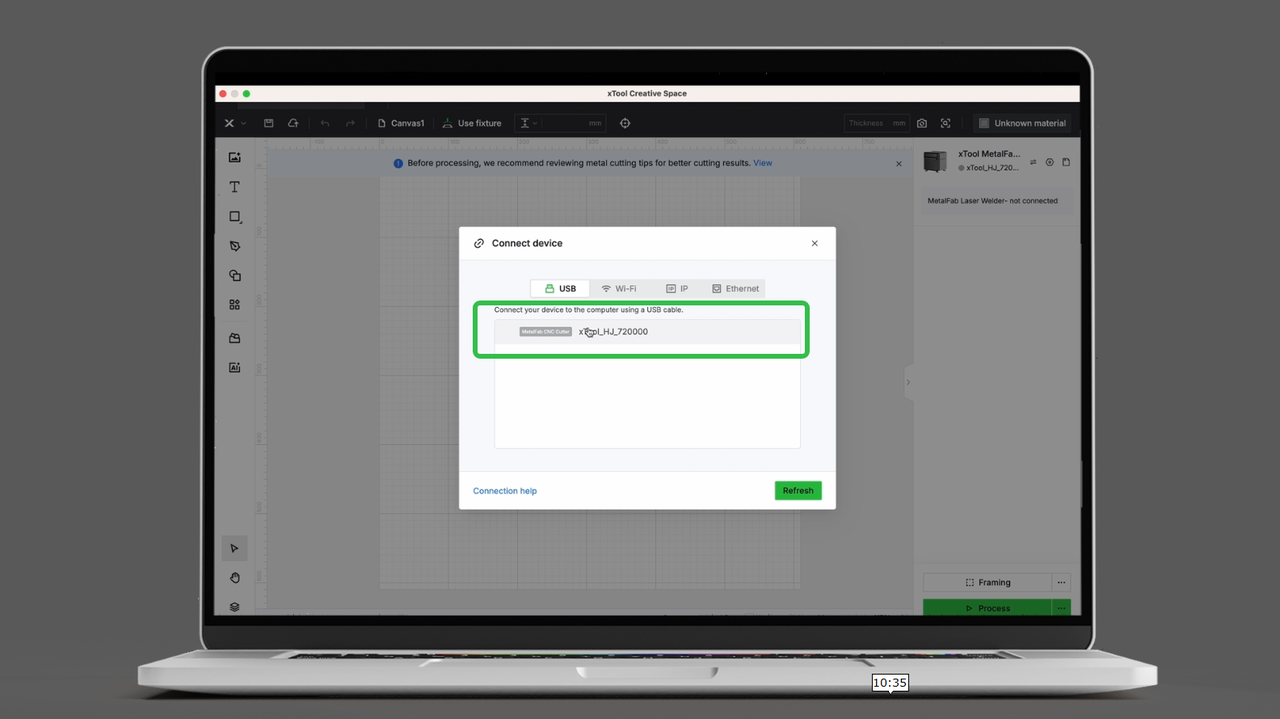
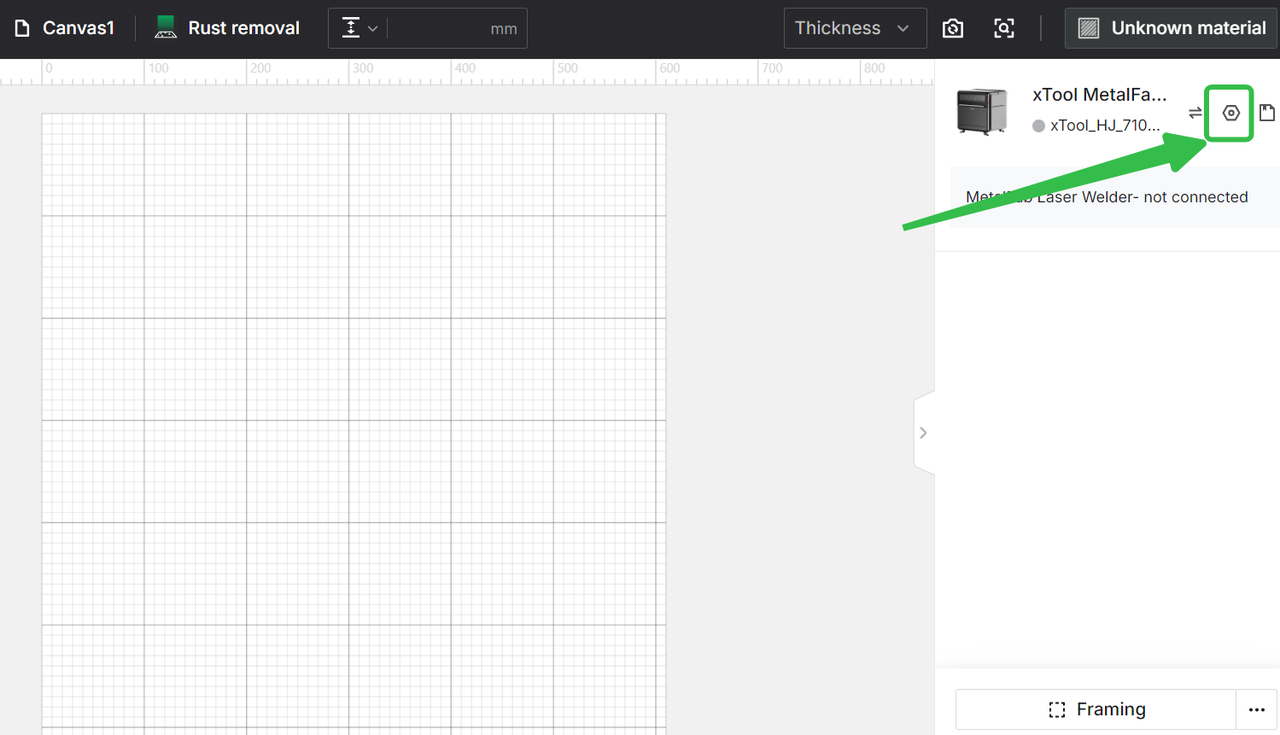
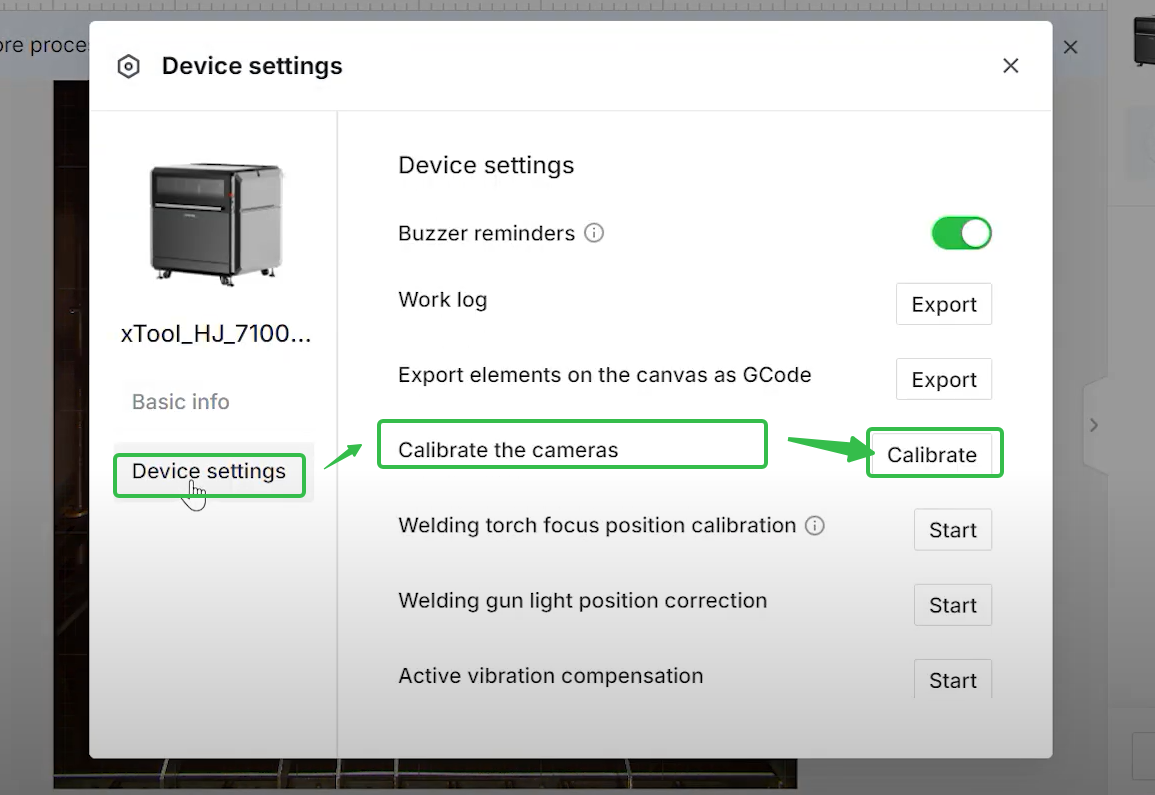
- Click on "Device settings", select "Calibrate the camera", click "Calibrate" and follow the software instructions.
 |  |
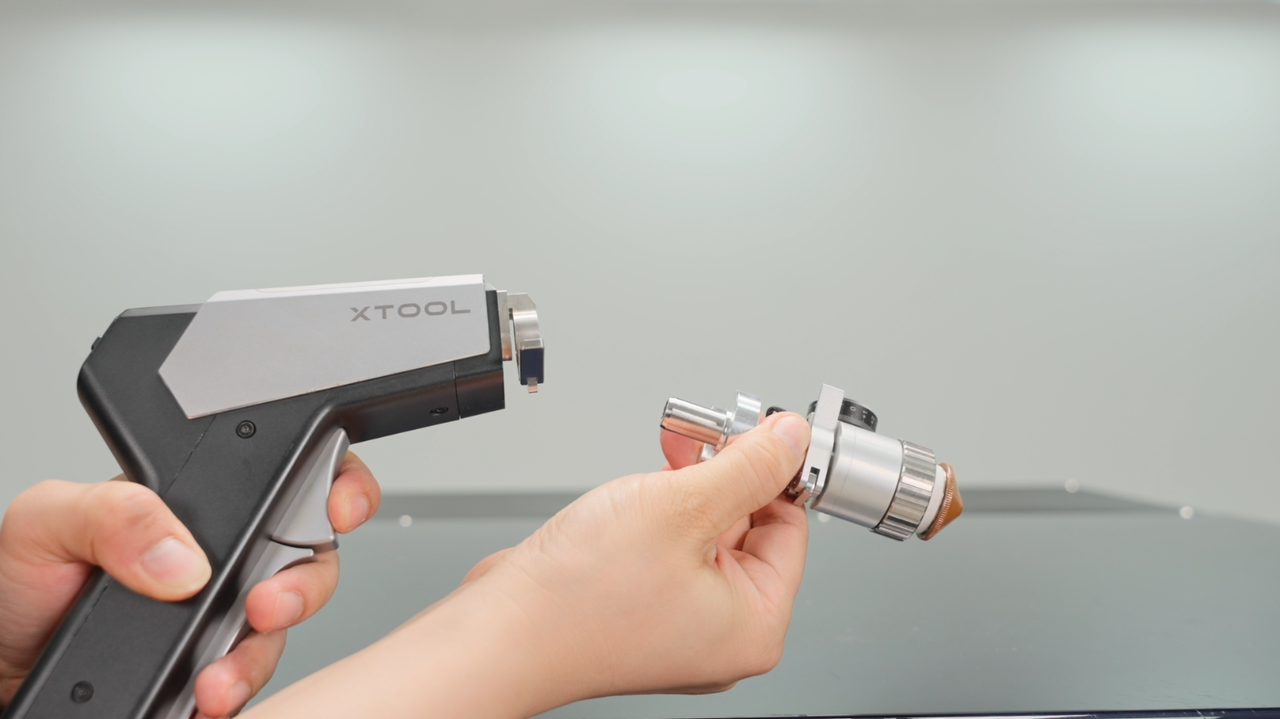
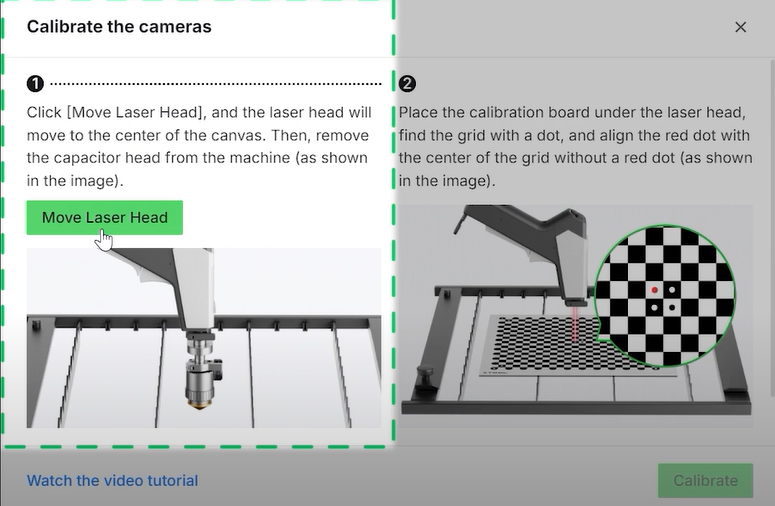
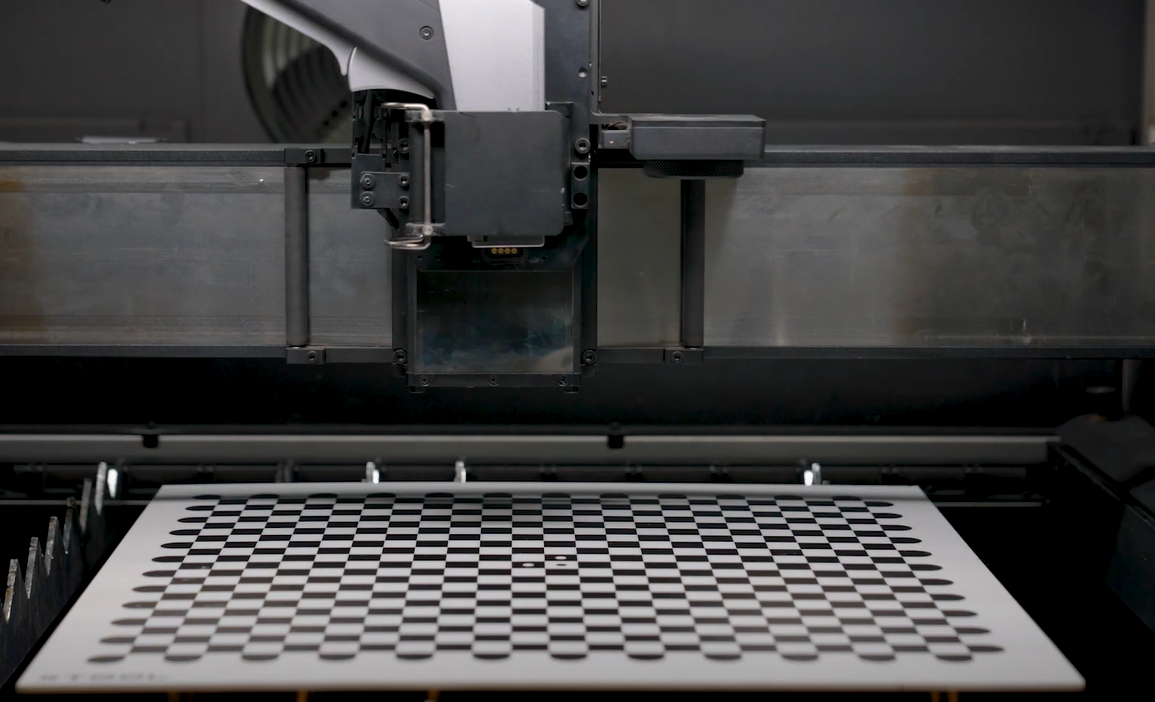
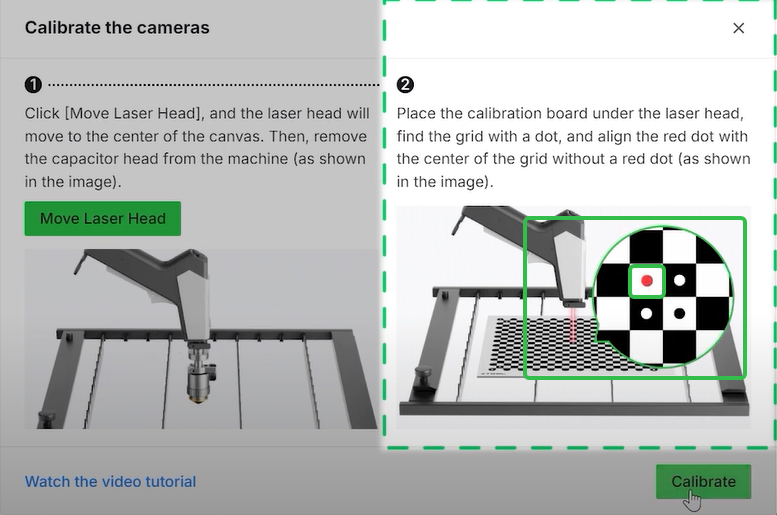
- Remove the capacitor head on the welding gun, then reinstall the welding gun back. Click “Move the laser head” , the laser head will automatically move to the center.
 |  |  |
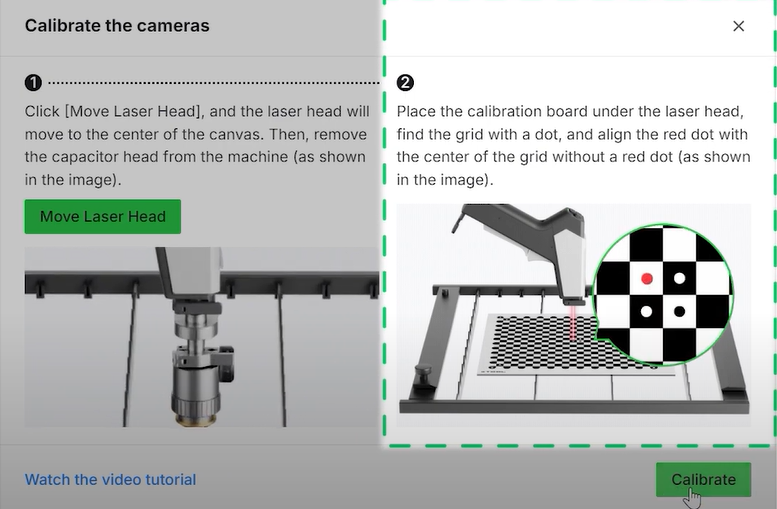
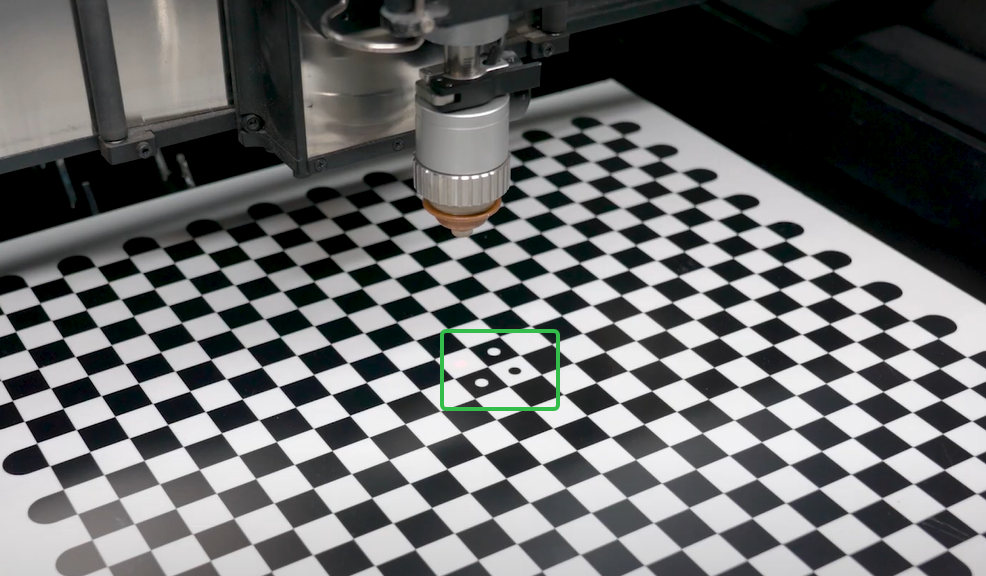
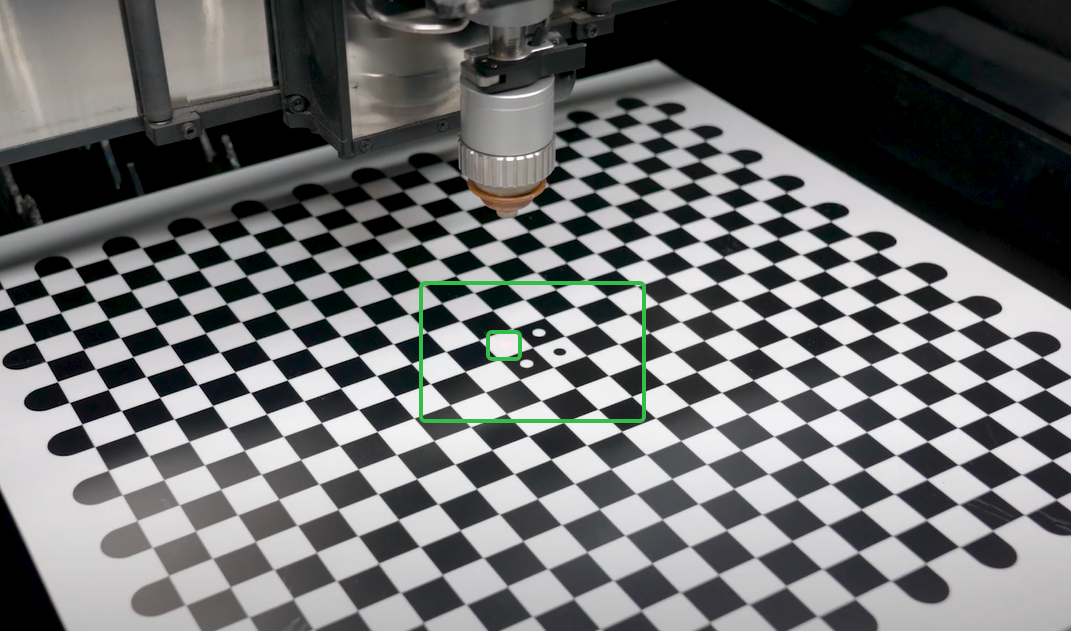
- Take out the calibration board, place it correctly according to the software instructions, and secure it with clamps. Ensure there is no any other metal sheet under the calibrate plate.
 |  |
- Close the cover, click "Calibrate" and wait for the calibration to complete.
How to Resolve Calibration Failure?
- Check if the calibration plate is positioned correctly.
 |  |
- Check if the surface of the calibration plate is dirty.
- Make sure to close the cover during calibration.
How to Measure Camera Accuracy?
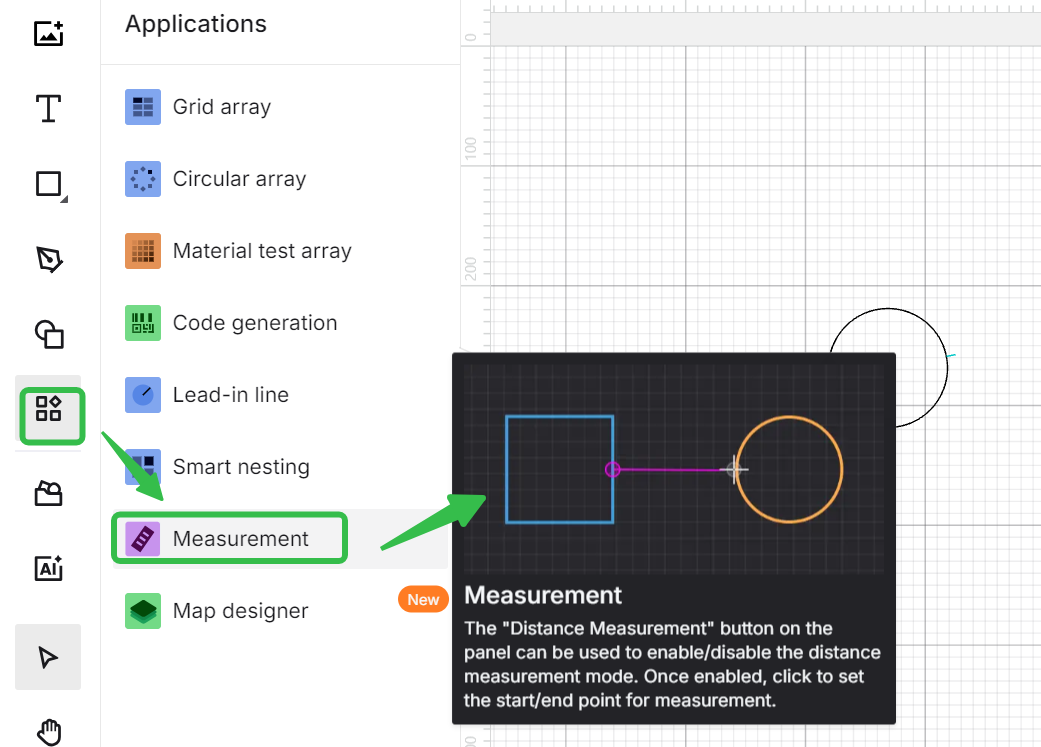
You can use XCS software's distance measurement feature to calculate the current deviation.
- Place a piece of material and cut a simple pattern (such as a circle) in the central area.
- After cutting, refresh the background and take a photo with either close-range or panoramic views to obtain a real-time background.
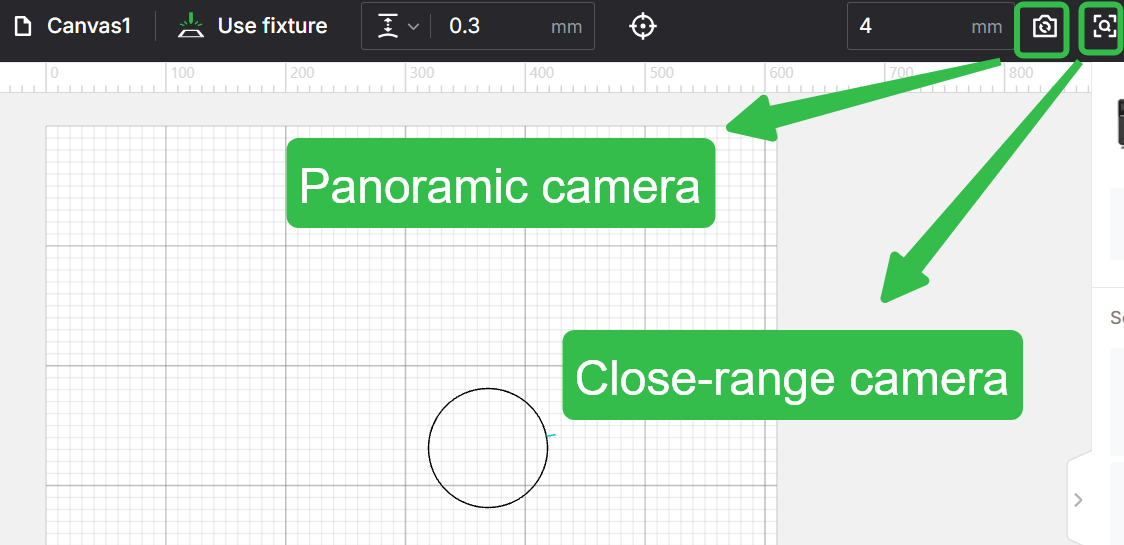
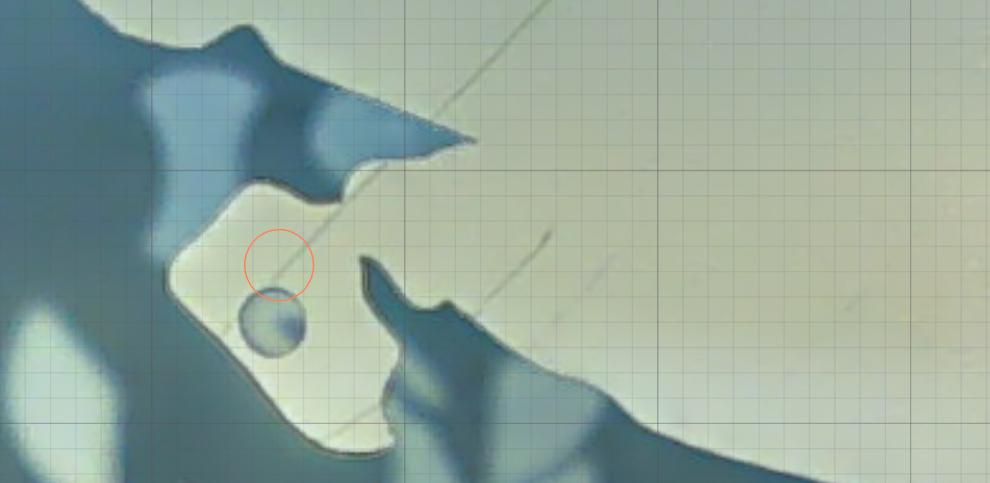
- Use the distance measurement tool to measure the distance between the actual center of the cut circle and the center of the circular pattern in the software. This will give you the approximate deviation.
 |  |
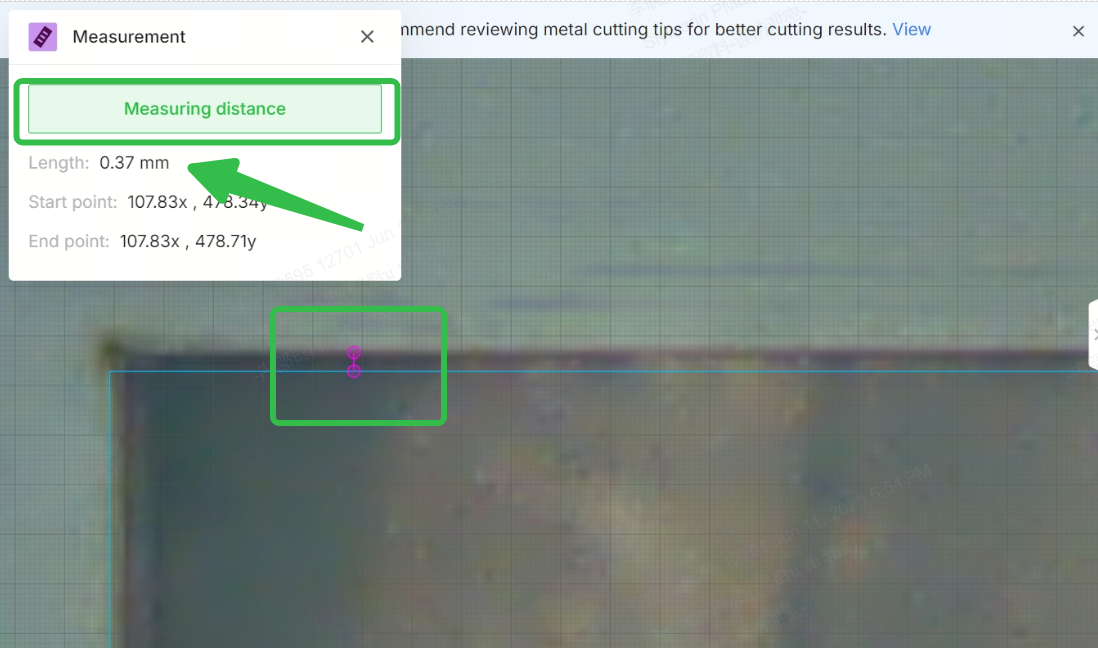
Generally, the panoramic camera has an accuracy of 2mm across the full 610mm*610mm area, and 0.2mm in the central region.
The close-up camera has an accuracy of 1mm across the full processing area and 0.2mm in the central region. If the deviation exceeds these values, please perform calibration.
Preview
Was this page helpful?
4 out of 5 found this helpful
Help Ticket
Use this help ticket to submit your issue. We will respond within 1 business day
Submit a Ticket 
