
Why Do I Need Complete Vibration Compensation?
The nozzle vibration during the metal cutting process can cause the actual position of the cutting nozzle to deviate from the commanded position, alter the distribution of auxiliary gas affecting slag removal, and lead to machine wear.
Therefore, implementing vibration compensation is key to ensuring cutting quality and stability.
Its core role is to actively identify, predict, and counteract harmful vibrations generated during the processing, thereby significantly improving cutting accuracy, surface quality, and processing efficiency.
So after receiving the machine, we must perform active vibration compensation calculations. When you connect your machine to XCS for the first time, it will trigger calibration tasks including vibration compensation.
How to Perform Vibration Compensation in XCS?
- Turn on the power for the welding machine and cutting platform, and connect the machine.
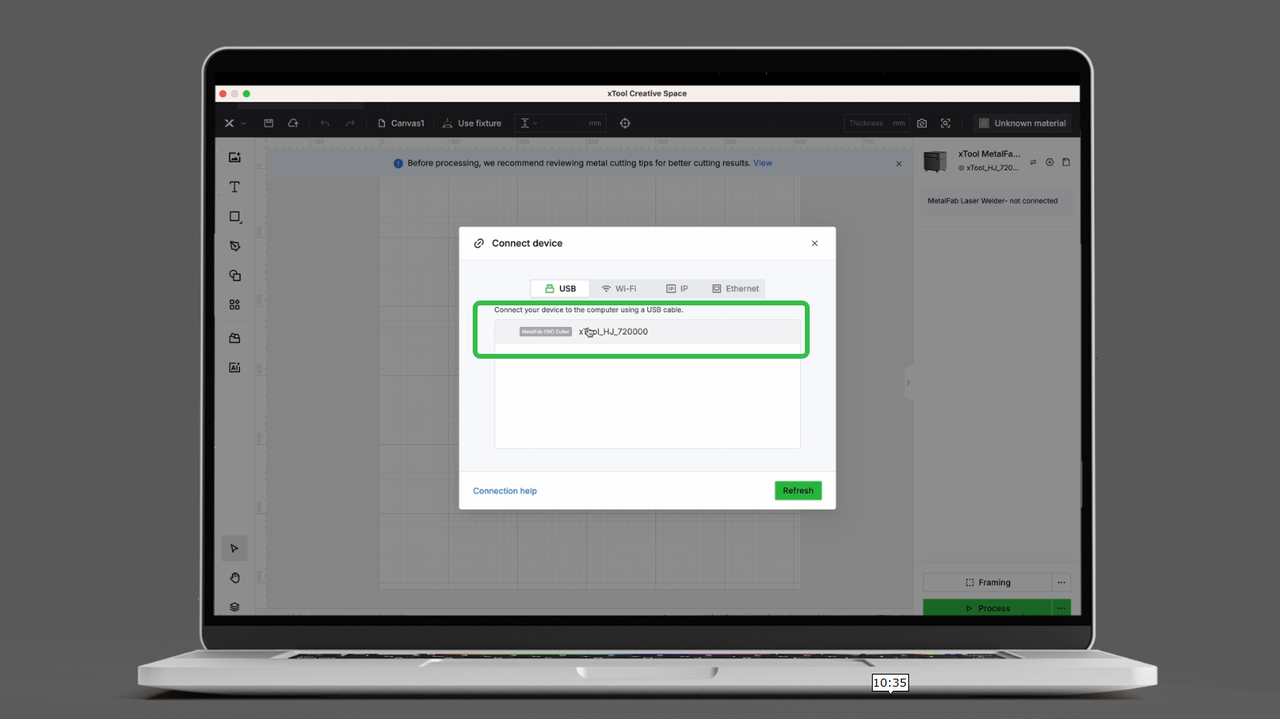
- Select vibration compensation, and click start.
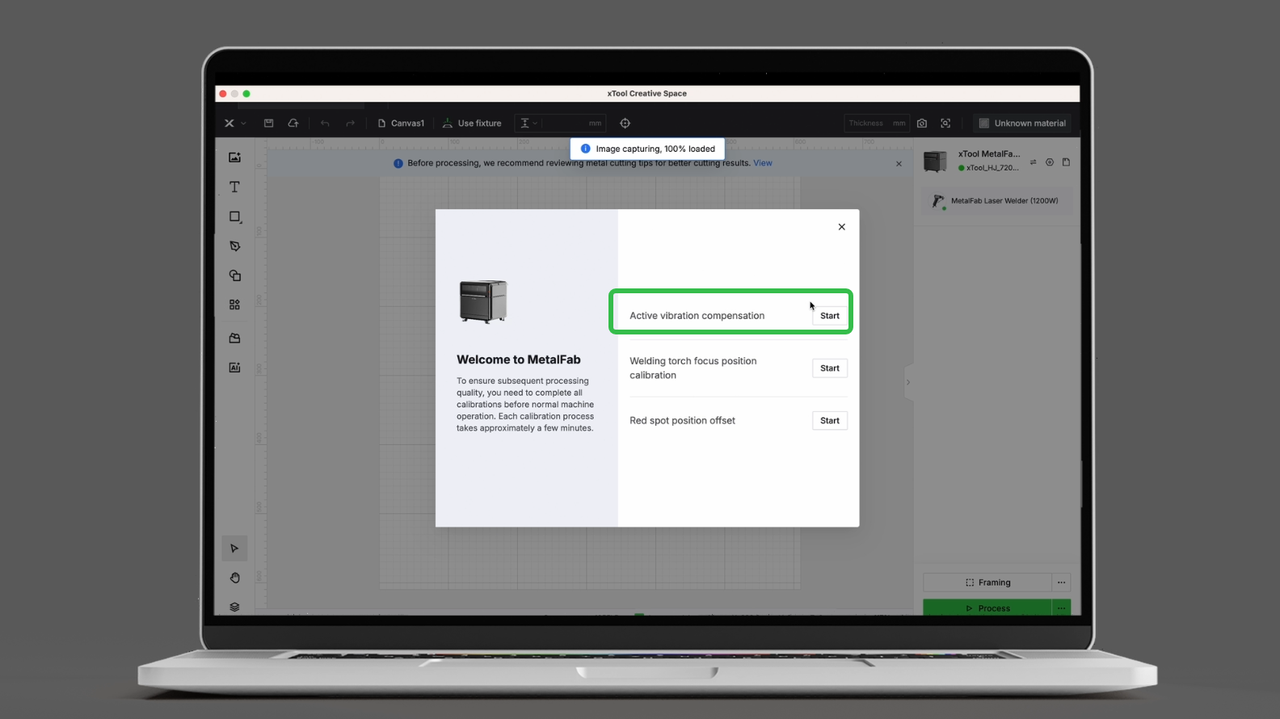 |
- Close the cover, press the processing button, and wait for the compensation to complete.
 |  |

