
RNDIS Driver Installation Guide
Updated Jan 26,2026
Updated Jan 26,2026
RNDIS Driver Installation Guide
Note: You don't need to install the Remote Network Driver Interface Specification (RNDIS) driver for macOS.
Download the RNDIS driver package
Click to download the RNDIS driver package for Windows below.
Install the RNDIS driver
Find the package you've downloaded, uncompress the package, and double-click the driver based on the system type of your operating system.
Note:
- If the operating system is a 32-bit one, double-click usb-driver-installer-x86.exe to install the driver.
- If the operating system is a 64-bit one, double-click usb-driver-installer-x64.exe to install the driver.
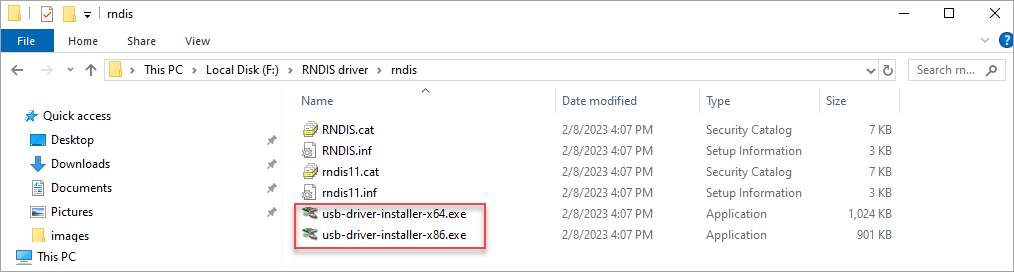
Complete the installation as prompted.
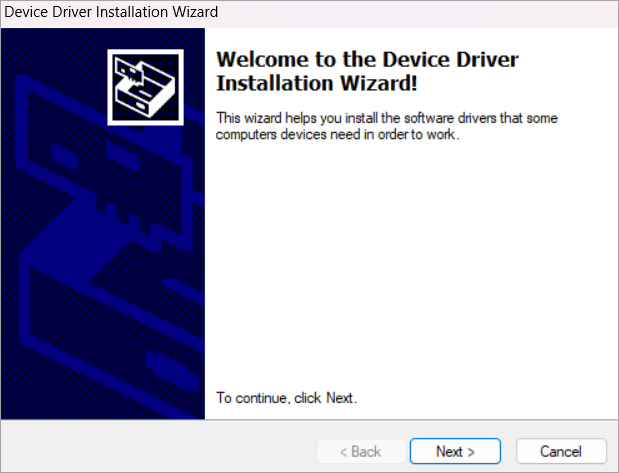
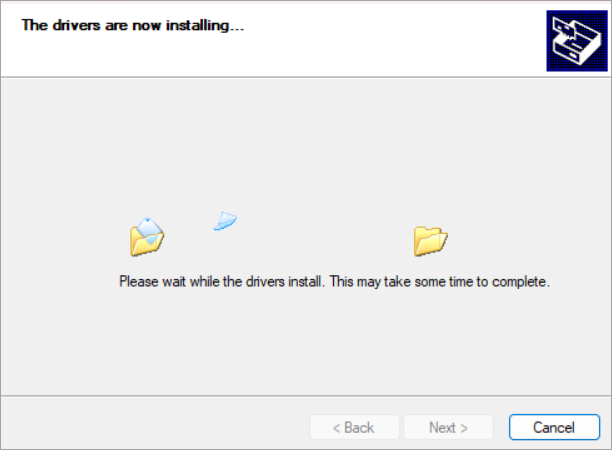
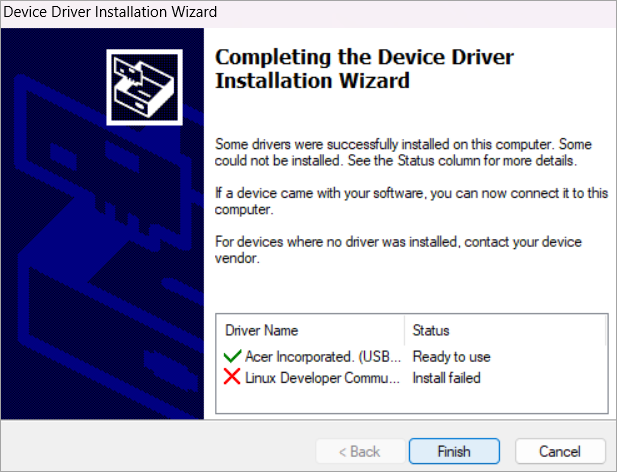
Unplug the USB cable and plug it in again, and then open XCS.
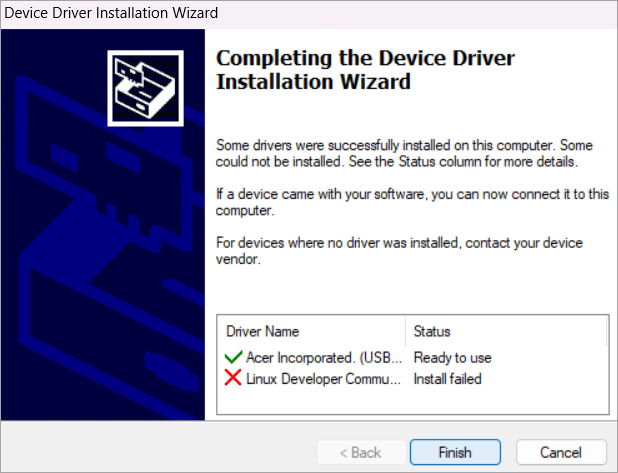
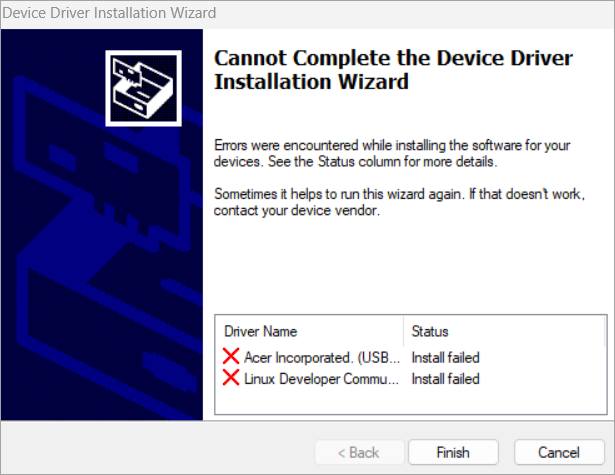
Note: Pay attention to the first USB driver. If it is installed successfully, the RNDIS driver is installed successfully. The Linux driver does not matter.
Preview
Was this page helpful?
123 out of 144 found this helpful
Help Ticket
Use this help ticket to submit your issue. We will respond within 1 business day
Submit a Ticket 
