
Article·5 min
Use xTool P3 Honeycomb Panel
Caution:
- Handle the honeycomb panel with care. Dropping or crashing the honeycomb panel may deform it and thus cause distance measurement failure and poor processing results.
- Do not place heavy objects on the honeycomb panel. Heavy load may deform it and thus cause distance measurement failure and poor processing results.
- The honeycomb panel has a flatness tolerance of ± 0.5 mm, which means that some areas may protrude or sink by 0.5 mm or less. This does not affect the function of the honeycomb panel.
- Prevent blade contact with your fingers when placing the honeycomb panel, or you may get hurt.
List of items
Honeycomb panel | Material pin |
Cleaning brush | User manual |
Use the honeycomb panel
Scenario 1: Use the honeycomb panel and slats
- Take out half of the slats from the device.
- Place a honeycomb panel in the device.
Scenario 2: Use two honeycomb panels
*The other honeycomb panel is not included in the pack.
- Take out all slats from the device.
- Place a honeycomb panel in the device.
- Place the other honeycomb panel in the device.
Use the material pin
Place the material pin
Place the material on the honeycomb panel. Then, use four material pins to secure the four corners of the material.
Remove the material pin
To remove a material pin, lift it with its ring pull.
Maintenance
Residues may remain in the honeycomb panel after material processing. You are advised to take it out and clean it every time after a material is processed, so that the next processing won't be affected.
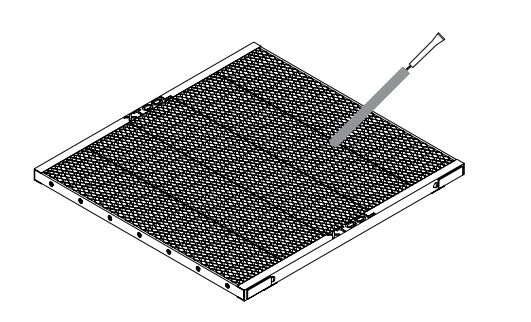
You can use the brush delivered with the honeycomb panel to clean the cells of the honeycomb panel.
Preview
Was this lesson helpful?
Lesson 1 / 4
Next Lesson
Set up xTool P3 in xTool Software
5 min

